crwdns2933423:0crwdne2933423:0
crwdns2947577:0crwdnd2947577:0crwdne2947577:0

Motorola Droid RAZR HD Front Panel Replacement

crwdns2942213:0crwdne2942213:0

  1. Motorola Droid RAZR HD Front Panel Replacement, Front Panel Assembly: crwdns2935265:01crwdnd2935265:01crwdnd2935265:01crwdne2935265:0
    • Power off the device before disassembly to avoid damage or harm from electrical surges.

    • Remove the two 4.5mm screws in the bottom left and right corners of the device using a T4 Torx Screwdriver.

    crwdns2952109:0crwdne2952109:0

    crwdns2917038:0crwdne2917038:0

  2. Motorola Droid RAZR HD Front Panel Replacement: crwdns2935265:02crwdnd2935265:01crwdnd2935265:01crwdne2935265:0
    • Holding the device in your hand, push the screen towards the top of the phone until it disconnects from the base of the phone.

    crwdns2952109:0crwdne2952109:0

    crwdns2917038:0crwdne2917038:0

  3. Motorola Droid RAZR HD Front Panel Replacement: crwdns2935265:03crwdnd2935265:01crwdnd2935265:01crwdne2935265:0
    • Use a plastic opening tool to lift the screen from the phone.

    • Do not try to completely detach the screen; cables are still connected to the device and can be damaged.

    crwdns2952109:0crwdne2952109:0

    crwdns2917038:0crwdne2917038:0

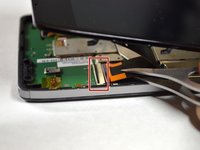
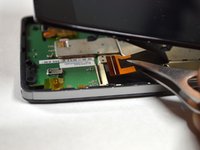
  4. Motorola Droid RAZR HD Front Panel Replacement: crwdns2935265:04crwdnd2935265:01crwdnd2935265:02crwdne2935265:0 Motorola Droid RAZR HD Front Panel Replacement: crwdns2935265:04crwdnd2935265:02crwdnd2935265:02crwdne2935265:0
    crwdns2935267:0crwdne2935267:0
    Tweezers
    $4.99
    • Use tweezers to remove the yellow tape covering the lcd/digitizer cable connector.

    • Carefully lift up the black locking tab to release the lcd/digitizer cable.

    • The cable connector is located on the bottom right section of the phone.

    crwdns2952109:0crwdne2952109:0

    crwdns2917038:0crwdne2917038:0

  5. Motorola Droid RAZR HD Front Panel Replacement: crwdns2935265:05crwdnd2935265:01crwdnd2935265:01crwdne2935265:0
    • Lift up the screen further to reveal another cable at the top of the device connecting the motherboard to the screen.

    • This connector is located on the top right section of the phone.

    • Use tweezers to lift the black bar on top of the ZIF connector.

    • Pull the ribbon cable out of the connector with tweezers.

    • Now that there are no cables connecting the screen to the motherboard, remove the screen.

    crwdns2952109:0crwdne2952109:0

    crwdns2917038:0crwdne2917038:0

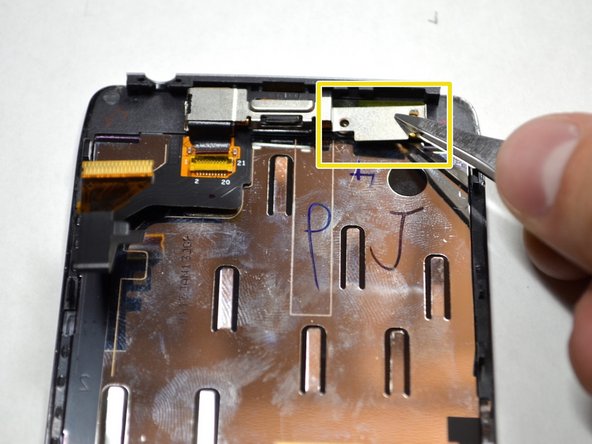
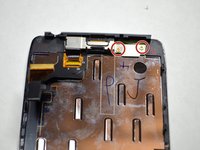
  6. Motorola Droid RAZR HD Front Panel Replacement, Front Panel: crwdns2935265:06crwdnd2935265:01crwdnd2935265:02crwdne2935265:0 Motorola Droid RAZR HD Front Panel Replacement, Front Panel: crwdns2935265:06crwdnd2935265:02crwdnd2935265:02crwdne2935265:0
    crwdns2935267:0crwdne2935267:0
    Tweezers
    $4.99
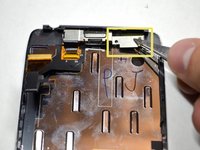
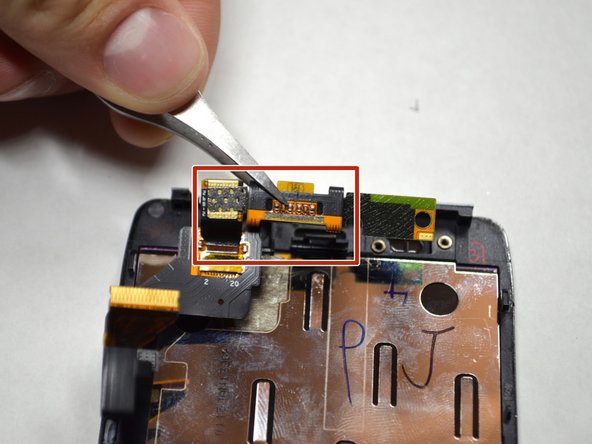
    • Remove the two 2.0mm T4 Torx screws near the top of the screen.

    • Remove the metal plate protecting the front camera and ear speaker with tweezers.

    crwdns2952109:0crwdne2952109:0

    crwdns2917038:0crwdne2917038:0

  7. Motorola Droid RAZR HD Front Panel Replacement: crwdns2935265:07crwdnd2935265:01crwdnd2935265:02crwdne2935265:0 Motorola Droid RAZR HD Front Panel Replacement: crwdns2935265:07crwdnd2935265:02crwdnd2935265:02crwdne2935265:0
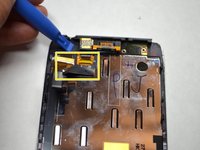
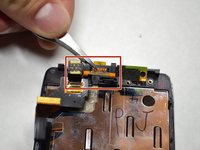
    • Using a plastic openining tool, lift up the front camera and ear speaker assembly.

    • Remove the assembly with tweezers.

    crwdns2952109:0crwdne2952109:0

    crwdns2917038:0crwdne2917038:0

crwdns2915888:0crwdne2915888:0

To reassemble your device, follow these instructions in reverse order.

crwdns2935221:0crwdne2935221:0

crwdns2935229:02crwdne2935229:0

Brendan Baronia

crwdns2935283:004/14/15crwdne2935283:0

681 crwdns2915208:0crwdne2915208:0

crwdns2935297:02crwdne2935297:0

crwdns2935287:0crwdne2935287:0

Cal Poly, Team 4-4, Maness Spring 2015 crwdns2935289:0Cal Poly, Team 4-4, Maness Spring 2015crwdne2935289:0

CPSU-MANESS-S15S4G4

crwdns2931471:05crwdne2931471:0

crwdns2935297:012crwdne2935297:0

crwdns2947412:00crwdne2947412:0

crwdns2917038:0crwdne2917038:0

crwdns2936625:0crwdne2936625:0:

crwdns2936751:024crwdne2936751:0 1

crwdns2936753:07crwdne2936753:0 5

crwdns2936753:030crwdne2936753:0 30

crwdns2942667:0crwdne2942667:0 1,968