
Motorola C168 Screen Replacement

crwdns2959932:0crwdnd2959932:0Christopher Wucrwdnd2959932:0crwdnd2959932:0crwdnd2959932:07crwdnd2959932:0crwdne2959932:0
crwdns2959936:0N'w 18, 2023crwdne2959936:0
crwdns2869540:0crwdne2869540:0: 1,9 B
crwdns2959988:0crwdne2959988:0
- crwdns2959990:0crwdne2959990:0
- 0
- crwdns2959992:0crwdne2959992:0
- 4
- crwdns2959994:0crwdne2959994:0
- 43
- crwdns2959996:0crwdne2959996:0
- 1.931
crwdns2955950:0crwdne2955950:0: 2
crwdns2960008:02crwdne2960008:0
crwdns2960000:0crwdne2960000:0crwdns2959984:0crwdne2959984:0: 1 2
crwdns2959972:01crwdne2959972:0
crwdns2959970:02crwdne2959970:0
crwdns2959986:0crwdne2959986:0: 0 1
crwdns2959958:0crwdne2959958:0
crwdns2959976:01crwdne2959976:0
crwdns2915892:0crwdne2915892:0
crwdns2959928:0crwdne2959928:0 ↓If the screen on your Motorola C168 is damaged or if it isn’t working then this is the guide for you. In this guide we will walk you through how to replace your Motorola's screen. A phone's screen is a major part of its user interface. You may need to replace your screen if the screen has been damaged in any way (cracks, parts of the screen or the whole screen being unresponsive). Make sure you switch off the phone before you begin.
crwdns2959930:0crwdne2959930:0
crwdns2943215:0crwdne2943215:0
-
Spudger4.9


-
-
-
Turn the phone so its back is facing you.
-
Press the release button on the back cover, while simultaneously pulling the cover down.
-
Remove the back cover.
 crwdns2952109:0crwdne2952109:0
-
-
-
Pinch the sides of the bottom of the battery and pull upward.
-
-
-
-
-
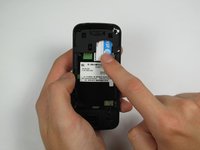
Press and slide the SIM card down.
-
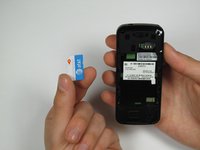
Remove the SIM card.
-
-
-
-
-
-
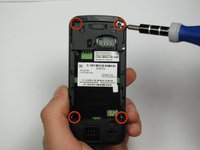
Orient the phone so its back is facing you.
-
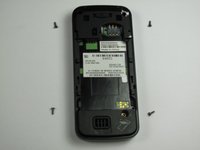
Using a Torx T-4 screwdriver, carefully remove the 4 screws located at the corners of the phone.
-
-
crwdns2935267:0crwdne2935267:0Spudger$3.99
-
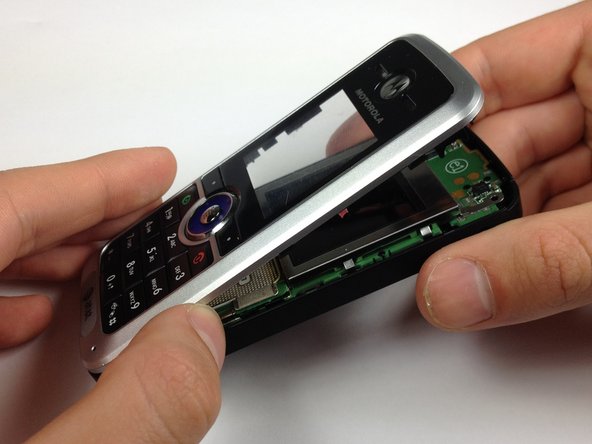
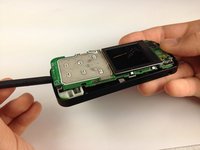
Lodge a spudger in between the front panel and the main frame of the phone.
-
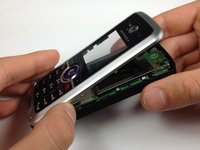
Using a good amount of torque, pry the front panel from the phone.
-
-
-
-
crwdns2935267:0crwdne2935267:0Spudger$3.99
-
Place the phone on its back.
-
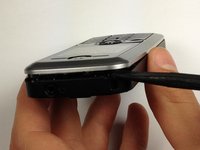
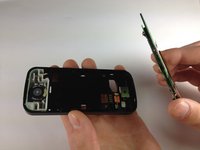
Insert the spudger at the bottom of the phone, between the phone's frame and the circuit board.
-
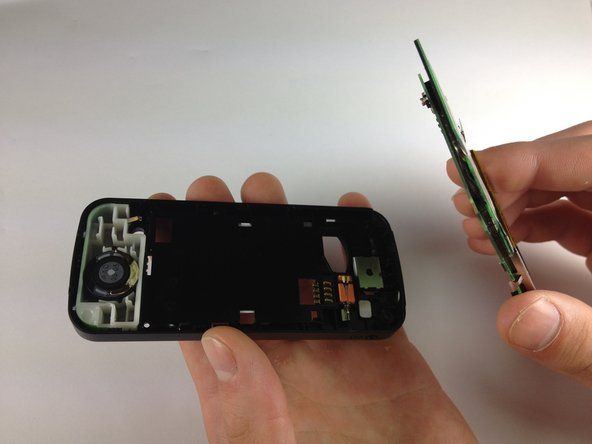
Remove the circuit board from the frame.
-
-
-
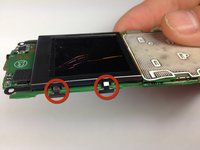
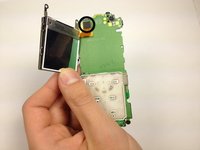
Bend the screen clamps outward so they are no longer underneath the circuit board.
-
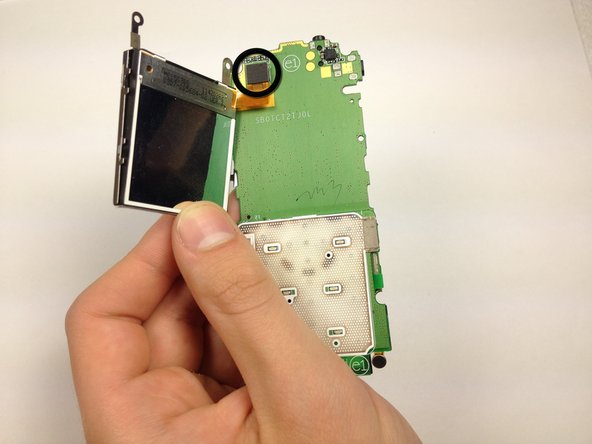
Pull the screen encasing away from the circuit board.
-
-
-
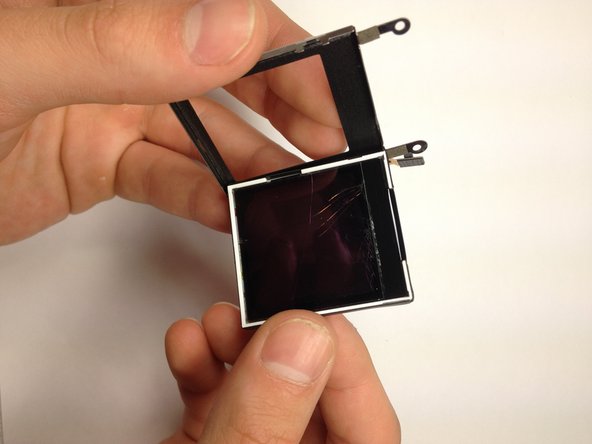
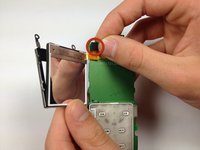
Unplug the screen-to-phone interface.
-
Remove the screen from its encasing by pushing it out.
-
-








To reassemble your device, follow these instructions in reverse order.
crwdns2935221:0crwdne2935221:0
crwdns2935227:0crwdne2935227:0

crwdns2935287:0crwdne2935287:0

Cal Poly, Team 12-40, Regan Spring 2012 crwdns2935289:0Cal Poly, Team 12-40, Regan Spring 2012crwdne2935289:0
CPSU-REGAN-S12S12G40
crwdns2931471:04crwdne2931471:0
crwdns2935297:048crwdne2935297:0
crwdns2947412:02crwdne2947412:0
motorola c168 network not working problem. how to repair network problem?
sattar - crwdns2934203:0crwdne2934203:0 crwdns2950251:0crwdne2950251:0
pls tell me?
sattar - crwdns2934203:0crwdne2934203:0 crwdns2950251:0crwdne2950251:0
