
Macintosh PowerBook 165c Display Replacement

crwdns2959932:0crwdnd2959932:0Jasoncrwdnd2959932:0crwdnd2959932:0crwdnd2959932:04crwdnd2959932:0crwdne2959932:0
crwdns2959936:0Sun 28, 2014crwdne2959936:0
crwdns2869540:0crwdne2869540:0: 3,3 тыс.
crwdns2959988:0crwdne2959988:0
- crwdns2959990:0crwdne2959990:0
- 5
- crwdns2959992:0crwdne2959992:0
- 28
- crwdns2959994:0crwdne2959994:0
- 113
- crwdns2959996:0crwdne2959996:0
- 3 253
crwdns2955950:0crwdne2955950:0: 2
crwdns2960004:02crwdne2960004:0.
crwdns2959984:0crwdne2959984:0: 1 2
crwdns2959972:01crwdne2959972:0
crwdns2959970:02crwdne2959970:0
crwdns2959986:0crwdne2959986:0: 0 1
crwdns2959958:0crwdne2959958:0
crwdns2959976:01crwdne2959976:0
crwdns2915892:0crwdne2915892:0
crwdns2959928:0crwdne2959928:0 ↓Use this guide to replace the display.
crwdns2959930:0crwdne2959930:0
crwdns2943215:0crwdne2943215:0


-
-
-
Orientate the computer right side up and open the display case to reveal the display.
-
Use a plastic opening tool to remove the two small plastic plugs located on the display case just below the display.
 crwdns2952109:0crwdne2952109:0
-
-
-
Use a T8 torx screwdriver to remove the two, 7.7mm long screws that were revealed by removing the plastic plugs.
-
Twist counterclockwise to remove the screw.
-
-
-
Grip the two bottom corners of the plastic display cover and gently pull towards yourself so that the display cover rotates about the top of the display case.
-
The display cover should release from top.
-
Remove the display case.
-
-
-
Locate the black connector on the right of the display. The connector can be identified by the pink, light blue, and white wires protruding from its side.
-
Remove the black connector from the circuit board by pulling it away from its adapter.
-
-
-
Using a T8 torx screwdriver, remove the four, 10.8mm long screws from the corners of the display.
-
-
-
-
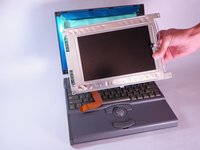
Carefully tilt the display downwards and rest it on the keyboard.
-
-
-
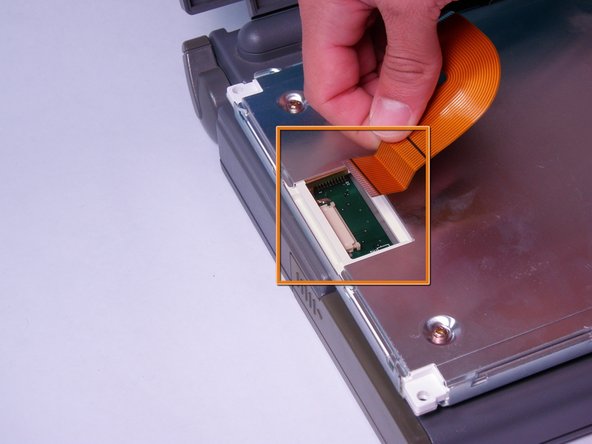
Locate the orange ribbon cable on the back of the display.
-
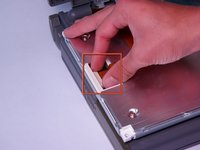
Open the white tab fastener by pulling it outward.
-
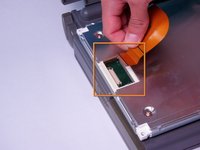
Remove the orange ribbon cable by gently pulling it away from the opened tab fastener.
-
-



To reassemble your device, follow these instructions in reverse order.
crwdns2935221:0crwdne2935221:0
crwdns2935227:0crwdne2935227:0

crwdns2935287:0crwdne2935287:0

Cal Poly, Team 6-3, Regan Fall 2011 crwdns2935289:0Cal Poly, Team 6-3, Regan Fall 2011crwdne2935289:0
CPSU-REGAN-F11S6G3
crwdns2931471:04crwdne2931471:0
crwdns2935297:0144crwdne2935297:0
