crwdns2933423:0crwdne2933423:0
crwdns2947577:0crwdnd2947577:0crwdne2947577:0

MacBook Pro 13" Retina Display Late 2012 LCD Cable Replacement

crwdns2942213:0crwdne2942213:0

  1. MacBook Pro 13" Retina Display Late 2012 LCD Cable Replacement, Lower Case: crwdns2935265:01crwdnd2935265:01crwdnd2935265:01crwdne2935265:0
    crwdns2935267:0crwdne2935267:0
    Magnetic Project Mat
    $19.95
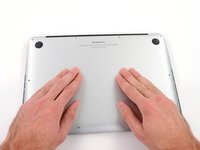
    • Remove the following ten screws securing the lower case to the upper case:

    • Two 2.3 mm P5 Pentalobe screws

    • Eight 3.0 mm P5 Pentalobe screws

    • Throughout this repair, keep track of each screw and make sure it goes back exactly where it came from to avoid damaging your device.

    crwdns2952109:0crwdne2952109:0

    crwdns2917038:0crwdne2917038:0

  2. MacBook Pro 13" Retina Display Late 2012 LCD Cable Replacement: crwdns2935265:02crwdnd2935265:01crwdnd2935265:01crwdne2935265:0
    • Wedge your fingers between the upper case and the lower case.

    • Gently pull the lower case away from the upper case.

    • Remove the lower case and set it aside.

    crwdns2952109:0crwdne2952109:0

    crwdns2917038:0crwdne2917038:0

  3. MacBook Pro 13" Retina Display Late 2012 LCD Cable Replacement: crwdns2935265:03crwdnd2935265:01crwdnd2935265:03crwdne2935265:0 MacBook Pro 13" Retina Display Late 2012 LCD Cable Replacement: crwdns2935265:03crwdnd2935265:02crwdnd2935265:03crwdne2935265:0 MacBook Pro 13" Retina Display Late 2012 LCD Cable Replacement: crwdns2935265:03crwdnd2935265:03crwdnd2935265:03crwdne2935265:0
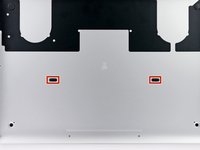
    • During reassembly, gently push down the center of the lower case to reattach the two plastic clips.

    • The lower case is connected to the upper case at the center, with two plastic clips.

    crwdns2952109:0crwdne2952109:0

    crwdns2917038:0crwdne2917038:0

  4. MacBook Pro 13" Retina Display Late 2012 LCD Cable Replacement, Battery Connector: crwdns2935265:04crwdnd2935265:01crwdnd2935265:01crwdne2935265:0
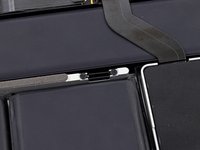
    • Remove the plastic cover adhered to the battery contact board.

    crwdns2952109:0crwdne2952109:0

    crwdns2917038:0crwdne2917038:0

  5. MacBook Pro 13" Retina Display Late 2012 LCD Cable Replacement: crwdns2935265:05crwdnd2935265:01crwdnd2935265:01crwdne2935265:0
    • Remove the following screws securing the battery connector board to the logic board:

    • Two 2.8 mm T6 Torx screws

    • One 7.0 mm T6 Torx shouldered screw

    crwdns2952109:0crwdne2952109:0

    crwdns2917038:0crwdne2917038:0

  6. MacBook Pro 13" Retina Display Late 2012 LCD Cable Replacement: crwdns2935265:06crwdnd2935265:01crwdnd2935265:02crwdne2935265:0 MacBook Pro 13" Retina Display Late 2012 LCD Cable Replacement: crwdns2935265:06crwdnd2935265:02crwdnd2935265:02crwdne2935265:0
    crwdns2935267:0crwdne2935267:0
    Tweezers
    $4.99
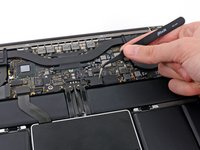
    • Use tweezers to remove the small plastic cover located near the bottom right of the battery connector board.

    crwdns2952109:0crwdne2952109:0

    crwdns2917038:0crwdne2917038:0

  7. MacBook Pro 13" Retina Display Late 2012 LCD Cable Replacement: crwdns2935265:07crwdnd2935265:01crwdnd2935265:01crwdne2935265:0
    • Remove the wide head 6.4 mm T6 Torx screw securing the battery connector to the logic board assembly.

    crwdns2952109:0crwdne2952109:0

    crwdns2917038:0crwdne2917038:0

  8. MacBook Pro 13" Retina Display Late 2012 LCD Cable Replacement: crwdns2935265:08crwdnd2935265:01crwdnd2935265:02crwdne2935265:0 MacBook Pro 13" Retina Display Late 2012 LCD Cable Replacement: crwdns2935265:08crwdnd2935265:02crwdnd2935265:02crwdne2935265:0
    • Carefully lift the battery connector board up off the logic board.

    • It is recommended to bend the battery cables just slightly, to keep the board suspended up above the logic board and out of the way.

    • Do not fold the board completely over, or crease the cables, as this may damage the battery.

    crwdns2952109:0crwdne2952109:0

    crwdns2917038:0crwdne2917038:0

  9. MacBook Pro 13" Retina Display Late 2012 LCD Cable Replacement, Battery Contact Board: crwdns2935265:09crwdnd2935265:01crwdnd2935265:02crwdne2935265:0 MacBook Pro 13" Retina Display Late 2012 LCD Cable Replacement, Battery Contact Board: crwdns2935265:09crwdnd2935265:02crwdnd2935265:02crwdne2935265:0
    crwdns2935267:0crwdne2935267:0
    Tweezers
    $4.99
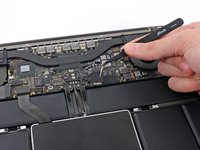
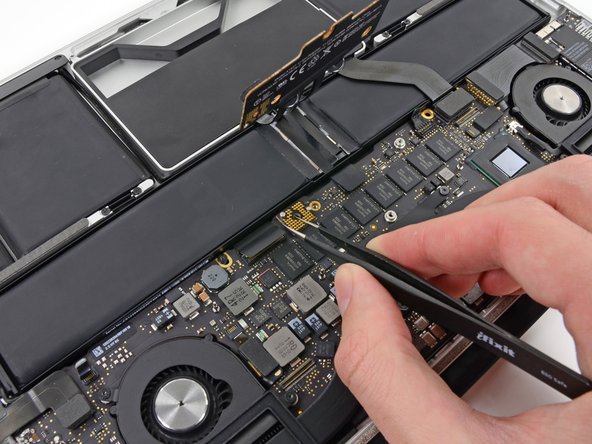
    • Grasp the Interposer with tweezers.

    • An interposer is the name for an interface that links one electrical connection to another. In this repair, it is the board connecting the battery to logic board.

    • Lift the Interposer off the logic board and remove it.

    • Removing this board will ensure that the battery remains disconnected throughout your repair, preventing your computer from accidentally powering on. It's also a good idea to take it out so it doesn't fall out unexpectedly.

    crwdns2952109:0crwdne2952109:0

    crwdns2917038:0crwdne2917038:0

  10. MacBook Pro 13" Retina Display Late 2012 LCD Cable Replacement, iSight Camera Cable: crwdns2935265:010crwdnd2935265:01crwdnd2935265:02crwdne2935265:0 MacBook Pro 13" Retina Display Late 2012 LCD Cable Replacement, iSight Camera Cable: crwdns2935265:010crwdnd2935265:02crwdnd2935265:02crwdne2935265:0
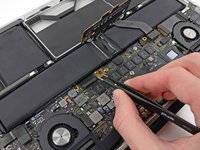
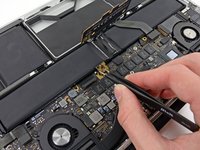
    • Use the tip of a spudger to push the iSight camera cable connector straight away from its socket on the logic board.

    • It is recommended to carefully push on both sides of the connector to "walk" it out of its socket.

    crwdns2952109:0crwdne2952109:0

    crwdns2917038:0crwdne2917038:0

  11. MacBook Pro 13" Retina Display Late 2012 LCD Cable Replacement: crwdns2935265:011crwdnd2935265:01crwdnd2935265:01crwdne2935265:0
    • Move the iSight camera cable aside.

    crwdns2952109:0crwdne2952109:0

    crwdns2917038:0crwdne2917038:0

  12. MacBook Pro 13" Retina Display Late 2012 LCD Cable Replacement, AirPort Board Assembly: crwdns2935265:012crwdnd2935265:01crwdnd2935265:03crwdne2935265:0 MacBook Pro 13" Retina Display Late 2012 LCD Cable Replacement, AirPort Board Assembly: crwdns2935265:012crwdnd2935265:02crwdnd2935265:03crwdne2935265:0 MacBook Pro 13" Retina Display Late 2012 LCD Cable Replacement, AirPort Board Assembly: crwdns2935265:012crwdnd2935265:03crwdnd2935265:03crwdne2935265:0
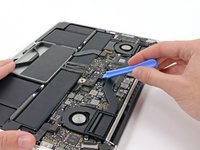
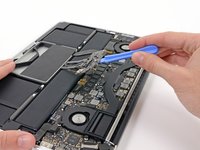
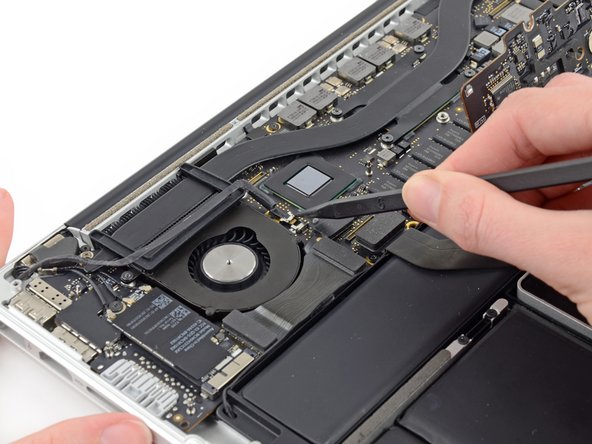
    • Use the flat end of a spudger to pry and disconnect the three antenna cable connectors from the AirPort board.

    • The three cables are coded with black sleeves of different lengths. During reassembly:

    • Connect the long-sleeved cable to the socket closest to the ports.

    • The short-sleeved cable connects next to the screw.

    • The remaining cable has no sleeve, and connects in the last empty socket, next to the fan.

    crwdns2952109:0crwdne2952109:0

    crwdns2917038:0crwdne2917038:0

  13. MacBook Pro 13" Retina Display Late 2012 LCD Cable Replacement: crwdns2935265:013crwdnd2935265:01crwdnd2935265:01crwdne2935265:0
    • Move the antenna cables aside, clear of the AirPort board.

    crwdns2952109:0crwdne2952109:0

    crwdns2917038:0crwdne2917038:0

  14. MacBook Pro 13" Retina Display Late 2012 LCD Cable Replacement, Display Assembly: crwdns2935265:014crwdnd2935265:01crwdnd2935265:03crwdne2935265:0 MacBook Pro 13" Retina Display Late 2012 LCD Cable Replacement, Display Assembly: crwdns2935265:014crwdnd2935265:02crwdnd2935265:03crwdne2935265:0 MacBook Pro 13" Retina Display Late 2012 LCD Cable Replacement, Display Assembly: crwdns2935265:014crwdnd2935265:03crwdnd2935265:03crwdne2935265:0
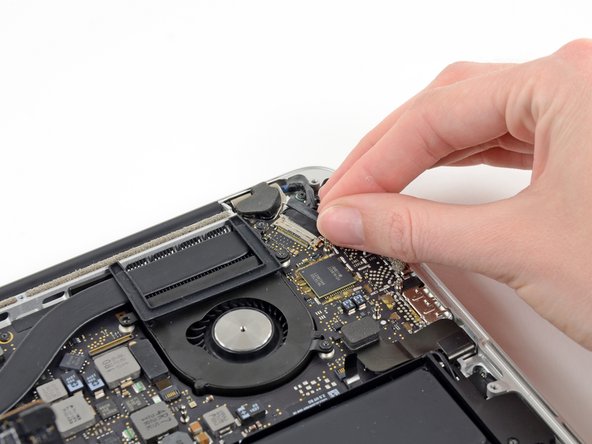
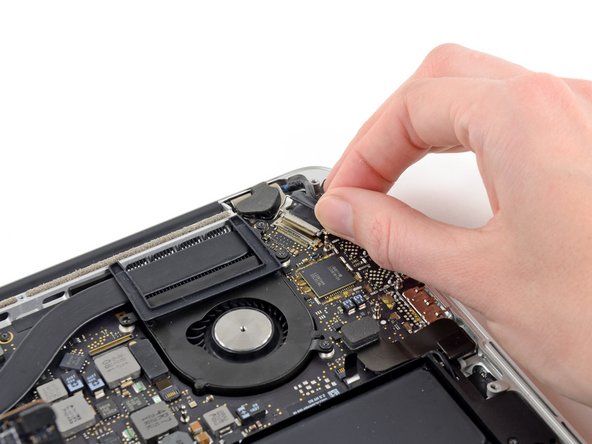
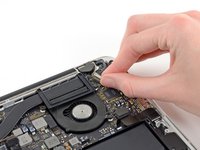
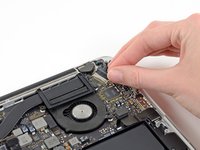
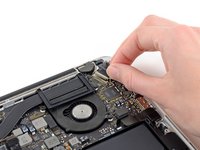
    • Grab the black pull tab secured to the display data cable lock and rotate it toward the DC-In side of the computer.

    • Pull the display data cable straight out of its socket on the logic board.

    • Do not lift up on the display data cable, as its socket is very fragile. Pull the cable parallel to the face of the logic board.

    crwdns2952109:0crwdne2952109:0

    crwdns2917038:0crwdne2917038:0

  15. MacBook Pro 13" Retina Display Late 2012 LCD Cable Replacement: crwdns2935265:015crwdnd2935265:01crwdnd2935265:02crwdne2935265:0 MacBook Pro 13" Retina Display Late 2012 LCD Cable Replacement: crwdns2935265:015crwdnd2935265:02crwdnd2935265:02crwdne2935265:0
    crwdns2935267:0crwdne2935267:0
    Tweezers
    $4.99
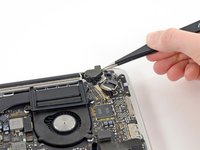
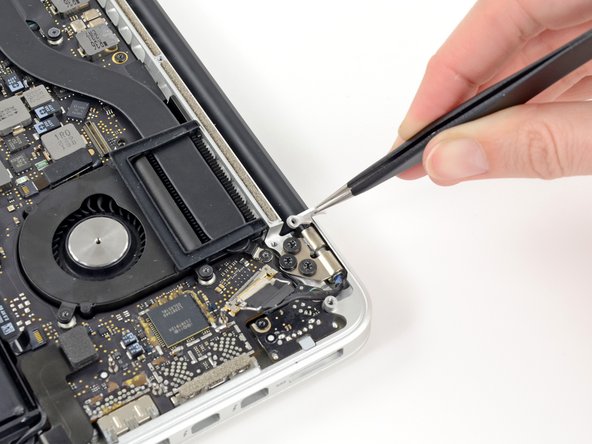
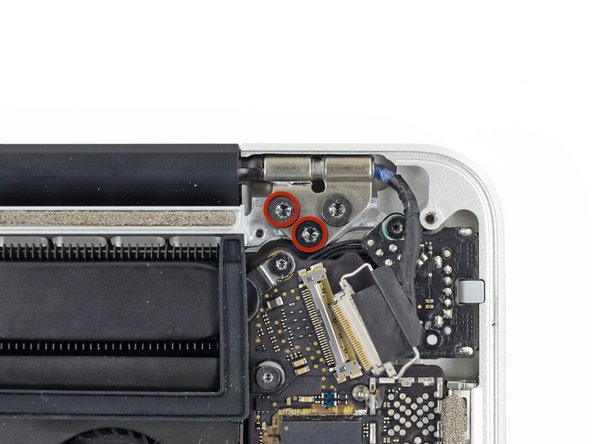
    • Use a pair of tweezers to lift the rubber hinge covers up off the right and left display hinges.

    crwdns2952109:0crwdne2952109:0

    crwdns2917038:0crwdne2917038:0

  16. MacBook Pro 13" Retina Display Late 2012 LCD Cable Replacement: crwdns2935265:016crwdnd2935265:01crwdnd2935265:02crwdne2935265:0 MacBook Pro 13" Retina Display Late 2012 LCD Cable Replacement: crwdns2935265:016crwdnd2935265:02crwdnd2935265:02crwdne2935265:0
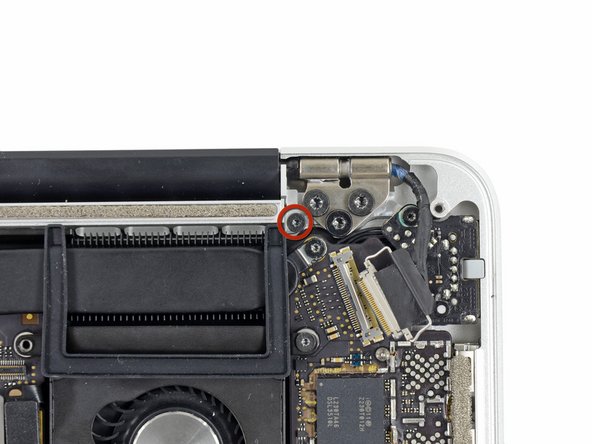
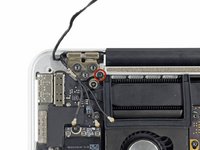
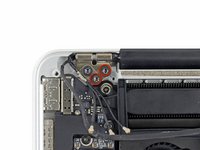
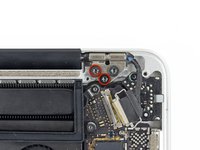
    • Remove the two 3.1 mm T5 Torx screws securing the aluminum hinge brackets.

    crwdns2952109:0crwdne2952109:0

    crwdns2917038:0crwdne2917038:0

  17. MacBook Pro 13" Retina Display Late 2012 LCD Cable Replacement: crwdns2935265:017crwdnd2935265:01crwdnd2935265:02crwdne2935265:0 MacBook Pro 13" Retina Display Late 2012 LCD Cable Replacement: crwdns2935265:017crwdnd2935265:02crwdnd2935265:02crwdne2935265:0
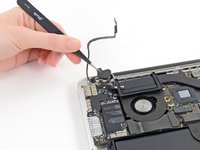
    • Use a pair of tweezers to lift aluminum hinge brackets off the right and left display hinges.

    crwdns2952109:0crwdne2952109:0

    crwdns2917038:0crwdne2917038:0

  18. MacBook Pro 13" Retina Display Late 2012 LCD Cable Replacement: crwdns2935265:018crwdnd2935265:01crwdnd2935265:02crwdne2935265:0 MacBook Pro 13" Retina Display Late 2012 LCD Cable Replacement: crwdns2935265:018crwdnd2935265:02crwdnd2935265:02crwdne2935265:0
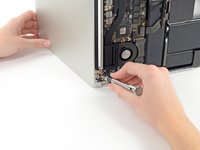
    • Remove the four inner 5.3 mm T8 Torx screws (two on each side) securing the display to the upper case.

    crwdns2952109:0crwdne2952109:0

    crwdns2917038:0crwdne2917038:0

  19. MacBook Pro 13" Retina Display Late 2012 LCD Cable Replacement: crwdns2935265:019crwdnd2935265:01crwdnd2935265:02crwdne2935265:0 MacBook Pro 13" Retina Display Late 2012 LCD Cable Replacement: crwdns2935265:019crwdnd2935265:02crwdnd2935265:02crwdne2935265:0
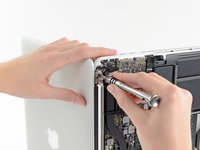
    • Open the MacBook Pro approximately 110 degrees, and place it sideways on the table, as shown.

    • While holding the display and upper case together with your left hand, remove the remaining T8 Torx screw from the upper display bracket.

    • Be sure to hold the display and upper case together with your left hand. Failure to do so may cause the freed display/upper case to fall, potentially damaging each component.

    • Remove the last remaining T8 Torx screw securing the display to the upper case.

    crwdns2952109:0crwdne2952109:0

    crwdns2917038:0crwdne2917038:0

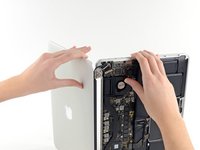
  20. MacBook Pro 13" Retina Display Late 2012 LCD Cable Replacement: crwdns2935265:020crwdnd2935265:01crwdnd2935265:03crwdne2935265:0 MacBook Pro 13" Retina Display Late 2012 LCD Cable Replacement: crwdns2935265:020crwdnd2935265:02crwdnd2935265:03crwdne2935265:0 MacBook Pro 13" Retina Display Late 2012 LCD Cable Replacement: crwdns2935265:020crwdnd2935265:03crwdnd2935265:03crwdne2935265:0
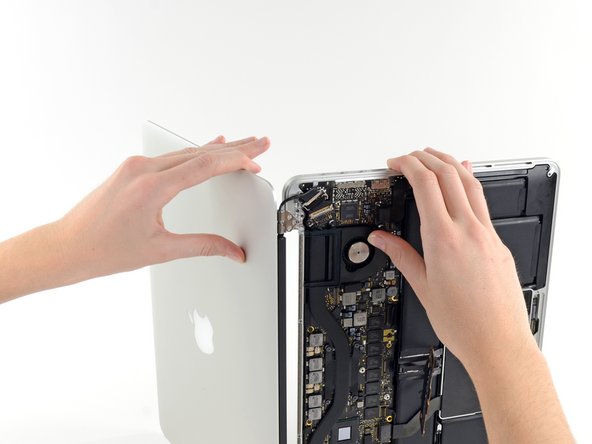
    • Grip both halves of the device, one in each hand.

    • Gently push forward on the bottom half of the device to detach it from the display assembly.

    • Carefully set each component aside, making sure to set down the lower half keyboard-side down.

    crwdns2952109:0crwdne2952109:0

    crwdns2917038:0crwdne2917038:0

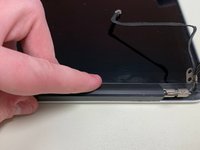
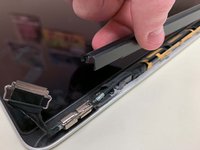
  21. MacBook Pro 13" Retina Display Late 2012 LCD Cable Replacement, LCD Cable: crwdns2935265:021crwdnd2935265:01crwdnd2935265:02crwdne2935265:0 MacBook Pro 13" Retina Display Late 2012 LCD Cable Replacement, LCD Cable: crwdns2935265:021crwdnd2935265:02crwdnd2935265:02crwdne2935265:0
    • With the display facing towards you and the plastic clutch cover down, grab the clutch cover and slide it all the way to the right, towards the hinge.

    • Lift the plastic cover from the bottom and remove it from the display.

    crwdns2952109:0crwdne2952109:0

    crwdns2917038:0crwdne2917038:0

  22. MacBook Pro 13" Retina Display Late 2012 LCD Cable Replacement: crwdns2935265:022crwdnd2935265:01crwdnd2935265:01crwdne2935265:0
    • Peel up the tape covering the cable connector.

    crwdns2952109:0crwdne2952109:0

    crwdns2917038:0crwdne2917038:0

  23. MacBook Pro 13" Retina Display Late 2012 LCD Cable Replacement: crwdns2935265:023crwdnd2935265:01crwdnd2935265:01crwdne2935265:0
    • Remove the two screws securing the cable to the case:

    • Two T8 Torx screws.

    crwdns2952109:0crwdne2952109:0

    crwdns2917038:0crwdne2917038:0

  24. MacBook Pro 13" Retina Display Late 2012 LCD Cable Replacement: crwdns2935265:024crwdnd2935265:01crwdnd2935265:01crwdne2935265:0
    • Remove the six screws securing the antenna assembly in place:

    • Six PH00 Phillips screws.

    • Lift the antenna assembly to reveal the LCD cable connector underneath the left side.

    crwdns2952109:0crwdne2952109:0

    crwdns2917038:0crwdne2917038:0

  25. MacBook Pro 13" Retina Display Late 2012 LCD Cable Replacement: crwdns2935265:025crwdnd2935265:01crwdnd2935265:01crwdne2935265:0
    • Grab the metal bar securing the LCD cable connector in place and rotate it towards the bottom of the display.

    • Pull the LCD cable straight out of its socket on the display.

    • Do not lift up on the display data cable, as its socket is very fragile. Pull the cable parallel to the face of the display.

    crwdns2952109:0crwdne2952109:0

    crwdns2917038:0crwdne2917038:0

crwdns2915888:0crwdne2915888:0

To reassemble your device, follow these instructions in reverse order.

crwdns2935221:0crwdne2935221:0

crwdns2935229:04crwdne2935229:0

Jonah Aragon

crwdns2935283:008/05/18crwdne2935283:0

5.728 crwdns2915208:0crwdne2915208:0

crwdns2935297:05crwdne2935297:0

crwdns2935287:0crwdne2935287:0

Experimax Coon Rapids crwdns2935289:0Experimax Coon Rapidscrwdne2935289:0

Business

crwdns2931471:03crwdne2931471:0

crwdns2935297:019crwdne2935297:0

crwdns2947412:00crwdne2947412:0

crwdns2917038:0crwdne2917038:0

crwdns2936625:0crwdne2936625:0:

crwdns2936751:024crwdne2936751:0 1

crwdns2936753:07crwdne2936753:0 15

crwdns2936753:030crwdne2936753:0 74

crwdns2942667:0crwdne2942667:0 7,399