crwdns2933423:0crwdne2933423:0
crwdns2947577:0crwdnd2947577:0crwdne2947577:0

MacBook Pro 13" Retina Display Early 2015 Lower Case Replacement

crwdns2942213:0crwdne2942213:0

    1. MacBook Pro 13" Retina Display Early 2015 Lower Case Replacement, Lower Case: crwdns2935265:01crwdnd2935265:01crwdnd2935265:01crwdne2935265:0
      crwdns2935267:0crwdne2935267:0
      Magnetic Project Mat
      $19.95
      • Remove the following ten screws securing the lower case to the upper case:

      • Two 2.3 mm P5 Pentalobe screws

      • Eight 3.0 mm P5 Pentalobe screws

      • Throughout this repair, keep track of each screw and make sure it goes back exactly where it came from to avoid damaging your device.

      crwdns2952109:0crwdne2952109:0

      crwdns2917038:0crwdne2917038:0

    2. MacBook Pro 13" Retina Display Early 2015 Lower Case Replacement: crwdns2935265:02crwdnd2935265:01crwdnd2935265:01crwdne2935265:0
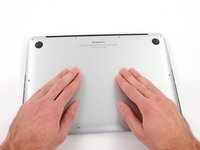
      • Wedge your fingers between the upper case and the lower case.

      • Gently pull the lower case away from the upper case to remove it.

      crwdns2952109:0crwdne2952109:0

      crwdns2917038:0crwdne2917038:0

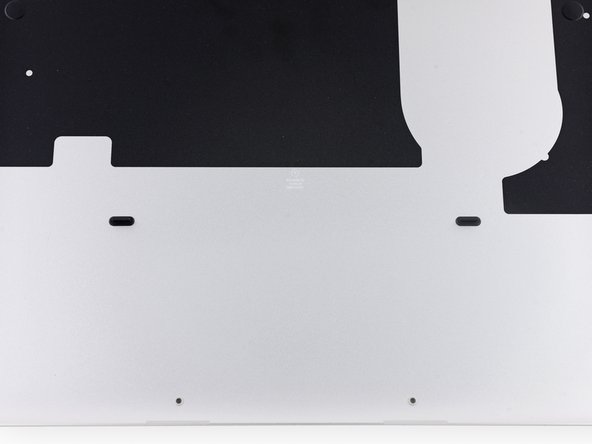
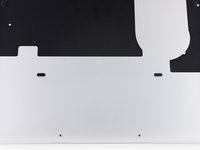
    3. MacBook Pro 13" Retina Display Early 2015 Lower Case Replacement: crwdns2935265:03crwdnd2935265:01crwdnd2935265:02crwdne2935265:0 MacBook Pro 13" Retina Display Early 2015 Lower Case Replacement: crwdns2935265:03crwdnd2935265:02crwdnd2935265:02crwdne2935265:0
      • The lower case is connected to the upper case with two plastic clips near its center.

      • During reassembly, gently push down the center of the lower case to reattach the two plastic clips.

      crwdns2952109:0crwdne2952109:0

      crwdns2917038:0crwdne2917038:0

crwdns2915888:0crwdne2915888:0

To reassemble your device, follow these instructions in reverse order.

crwdns2935221:0crwdne2935221:0

crwdns2935229:035crwdne2935229:0

Andrew Optimus Goldheart

crwdns2935283:010/17/09crwdne2935283:0

515 786 crwdns2915208:0crwdne2915208:0

crwdns2935297:0406crwdne2935297:0

crwdns2935287:0crwdne2935287:0

iFixit crwdns2935289:0iFixitcrwdne2935289:0

Staff

crwdns2931471:0122crwdne2931471:0

crwdns2935297:086 624crwdne2935297:0

crwdns2947412:05crwdne2947412:0

The bottom left-middle screw on my case is jammed and won’t come out—the more I try, the more I’m stripping it. Every other screw has been removed successfully, several times, with no problems. I wonder if I put in the wrong screw from somewhere else? Any ideas for removing it?

Jordan - crwdns2934203:0crwdne2934203:0 crwdns2950251:0crwdne2950251:0

do i get a laptop cover for mac book pro retina a 1502 model

naga usha - crwdns2934203:0crwdne2934203:0 crwdns2950251:0crwdne2950251:0

do i get a macbook pro retina A 1502 MODEL laptop cover (hard or soft shell)

naga usha - crwdns2934203:0crwdne2934203:0 crwdns2950251:0crwdne2950251:0

I’m trying to install my lower case back but it’s refusing to clip back in. Any way I can fix it?

Jorge Ramirez-Centeno - crwdns2934203:0crwdne2934203:0 crwdns2950251:0crwdne2950251:0

crwdns2917038:0crwdne2917038:0

crwdns2936625:0crwdne2936625:0:

crwdns2936751:024crwdne2936751:0 10

crwdns2936753:07crwdne2936753:0 59

crwdns2936753:030crwdne2936753:0 250

crwdns2942667:0crwdne2942667:0 58,986