crwdns2933423:0crwdne2933423:0
crwdns2947577:0crwdnd2947577:0crwdne2947577:0

MacBook Air 11" Early 2015 Fan Replacement

crwdns2942213:0crwdne2942213:0

    1. MacBook Air 11" Early 2015 Fan Replacement, Lower Case: crwdns2935265:01crwdnd2935265:01crwdnd2935265:01crwdne2935265:0
      crwdns2935267:0crwdne2935267:0
      P5 Pentalobe Screwdriver Retina MacBook Pro and Air
      $5.99
      • Shut down and close your computer. Lay it on a soft surface top-side down.

      • Remove the following ten screws:

      • Two 8 mm 5-point Pentalobe screws

      • Eight 2.5 mm 5-point Pentalobe screws

      • The special screwdriver needed to remove the 5-point Pentalobe screws can be found here.

      crwdns2952109:0crwdne2952109:0

      crwdns2917038:0crwdne2917038:0

    2. MacBook Air 11" Early 2015 Fan Replacement: crwdns2935265:02crwdnd2935265:01crwdnd2935265:01crwdne2935265:0
      • Wedge your fingers between the display and the lower case and pull upward to pop the lower case off the Air.

      crwdns2952109:0crwdne2952109:0

      crwdns2917038:0crwdne2917038:0

    1. MacBook Air 11" Early 2015 Fan Replacement, Battery Connector: crwdns2935265:03crwdnd2935265:01crwdnd2935265:02crwdne2935265:0 MacBook Air 11" Early 2015 Fan Replacement, Battery Connector: crwdns2935265:03crwdnd2935265:02crwdnd2935265:02crwdne2935265:0
      • In this step you will disconnect the battery to help avoid shorting out any components during service.

      • Use the flat end of a spudger to pry both short sides of the battery connector upward to disconnect it from its socket on the logic board.

      • Bend the battery cable slightly away from the logic board so the connector will not accidentally bend back and make contact with its socket.

      crwdns2952109:0crwdne2952109:0

      crwdns2917038:0crwdne2917038:0

    1. MacBook Air 11" Early 2015 Fan Replacement, I/O Board Cable: crwdns2935265:04crwdnd2935265:01crwdnd2935265:02crwdne2935265:0 MacBook Air 11" Early 2015 Fan Replacement, I/O Board Cable: crwdns2935265:04crwdnd2935265:02crwdnd2935265:02crwdne2935265:0
      • Use the flat end of a spudger to pry the left and right I/O board cable connectors up off their respective sockets on the I/O board.

      crwdns2952109:0crwdne2952109:0

      crwdns2917038:0crwdne2917038:0

    2. MacBook Air 11" Early 2015 Fan Replacement: crwdns2935265:05crwdnd2935265:01crwdnd2935265:01crwdne2935265:0
      • Lift and remove the I/O board cable.

      crwdns2952109:0crwdne2952109:0

      crwdns2917038:0crwdne2917038:0

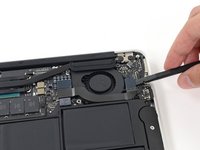
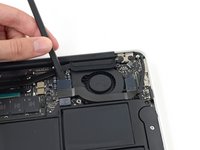
    1. MacBook Air 11" Early 2015 Fan Replacement, Fan: crwdns2935265:06crwdnd2935265:01crwdnd2935265:02crwdne2935265:0 MacBook Air 11" Early 2015 Fan Replacement, Fan: crwdns2935265:06crwdnd2935265:02crwdnd2935265:02crwdne2935265:0
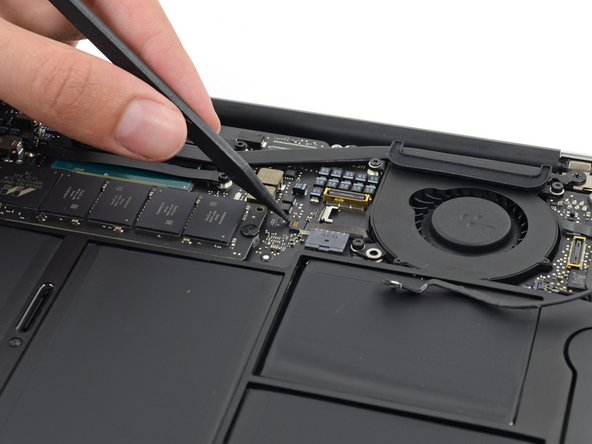
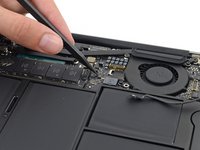
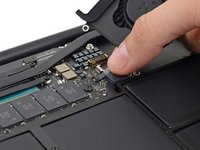
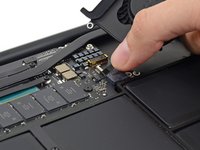
      • Use the tip of a spudger to carefully push on each side of the iSight camera cable connector to loosen it out of its socket on the logic board.

      • We recommend you gently "walk" the connector out of its socket.

      crwdns2952109:0crwdne2952109:0

      crwdns2917038:0crwdne2917038:0

    2. MacBook Air 11" Early 2015 Fan Replacement: crwdns2935265:07crwdnd2935265:01crwdnd2935265:02crwdne2935265:0 MacBook Air 11" Early 2015 Fan Replacement: crwdns2935265:07crwdnd2935265:02crwdnd2935265:02crwdne2935265:0
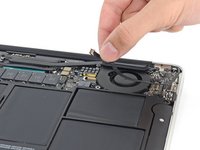
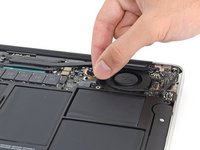
      • Peel the iSight camera cable up off the adhesive securing it to the fan.

      crwdns2952109:0crwdne2952109:0

      crwdns2917038:0crwdne2917038:0

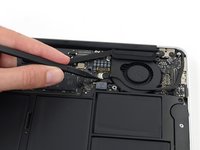
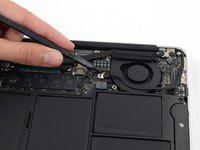
    3. MacBook Air 11" Early 2015 Fan Replacement: crwdns2935265:08crwdnd2935265:01crwdnd2935265:02crwdne2935265:0 MacBook Air 11" Early 2015 Fan Replacement: crwdns2935265:08crwdnd2935265:02crwdnd2935265:02crwdne2935265:0
      • Use the tip of a spudger to carefully flip up the retaining flap on the fan cable ZIF socket.

      • Be sure you are prying up on the hinged retaining flap, not the socket itself.

      crwdns2952109:0crwdne2952109:0

      crwdns2917038:0crwdne2917038:0

    4. MacBook Air 11" Early 2015 Fan Replacement: crwdns2935265:09crwdnd2935265:01crwdnd2935265:01crwdne2935265:0
      • Remove the following three screws securing the fan to the upper case:

      • Two 5.5 mm T5 Torx screws

      • One 4.6 mm T5 Torx screw

      • In some models this is a 3.6 mm T5 Torx screw.

      crwdns2952109:0crwdne2952109:0

      crwdns2917038:0crwdne2917038:0

    5. MacBook Air 11" Early 2015 Fan Replacement: crwdns2935265:010crwdnd2935265:01crwdnd2935265:03crwdne2935265:0 MacBook Air 11" Early 2015 Fan Replacement: crwdns2935265:010crwdnd2935265:02crwdnd2935265:03crwdne2935265:0 MacBook Air 11" Early 2015 Fan Replacement: crwdns2935265:010crwdnd2935265:03crwdnd2935265:03crwdne2935265:0
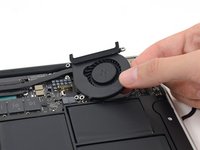
      • Lift, but do not remove the fan out of its recess in the upper case.

      • Carefully pull the fan ribbon cable out of its socket as you remove the fan from the Air.

      crwdns2952109:0crwdne2952109:0

      crwdns2917038:0crwdne2917038:0

crwdns2915888:0crwdne2915888:0

To reassemble your device, follow these instructions in reverse order.

crwdns2935221:0crwdne2935221:0

crwdns2935229:010crwdne2935229:0

Sam Goldheart

crwdns2935283:010/18/12crwdne2935283:0

478.426 crwdns2915208:0crwdne2915208:0

crwdns2935297:0538crwdne2935297:0

crwdns2935287:0crwdne2935287:0

iFixit crwdns2935289:0iFixitcrwdne2935289:0

Staff

crwdns2931471:0122crwdne2931471:0

crwdns2935297:072.401crwdne2935297:0

crwdns2947412:00crwdne2947412:0

crwdns2917038:0crwdne2917038:0

crwdns2936625:0crwdne2936625:0:

crwdns2936751:024crwdne2936751:0 4

crwdns2936753:07crwdne2936753:0 35

crwdns2936753:030crwdne2936753:0 152

crwdns2942667:0crwdne2942667:0 7,465