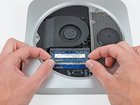
Mac mini Late 2012 RAM Replacement

crwdns2959932:0crwdnd2959932:0Andrew Optimus Goldheartcrwdnd2959932:0crwdnd2959932:0crwdnd2959932:06crwdnd2959932:0crwdne2959932:0
crwdns2959936:0Kho 27, 2018crwdne2959936:0
crwdns2869540:0crwdne2869540:0: 152 k
crwdns2959988:0crwdne2959988:0
- crwdns2959990:0crwdne2959990:0
- 9
- crwdns2959992:0crwdne2959992:0
- 63
- crwdns2959994:0crwdne2959994:0
- 285
- crwdns2959996:0crwdne2959996:0
- 152,431
crwdns2955950:0crwdne2955950:0: 28
crwdns2960004:021crwdne2960004:0, crwdns2960008:07crwdne2960008:0
crwdns2960000:0crwdne2960000:0crwdns2959984:0crwdne2959984:0: 186 187
crwdns2959974:0186crwdne2959974:0
crwdns2959970:0187crwdne2959970:0
crwdns2959986:0crwdne2959986:0: 75 76
crwdns2959982:075crwdne2959982:0
crwdns2959978:076crwdne2959978:0
crwdns2862627:0crwdne2862627:0
crwdns2862628:0crwdne2862628:0
crwdns2915892:0crwdne2915892:0
crwdns2959928:0crwdne2959928:0 ↓Removing the RAM is an easy task that requires no tools.
crwdns2959930:0crwdne2959930:0
crwdns2959948:0crwdne2959948:0
crwdns2959952:0crwdne2959952:0

crwdns2943213:0crwdne2943213:0
-
PC3-12800 2 GB RAM Chip$25.99
-
-


-
-
-
Place your thumbs in the depressions cut into the bottom cover.
-
Rotate the bottom cover counter-clockwise until the white dot painted on the bottom cover is aligned with the ring inscribed on the outer case.
 crwdns2952109:0crwdne2952109:0
-
-
-
Tilt the mini enough to allow the bottom cover to fall away from the outer case.
-
Remove the bottom cover and set it aside.
-
-
-
-
-
-
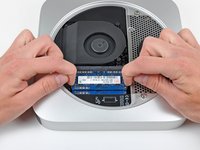
Release the tabs on each side of the RAM chip by simultaneously pushing each tab away from the chip.
-
After the RAM chip has popped up, pull it straight out of its socket.
-
-


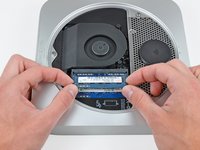
To reassemble your device, follow these instructions in reverse order.
crwdns2935221:0crwdne2935221:0
crwdns2935229:0186crwdne2935229:0


crwdns2947412:07crwdne2947412:0
So if I were to replace the Ram on my mac mini I would only have the option to choose between the 2 gb chip or the 4gb chip? I know dumb question lol.
Bianca - crwdns2934203:0crwdne2934203:0 crwdns2950251:0crwdne2950251:0
2x8GB is as much as those motherboards can handle.
Kevin Shaffer - crwdns2934203:0crwdne2934203:0 crwdns2950251:0crwdne2950251:0
Dear everyone,
Does this mac mini accept :
KINGSTON DDR3 PC3-12800 - 2 x 4 Go (8 Go) 1600 MHZ - CAS 10 - HyperX Fury Black Series
Thank you.
Marouane - crwdns2934203:0crwdne2934203:0 crwdns2950251:0crwdne2950251:0
I always consult Crucial's memory configuration tool. For a late-2012 Mac mini, see http://www.crucial.com/usa/en/compatible....
According to them, this Mac can go up to 16GB (2 SO-DIMMs of 8GB each). The SO-DIMMs should be DDRL3L-1600 (DDR3L PC3L-12800, CL=11, unbuffered, non-ECC, DDR3L-1600, 1.35v)
The SO-DIMMs you mentioned seem like they should be compatible (CL=10 should work fine in a computer that can accept CL=11). But I would only buy from a vendor that has a compatibility guarantee. If there's a problem, I would want to be able to return them for a refund.
David Charlap - crwdns2934203:0crwdne2934203:0 crwdns2950251:0crwdne2950251:0
The SODIMMs don't need to be low voltage DDR3L (i.e. 1.35 volt). In fact Apple recommends (https://support.apple.com/en-gb/HT202593) regular 1.5 volt DDR3 and most late 2012 Mac Minis were shipped with it. So is Crucial wrong? The truth is that either will work.
John Morley - crwdns2934203:0crwdne2934203:0 crwdns2950251:0crwdne2950251:0
