
MSI GS66 Stealth 11UE-007 RAM Replacement

crwdns2959932:0crwdnd2959932:0Alex Robinsoncrwdnd2959932:0crwdnd2959932:0crwdnd2959932:03crwdnd2959932:0crwdne2959932:0
crwdns2959936:0N'w 29, 2023crwdne2959936:0
crwdns2869540:0crwdne2869540:0: 1,2 k
crwdns2959988:0crwdne2959988:0
- crwdns2959990:0crwdne2959990:0
- 3
- crwdns2959992:0crwdne2959992:0
- 14
- crwdns2959994:0crwdne2959994:0
- 64
- crwdns2959996:0crwdne2959996:0
- 1 168
crwdns2955950:0crwdne2955950:0: 0
crwdns2959998:0crwdne2959998:0
crwdns2960000:0crwdne2960000:0crwdns2959984:0crwdne2959984:0: 2 3
crwdns2959974:02crwdne2959974:0
crwdns2959970:03crwdne2959970:0
crwdns2959986:0crwdne2959986:0: 0 1
crwdns2959958:0crwdne2959958:0
crwdns2959976:01crwdne2959976:0
crwdns2915892:0crwdne2915892:0
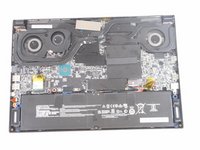
crwdns2959928:0crwdne2959928:0 ↓If your MSI GS66 Stealth laptop (model 11UE-007) laptop is having problems with with the "blue screen of death", frequent freezes, and/or corrupted files, the random access memory stick (RAM) might be to blame. This can be attributed to many problems such as overheating, power faults, manufacturer defects or even physical damage to the laptop itself.
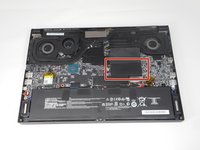
The RAM is an important part of any laptop what allows basically allows the applications to function. Luckily, this part is easy to spot and not very difficult to remove. However, this is a very delicate part and requires a light touch to replace. This guide will show the necessary steps of the location and replacement of the RAM drive.
crwdns2959930:0crwdne2959930:0
crwdns2943215:0crwdne2943215:0


-
-
-
Orient your laptop so that the bottom is facing up and the hinge is away from yourself.
 crwdns2952109:0crwdne2952109:0
-
-
-
Identify the nine screws around the perimeter. One screw will be under the factory seal sticker.
-
-
-
Remove eight 10 mm Phillips #1 screws.
-
-
-
Remove one 7 mm Philips #1 screw from the center bottom of backplate.
-
-
-
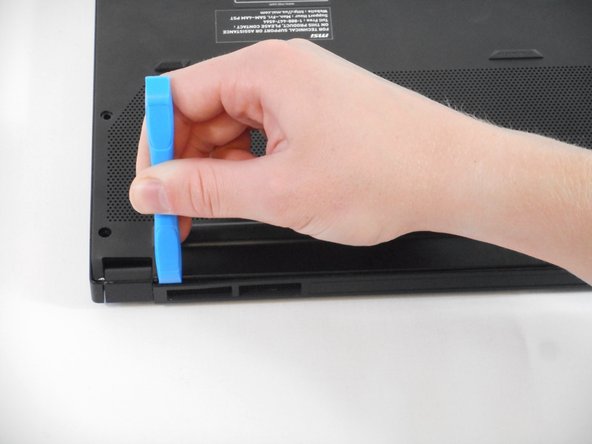
Use the tip of the blue plastic opening tool to slip between the backplate and the body of the laptop at the hinge side.
-
Wiggle the blue plastic opening tool as you slide it around the perimeter of the backplate to separate is from the body of the laptop.
-
-
-
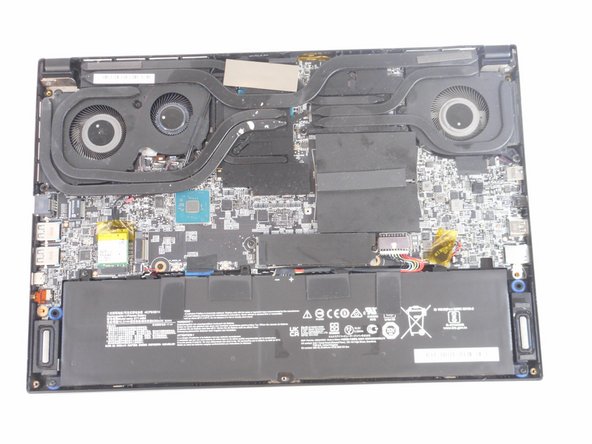
Lift back black plastic.
-
-
-
-
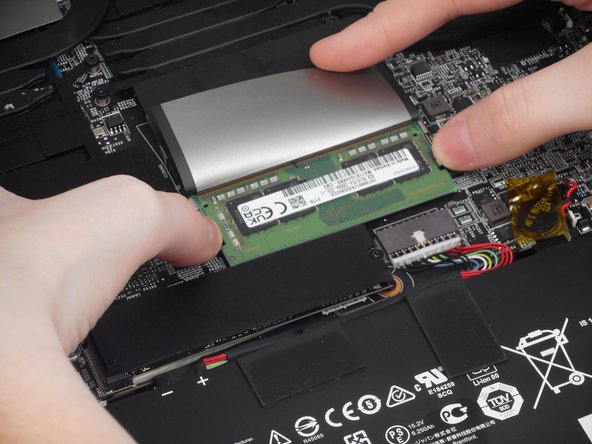
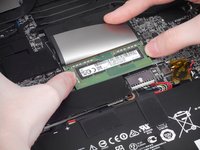
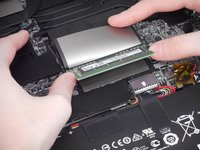
Place both thumbs on metal tabs and apply pressure in a widening motion until RAM lifts.
-
-
-
Pull RAM straight out from the connector at the angle it lifted at.
-
-






To reassemble your device, follow these instructions in reverse order.
crwdns2935221:0crwdne2935221:0
crwdns2935229:02crwdne2935229:0

crwdns2935287:0crwdne2935287:0

University of Memphis, Team 1-4, Sneed Fall 2023 crwdns2935289:0University of Memphis, Team 1-4, Sneed Fall 2023crwdne2935289:0
UM-SNEED-F23S1G4
crwdns2931471:04crwdne2931471:0
crwdns2935297:072crwdne2935297:0
