
Logitech M215 Lens Replacement

crwdns2959932:0crwdnd2959932:0Hannah Patecrwdnd2959932:0crwdnd2959932:0crwdnd2959932:03crwdnd2959932:0crwdne2959932:0
crwdns2959936:0Dzi 7, 2019crwdne2959936:0
crwdns2869540:0crwdne2869540:0: 2984
crwdns2959988:0crwdne2959988:0
- crwdns2959990:0crwdne2959990:0
- 5
- crwdns2959992:0crwdne2959992:0
- 21
- crwdns2959994:0crwdne2959994:0
- 119
- crwdns2959996:0crwdne2959996:0
- 2.984
crwdns2955950:0crwdne2955950:0: 10
crwdns2960004:09crwdne2960004:0, crwdns2960006:01crwdne2960006:0
crwdns2960000:0crwdne2960000:0crwdns2959984:0crwdne2959984:0: 0 1
crwdns2959956:0crwdne2959956:0
crwdns2959968:01crwdne2959968:0
crwdns2959986:0crwdne2959986:0: 0 1
crwdns2959958:0crwdne2959958:0
crwdns2959976:01crwdne2959976:0
crwdns2862633:0crwdne2862633:0
crwdns2862634:0crwdne2862634:0
crwdns2959930:0crwdne2959930:0
crwdns2943213:0crwdne2943213:0
crwdns2943215:0crwdne2943215:0


-
-
-
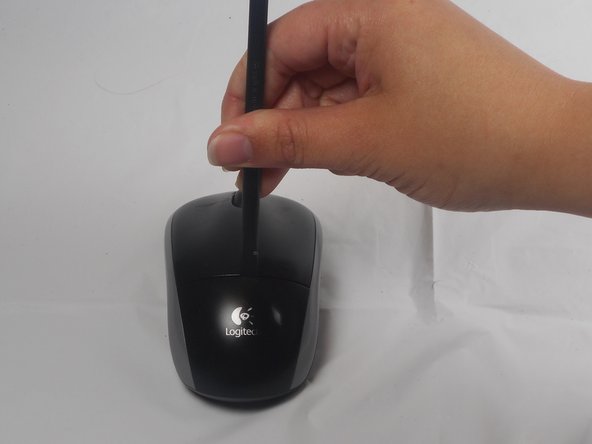
The battery compartment cover is located on the top of the mouse. The seam running horizontally across the mouse is the top of the cover.
-
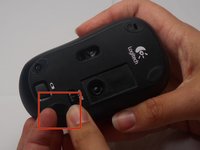
There is a button to pop off the cover. It is located on the bottom of the mouse. you may need to press hard on this button to pop the cover.
-
If the button does not work, you will need to pry off the cover. You can use your fingernails or a prying tool in order to do this, as seen in the third image.
 crwdns2952109:0crwdne2952109:0
-
-
-
Remember to insert the new battery in the same orientation as the old one. The positive (plus) end should be facing away from the buttons.
-
-
-
-
-
The pads on the underside of the mouse hide the screws. Remove these first. You may need to use your fingernails or a prying tool.
-
There will be two 0.5mm phillips head screws. Both will be underneath the bottom two pads.
-
-
-
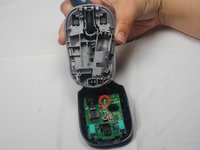
Pry the top cover off. You may need to use a pry tool to help.
-
-
-
-
-
-
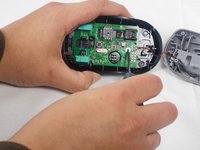
Unscrew the 0.25mm phillips head screw to release the circuit board.
-
-
-
-
-
The laser amplifier is not connected to the rest of the mouse and can simply be removed at this point.
-
-








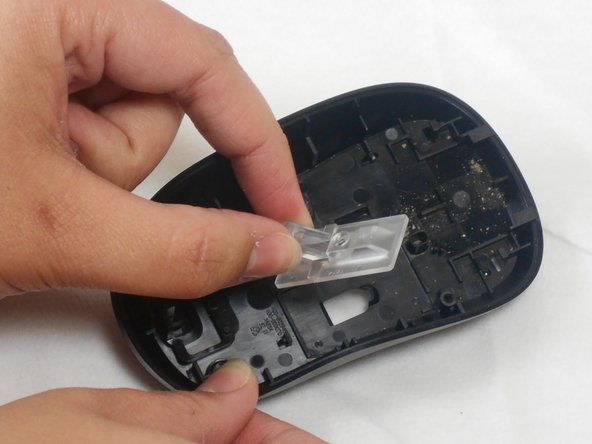
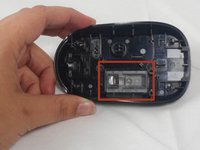
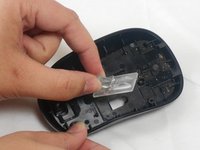
To reassemble your device, follow these instructions in reverse order.

crwdns2935287:0crwdne2935287:0

USF Tampa, Team 1-1, Watkins Winter 2015 crwdns2935289:0USF Tampa, Team 1-1, Watkins Winter 2015crwdne2935289:0
USFT-WATKINS-W15S1G1
crwdns2931471:04crwdne2931471:0
crwdns2935297:084crwdne2935297:0
crwdns2947410:01crwdne2947410:0
Where i can buy mouse lenses for mk225
Cybermetz X - crwdns2934203:0crwdne2934203:0 crwdns2950251:0crwdne2950251:0
