crwdns2933423:0crwdne2933423:0
crwdns2947577:0crwdnd2947577:0crwdne2947577:0

Logitech M185 Wireless Mouse Scroll Wheel Replacement

crwdns2869540:0crwdne2869540:0: 4347

crwdns2959988:0crwdne2959988:0

crwdns2959990:0crwdne2959990:0
14
crwdns2959992:0crwdne2959992:0
70
crwdns2959994:0crwdne2959994:0
304
crwdns2959996:0crwdne2959996:0
4,347
crwdns2955950:0crwdne2955950:0: 0

crwdns2959998:0crwdne2959998:0

crwdns2960000:0crwdne2960000:0
crwdns2959984:0crwdne2959984:0: 2

crwdns2959974:02crwdne2959974:0

crwdns2959986:0crwdne2959986:0: 0

crwdns2959958:0crwdne2959958:0

crwdns2955944:0crwdne2955944:0: 10 - 20 crwdns2931279:0crwdne2931279:0
crwdns2955970:0crwdne2955970:0: crwdns2937585:0crwdne2937585:0
crwdns2862591:0crwdne2862591:0

crwdns2862592:0crwdne2862592:0

Logitech M185 Wireless Mouse Scroll Wheel Replacement

crwdns2915892:0crwdne2915892:0

crwdns2959928:0crwdne2959928:0 ↓

Follow this guide to replace the scroll wheel on a Logitech M185 wireless mouse:

The scroll wheel is one of the most important parts of the mouse, controlling the scrolling function while web browsing. Often, due to dust or other buildup, the scroll wheel stops functioning, leading people to discard their mouse. This guide will allow you to bring your mouse back to life and use it for many more years.

This repair requires removing the motherboard from the mouse to access the scroll wheel. Avoid touching the motherboard directly. If possible, use ESD-safe gloves while handling the board and/or hold it only by the edges to prevent damage.

crwdns2959930:0crwdne2959930:0

crwdns2943213:0crwdne2943213:0

crwdns2943215:0crwdne2943215:0

    1. Logitech M185 Wireless Mouse Scroll Wheel Replacement, Scroll Wheel: crwdns2935265:01crwdnd2935265:01crwdnd2935265:03crwdne2935265:0 Logitech M185 Wireless Mouse Scroll Wheel Replacement, Scroll Wheel: crwdns2935265:01crwdnd2935265:02crwdnd2935265:03crwdne2935265:0 Logitech M185 Wireless Mouse Scroll Wheel Replacement, Scroll Wheel: crwdns2935265:01crwdnd2935265:03crwdnd2935265:03crwdne2935265:0
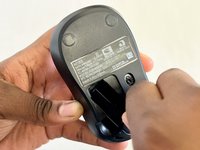
      • Turn your mouse over so the bottom is facing up.

      • Slide the battery compartment door off to reveal the battery.

      crwdns2952109:0crwdne2952109:0

      crwdns2917038:0crwdne2917038:0

    2. Logitech M185 Wireless Mouse Scroll Wheel Replacement: crwdns2935265:02crwdnd2935265:01crwdnd2935265:01crwdne2935265:0
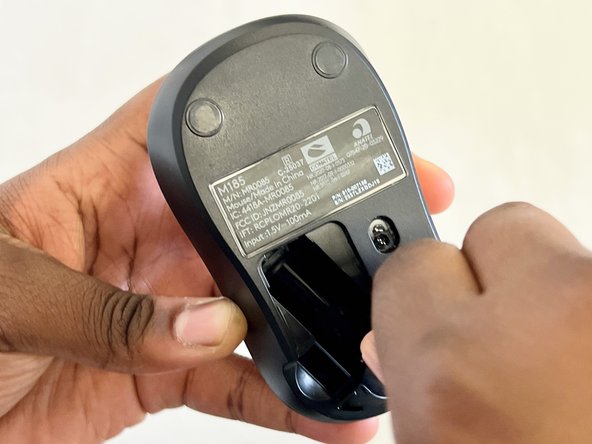
      • Remove the battery.

      • Use a Phillips #00 screwdriver to remove the single screw in the battery compartment.

      • The screw may be hard to find at first, but it is directly under the battery.

      crwdns2952109:0crwdne2952109:0

      crwdns2917038:0crwdne2917038:0

    3. Logitech M185 Wireless Mouse Scroll Wheel Replacement: crwdns2935265:03crwdnd2935265:01crwdnd2935265:03crwdne2935265:0 Logitech M185 Wireless Mouse Scroll Wheel Replacement: crwdns2935265:03crwdnd2935265:02crwdnd2935265:03crwdne2935265:0 Logitech M185 Wireless Mouse Scroll Wheel Replacement: crwdns2935265:03crwdnd2935265:03crwdnd2935265:03crwdne2935265:0
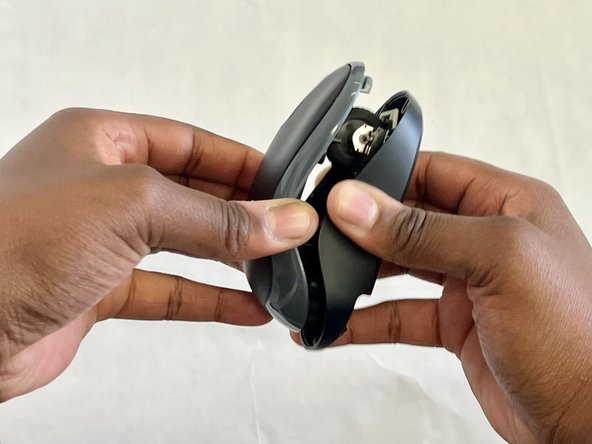
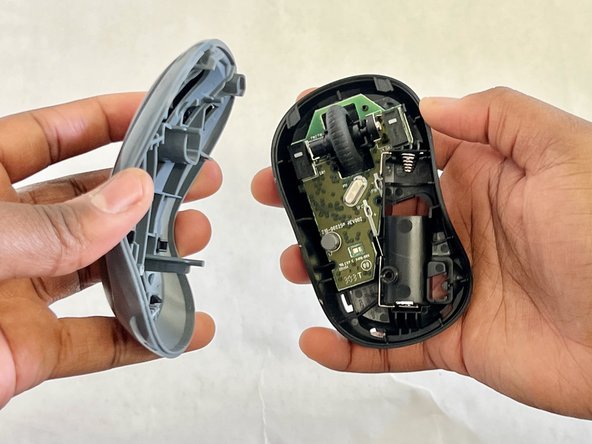
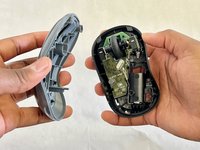
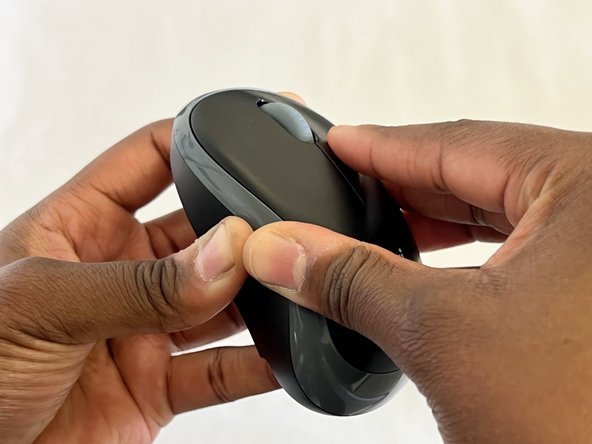
      • Place one hand on the bottom of the mouse and the other on the top. Gently remove the top of the mouse.

      crwdns2952109:0crwdne2952109:0

      crwdns2917038:0crwdne2917038:0

    4. Logitech M185 Wireless Mouse Scroll Wheel Replacement: crwdns2935265:04crwdnd2935265:01crwdnd2935265:02crwdne2935265:0 Logitech M185 Wireless Mouse Scroll Wheel Replacement: crwdns2935265:04crwdnd2935265:02crwdnd2935265:02crwdne2935265:0
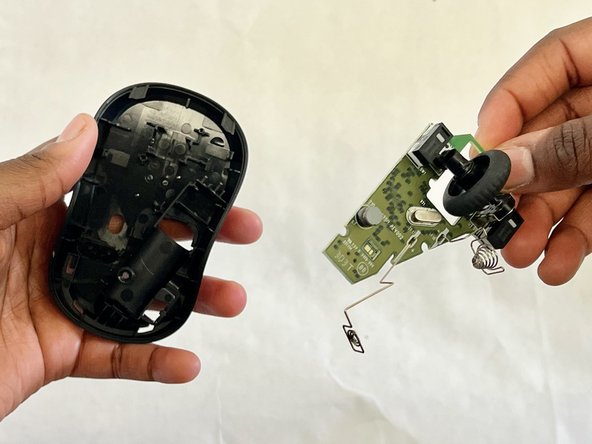
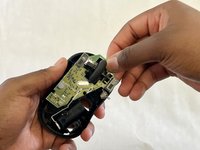
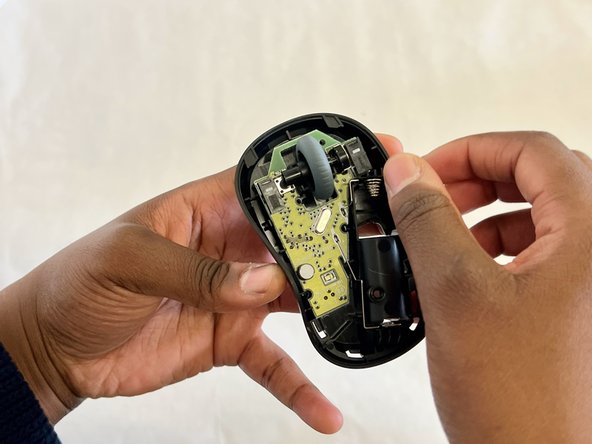
      • Use a spudger and gently pry the motherboard up, to remove it from the mouse.

      • Any damage done to the board could affect the functionality of the mouse. Show EXTRA care when touching the board. Handle it along the edges only and wear ESD safe gloves if possible.

      crwdns2952109:0crwdne2952109:0

      crwdns2917038:0crwdne2917038:0

    5. Logitech M185 Wireless Mouse Scroll Wheel Replacement: crwdns2935265:05crwdnd2935265:01crwdnd2935265:02crwdne2935265:0 Logitech M185 Wireless Mouse Scroll Wheel Replacement: crwdns2935265:05crwdnd2935265:02crwdnd2935265:02crwdne2935265:0
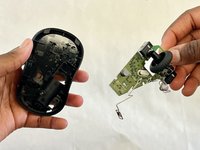
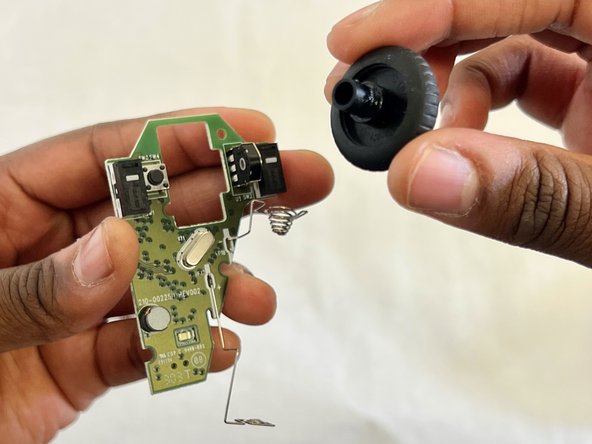
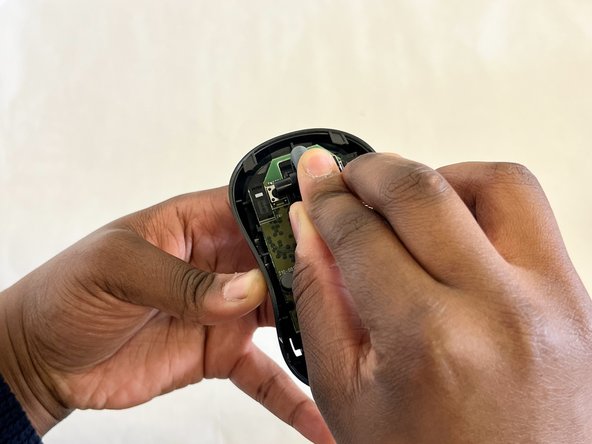
      • Carefully remove the scroll wheel from the motherboard.

      crwdns2952109:0crwdne2952109:0

      crwdns2917038:0crwdne2917038:0

    6. Logitech M185 Wireless Mouse Scroll Wheel Replacement: crwdns2935265:06crwdnd2935265:01crwdnd2935265:01crwdne2935265:0
      • Insert the new scroll wheel.

      crwdns2952109:0crwdne2952109:0

      crwdns2917038:0crwdne2917038:0

    7. Logitech M185 Wireless Mouse Scroll Wheel Replacement: crwdns2935265:07crwdnd2935265:01crwdnd2935265:03crwdne2935265:0 Logitech M185 Wireless Mouse Scroll Wheel Replacement: crwdns2935265:07crwdnd2935265:02crwdnd2935265:03crwdne2935265:0 Logitech M185 Wireless Mouse Scroll Wheel Replacement: crwdns2935265:07crwdnd2935265:03crwdnd2935265:03crwdne2935265:0
      • Replace the motherboard.

      • Gently but firmly press down on it until it is securely in place.

      • You will hear a click or snap, indicating it is in place.

      crwdns2952109:0crwdne2952109:0

      crwdns2917038:0crwdne2917038:0

    8. Logitech M185 Wireless Mouse Scroll Wheel Replacement: crwdns2935265:08crwdnd2935265:01crwdnd2935265:03crwdne2935265:0 Logitech M185 Wireless Mouse Scroll Wheel Replacement: crwdns2935265:08crwdnd2935265:02crwdnd2935265:03crwdne2935265:0 Logitech M185 Wireless Mouse Scroll Wheel Replacement: crwdns2935265:08crwdnd2935265:03crwdnd2935265:03crwdne2935265:0
      • Put the top of the mouse back onto the bottom and press them together so they connect.

      • Make sure the edges of the top and bottom of the mouse align so there is a secure connection.

      • Use a Phillips #00 screwdriver to replace the single screw in the battery compartment.

      • Replace the battery and battery cover.

      crwdns2952109:0crwdne2952109:0

      crwdns2917038:0crwdne2917038:0

    9. Logitech M185 Wireless Mouse Scroll Wheel Replacement: crwdns2935265:09crwdnd2935265:01crwdnd2935265:01crwdne2935265:0
      • Plug your mouse into a computer using the USB connector to ensure the scroll wheel is working.

      crwdns2952109:0crwdne2952109:0

      crwdns2917038:0crwdne2917038:0

crwdns2915888:0crwdne2915888:0

To reassemble your device, follow these instructions in reverse order.

crwdns2935221:0crwdne2935221:0

crwdns2935229:02crwdne2935229:0

Osame Osayande

crwdns2935283:003/05/24crwdne2935283:0

211 crwdns2915208:0crwdne2915208:0

crwdns2935295:0crwdne2935295:0

crwdns2935287:0crwdne2935287:0

CSU Los Angeles, Team 7-7, Grodsky Spring 2024 crwdns2935289:0CSU Los Angeles, Team 7-7, Grodsky Spring 2024crwdne2935289:0

CSULA-GRODSKY-S24S7G7

crwdns2931471:03crwdne2931471:0

crwdns2935297:012crwdne2935297:0

crwdns2947412:00crwdne2947412:0

crwdns2917038:0crwdne2917038:0

crwdns2936625:0crwdne2936625:0:

crwdns2936751:024crwdne2936751:0 14

crwdns2936753:07crwdne2936753:0 70

crwdns2936753:030crwdne2936753:0 304

crwdns2959996:0crwdne2959996:0 4,347