crwdns2933423:0crwdne2933423:0
crwdns2947577:0crwdnd2947577:0crwdne2947577:0

Lenovo G70-70 Keyboard Replacement

crwdns2942213:0crwdne2942213:0

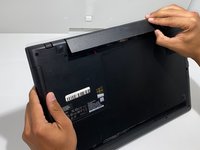
    1. Lenovo G70-70 Keyboard Replacement, Battery: crwdns2935265:01crwdnd2935265:01crwdnd2935265:02crwdne2935265:0 Lenovo G70-70 Keyboard Replacement, Battery: crwdns2935265:01crwdnd2935265:02crwdnd2935265:02crwdne2935265:0
      • Ensure the battery is removed before attempting to fix anything on the laptop.

      • Orient the laptop so the bottom side is facing you.

      • To unlock the battery, place your thumb over the left switch and slide it to the left.

      crwdns2952109:0crwdne2952109:0

      crwdns2917038:0crwdne2917038:0

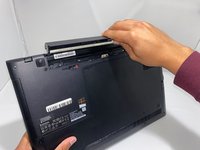
    2. Lenovo G70-70 Keyboard Replacement: crwdns2935265:02crwdnd2935265:01crwdnd2935265:02crwdne2935265:0 Lenovo G70-70 Keyboard Replacement: crwdns2935265:02crwdnd2935265:02crwdnd2935265:02crwdne2935265:0
      • To access the battery, place your thumb over the right switch and slide it to the right.

      • When the battery is unlocked, it will automatically pop up.

      crwdns2952109:0crwdne2952109:0

      crwdns2917038:0crwdne2917038:0

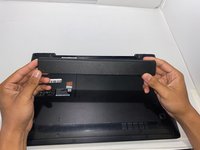
    3. Lenovo G70-70 Keyboard Replacement: crwdns2935265:03crwdnd2935265:01crwdnd2935265:03crwdne2935265:0 Lenovo G70-70 Keyboard Replacement: crwdns2935265:03crwdnd2935265:02crwdnd2935265:03crwdne2935265:0 Lenovo G70-70 Keyboard Replacement: crwdns2935265:03crwdnd2935265:03crwdnd2935265:03crwdne2935265:0
      • Remove the battery by lifting it up and away from yourself.

      crwdns2952109:0crwdne2952109:0

      crwdns2917038:0crwdne2917038:0

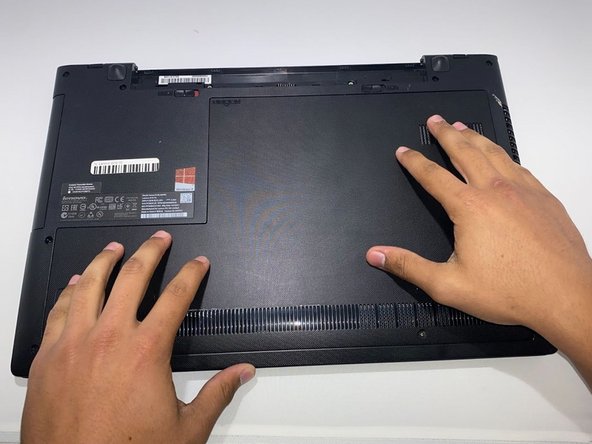
    1. Lenovo G70-70 Keyboard Replacement, Keyboard: crwdns2935265:04crwdnd2935265:01crwdnd2935265:03crwdne2935265:0 Lenovo G70-70 Keyboard Replacement, Keyboard: crwdns2935265:04crwdnd2935265:02crwdnd2935265:03crwdne2935265:0 Lenovo G70-70 Keyboard Replacement, Keyboard: crwdns2935265:04crwdnd2935265:03crwdnd2935265:03crwdne2935265:0
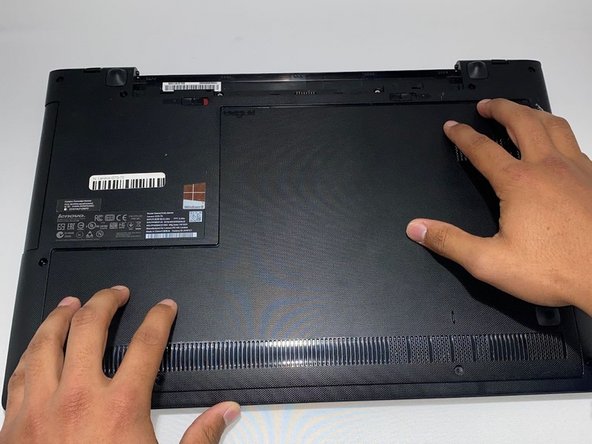
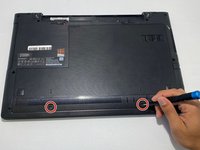
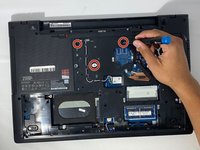
      • Turn your laptop so the bottom side is facing you.

      • Remove two 7.3 mm Phillips #0 screws.

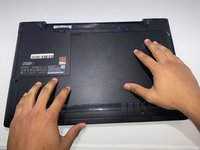
      • Slide the back cover towards yourself.

      crwdns2952109:0crwdne2952109:0

      crwdns2917038:0crwdne2917038:0

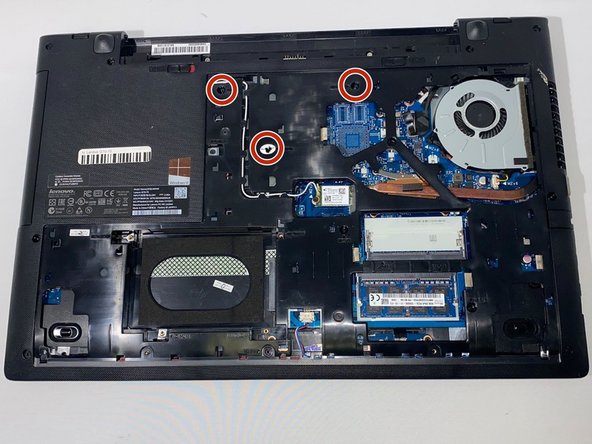
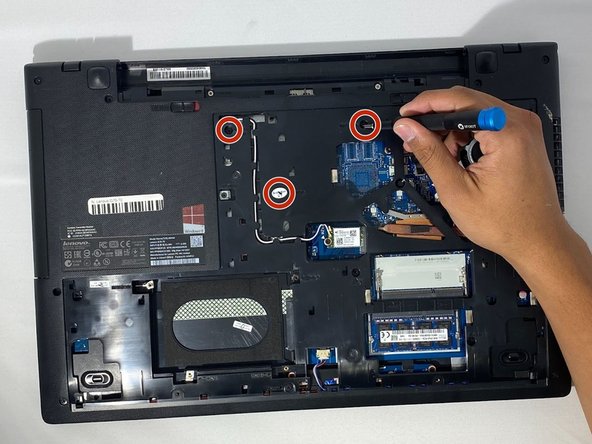
    2. Lenovo G70-70 Keyboard Replacement: crwdns2935265:05crwdnd2935265:01crwdnd2935265:03crwdne2935265:0 Lenovo G70-70 Keyboard Replacement: crwdns2935265:05crwdnd2935265:02crwdnd2935265:03crwdne2935265:0 Lenovo G70-70 Keyboard Replacement: crwdns2935265:05crwdnd2935265:03crwdnd2935265:03crwdne2935265:0
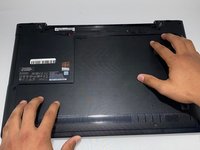
      • Lift the back cover from the far side towards yourself to remove it.

      • Remove three 6.2 mm Phillips #0 screws.

      • The label M2X6 is written next to each screw that keeps the keyboard secure.

      crwdns2952109:0crwdne2952109:0

      crwdns2917038:0crwdne2917038:0

    3. Lenovo G70-70 Keyboard Replacement: crwdns2935265:06crwdnd2935265:01crwdnd2935265:03crwdne2935265:0 Lenovo G70-70 Keyboard Replacement: crwdns2935265:06crwdnd2935265:02crwdnd2935265:03crwdne2935265:0 Lenovo G70-70 Keyboard Replacement: crwdns2935265:06crwdnd2935265:03crwdnd2935265:03crwdne2935265:0
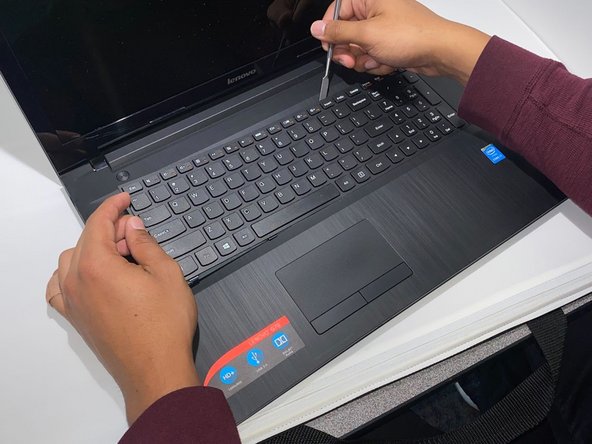
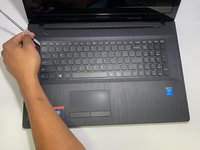
      • Turn the laptop over so the top side is facing you and open the laptop.

      • Carefully pry open any corner of the keyboard with the metal spudger.

      • Slide the metal spudger around the perimeter of the keyboard until you can lift it.

      • You will hear loud popping noises as the keyboard separates from the laptop.

      crwdns2952109:0crwdne2952109:0

      crwdns2917038:0crwdne2917038:0

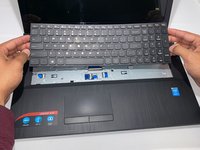
    4. Lenovo G70-70 Keyboard Replacement: crwdns2935265:07crwdnd2935265:01crwdnd2935265:02crwdne2935265:0 Lenovo G70-70 Keyboard Replacement: crwdns2935265:07crwdnd2935265:02crwdnd2935265:02crwdne2935265:0
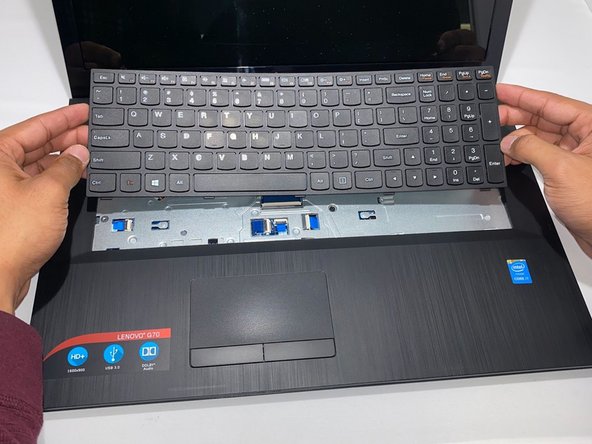
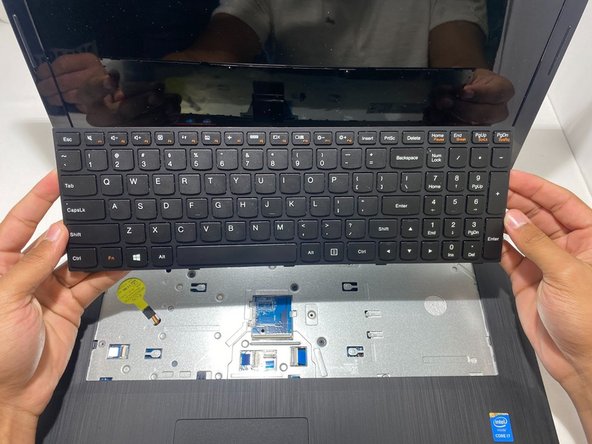
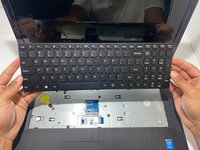
      • Carefully lift the keyboard.

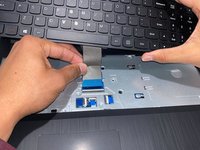
      • Use your finger or the opening tool to pull the locking flap toward yourself.

      crwdns2952109:0crwdne2952109:0

      crwdns2917038:0crwdne2917038:0

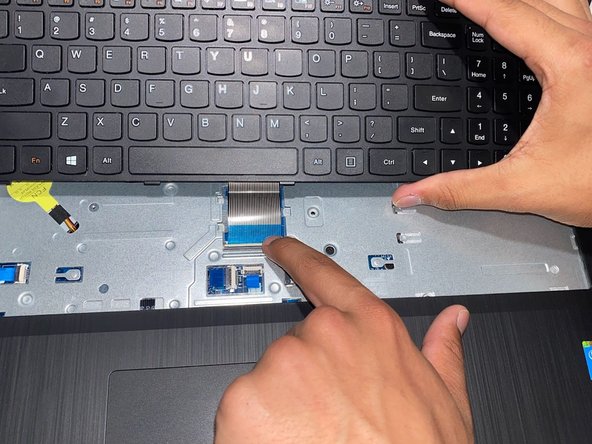
    5. Lenovo G70-70 Keyboard Replacement: crwdns2935265:08crwdnd2935265:01crwdnd2935265:02crwdne2935265:0 Lenovo G70-70 Keyboard Replacement: crwdns2935265:08crwdnd2935265:02crwdnd2935265:02crwdne2935265:0
      • Pull the silver ribbon cable away from you to disconnect the keyboard.

      • Remove the keyboard from the laptop.

      crwdns2952109:0crwdne2952109:0

      crwdns2917038:0crwdne2917038:0

crwdns2915888:0crwdne2915888:0

To reassemble your device, follow these instructions in reverse order.

crwdns2935221:0crwdne2935221:0

crwdns2935229:02crwdne2935229:0

Joseph Crews

crwdns2935283:009/15/22crwdne2935283:0

842 crwdns2915208:0crwdne2915208:0

crwdns2935297:05crwdne2935297:0

crwdns2935287:0crwdne2935287:0

University of Memphis, Team 3-3, Lane Fall 2022 crwdns2935289:0University of Memphis, Team 3-3, Lane Fall 2022crwdne2935289:0

UM-LANE-F22S3G3

crwdns2931471:03crwdne2931471:0

crwdns2935297:060crwdne2935297:0

crwdns2947412:00crwdne2947412:0

crwdns2917038:0crwdne2917038:0

crwdns2936625:0crwdne2936625:0:

crwdns2936751:024crwdne2936751:0 4

crwdns2936753:07crwdne2936753:0 22

crwdns2936753:030crwdne2936753:0 56

crwdns2942667:0crwdne2942667:0 629