
Lenovo Essential G570 Keyboard Replacement

crwdns2959932:0crwdnd2959932:0Nina Franciscocrwdnd2959932:0crwdnd2959932:0crwdnd2959932:02crwdnd2959932:0crwdne2959932:0
crwdns2959936:0Mud 23, 2018crwdne2959936:0
crwdns2869540:0crwdne2869540:0: 3,3K
crwdns2959988:0crwdne2959988:0
- crwdns2959990:0crwdne2959990:0
- 3
- crwdns2959992:0crwdne2959992:0
- 30
- crwdns2959994:0crwdne2959994:0
- 113
- crwdns2959996:0crwdne2959996:0
- 3.332
crwdns2955950:0crwdne2955950:0: 0
crwdns2959998:0crwdne2959998:0
crwdns2960000:0crwdne2960000:0crwdns2959984:0crwdne2959984:0: 4 5
crwdns2959974:04crwdne2959974:0
crwdns2959970:05crwdne2959970:0
crwdns2959986:0crwdne2959986:0: 1 2
crwdns2959980:01crwdne2959980:0
crwdns2959978:02crwdne2959978:0
crwdns2915892:0crwdne2915892:0
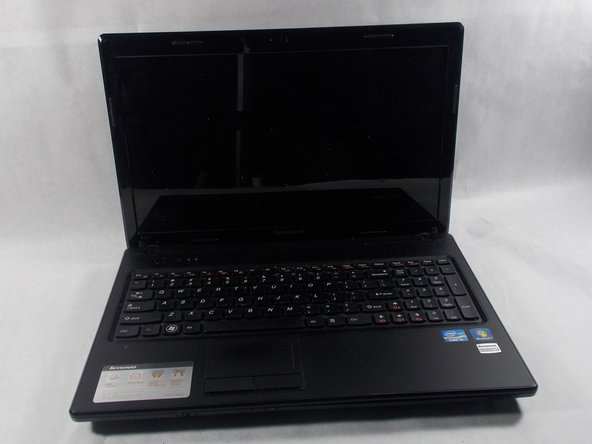
crwdns2959928:0crwdne2959928:0 ↓Over time, the constant use of the keyboard keys may cause them to break down and become unresponsive. This guide demonstrates how to replace the keyboard on the Lenovo Essential G570 laptop.
crwdns2959930:0crwdne2959930:0
crwdns2943215:0crwdne2943215:0


-
-
-
Turn off the laptop.
-
Disconnect the charging cable.
-
Turn the computer upside down.
 crwdns2952109:0crwdne2952109:0
-
-
-
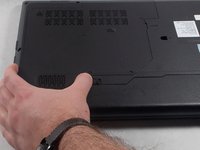
Locate the two switches that lock the battery.
-
Push the right switch outwards to unlock the battery.
-
-
-
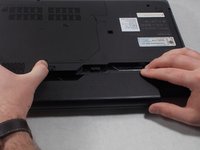
Push and hold the left switch outwards to unlock the battery.
-
Pull the battery away from the computer.
-
-
-
-
-
Turn the laptop over so that the bottom side is facing up.
-
-
-
Unscrew the five 5mm Phillips #0 screws that hold the cover in place.
-
-
-
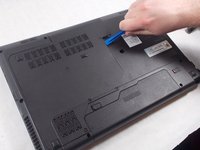
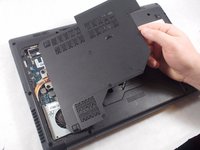
With the screws removed, insert the plastic opening tool into the groove located on the right side.
-
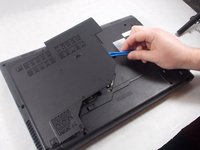
Begin to pry up, and the plate should lift up from the body of the laptop.
-
While lifting up, take the piece in one hand and pull up and to the right to fully remove the back plate.
-
-
-
-
-
Remove the two 9mm Phillips #0 screws.
-
Remove the single 5mm Phillips #0 screw.
-
-
-
-
Flip the computer over and open it.
-
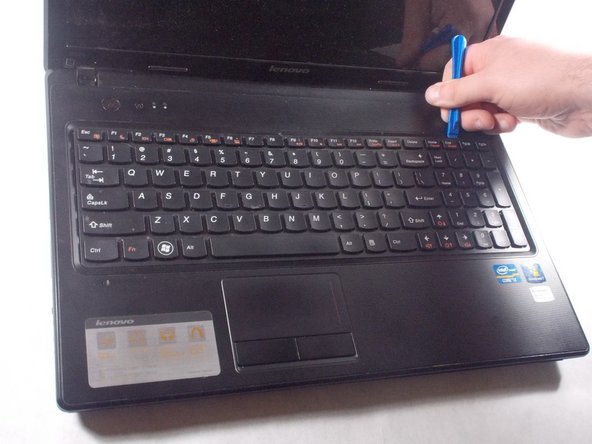
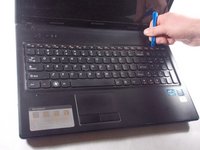
Using the plastic opening tool, pry open the top of the keyboard.
-
-
-
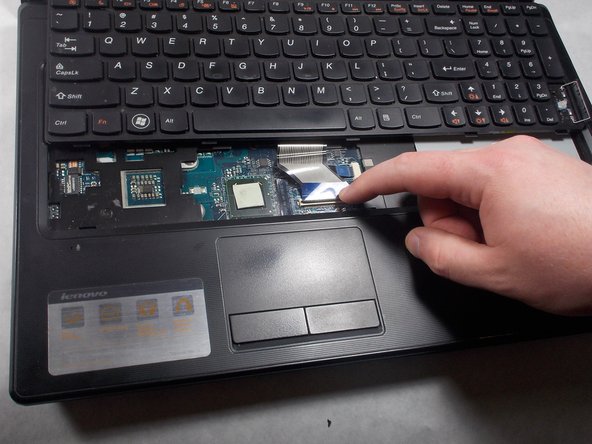
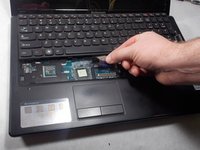
Remove the keyboard by gently pulling the top of the keyboard loose, and then lifting the keyboard out.
-
-
-
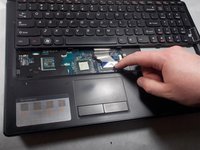
While lifting the keyboard, push the black latch on the keyboard cable ZIF connector forward to unlock it.
-
Carefully pull away the ribbon cable to detach it from the motherboard.
-
-








To reassemble your device, follow these instructions in reverse order.
crwdns2935221:0crwdne2935221:0
crwdns2935229:04crwdne2935229:0

crwdns2935287:0crwdne2935287:0

UMass Dartmouth, Team S1-G1, Simcock Spring 2018 crwdns2935289:0UMass Dartmouth, Team S1-G1, Simcock Spring 2018crwdne2935289:0
UMASSD-SIMCOCK-S18S1G1
crwdns2931471:03crwdne2931471:0
crwdns2935297:072crwdne2935297:0
