crwdns2933423:0crwdne2933423:0
crwdns2947577:0crwdnd2947577:0crwdne2947577:0

LeapFrog Scribble and Write Display Screen Replacement

crwdns2869540:0crwdne2869540:0: 5,4 k

crwdns2959988:0crwdne2959988:0

crwdns2959990:0crwdne2959990:0
1
crwdns2959992:0crwdne2959992:0
20
crwdns2959994:0crwdne2959994:0
109
crwdns2959996:0crwdne2959996:0
5 364
crwdns2955950:0crwdne2955950:0: 0

crwdns2959998:0crwdne2959998:0

crwdns2960000:0crwdne2960000:0
crwdns2959984:0crwdne2959984:0: 3

crwdns2959974:03crwdne2959974:0

crwdns2959986:0crwdne2959986:0: 0

crwdns2959958:0crwdne2959958:0

crwdns2955944:0crwdne2955944:0: crwdns2931273:0crwdne2931273:0
crwdns2955970:0crwdne2955970:0: crwdns2937801:0crwdne2937801:0
LeapFrog Scribble and Write Display Screen Replacement

crwdns2915892:0crwdne2915892:0

crwdns2959928:0crwdne2959928:0 ↓

Your display screen may be unresponsive to the touch of your toy's stylus pen. Your toy may also display the wrong input. This could be happening because of a build up of debris. Your display screen will need to be cleaned or replaced.

crwdns2959930:0crwdne2959930:0

crwdns2943215:0crwdne2943215:0

    1. LeapFrog Scribble and Write Display Screen Replacement, Display Screen: crwdns2935265:01crwdnd2935265:01crwdnd2935265:02crwdne2935265:0 LeapFrog Scribble and Write Display Screen Replacement, Display Screen: crwdns2935265:01crwdnd2935265:02crwdnd2935265:02crwdne2935265:0
      • Turn your toy over.

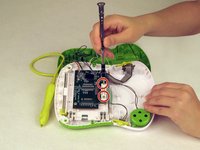
      • Use a Phillips screwdriver to remove the nine case screws from the back of the toy.

      • Be careful to keep track of the screws.

      crwdns2952109:0crwdne2952109:0

      crwdns2917038:0crwdne2917038:0

    2. LeapFrog Scribble and Write Display Screen Replacement: crwdns2935265:02crwdnd2935265:01crwdnd2935265:01crwdne2935265:0
      • Carefully remove the back of the toy..

      crwdns2952109:0crwdne2952109:0

      crwdns2917038:0crwdne2917038:0

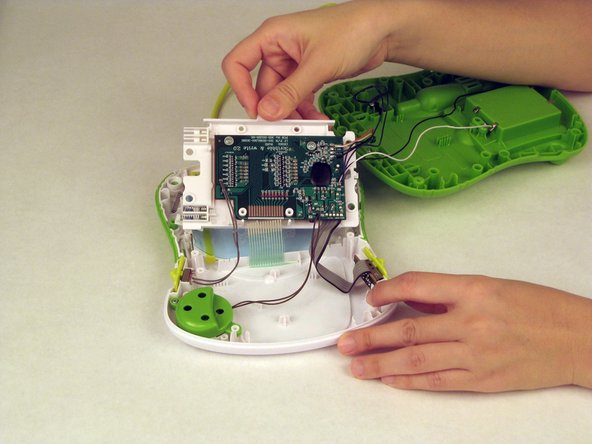
    3. LeapFrog Scribble and Write Display Screen Replacement: crwdns2935265:03crwdnd2935265:01crwdnd2935265:02crwdne2935265:0 LeapFrog Scribble and Write Display Screen Replacement: crwdns2935265:03crwdnd2935265:02crwdnd2935265:02crwdne2935265:0
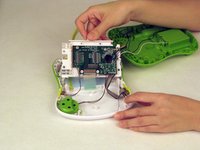
      • Use a Philips screwdriver to remove the two screws attached to the motherboard.

      • Remove the motherboard.

      crwdns2952109:0crwdne2952109:0

      crwdns2917038:0crwdne2917038:0

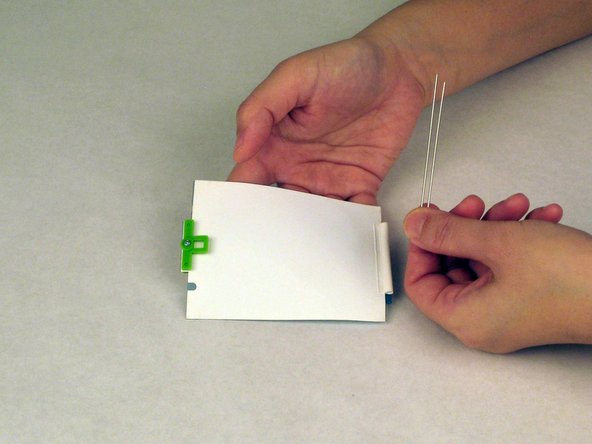
    4. LeapFrog Scribble and Write Display Screen Replacement: crwdns2935265:04crwdnd2935265:01crwdnd2935265:02crwdne2935265:0 LeapFrog Scribble and Write Display Screen Replacement: crwdns2935265:04crwdnd2935265:02crwdnd2935265:02crwdne2935265:0
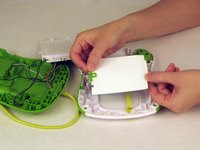
      • Remove the screen.

      • Remove the two pins from the bottom of the screen.

      crwdns2952109:0crwdne2952109:0

      crwdns2917038:0crwdne2917038:0

    5. LeapFrog Scribble and Write Display Screen Replacement: crwdns2935265:05crwdnd2935265:01crwdnd2935265:01crwdne2935265:0
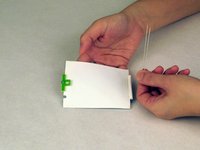
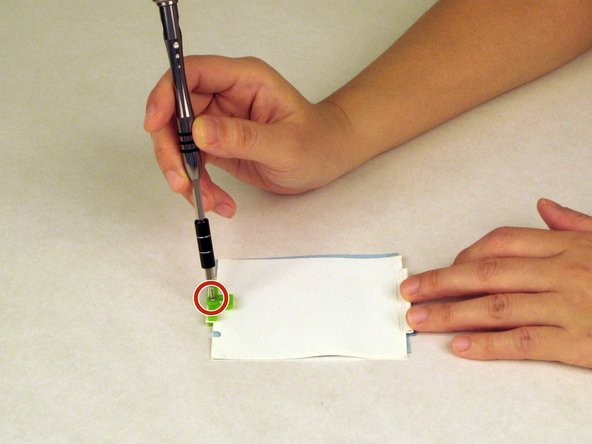
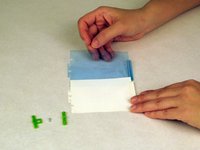
      • Use a Phillips screwdriver to remove the screw from the green clip that holds the two screen layers together.

      crwdns2952109:0crwdne2952109:0

      crwdns2917038:0crwdne2917038:0

    6. LeapFrog Scribble and Write Display Screen Replacement: crwdns2935265:06crwdnd2935265:01crwdnd2935265:02crwdne2935265:0 LeapFrog Scribble and Write Display Screen Replacement: crwdns2935265:06crwdnd2935265:02crwdnd2935265:02crwdne2935265:0
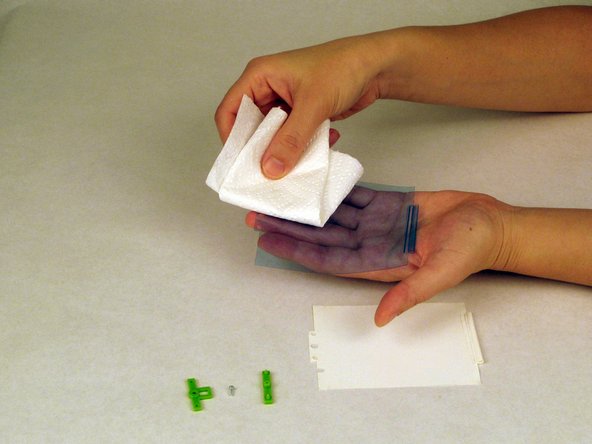
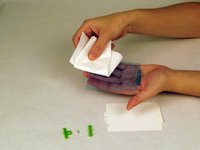
      • Separate the blue and the white films.

      • Clean both films with paper towel.

      • Make sure there are no dirty spots before putting the films back together.

      crwdns2952109:0crwdne2952109:0

      crwdns2917038:0crwdne2917038:0

crwdns2915888:0crwdne2915888:0

To reassemble your device, follow these instructions in reverse order.

crwdns2935221:0crwdne2935221:0

crwdns2935229:03crwdne2935229:0

Shang

crwdns2935283:002/10/16crwdne2935283:0

337 crwdns2915208:0crwdne2915208:0

crwdns2935297:03crwdne2935297:0

crwdns2935287:0crwdne2935287:0

USF Tampa, Team 1-5, Nance Spring 2016 crwdns2935289:0USF Tampa, Team 1-5, Nance Spring 2016crwdne2935289:0

USFT-NANCE-S16S1G5

crwdns2931471:03crwdne2931471:0

crwdns2935297:060crwdne2935297:0

crwdns2947412:00crwdne2947412:0

crwdns2917038:0crwdne2917038:0

crwdns2936625:0crwdne2936625:0:

crwdns2936751:024crwdne2936751:0 1

crwdns2936753:07crwdne2936753:0 20

crwdns2936753:030crwdne2936753:0 109

crwdns2959996:0crwdne2959996:0 5,364