crwdns2933423:0crwdne2933423:0
crwdns2947577:0crwdnd2947577:0crwdne2947577:0

LeapFrog LeapPad2 Explorer Front Cover Replacement

crwdns2942213:0crwdne2942213:0

    1. LeapFrog LeapPad2 Explorer Front Cover Replacement, Battery: crwdns2935265:01crwdnd2935265:01crwdnd2935265:02crwdne2935265:0 LeapFrog LeapPad2 Explorer Front Cover Replacement, Battery: crwdns2935265:01crwdnd2935265:02crwdnd2935265:02crwdne2935265:0
      • Before disassembling your LeapPad, ensure your device is shut off.

      • Push outward on the plastic side panels to remove and reveal battery.

      • The panels should detach fully from the main device.

      crwdns2952109:0crwdne2952109:0

      crwdns2917038:0crwdne2917038:0

    2. LeapFrog LeapPad2 Explorer Front Cover Replacement: crwdns2935265:02crwdnd2935265:01crwdnd2935265:03crwdne2935265:0 LeapFrog LeapPad2 Explorer Front Cover Replacement: crwdns2935265:02crwdnd2935265:02crwdnd2935265:03crwdne2935265:0 LeapFrog LeapPad2 Explorer Front Cover Replacement: crwdns2935265:02crwdnd2935265:03crwdnd2935265:03crwdne2935265:0
      • Push down from the positive end of the battery towards the negative end to pry the battery up out of its dispenser.

      • Remove all four AA alkaline batteries from the device.

      crwdns2952109:0crwdne2952109:0

      crwdns2917038:0crwdne2917038:0

    1. LeapFrog LeapPad2 Explorer Front Cover Replacement, Back Cover: crwdns2935265:03crwdnd2935265:01crwdnd2935265:02crwdne2935265:0 LeapFrog LeapPad2 Explorer Front Cover Replacement, Back Cover: crwdns2935265:03crwdnd2935265:02crwdnd2935265:02crwdne2935265:0
      • This step will void your device warranty.

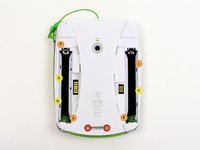
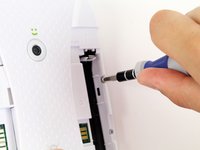
      • Remove the following screws securing the back cover to the main device:

      • Two 10.0 mm Phillips screws

      • Four 4.0 mm Phillips screws

      • Three 3.0 mm Phillips screws

      crwdns2952109:0crwdne2952109:0

      crwdns2917038:0crwdne2917038:0

    2. LeapFrog LeapPad2 Explorer Front Cover Replacement: crwdns2935265:04crwdnd2935265:01crwdnd2935265:03crwdne2935265:0 LeapFrog LeapPad2 Explorer Front Cover Replacement: crwdns2935265:04crwdnd2935265:02crwdnd2935265:03crwdne2935265:0 LeapFrog LeapPad2 Explorer Front Cover Replacement: crwdns2935265:04crwdnd2935265:03crwdnd2935265:03crwdne2935265:0
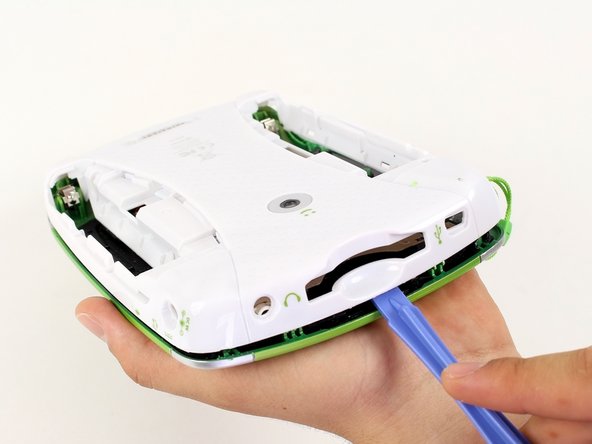
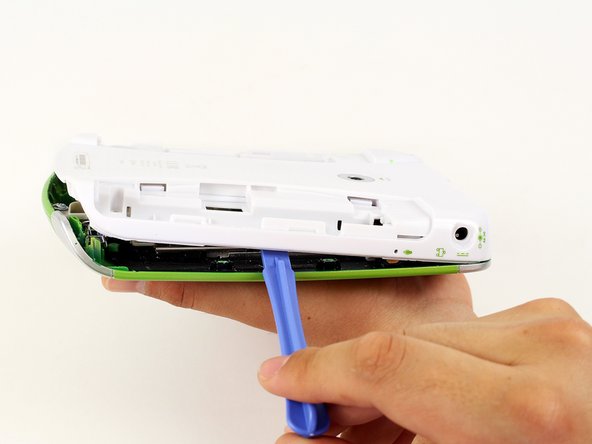
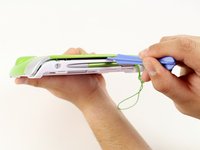
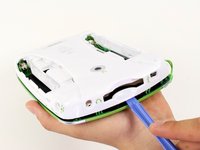
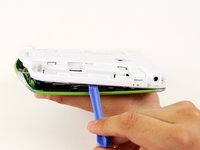
      • Insert a plastic opening tool into the seam between the front and rear covers to detach the back cover from the rest of the device.

      • Move the plastic opening tool around the perimeter of the LeapPad2.

      • Lift up and remove the rear case from the tablet.

      • A butter knife can help when prying the device.

      crwdns2952109:0crwdne2952109:0

      crwdns2917038:0crwdne2917038:0

    1. LeapFrog LeapPad2 Explorer Front Cover Replacement, Front Cover: crwdns2935265:05crwdnd2935265:01crwdnd2935265:02crwdne2935265:0 LeapFrog LeapPad2 Explorer Front Cover Replacement, Front Cover: crwdns2935265:05crwdnd2935265:02crwdnd2935265:02crwdne2935265:0
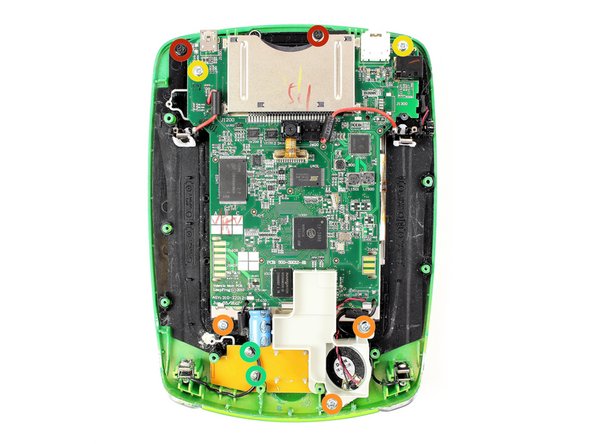
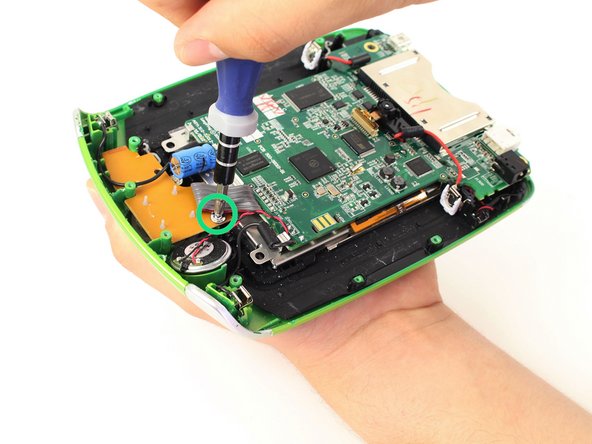
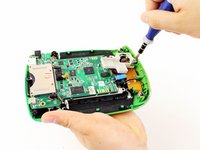
      • Remove the following screws securing the front cover to the main device:

      • Three 6.0 mm Phillips screws

      • Three 7.0 mm Phillips screws

      • Two 10.0 mm Phillips screws

      • Three 7.0 mm Phillips screws (bulkier screw head than other 7.0 mm Phillips screws)

      • The white plastic component holding the speaker must be removed to reach the third 7.0 mm Phillips screw. Refer to Step 2.

      crwdns2952109:0crwdne2952109:0

      crwdns2917038:0crwdne2917038:0

    2. LeapFrog LeapPad2 Explorer Front Cover Replacement: crwdns2935265:06crwdnd2935265:01crwdnd2935265:02crwdne2935265:0 LeapFrog LeapPad2 Explorer Front Cover Replacement: crwdns2935265:06crwdnd2935265:02crwdnd2935265:02crwdne2935265:0
      • Unscrew the white plastic piece to expose the third 7.0 mm Phillips screw mentioned.

      crwdns2952109:0crwdne2952109:0

      crwdns2917038:0crwdne2917038:0

    3. LeapFrog LeapPad2 Explorer Front Cover Replacement: crwdns2935265:07crwdnd2935265:01crwdnd2935265:02crwdne2935265:0 LeapFrog LeapPad2 Explorer Front Cover Replacement: crwdns2935265:07crwdnd2935265:02crwdnd2935265:02crwdne2935265:0
      crwdns2935267:0crwdne2935267:0
      Tweezers
      $4.99
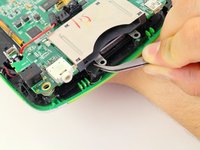
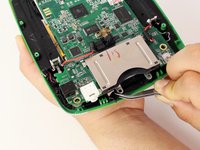
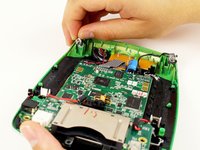
      • When unscrewing the game cartridge screws, you will find a loose black plastic component underneath the game cartridge.

      • Use tweezers to remove the piece.

      • In case the piece falls out unexpectedly, refer to this step to make sure you put this piece back in place during the reassembly of your device.

      crwdns2952109:0crwdne2952109:0

      crwdns2917038:0crwdne2917038:0

    4. LeapFrog LeapPad2 Explorer Front Cover Replacement: crwdns2935265:08crwdnd2935265:01crwdnd2935265:02crwdne2935265:0 LeapFrog LeapPad2 Explorer Front Cover Replacement: crwdns2935265:08crwdnd2935265:02crwdnd2935265:02crwdne2935265:0
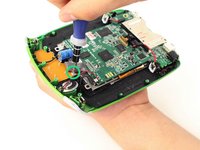
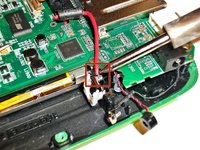
      • Desolder the through hole-components in power plugs on both sides of the device where the batteries were once connected.

      • Do not refer to the pictures in this step for correct soldering and de-soldering techniques. They are solely for illustration purposes.

      • For proper soldering and desoldering techniques reference How To Solder and Desolder Connections.

      • Soldering requires the iron to be at hot temperatures and can cause burns. Wear safety glasses as needed.

      • Be extremely careful with the cables in this step as they could melt, burn, or break.

      crwdns2952109:0crwdne2952109:0

      crwdns2917038:0crwdne2917038:0

    5. LeapFrog LeapPad2 Explorer Front Cover Replacement: crwdns2935265:09crwdnd2935265:01crwdnd2935265:02crwdne2935265:0 LeapFrog LeapPad2 Explorer Front Cover Replacement: crwdns2935265:09crwdnd2935265:02crwdnd2935265:02crwdne2935265:0
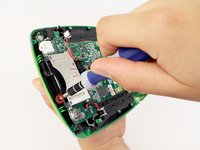
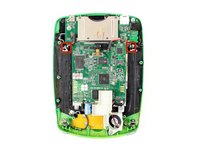
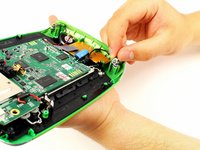
      • Pry the power cables from the device using your fingers or tweezers.

      • Now you should be able to lift up the front cover, leaving you with the motherboard and screen.

      crwdns2952109:0crwdne2952109:0

      crwdns2917038:0crwdne2917038:0

crwdns2915888:0crwdne2915888:0

To reassemble your device, follow these instructions in reverse order.

crwdns2935221:0crwdne2935221:0

Nupur Garg

crwdns2935283:004/12/14crwdne2935283:0

867 crwdns2915208:0crwdne2915208:0

crwdns2935297:07crwdne2935297:0

crwdns2935287:0crwdne2935287:0

Cal Poly, Team 8-10, Regan Spring 2014 crwdns2935289:0Cal Poly, Team 8-10, Regan Spring 2014crwdne2935289:0

CPSU-REGAN-S14S8G10

crwdns2931471:04crwdne2931471:0

crwdns2935297:0108crwdne2935297:0

crwdns2947412:00crwdne2947412:0

crwdns2917038:0crwdne2917038:0

crwdns2936625:0crwdne2936625:0:

crwdns2936751:024crwdne2936751:0 1

crwdns2936753:07crwdne2936753:0 18

crwdns2936753:030crwdne2936753:0 59

crwdns2942667:0crwdne2942667:0 2,057