crwdns2933423:0crwdne2933423:0
crwdns2947577:0crwdnd2947577:0crwdne2947577:0

LG Volt Power Button Replacement

crwdns2942213:0crwdne2942213:0

  1. LG Volt Power Button Replacement, Power Button: crwdns2935265:01crwdnd2935265:01crwdnd2935265:03crwdne2935265:0 LG Volt Power Button Replacement, Power Button: crwdns2935265:01crwdnd2935265:02crwdnd2935265:03crwdne2935265:0 LG Volt Power Button Replacement, Power Button: crwdns2935265:01crwdnd2935265:03crwdnd2935265:03crwdne2935265:0
    • Pry back cover with finger in the crease.

    • Remove back casing.

    crwdns2952109:0crwdne2952109:0

    crwdns2917038:0crwdne2917038:0

  2. LG Volt Power Button Replacement: crwdns2935265:02crwdnd2935265:01crwdnd2935265:03crwdne2935265:0 LG Volt Power Button Replacement: crwdns2935265:02crwdnd2935265:02crwdnd2935265:03crwdne2935265:0 LG Volt Power Button Replacement: crwdns2935265:02crwdnd2935265:03crwdnd2935265:03crwdne2935265:0
    • With your finger, pry the battery out through the crease made for removal.

    crwdns2952109:0crwdne2952109:0

    crwdns2917038:0crwdne2917038:0

  3. LG Volt Power Button Replacement: crwdns2935265:03crwdnd2935265:01crwdnd2935265:03crwdne2935265:0 LG Volt Power Button Replacement: crwdns2935265:03crwdnd2935265:02crwdnd2935265:03crwdne2935265:0 LG Volt Power Button Replacement: crwdns2935265:03crwdnd2935265:03crwdnd2935265:03crwdne2935265:0
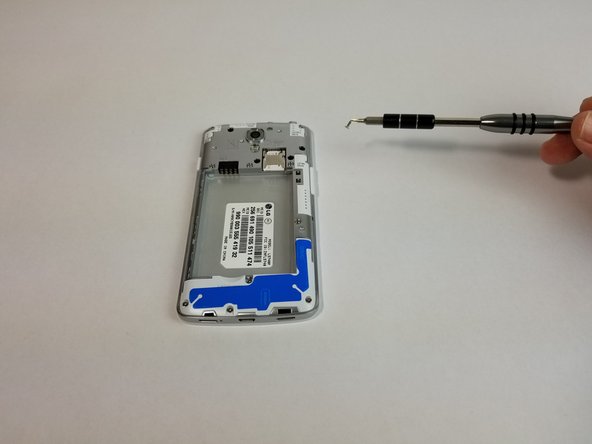
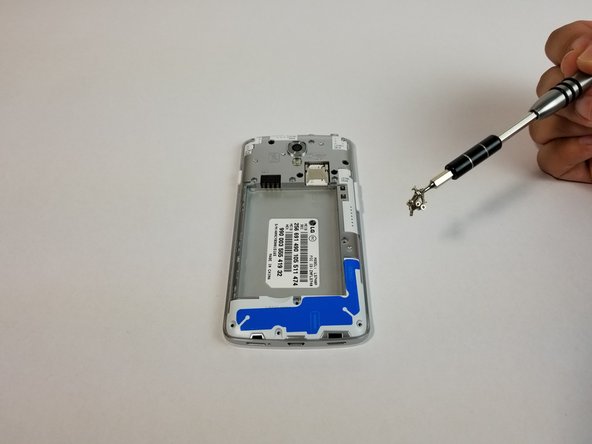
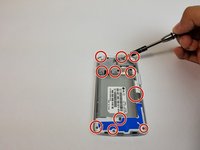
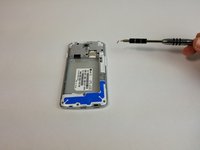
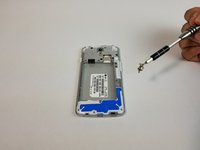
    • Remove all 11 (4mm) screws with the JIS #000 screwdriver

    • There are three screws on top, three above the battery, one next to the battery, one under the battery and three at the bottom of the phone.

    crwdns2952109:0crwdne2952109:0

    crwdns2917038:0crwdne2917038:0

  4. LG Volt Power Button Replacement: crwdns2935265:04crwdnd2935265:01crwdnd2935265:03crwdne2935265:0 LG Volt Power Button Replacement: crwdns2935265:04crwdnd2935265:02crwdnd2935265:03crwdne2935265:0 LG Volt Power Button Replacement: crwdns2935265:04crwdnd2935265:03crwdnd2935265:03crwdne2935265:0
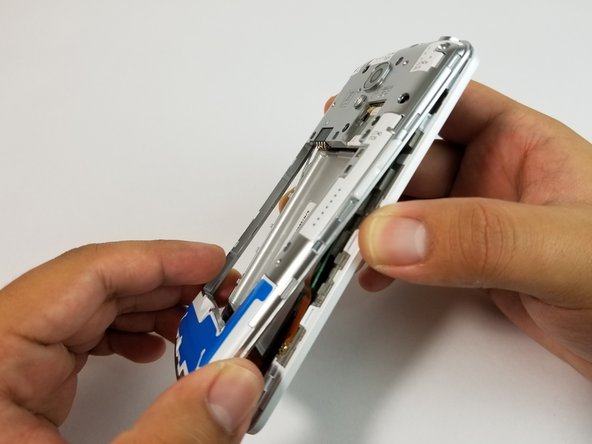
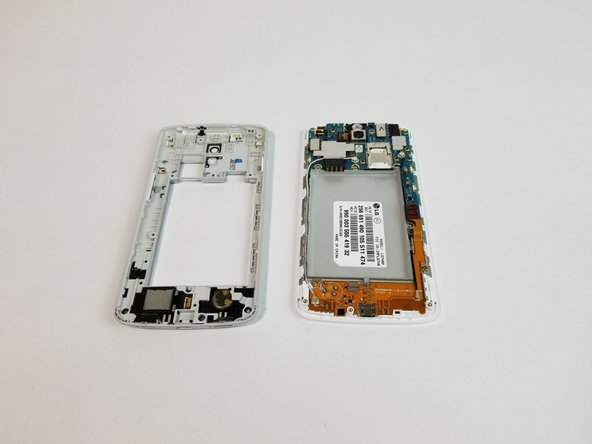
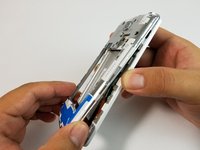
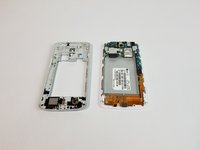
    • Use the plastic opening tool to remove the back housing from the frame of the phone.

    crwdns2952109:0crwdne2952109:0

    crwdns2917038:0crwdne2917038:0

  5. LG Volt Power Button Replacement: crwdns2935265:05crwdnd2935265:01crwdnd2935265:03crwdne2935265:0 LG Volt Power Button Replacement: crwdns2935265:05crwdnd2935265:02crwdnd2935265:03crwdne2935265:0 LG Volt Power Button Replacement: crwdns2935265:05crwdnd2935265:03crwdnd2935265:03crwdne2935265:0
    crwdns2935267:0crwdne2935267:0
    Tweezers
    $4.99
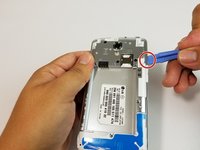
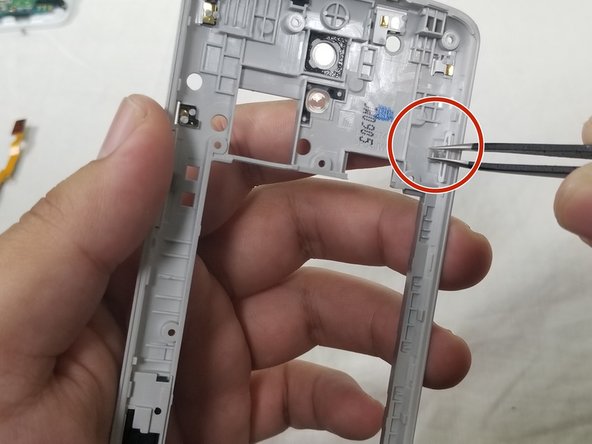
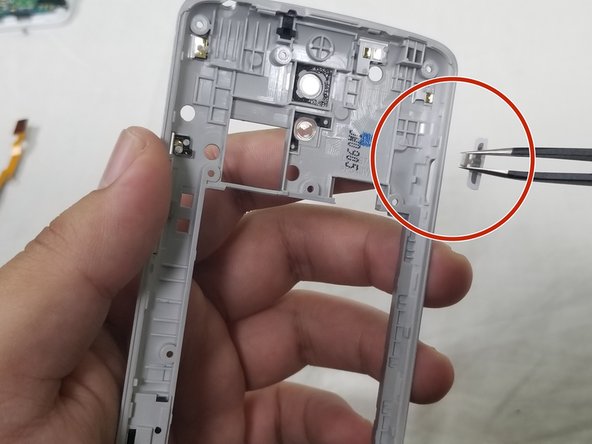
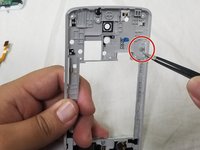
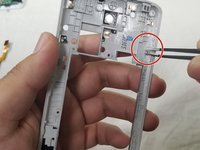
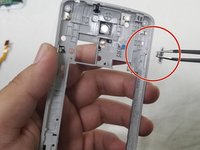
    • Use the precision tweezers set to gently lift the rubber tab off its anchor.

    • Then push the power button through the cutout to remove completely.

    crwdns2952109:0crwdne2952109:0

    crwdns2917038:0crwdne2917038:0

crwdns2915888:0crwdne2915888:0

To reassemble your device, follow these instructions in reverse order.

crwdns2935221:0crwdne2935221:0

crwdns2935227:0crwdne2935227:0

Adrian Soldan

crwdns2935283:009/25/17crwdne2935283:0

464 crwdns2915208:0crwdne2915208:0

crwdns2935297:04crwdne2935297:0

crwdns2935287:0crwdne2935287:0

USF Tampa, Team S3-G3, Cannon Fall 2017 crwdns2935289:0USF Tampa, Team S3-G3, Cannon Fall 2017crwdne2935289:0

USFT-CANNON-F17S3G3

crwdns2931471:03crwdne2931471:0

crwdns2935297:08crwdne2935297:0

crwdns2947412:00crwdne2947412:0

crwdns2917038:0crwdne2917038:0

crwdns2936625:0crwdne2936625:0:

crwdns2936751:024crwdne2936751:0 1

crwdns2936753:07crwdne2936753:0 7

crwdns2936753:030crwdne2936753:0 22

crwdns2942667:0crwdne2942667:0 518