crwdns2933423:0crwdne2933423:0
crwdns2947577:0crwdnd2947577:0crwdne2947577:0

LG VX5500 Phone Casing Replacement

crwdns2942213:0crwdne2942213:0

    1. LG VX5500 Phone Casing Replacement, Battery: crwdns2935265:01crwdnd2935265:01crwdnd2935265:03crwdne2935265:0 LG VX5500 Phone Casing Replacement, Battery: crwdns2935265:01crwdnd2935265:02crwdnd2935265:03crwdne2935265:0 LG VX5500 Phone Casing Replacement, Battery: crwdns2935265:01crwdnd2935265:03crwdnd2935265:03crwdne2935265:0
      • Remove the battery cover by placing your thumb on the small ridge near the top of the phone back and push downward, exposing the battery.

      • Our device did not come with a battery cover so it is not shown here.

      • Remove the battery using your finger to pry it out of the battery housing.

      crwdns2952109:0crwdne2952109:0

      crwdns2917038:0crwdne2917038:0

    1. LG VX5500 Phone Casing Replacement, Mother Board: crwdns2935265:02crwdnd2935265:01crwdnd2935265:02crwdne2935265:0 LG VX5500 Phone Casing Replacement, Mother Board: crwdns2935265:02crwdnd2935265:02crwdnd2935265:02crwdne2935265:0
      crwdns2935267:0crwdne2935267:0
      Tweezers
      $4.99
      • Remove the (2) rubber screw covers located near the hinge of the phone using tweezers or a thumb tack.

      • Unscrew the (4) 3.6mm screws using a #00 Phillip's head screw driver.

      crwdns2952109:0crwdne2952109:0

      crwdns2917038:0crwdne2917038:0

    2. LG VX5500 Phone Casing Replacement: crwdns2935265:03crwdnd2935265:01crwdnd2935265:03crwdne2935265:0 LG VX5500 Phone Casing Replacement: crwdns2935265:03crwdnd2935265:02crwdnd2935265:03crwdne2935265:0 LG VX5500 Phone Casing Replacement: crwdns2935265:03crwdnd2935265:03crwdnd2935265:03crwdne2935265:0
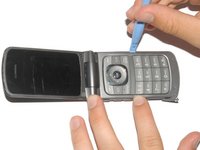
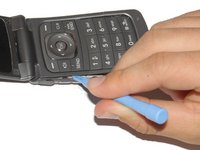
      • Carefully pry off the phone's backing using a plastic opening tool.

      • Slip the tool into the crack between the keypad (front panel) and the back panel.

      • Slide the tool along the sides of the phone to detach the tabs holding the backing on.

      crwdns2952109:0crwdne2952109:0

      crwdns2917038:0crwdne2917038:0

    3. LG VX5500 Phone Casing Replacement: crwdns2935265:04crwdnd2935265:01crwdnd2935265:02crwdne2935265:0 LG VX5500 Phone Casing Replacement: crwdns2935265:04crwdnd2935265:02crwdnd2935265:02crwdne2935265:0
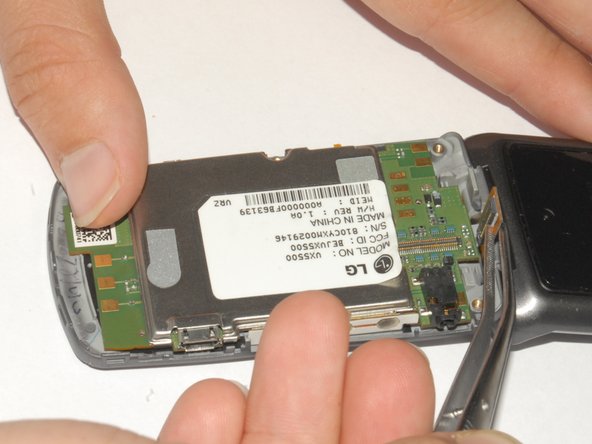
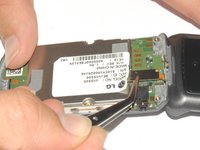
      • Peel back the sticker with tweezers and hold it back with your finger.

      • Use the tweezers to lift the display adapter off the logic board.

      crwdns2952109:0crwdne2952109:0

      crwdns2917038:0crwdne2917038:0

    4. LG VX5500 Phone Casing Replacement: crwdns2935265:05crwdnd2935265:01crwdnd2935265:02crwdne2935265:0 LG VX5500 Phone Casing Replacement: crwdns2935265:05crwdnd2935265:02crwdnd2935265:02crwdne2935265:0
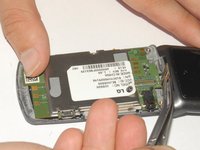
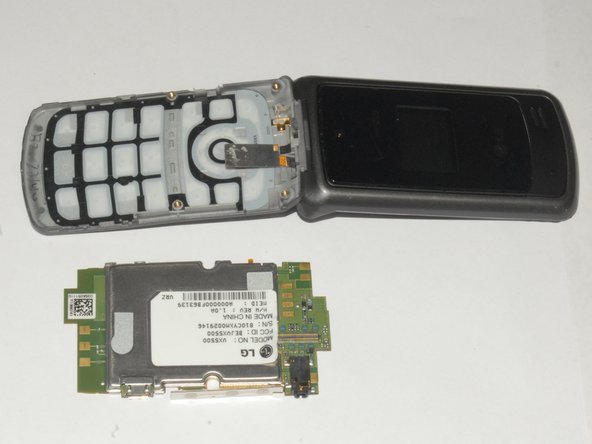
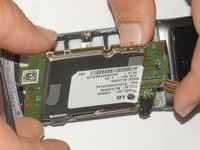
      • Lift the mother board out of the phone casing.

      • The keyboard can be easily removed once the mother board is out of the phone.

      crwdns2952109:0crwdne2952109:0

      crwdns2917038:0crwdne2917038:0

    1. LG VX5500 Phone Casing Replacement, Phone Casing: crwdns2935265:06crwdnd2935265:01crwdnd2935265:02crwdne2935265:0 LG VX5500 Phone Casing Replacement, Phone Casing: crwdns2935265:06crwdnd2935265:02crwdnd2935265:02crwdne2935265:0
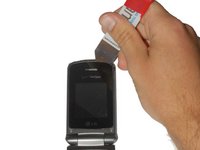
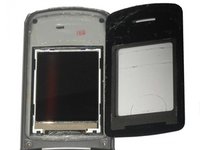
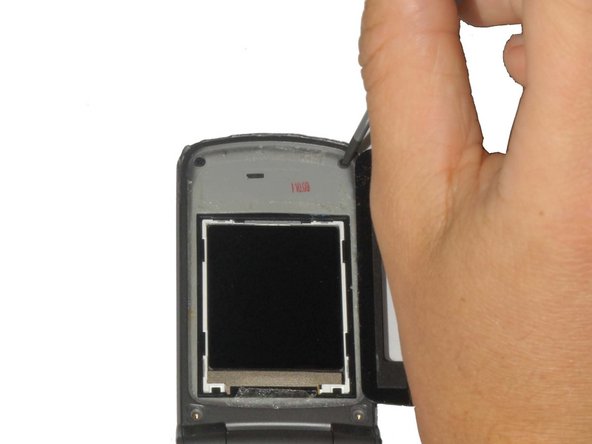
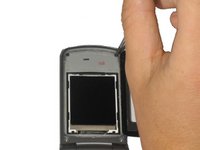
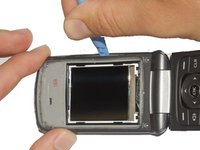
      • Carefully pry off the black plastic screen cover using the iSesamo tool or another thin, flat tool.

      • The screen cover is adhered to the phone and may take some effort to pry off. If it is too difficult to remove, heat the screen with a hair dryer on low for 30 seconds to soften the adhesive.

      crwdns2952109:0crwdne2952109:0

      crwdns2917038:0crwdne2917038:0

    2. LG VX5500 Phone Casing Replacement: crwdns2935265:07crwdnd2935265:01crwdnd2935265:02crwdne2935265:0 LG VX5500 Phone Casing Replacement: crwdns2935265:07crwdnd2935265:02crwdnd2935265:02crwdne2935265:0
      crwdns2935267:0crwdne2935267:0
      Tweezers
      $4.99
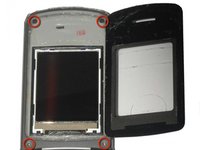
      • Unscrew the (4) 3.6mm screws near each corner of the phone's display panel by using a #00 Phillips head screwdriver.

      • The bottom two screws may have small rubber covers that you can remove using tweezers.

      crwdns2952109:0crwdne2952109:0

      crwdns2917038:0crwdne2917038:0

    3. LG VX5500 Phone Casing Replacement: crwdns2935265:08crwdnd2935265:01crwdnd2935265:03crwdne2935265:0 LG VX5500 Phone Casing Replacement: crwdns2935265:08crwdnd2935265:02crwdnd2935265:03crwdne2935265:0 LG VX5500 Phone Casing Replacement: crwdns2935265:08crwdnd2935265:03crwdnd2935265:03crwdne2935265:0
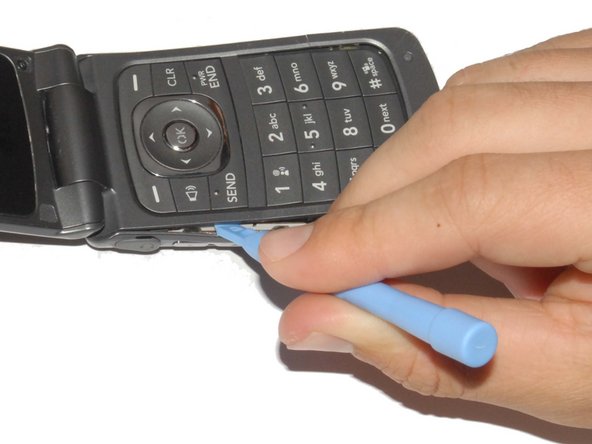
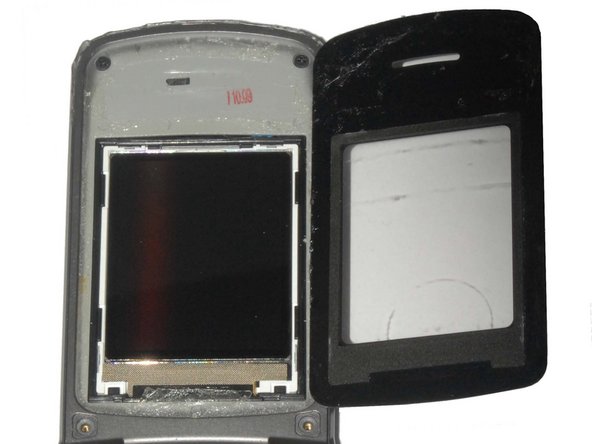
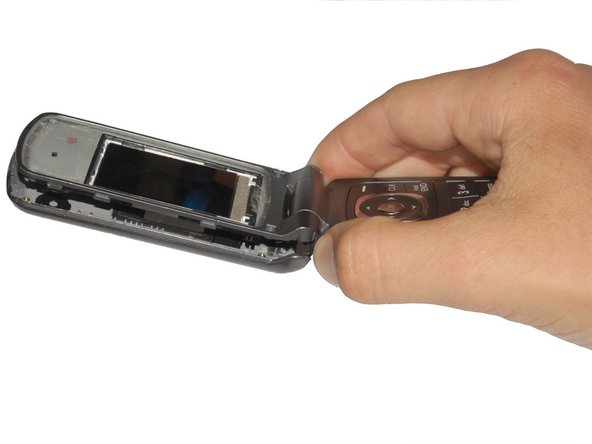
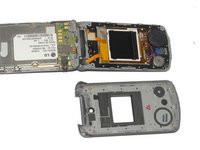
      • Pry off the front panel of the phone using a Plastic Opening Tool.

      • Push the tool into the crack along the side of the phone.

      • Slide the tool along the crack to detach the tabs holding the backing on the phone.

      crwdns2952109:0crwdne2952109:0

      crwdns2917038:0crwdne2917038:0

    4. LG VX5500 Phone Casing Replacement: crwdns2935265:09crwdnd2935265:01crwdnd2935265:02crwdne2935265:0 LG VX5500 Phone Casing Replacement: crwdns2935265:09crwdnd2935265:02crwdnd2935265:02crwdne2935265:0
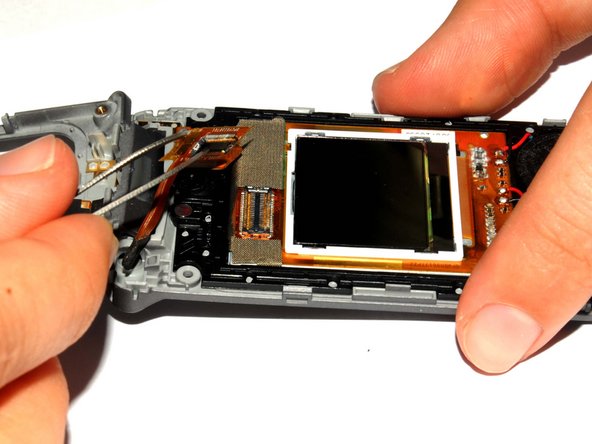
      • Use the tweezers to lift the display adapter off the screen component.

      crwdns2952109:0crwdne2952109:0

      crwdns2917038:0crwdne2917038:0

    5. LG VX5500 Phone Casing Replacement: crwdns2935265:010crwdnd2935265:01crwdnd2935265:02crwdne2935265:0 LG VX5500 Phone Casing Replacement: crwdns2935265:010crwdnd2935265:02crwdnd2935265:02crwdne2935265:0
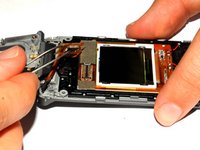
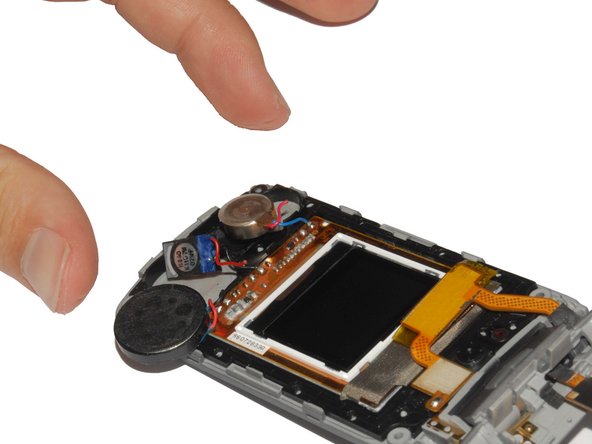
      • Using tweezers remove the speaker from its casing.

      • The speaker is adhered to the phone casing so it will take a small amount of force to remove it.

      crwdns2952109:0crwdne2952109:0

      crwdns2917038:0crwdne2917038:0

    6. LG VX5500 Phone Casing Replacement: crwdns2935265:011crwdnd2935265:01crwdnd2935265:02crwdne2935265:0 LG VX5500 Phone Casing Replacement: crwdns2935265:011crwdnd2935265:02crwdnd2935265:02crwdne2935265:0
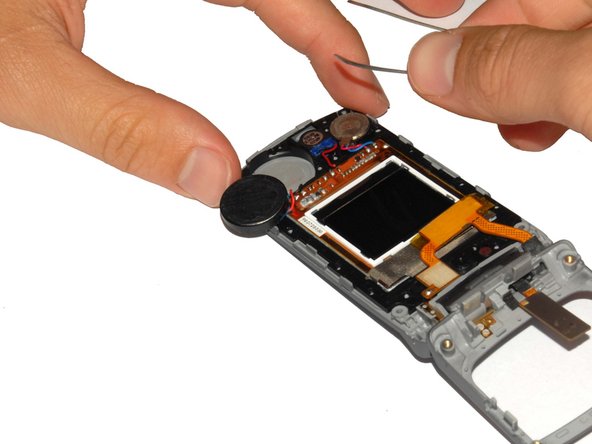
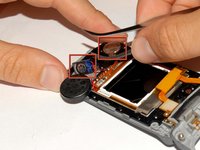
      • Remove the earpiece and gyroscope by lifting them out of the phone casing using tweezers.

      • The earpiece and gyroscope are adhered to the phone casing so it will take a small amount of force to remove them.

      • Be careful when removing these components as the connecting wires are easily broken/disconnected.

      crwdns2952109:0crwdne2952109:0

      crwdns2917038:0crwdne2917038:0

    7. LG VX5500 Phone Casing Replacement: crwdns2935265:012crwdnd2935265:01crwdnd2935265:01crwdne2935265:0
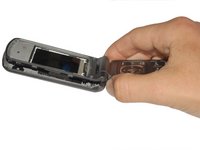
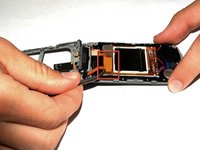
      • Lift the screen components out of the phone.

      crwdns2952109:0crwdne2952109:0

      crwdns2917038:0crwdne2917038:0

    8. LG VX5500 Phone Casing Replacement: crwdns2935265:013crwdnd2935265:01crwdnd2935265:01crwdne2935265:0
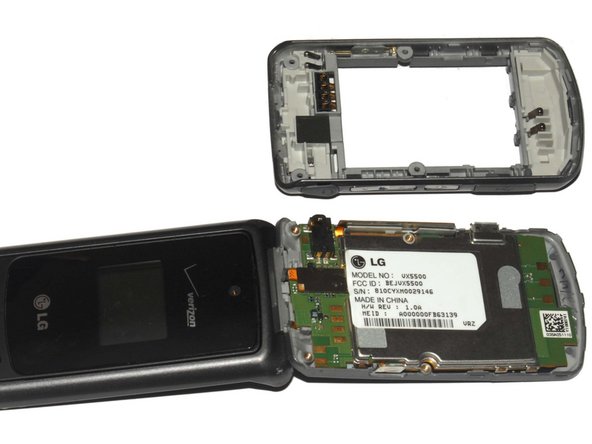
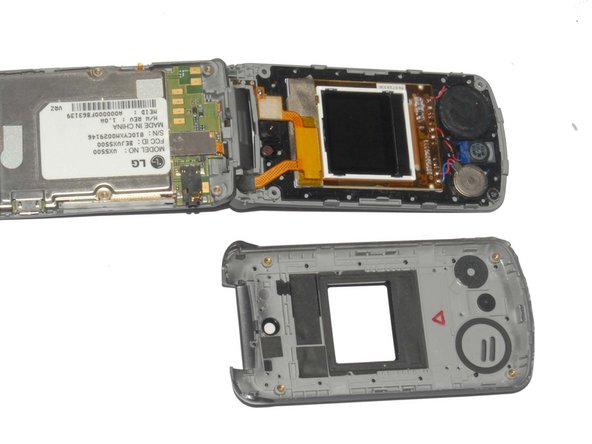
      • The phone is now fully disassembled.

      • Replace the parts indicated with your new phone casing.

      crwdns2952109:0crwdne2952109:0

      crwdns2917038:0crwdne2917038:0

crwdns2915888:0crwdne2915888:0

To reassemble your device, follow these instructions in reverse order.

crwdns2935221:0crwdne2935221:0

crwdns2935229:03crwdne2935229:0

Henry

crwdns2935283:004/12/12crwdne2935283:0

181 crwdns2915208:0crwdne2915208:0

crwdns2935297:03crwdne2935297:0

crwdns2935287:0crwdne2935287:0

Cal Poly, Team 7-33, Maness Spring 2012 crwdns2935289:0Cal Poly, Team 7-33, Maness Spring 2012crwdne2935289:0

CPSU-MANESS-S12S7G33

crwdns2931471:04crwdne2931471:0

crwdns2935297:040crwdne2935297:0

crwdns2947412:00crwdne2947412:0

crwdns2917038:0crwdne2917038:0

crwdns2936625:0crwdne2936625:0:

crwdns2936751:024crwdne2936751:0 1

crwdns2936753:07crwdne2936753:0 10

crwdns2936753:030crwdne2936753:0 40

crwdns2942667:0crwdne2942667:0 1,012