
LG VX5400 Logic Board Replacement

crwdns2959932:0crwdnd2959932:0Sourabhcrwdnd2959932:0crwdnd2959932:0crwdnd2959932:05crwdnd2959932:0crwdne2959932:0
crwdns2959936:0Sun 28, 2014crwdne2959936:0
crwdns2869540:0crwdne2869540:0: 3.1 k
crwdns2959988:0crwdne2959988:0
- crwdns2959990:0crwdne2959990:0
- 1
- crwdns2959992:0crwdne2959992:0
- 16
- crwdns2959994:0crwdne2959994:0
- 84
- crwdns2959996:0crwdne2959996:0
- 3,062
crwdns2955950:0crwdne2955950:0: 0
crwdns2959998:0crwdne2959998:0
crwdns2960000:0crwdne2960000:0crwdns2959984:0crwdne2959984:0: 2 3
crwdns2959974:02crwdne2959974:0
crwdns2959970:03crwdne2959970:0
crwdns2959986:0crwdne2959986:0: 0 1
crwdns2959958:0crwdne2959958:0
crwdns2959976:01crwdne2959976:0
crwdns2890100:0crwdne2890100:0
crwdns2944378:0crwdne2944378:0
crwdns2862617:0crwdne2862617:0
crwdns2862618:0crwdne2862618:0
crwdns2915892:0crwdne2915892:0
crwdns2959928:0crwdne2959928:0 ↓A guide on how to replace the logic board in the LG VX5400.
crwdns2959930:0crwdne2959930:0
crwdns2943215:0crwdne2943215:0

-
-
-
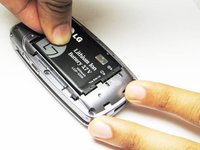
Turn off the cell phone and turn it over on its back side
 crwdns2952109:0crwdne2952109:0
-
-
-
Hold the phone case in your palm and slide the back cover towards yourself using your thumb
-
-
-
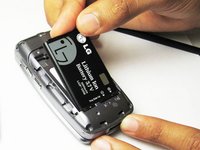
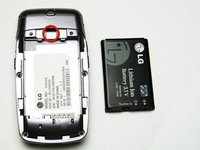
Slide a tool or finger into the notch at the top of the battery to carefully remove it.
-
-
-
-
-
-
Take the Philips screwdriver and unscrew the four visible screws on the backside of the phone indicated by the four red circles.
-
-
-
Then, take the pointed end of a spudger and pry out the rubber stopper to reveal the last screw at the top indicated with the blue circle.
-
-
-
-
-
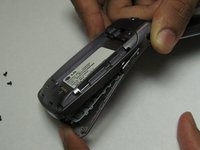
While the phone is open and faced up, carefully insert a tool into the middle to seperate the bottom half of the phone.
-
-
-
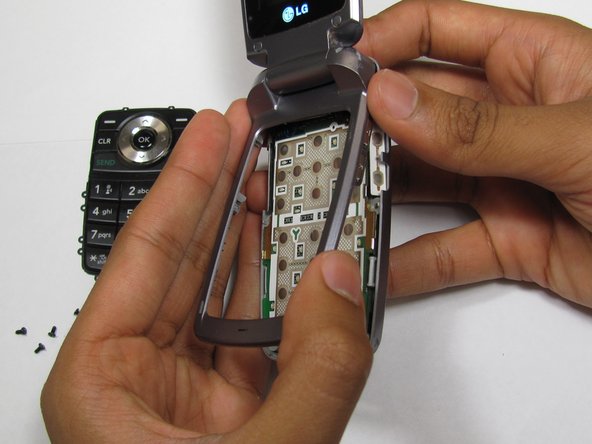
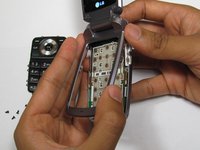
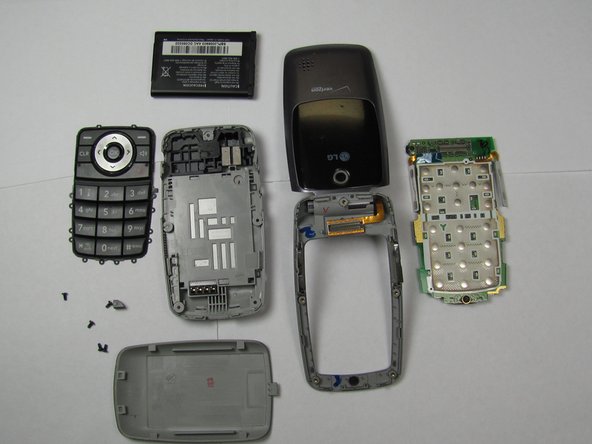
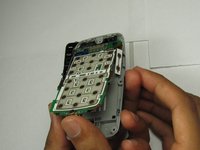
Carefully slide out the keypad and remove the logic board. Then insert new the logic board.
-
-





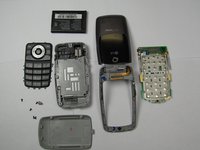
To reassemble your device, follow these instructions in reverse order.
crwdns2935221:0crwdne2935221:0
crwdns2935229:02crwdne2935229:0

crwdns2935287:0crwdne2935287:0

Cal Poly, Team 26-26, Regan Spring 2010 crwdns2935289:0Cal Poly, Team 26-26, Regan Spring 2010crwdne2935289:0
CPSU-REGAN-S10S26G26
crwdns2931471:04crwdne2931471:0
crwdns2935297:060crwdne2935297:0
