crwdns2933423:0crwdne2933423:0
crwdns2947577:0crwdnd2947577:0crwdne2947577:0

LG VX5200 Face Plate Replacement

crwdns2942213:0crwdne2942213:0

    1. LG VX5200 Face Plate Replacement, Battery: crwdns2935265:01crwdnd2935265:01crwdnd2935265:02crwdne2935265:0 LG VX5200 Face Plate Replacement, Battery: crwdns2935265:01crwdnd2935265:02crwdnd2935265:02crwdne2935265:0
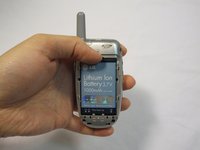
      • Turn the phone on its back.

      crwdns2952109:0crwdne2952109:0

      crwdns2917038:0crwdne2917038:0

    2. LG VX5200 Face Plate Replacement: crwdns2935265:02crwdnd2935265:01crwdnd2935265:02crwdne2935265:0 LG VX5200 Face Plate Replacement: crwdns2935265:02crwdnd2935265:02crwdnd2935265:02crwdne2935265:0
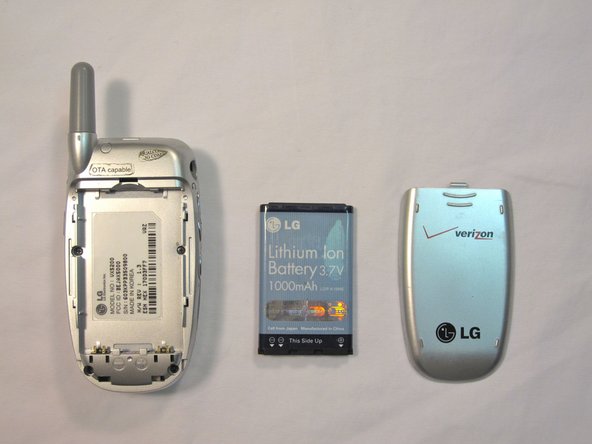
      • Orient the phone as shown.

      • Remove the battery cover by pushing upward with your thumb.

      crwdns2952109:0crwdne2952109:0

      crwdns2917038:0crwdne2917038:0

    3. LG VX5200 Face Plate Replacement: crwdns2935265:03crwdnd2935265:01crwdnd2935265:02crwdne2935265:0 LG VX5200 Face Plate Replacement: crwdns2935265:03crwdnd2935265:02crwdnd2935265:02crwdne2935265:0
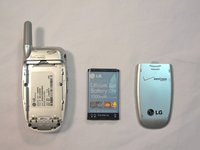
      • Place your fingernail at the top of the battery and pry the battery out towards you.

      crwdns2952109:0crwdne2952109:0

      crwdns2917038:0crwdne2917038:0

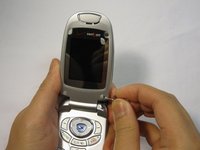
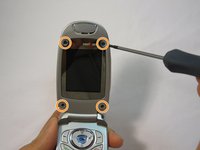
    1. LG VX5200 Face Plate Replacement, Face Plate: crwdns2935265:04crwdnd2935265:01crwdnd2935265:03crwdne2935265:0 LG VX5200 Face Plate Replacement, Face Plate: crwdns2935265:04crwdnd2935265:02crwdnd2935265:03crwdne2935265:0 LG VX5200 Face Plate Replacement, Face Plate: crwdns2935265:04crwdnd2935265:03crwdnd2935265:03crwdne2935265:0
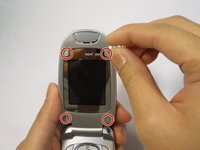
      • Flip the phone open.

      • Remove the four rubber plugs, located at the corners of the LCD screen, with a push-pin.

      • Use a Phillips #00 screwdriver to remove the four screws located underneath the rubber plugs.

      crwdns2952109:0crwdne2952109:0

      crwdns2917038:0crwdne2917038:0

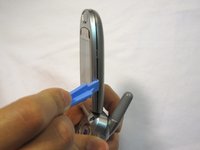
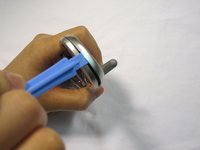
    2. LG VX5200 Face Plate Replacement: crwdns2935265:05crwdnd2935265:01crwdnd2935265:03crwdne2935265:0 LG VX5200 Face Plate Replacement: crwdns2935265:05crwdnd2935265:02crwdnd2935265:03crwdne2935265:0 LG VX5200 Face Plate Replacement: crwdns2935265:05crwdnd2935265:03crwdnd2935265:03crwdne2935265:0
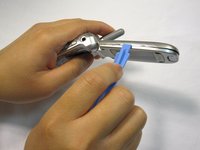
      • Insert the opening tool in the seam of the top portion of the flip phone.

      • Gently pry the seam open.

      • Move the opening tool around the perimeter of the seam and gently take the front LCD face plate out.

      crwdns2952109:0crwdne2952109:0

      crwdns2917038:0crwdne2917038:0

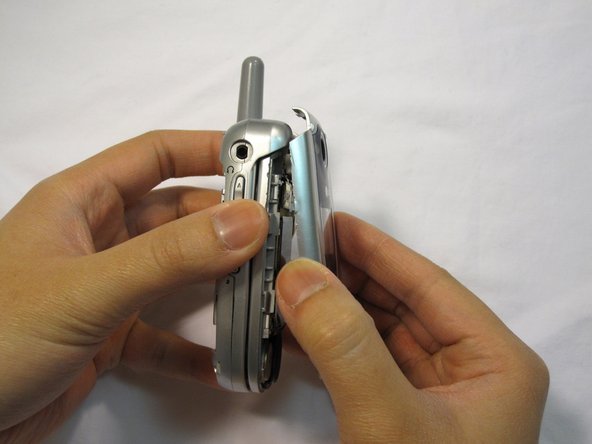
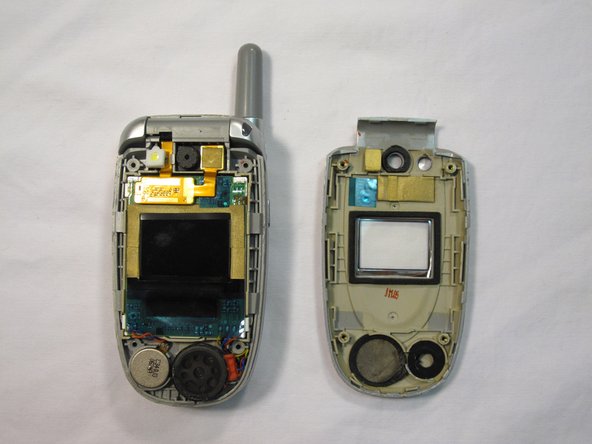
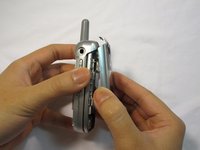
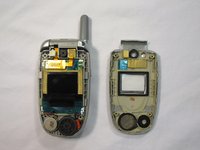
    3. LG VX5200 Face Plate Replacement: crwdns2935265:06crwdnd2935265:01crwdnd2935265:03crwdne2935265:0 LG VX5200 Face Plate Replacement: crwdns2935265:06crwdnd2935265:02crwdnd2935265:03crwdne2935265:0 LG VX5200 Face Plate Replacement: crwdns2935265:06crwdnd2935265:03crwdnd2935265:03crwdne2935265:0
      • Close the flip phone.

      • Hold the base of the phone and gently remove the faceplate.

      • Place the phone and the faceplate on a clean, flat surface.

      crwdns2952109:0crwdne2952109:0

      crwdns2917038:0crwdne2917038:0

crwdns2915888:0crwdne2915888:0

To reassemble your device, follow these instructions in reverse order.

crwdns2935221:0crwdne2935221:0

crwdns2935227:0crwdne2935227:0

Douglas Blaalid

crwdns2935283:001/13/10crwdne2935283:0

282 crwdns2915208:0crwdne2915208:0

crwdns2935297:08crwdne2935297:0

crwdns2935287:0crwdne2935287:0

Cal Poly, Team 4-13, Forte Winter 2010 crwdns2935289:0Cal Poly, Team 4-13, Forte Winter 2010crwdne2935289:0

CPSU-FORTE-W10S4G13

crwdns2931471:05crwdne2931471:0

crwdns2935297:096crwdne2935297:0

crwdns2947412:00crwdne2947412:0

crwdns2917038:0crwdne2917038:0

crwdns2936625:0crwdne2936625:0:

crwdns2936751:024crwdne2936751:0 3

crwdns2936753:07crwdne2936753:0 27

crwdns2936753:030crwdne2936753:0 55

crwdns2942667:0crwdne2942667:0 2,491