
LG V10 Loudspeaker Replacement

crwdns2959932:0crwdnd2959932:0Josephcrwdnd2959932:0crwdnd2959932:0crwdnd2959932:03crwdnd2959932:0crwdne2959932:0
crwdns2959936:0Mha 8, 2019crwdne2959936:0
crwdns2869540:0crwdne2869540:0: 1 тыс.
crwdns2959988:0crwdne2959988:0
- crwdns2959990:0crwdne2959990:0
- 0
- crwdns2959992:0crwdne2959992:0
- 15
- crwdns2959994:0crwdne2959994:0
- 67
- crwdns2959996:0crwdne2959996:0
- 1 020
crwdns2955950:0crwdne2955950:0: 0
crwdns2959998:0crwdne2959998:0
crwdns2960000:0crwdne2960000:0crwdns2959984:0crwdne2959984:0: 0 1
crwdns2959956:0crwdne2959956:0
crwdns2959968:01crwdne2959968:0
crwdns2959986:0crwdne2959986:0: 1 2
crwdns2959980:01crwdne2959980:0
crwdns2959978:02crwdne2959978:0
crwdns2944444:0crwdne2944444:0
crwdns2944446:0crwdne2944446:0
crwdns2915892:0crwdne2915892:0
crwdns2959928:0crwdne2959928:0 ↓Shutdown the LG V10 before replacing any component. If your music or other audio emitted from the phone's loudspeaker is distorted but is completely fine when listened through headphones/earphones, then the phone’s loudspeaker may need to be replaced.
crwdns2959930:0crwdne2959930:0
crwdns2943215:0crwdne2943215:0
-
Spudger4.9


-
-
-
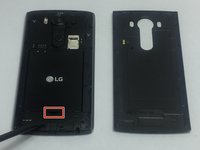
Wedge the flat end of the plastic spudger, or the tip of your finger, in between the back cover and the LG V10’s charging port.
-
Carefully lift up on the spudger or with your finger so that the back cover pops up. The rest of the back cover should easily come off by sliding a finger or spudger under the back cover and around the sides.
 crwdns2952109:0crwdne2952109:0
-
-
-
There’s an impression next to the battery for the user to use their finger to pry the battery out; pry the battery out using your finger or the flat end of the spudger.
-
-
-
-
-
-
Using a screwdriver with a J000 Phillips bit, remove the ten 3.175 mm screws.
-
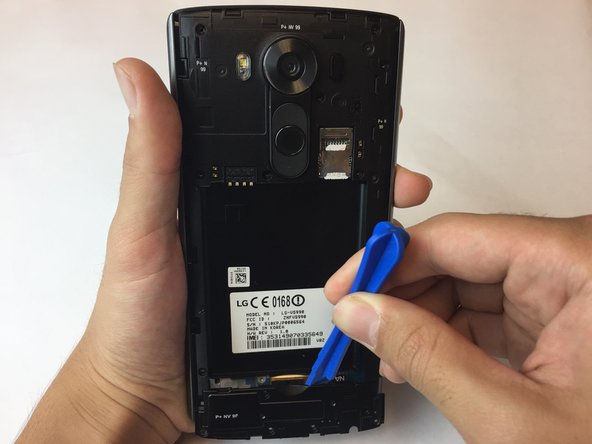
Using a plastic opening tool, pry part of the panel up starting from the sides of the battery slot.
-
-
-
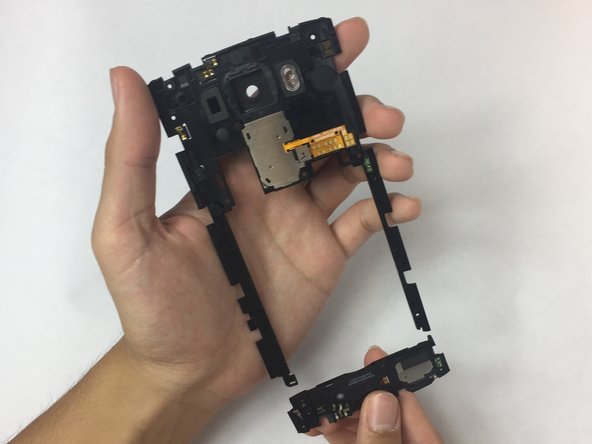
Carefully but firmly pull on the loudspeaker component to release it from the plastic bits holding it in place.
-
-








After replacing the loudspeaker, follow these instructions in reverse order to reassemble the LG V10.

crwdns2935287:0crwdne2935287:0

USF Tampa, Team S16-G3, Eyestone Fall 2017 crwdns2935289:0USF Tampa, Team S16-G3, Eyestone Fall 2017crwdne2935289:0
USFT-EYESTONE-F17S16G3
crwdns2931471:02crwdne2931471:0
crwdns2935297:048crwdne2935297:0
