crwdns2933423:0crwdne2933423:0
crwdns2947577:0crwdnd2947577:0crwdne2947577:0

LG Power Back Camera Replacement

crwdns2869540:0crwdne2869540:0: 1.1K

crwdns2959988:0crwdne2959988:0

crwdns2959990:0crwdne2959990:0
10
crwdns2959992:0crwdne2959992:0
33
crwdns2959994:0crwdne2959994:0
101
crwdns2959996:0crwdne2959996:0
1,144
crwdns2955950:0crwdne2955950:0: 0

crwdns2959998:0crwdne2959998:0

crwdns2960000:0crwdne2960000:0
crwdns2959984:0crwdne2959984:0: 2

crwdns2959974:02crwdne2959974:0

crwdns2959986:0crwdne2959986:0: 1

crwdns2959980:01crwdne2959980:0

crwdns2955944:0crwdne2955944:0: crwdns2931287:010crwdne2931287:0
crwdns2955970:0crwdne2955970:0: crwdns2937801:0crwdne2937801:0
LG Power Back Camera Replacement

crwdns2915892:0crwdne2915892:0

crwdns2959928:0crwdne2959928:0 ↓

It will allow users to remove and install a new camera if their current one is broken. In cases where the currently installed camera is cloudy or needs cleaning, this guide will be helpful in doing so without effecting other parts of the device.

crwdns2959930:0crwdne2959930:0

crwdns2943215:0crwdne2943215:0

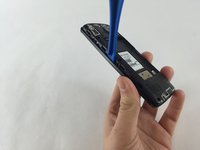
    1. LG Power Back Camera Replacement, Battery: crwdns2935265:01crwdnd2935265:01crwdnd2935265:02crwdne2935265:0 LG Power Back Camera Replacement, Battery: crwdns2935265:01crwdnd2935265:02crwdnd2935265:02crwdne2935265:0
      • Slide a plastic spudger, or guitar pick, between the back and front panel at the bottom .

      • A metal spudger can easily damage your device. A plastic opening tool is always the only option.

      crwdns2952109:0crwdne2952109:0

      crwdns2917038:0crwdne2917038:0

    2. LG Power Back Camera Replacement: crwdns2935265:02crwdnd2935265:01crwdnd2935265:02crwdne2935265:0 LG Power Back Camera Replacement: crwdns2935265:02crwdnd2935265:02crwdnd2935265:02crwdne2935265:0
      • Carefully pop the back panel off and place it to the side.

      crwdns2952109:0crwdne2952109:0

      crwdns2917038:0crwdne2917038:0

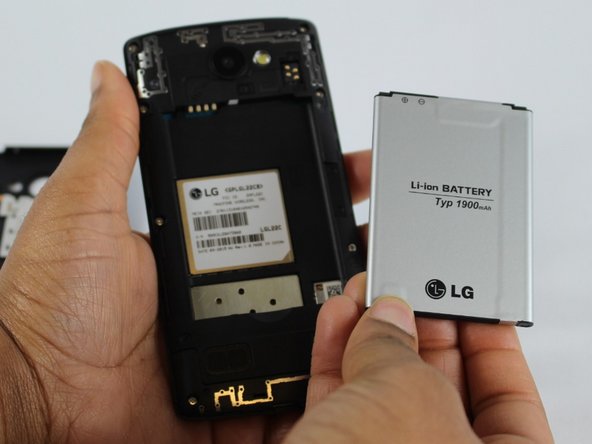
    3. LG Power Back Camera Replacement: crwdns2935265:03crwdnd2935265:01crwdnd2935265:02crwdne2935265:0 LG Power Back Camera Replacement: crwdns2935265:03crwdnd2935265:02crwdnd2935265:02crwdne2935265:0
      • Use the thumb tab to remove the battery.

      crwdns2952109:0crwdne2952109:0

      crwdns2917038:0crwdne2917038:0

    1. LG Power Back Camera Replacement, Back Camera: crwdns2935265:04crwdnd2935265:01crwdnd2935265:01crwdne2935265:0
      • Remove the eight 4mm screws along the side of the mid panel using the Phillips #000 screwdriver head.

      crwdns2952109:0crwdne2952109:0

      crwdns2917038:0crwdne2917038:0

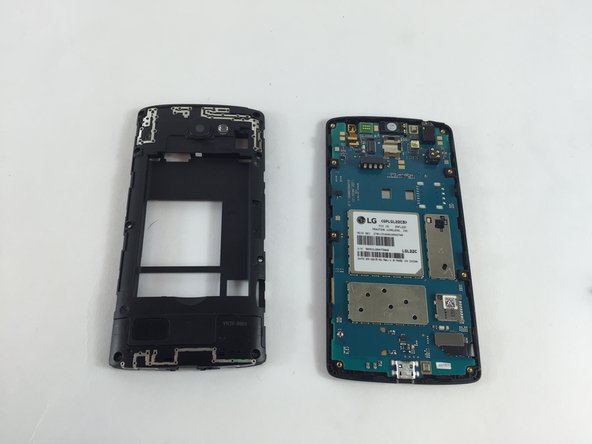
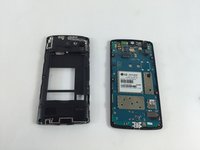
    2. LG Power Back Camera Replacement: crwdns2935265:05crwdnd2935265:01crwdnd2935265:02crwdne2935265:0 LG Power Back Camera Replacement: crwdns2935265:05crwdnd2935265:02crwdnd2935265:02crwdne2935265:0
      • Slide a plastic opening tool between the mid-panel and front panel to remove the middle panel.

      • Place the mid panel to the side.

      crwdns2952109:0crwdne2952109:0

      crwdns2917038:0crwdne2917038:0

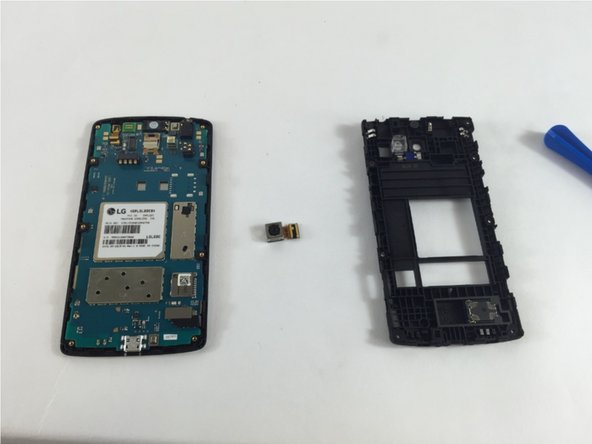
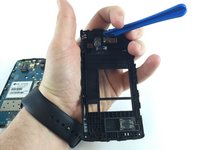
    3. LG Power Back Camera Replacement: crwdns2935265:06crwdnd2935265:01crwdnd2935265:02crwdne2935265:0 LG Power Back Camera Replacement: crwdns2935265:06crwdnd2935265:02crwdnd2935265:02crwdne2935265:0
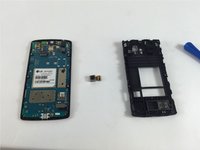
      • Detach the back camera from the back of the mid panel using a plastic opening tool, and remove it.

      • The camera will be completely free at this point.

      crwdns2952109:0crwdne2952109:0

      crwdns2917038:0crwdne2917038:0

crwdns2915888:0crwdne2915888:0

To reassemble your device, follow these instructions in reverse order.

crwdns2935221:0crwdne2935221:0

crwdns2935229:02crwdne2935229:0

crwdns2862417:0crwdne2862417:0

crwdns2935293:0crwdne2935293:0

Mohammed Samin

crwdns2935283:002/09/16crwdne2935283:0

136 crwdns2915208:0crwdne2915208:0

crwdns2935295:0crwdne2935295:0

crwdns2935287:0crwdne2935287:0

USF Tampa, Team 4-6, Lacy Spring 2016 crwdns2935289:0USF Tampa, Team 4-6, Lacy Spring 2016crwdne2935289:0

USFT-LACY-S16S4G6

crwdns2931471:04crwdne2931471:0

crwdns2935297:060crwdne2935297:0

crwdns2947412:00crwdne2947412:0

crwdns2917038:0crwdne2917038:0

crwdns2936625:0crwdne2936625:0:

crwdns2936751:024crwdne2936751:0 10

crwdns2936753:07crwdne2936753:0 33

crwdns2936753:030crwdne2936753:0 101

crwdns2959996:0crwdne2959996:0 1,144