crwdns2933423:0crwdne2933423:0
crwdns2947577:0crwdnd2947577:0crwdne2947577:0

LG Optimus F60 Front Camera Replacement

crwdns2869540:0crwdne2869540:0: 668

crwdns2959988:0crwdne2959988:0

crwdns2959990:0crwdne2959990:0
9
crwdns2959992:0crwdne2959992:0
25
crwdns2959994:0crwdne2959994:0
60
crwdns2959996:0crwdne2959996:0
668
crwdns2955950:0crwdne2955950:0: 0

crwdns2959998:0crwdne2959998:0

crwdns2960000:0crwdne2960000:0
crwdns2959984:0crwdne2959984:0: 0

crwdns2959956:0crwdne2959956:0

crwdns2959986:0crwdne2959986:0: 0

crwdns2959958:0crwdne2959958:0

crwdns2955944:0crwdne2955944:0: crwdns2931287:07crwdne2931287:0
crwdns2955970:0crwdne2955970:0: crwdns2937801:0crwdne2937801:0
crwdns2862591:0crwdne2862591:0

crwdns2862592:0crwdne2862592:0

LG Optimus F60 Front Camera Replacement

crwdns2915892:0crwdne2915892:0

crwdns2959928:0crwdne2959928:0 ↓

This guide will take you through the process of replacing the front camera in an LG Optimus F60. This task should take about 7minutes to complete.

crwdns2959930:0crwdne2959930:0

crwdns2943215:0crwdne2943215:0

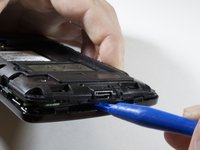
    1. LG Optimus F60 Front Camera Replacement, Battery: crwdns2935265:01crwdnd2935265:01crwdnd2935265:03crwdne2935265:0 LG Optimus F60 Front Camera Replacement, Battery: crwdns2935265:01crwdnd2935265:02crwdnd2935265:03crwdne2935265:0 LG Optimus F60 Front Camera Replacement, Battery: crwdns2935265:01crwdnd2935265:03crwdnd2935265:03crwdne2935265:0
      • Hold the phone in your hand and position the small plastic opening tool or your finger under the lip of the phone by the USB port.

      • Pry or lift up on the indent with the opening tool.

      • Remove the back panel.

      crwdns2952109:0crwdne2952109:0

      crwdns2917038:0crwdne2917038:0

    2. LG Optimus F60 Front Camera Replacement: crwdns2935265:02crwdnd2935265:01crwdnd2935265:03crwdne2935265:0 LG Optimus F60 Front Camera Replacement: crwdns2935265:02crwdnd2935265:02crwdnd2935265:03crwdne2935265:0 LG Optimus F60 Front Camera Replacement: crwdns2935265:02crwdnd2935265:03crwdnd2935265:03crwdne2935265:0
      • Place the small plastic opening tool or your finger at the indentation at the base of the battery.

      • Pry upwards or lift with your finger and remove battery.

      crwdns2952109:0crwdne2952109:0

      crwdns2917038:0crwdne2917038:0

    1. LG Optimus F60 Front Camera Replacement, Front Camera: crwdns2935265:03crwdnd2935265:01crwdnd2935265:02crwdne2935265:0 LG Optimus F60 Front Camera Replacement, Front Camera: crwdns2935265:03crwdnd2935265:02crwdnd2935265:02crwdne2935265:0
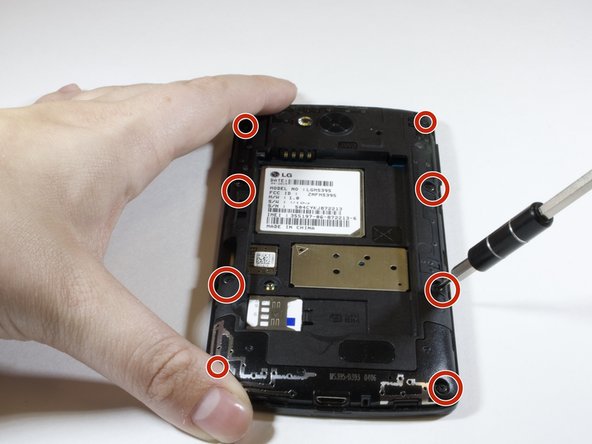
      • Use the phillips #000 Screwdriver to unscrew eight 4mm screws.

      crwdns2952109:0crwdne2952109:0

      crwdns2917038:0crwdne2917038:0

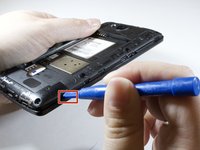
    2. LG Optimus F60 Front Camera Replacement: crwdns2935265:04crwdnd2935265:01crwdnd2935265:02crwdne2935265:0 LG Optimus F60 Front Camera Replacement: crwdns2935265:04crwdnd2935265:02crwdnd2935265:02crwdne2935265:0
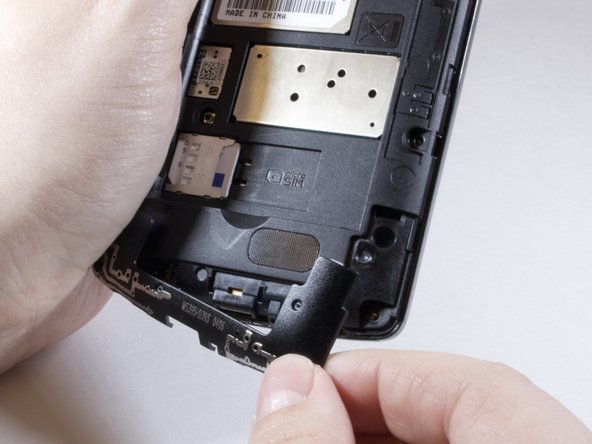
      • Insert the plastic opening tool in the indentation marked by the red square.

      • Pry the plastic opening tool upwards to release the lower back panel.

      • Remove the lower back panel from the device.

      crwdns2952109:0crwdne2952109:0

      crwdns2917038:0crwdne2917038:0

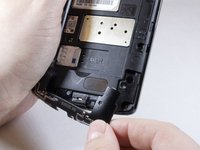
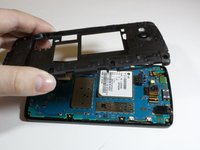
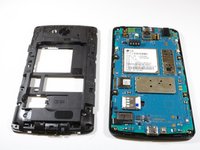
    3. LG Optimus F60 Front Camera Replacement: crwdns2935265:05crwdnd2935265:01crwdnd2935265:03crwdne2935265:0 LG Optimus F60 Front Camera Replacement: crwdns2935265:05crwdnd2935265:02crwdnd2935265:03crwdne2935265:0 LG Optimus F60 Front Camera Replacement: crwdns2935265:05crwdnd2935265:03crwdnd2935265:03crwdne2935265:0
      • Continue moving plastic opening tool around device until back panel is loose enough to remove.

      • Remove the back panel

      crwdns2952109:0crwdne2952109:0

      crwdns2917038:0crwdne2917038:0

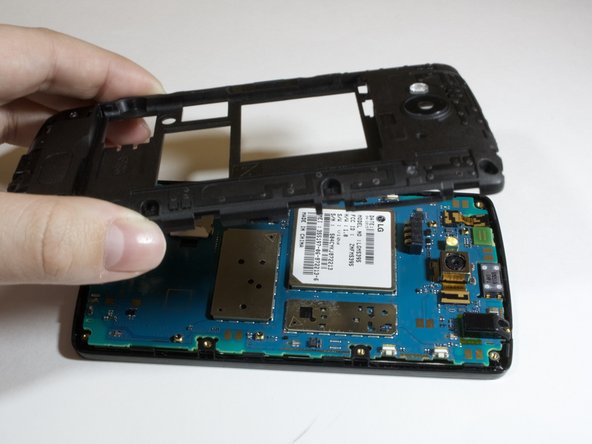
    4. LG Optimus F60 Front Camera Replacement: crwdns2935265:06crwdnd2935265:01crwdnd2935265:03crwdne2935265:0 LG Optimus F60 Front Camera Replacement: crwdns2935265:06crwdnd2935265:02crwdnd2935265:03crwdne2935265:0 LG Optimus F60 Front Camera Replacement: crwdns2935265:06crwdnd2935265:03crwdnd2935265:03crwdne2935265:0
      crwdns2935267:0crwdne2935267:0
      Tweezers
      $4.99
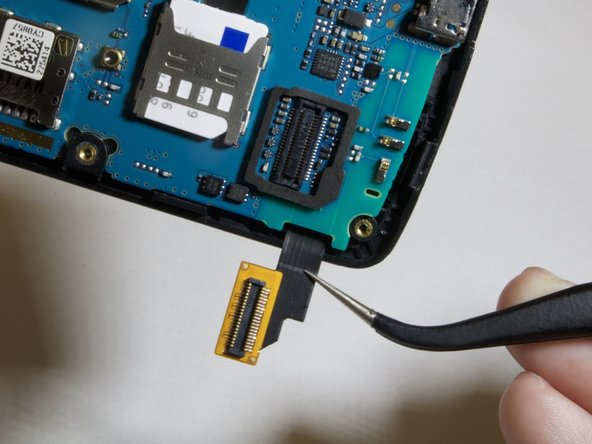
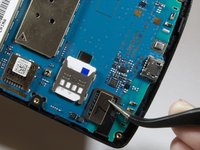
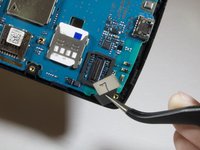
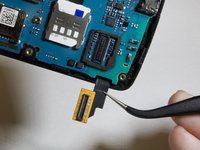
      • Locate the digitizer connection on the lower left hand side of the device.

      • Use the tweezers to lift up and gently remove the connector.

      crwdns2952109:0crwdne2952109:0

      crwdns2917038:0crwdne2917038:0

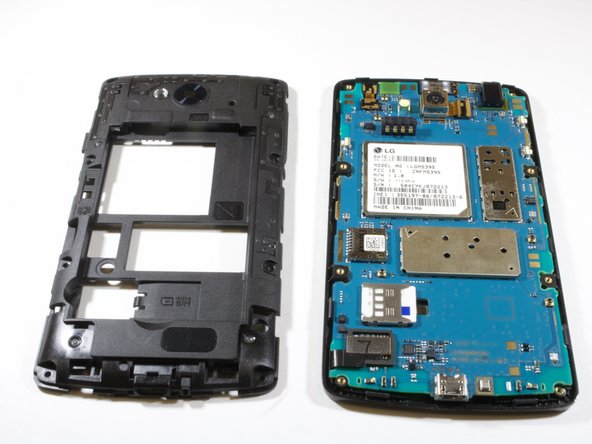
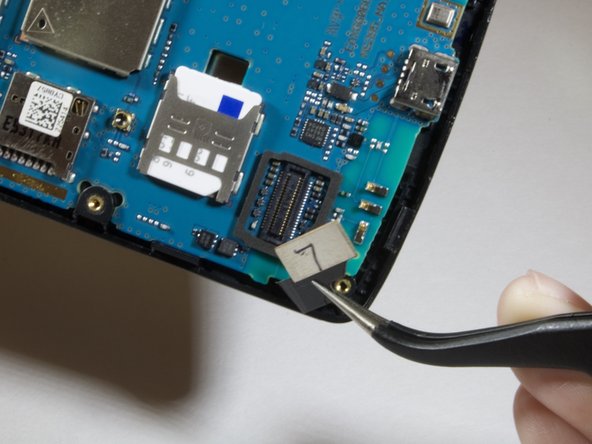
    5. LG Optimus F60 Front Camera Replacement: crwdns2935265:07crwdnd2935265:01crwdnd2935265:03crwdne2935265:0 LG Optimus F60 Front Camera Replacement: crwdns2935265:07crwdnd2935265:02crwdnd2935265:03crwdne2935265:0 LG Optimus F60 Front Camera Replacement: crwdns2935265:07crwdnd2935265:03crwdnd2935265:03crwdne2935265:0
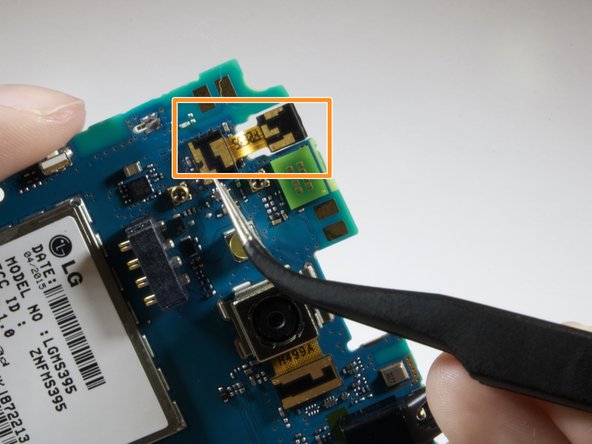
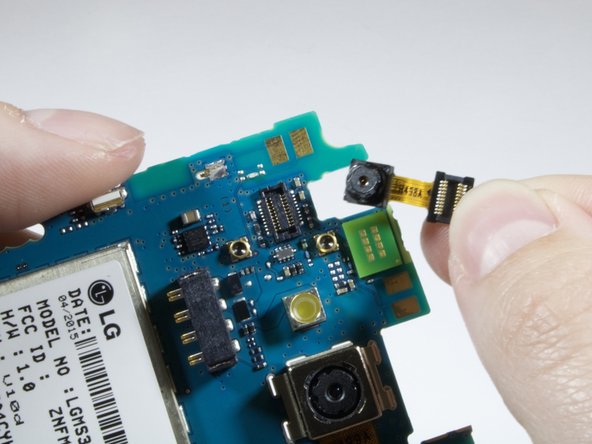
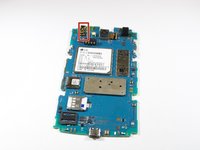
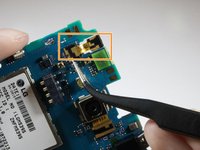
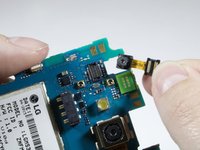
      • Locate the front camera on the upper left hand side of the device. The camera is marked in red.

      • Use the tweezers to remove the front camera from the connector marked in orange.

      • Remove and replace front camera.

      crwdns2952109:0crwdne2952109:0

      crwdns2917038:0crwdne2917038:0

crwdns2915888:0crwdne2915888:0

To reassemble your device, follow these instructions in reverse order.

crwdns2935221:0crwdne2935221:0

crwdns2862417:0crwdne2862417:0

crwdns2935293:0crwdne2935293:0

Austin Johnson

crwdns2935283:004/09/18crwdne2935283:0

171 crwdns2915208:0crwdne2915208:0

crwdns2935295:0crwdne2935295:0

crwdns2935287:0crwdne2935287:0

Eastern Washington University, Team S3-G3, Rowley Spring 2018 crwdns2935289:0Eastern Washington University, Team S3-G3, Rowley Spring 2018crwdne2935289:0

EWU-ROWLEY-S18S3G3

crwdns2931471:06crwdne2931471:0

crwdns2935297:072crwdne2935297:0

crwdns2947412:00crwdne2947412:0

crwdns2917038:0crwdne2917038:0

crwdns2936625:0crwdne2936625:0:

crwdns2936751:024crwdne2936751:0 9

crwdns2936753:07crwdne2936753:0 25

crwdns2936753:030crwdne2936753:0 60

crwdns2959996:0crwdne2959996:0 668