crwdns2933423:0crwdne2933423:0
crwdns2947577:0crwdnd2947577:0crwdne2947577:0

LG Chocolate 3 Keypad Replacement

crwdns2942213:0crwdne2942213:0

    1. LG Chocolate 3 Keypad Replacement, Battery: crwdns2935265:01crwdnd2935265:01crwdnd2935265:01crwdne2935265:0
      • Turn the phone off before starting the replacement process.

      • Place the phone face down.

      • Press your finger down on the indentation and slide the back plate off.

      crwdns2952109:0crwdne2952109:0

      crwdns2917038:0crwdne2917038:0

    2. LG Chocolate 3 Keypad Replacement: crwdns2935265:02crwdnd2935265:01crwdnd2935265:03crwdne2935265:0 LG Chocolate 3 Keypad Replacement: crwdns2935265:02crwdnd2935265:02crwdnd2935265:03crwdne2935265:0 LG Chocolate 3 Keypad Replacement: crwdns2935265:02crwdnd2935265:03crwdnd2935265:03crwdne2935265:0
      • Using your index finger lift and remove the battery from the phone.

      crwdns2952109:0crwdne2952109:0

      crwdns2917038:0crwdne2917038:0

    1. LG Chocolate 3 Keypad Replacement, Rear Case: crwdns2935265:03crwdnd2935265:01crwdnd2935265:01crwdne2935265:0
      • Use the pointed end of the spudger to pull out the plastic inserts that are located on the left and right-hand corners.

      • If needed, use the tip of a push pin instead of the spudger to remove the plastic inserts.

      crwdns2952109:0crwdne2952109:0

      crwdns2917038:0crwdne2917038:0

    2. LG Chocolate 3 Keypad Replacement: crwdns2935265:04crwdnd2935265:01crwdnd2935265:01crwdne2935265:0
      crwdns2935267:0crwdne2935267:0
      Tweezers
      $4.99
      • Using a Phillips #00 screwdriver, remove the six 3mm long screws found along the edges of the phone.

      • If needed, use tweezers to remove loose screws from the recessed holes.

      • Screws are small, therefore, they should be placed in a secure location to prevent misplacement.

      crwdns2952109:0crwdne2952109:0

      crwdns2917038:0crwdne2917038:0

    3. LG Chocolate 3 Keypad Replacement: crwdns2935265:05crwdnd2935265:01crwdnd2935265:02crwdne2935265:0 LG Chocolate 3 Keypad Replacement: crwdns2935265:05crwdnd2935265:02crwdnd2935265:02crwdne2935265:0
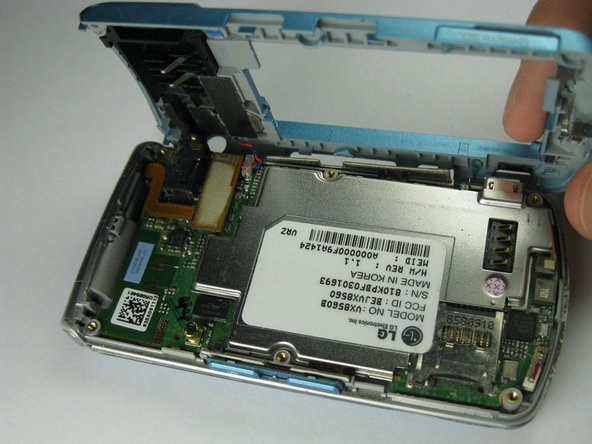
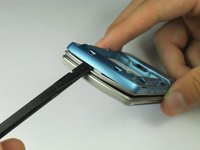
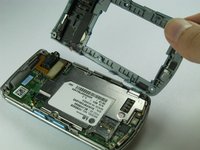
      • Pull the rear case up using the spudger.

      • The rear case is connected to the right side of the phone via red and blue cables, be careful not to pull these cables out.

      • The volume control buttons on the side might fall out of their sockets. Carefully replace them with a pair of tweezers before you reassemble the rear case.

      crwdns2952109:0crwdne2952109:0

      crwdns2917038:0crwdne2917038:0

    4. LG Chocolate 3 Keypad Replacement: crwdns2935265:06crwdnd2935265:01crwdnd2935265:01crwdne2935265:0
      • Use tweezers to pull the clear end of the red and blue speaker cables away from motherboard.

      crwdns2952109:0crwdne2952109:0

      crwdns2917038:0crwdne2917038:0

    5. LG Chocolate 3 Keypad Replacement: crwdns2935265:07crwdnd2935265:01crwdnd2935265:02crwdne2935265:0 LG Chocolate 3 Keypad Replacement: crwdns2935265:07crwdnd2935265:02crwdnd2935265:02crwdne2935265:0
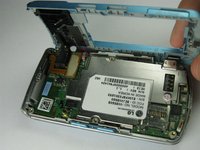
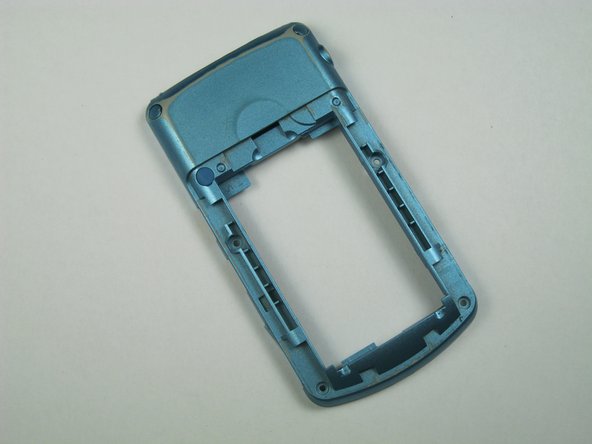
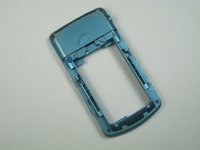
      • Carefully remove the rear case from the phone.

      crwdns2952109:0crwdne2952109:0

      crwdns2917038:0crwdne2917038:0

    1. LG Chocolate 3 Keypad Replacement, Side Buttons: crwdns2935265:08crwdnd2935265:01crwdnd2935265:01crwdne2935265:0
      crwdns2935267:0crwdne2935267:0
      Tweezers
      $4.99
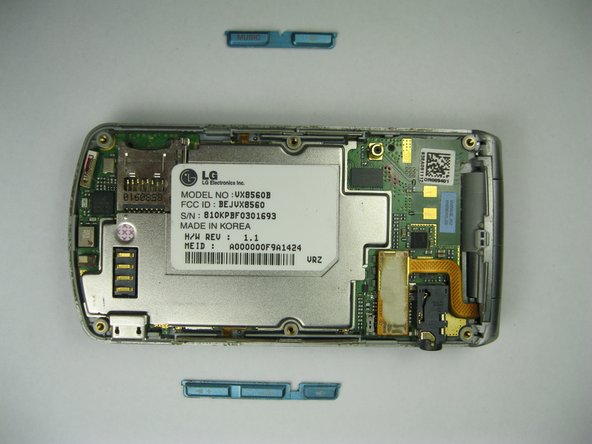
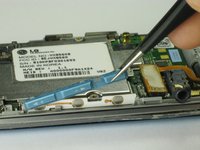
      • Use tweezers to remove the music button found on the side of the phone.

      crwdns2952109:0crwdne2952109:0

      crwdns2917038:0crwdne2917038:0

    2. LG Chocolate 3 Keypad Replacement: crwdns2935265:09crwdnd2935265:01crwdnd2935265:02crwdne2935265:0 LG Chocolate 3 Keypad Replacement: crwdns2935265:09crwdnd2935265:02crwdnd2935265:02crwdne2935265:0
      • Use tweezers to remove the volume control buttons on the opposite side of the phone.

      crwdns2952109:0crwdne2952109:0

      crwdns2917038:0crwdne2917038:0

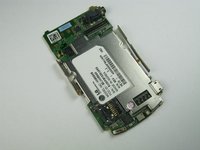
    1. LG Chocolate 3 Keypad Replacement, Motherboard: crwdns2935265:010crwdnd2935265:01crwdnd2935265:01crwdne2935265:0
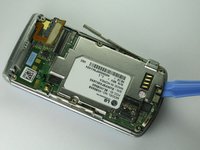
      • Use the flat end of the spudger to lift the orange display data cable.

      crwdns2952109:0crwdne2952109:0

      crwdns2917038:0crwdne2917038:0

    2. LG Chocolate 3 Keypad Replacement: crwdns2935265:011crwdnd2935265:01crwdnd2935265:02crwdne2935265:0 LG Chocolate 3 Keypad Replacement: crwdns2935265:011crwdnd2935265:02crwdnd2935265:02crwdne2935265:0
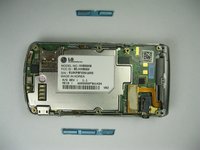
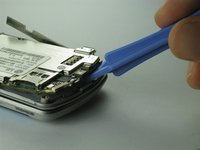
      • Carefully insert the plastic opening tool between the motherboard and the back of the phone.

      crwdns2952109:0crwdne2952109:0

      crwdns2917038:0crwdne2917038:0

    3. LG Chocolate 3 Keypad Replacement: crwdns2935265:012crwdnd2935265:01crwdnd2935265:02crwdne2935265:0 LG Chocolate 3 Keypad Replacement: crwdns2935265:012crwdnd2935265:02crwdnd2935265:02crwdne2935265:0
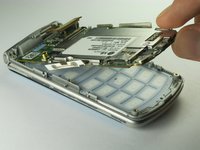
      • Use your thumb and index finger to carefully lift and separate the motherboard from the back of the phone.

      • Be cautious of the orange display data cable, it may stick to the motherboard.

      • To avoid this, lift the data cable away from the motherboard before removal.

      crwdns2952109:0crwdne2952109:0

      crwdns2917038:0crwdne2917038:0

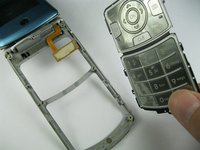
    1. LG Chocolate 3 Keypad Replacement, Keypad: crwdns2935265:013crwdnd2935265:01crwdnd2935265:01crwdne2935265:0
      • Open the phone.

      • Keep the phone open by keeping a firm grip on the hinges to avoid any damages to the phone.

      crwdns2952109:0crwdne2952109:0

      crwdns2917038:0crwdne2917038:0

    2. LG Chocolate 3 Keypad Replacement: crwdns2935265:014crwdnd2935265:01crwdnd2935265:01crwdne2935265:0
      • Lift the orange data cable up so that it is elevated.

      • Gently use a finger to lift the keypad out.

      crwdns2952109:0crwdne2952109:0

      crwdns2917038:0crwdne2917038:0

    3. LG Chocolate 3 Keypad Replacement: crwdns2935265:015crwdnd2935265:01crwdnd2935265:01crwdne2935265:0
      • Insert the spudger in between the keypad and the phone.

      • Lift the keypad to seperate it from the phone.

      crwdns2952109:0crwdne2952109:0

      crwdns2917038:0crwdne2917038:0

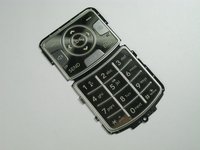
    4. LG Chocolate 3 Keypad Replacement: crwdns2935265:016crwdnd2935265:01crwdnd2935265:02crwdne2935265:0 LG Chocolate 3 Keypad Replacement: crwdns2935265:016crwdnd2935265:02crwdnd2935265:02crwdne2935265:0
      • Remove the damaged keypad.

      • Insert the replacement keypad.

      • Reassemble the phone after the broken keypad is replaced.

      crwdns2952109:0crwdne2952109:0

      crwdns2917038:0crwdne2917038:0

crwdns2915888:0crwdne2915888:0

To reassemble this device, follow these instructions in reverse order.

crwdns2935221:0crwdne2935221:0

crwdns2935227:0crwdne2935227:0

Brenna Yagade

crwdns2935283:004/15/13crwdne2935283:0

40 crwdns2915208:0crwdne2915208:0

crwdns2935297:06crwdne2935297:0

crwdns2935287:0crwdne2935287:0

Cal Poly, Team 12-35, Amido Spring 2013 crwdns2935289:0Cal Poly, Team 12-35, Amido Spring 2013crwdne2935289:0

CPSU-AMIDO-S13S12G35

crwdns2931471:05crwdne2931471:0

crwdns2935297:072crwdne2935297:0

crwdns2947412:00crwdne2947412:0

crwdns2917038:0crwdne2917038:0

crwdns2936625:0crwdne2936625:0:

crwdns2936751:024crwdne2936751:0 1

crwdns2936753:07crwdne2936753:0 5

crwdns2936753:030crwdne2936753:0 10

crwdns2942667:0crwdne2942667:0 833