crwdns2915892:0crwdne2915892:0
If the touch screen on your Kurio Xtreme is cracked or broken, follow this guide to replace it.
crwdns2942213:0crwdne2942213:0
-
-
Remove the rubber case by beginning to peel from one of the top corners and continue peeling until the cover is completely removed.
-
-
-
Unscrew the four 4 mm black screws using a Phillips #000 screw driver.
-
-
-
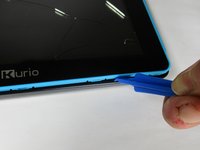
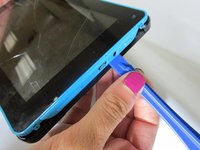
Insert the plastic opening tool in between the edges of the blue front casing and black back casing.
-
Slide the plastic opening tool around the perimeter of the device. This may require that you repeatedly run the opening tool up and down the edges of the device.
-
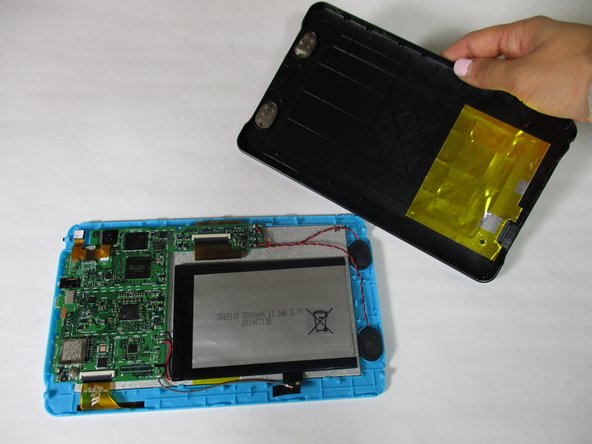
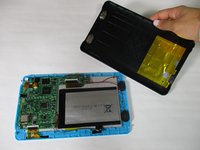
Carefully lift the back panel off of the rest of the device.
-
-
-
Unscrew the three 4 mm screws with a Phillips #000 screwdriver.
-
-
-
-
Remove the orange data display ribbon wire above the battery by prying open the ZIF connector with the plastic opening tool.
-
-
-
Remove the orange data display ribbon wire to the left of the battery by prying open the ZIF connector with the plastic opening tool.
-
-
crwdns2935267:0crwdne2935267:0Plastic Cards$2.99
-
Slide iFixit's Plastic Card tool or a credit card under the battery to remove the glue that is holding it in place.
-
Carefully lift the battery out of the device and set it aside.
-
-
-
Carefully remove the speakers out of the plastic molds by lifting up the black and red wires. Set the speakers aside.
-
-
-
Remove the motherboard by lifting it out of the casing and set it aside along with the battery and speakers.
-
-
-
Carefully peel the ground wire tape off of the blue front screen panel.
-
-
-
Pry open all 7 of the blue clamps by wedging the plastic opening tool under them and bending them backward.
-
-
-
Remove the LCD display from the blue touch screen casing by gently shaking them apart in the palm of your hand.
-
This could be stuck on, so you need heat to loosen the glue.
-
Be careful when prying the digitzer from the plastic, if you bend it too much it can break the frame!
-




To reassemble your device, follow these instructions in reverse order.
crwdns2935221:0crwdne2935221:0
crwdns2935229:03crwdne2935229:0

crwdns2935287:0crwdne2935287:0

Baylor, Team 6-10, Williams Fall 2015 crwdns2935289:0Baylor, Team 6-10, Williams Fall 2015crwdne2935289:0
BU-WILLIAMS-F15S6G10
crwdns2931471:03crwdne2931471:0
crwdns2935297:014crwdne2935297:0
crwdns2947412:02crwdne2947412:0
Thanks - very good guide! For the investment of an iFixit toolset and less than 10 GBP for a replacement digitizer, I was able to restore my little boy's treasure!
Patrick Niessen - crwdns2934203:0crwdne2934203:0 crwdns2950251:0crwdne2950251:0
Thank you so much for the Guide!! Helped save Christmas!!! The steps were easy to follow and my kids tablets are back to new.
tdd82 - crwdns2934203:0crwdne2934203:0 crwdns2950251:0crwdne2950251:0
