
Kurio Xtreme Camera Replacement

crwdns2959932:0crwdnd2959932:0Mallory Myerscrwdnd2959932:0crwdnd2959932:0crwdnd2959932:02crwdnd2959932:0crwdne2959932:0
crwdns2959936:0Huk 19, 2015crwdne2959936:0
crwdns2869540:0crwdne2869540:0: 611
crwdns2959988:0crwdne2959988:0
- crwdns2959990:0crwdne2959990:0
- 2
- crwdns2959992:0crwdne2959992:0
- 21
- crwdns2959994:0crwdne2959994:0
- 95
- crwdns2959996:0crwdne2959996:0
- 611
crwdns2955950:0crwdne2955950:0: 0
crwdns2959998:0crwdne2959998:0
crwdns2960000:0crwdne2960000:0crwdns2959984:0crwdne2959984:0: 1 2
crwdns2959972:01crwdne2959972:0
crwdns2959970:02crwdne2959970:0
crwdns2959986:0crwdne2959986:0: 0 1
crwdns2959958:0crwdne2959958:0
crwdns2959976:01crwdne2959976:0
crwdns2915892:0crwdne2915892:0
crwdns2959928:0crwdne2959928:0 ↓If one or both of the cameras in your Kurio Xtreme are broken, follow this guide to replace them. The front and back cameras are connected, so you will be replacing both of them, even if only one is broken.
crwdns2959930:0crwdne2959930:0
crwdns2943215:0crwdne2943215:0


-
-
-
Remove the rubber case by beginning to peel from one of the top corners and continue peeling until the cover is completely removed.
 crwdns2952109:0crwdne2952109:0
-
-
-
Unscrew the four 4 mm black screws using a Phillips #000 screw driver.
-
-
-
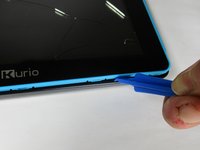
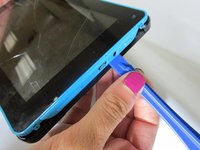
Insert the plastic opening tool in between the edges of the blue front casing and black back casing.
-
Slide the plastic opening tool around the perimeter of the device. This may require that you repeatedly run the opening tool up and down the edges of the device.
-
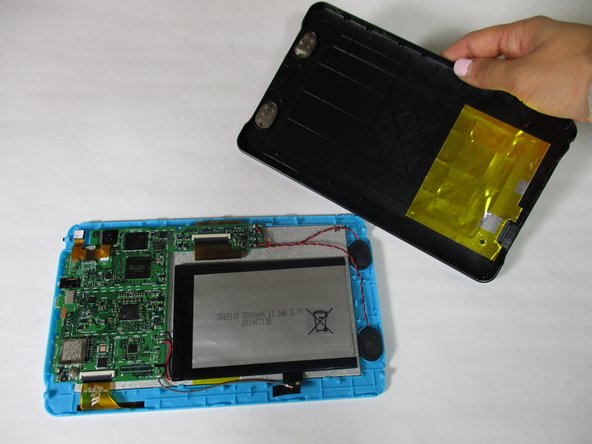
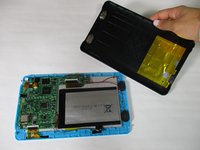
Carefully lift the back panel off of the rest of the device.
-
-
-
-
-
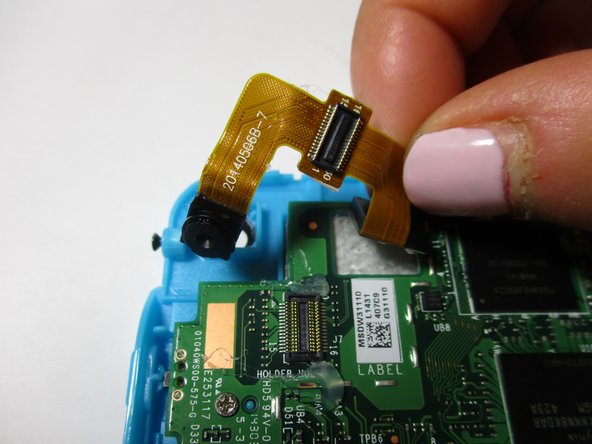
Remove the flat-topped connector that connects the cameras to the motherboard by using the plastic opening tool to pry up on each side.
-
-
-
-
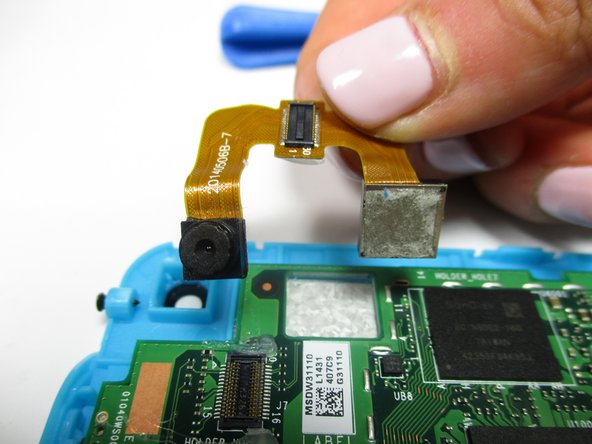
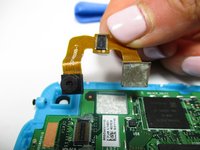
Remove the smaller, front facing camera by lifting up on the attached ribbon cable.
-
Remove the larger, rear facing camera by lifting up on the attached ribbon cable.
-
-




To reassemble your device, follow these instructions in reverse order.
crwdns2935221:0crwdne2935221:0
crwdns2935227:0crwdne2935227:0

crwdns2935287:0crwdne2935287:0

Baylor, Team 6-10, Williams Fall 2015 crwdns2935289:0Baylor, Team 6-10, Williams Fall 2015crwdne2935289:0
BU-WILLIAMS-F15S6G10
crwdns2931471:03crwdne2931471:0
crwdns2935297:084crwdne2935297:0
