
Kurio Motion Audio Jack Replacement

crwdns2959934:0crwdnd2959934:0Dillon H.crwdnd2959934:0crwdnd2959934:0crwdnd2959934:0crwdne2959934:0
crwdns2959936:0N'w 29, 2023crwdne2959936:0
crwdns2869540:0crwdne2869540:0: 230
crwdns2959988:0crwdne2959988:0
- crwdns2959990:0crwdne2959990:0
- 1
- crwdns2959992:0crwdne2959992:0
- 14
- crwdns2959994:0crwdne2959994:0
- 64
- crwdns2959996:0crwdne2959996:0
- 230
crwdns2955950:0crwdne2955950:0: 0
crwdns2959998:0crwdne2959998:0
crwdns2960000:0crwdne2960000:0crwdns2959984:0crwdne2959984:0: 0 1
crwdns2959956:0crwdne2959956:0
crwdns2959968:01crwdne2959968:0
crwdns2959986:0crwdne2959986:0: 0 1
crwdns2959958:0crwdne2959958:0
crwdns2959976:01crwdne2959976:0
crwdns2869444:0crwdne2869444:0
crwdns2869445:0crwdne2869445:0
crwdns2862611:0crwdne2862611:0
crwdns2862612:0crwdne2862612:0
crwdns2862615:0crwdne2862615:0
crwdns2862616:0crwdne2862616:0
crwdns2915892:0crwdne2915892:0
crwdns2959928:0crwdne2959928:0 ↓Is the audio for your headphones distorted or not working? You will have to replace it. This will require you to solder so please refer to this guide to do so.
crwdns2959930:0crwdne2959930:0
crwdns2943215:0crwdne2943215:0


-
-
-
Use a Phillips #00 Screwdriver to unscrew the four 5mm screws.
 crwdns2952109:0crwdne2952109:0
-
-
-
Use an Ifixit opening tool to seperate the screen from the back.
-
-
-
Remove the tape from the edges of the battery and the small piece on the motherboard.
-
-
-
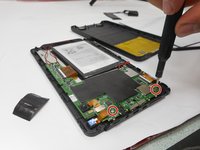
Remove the two 5mm screws from the mother board.
-
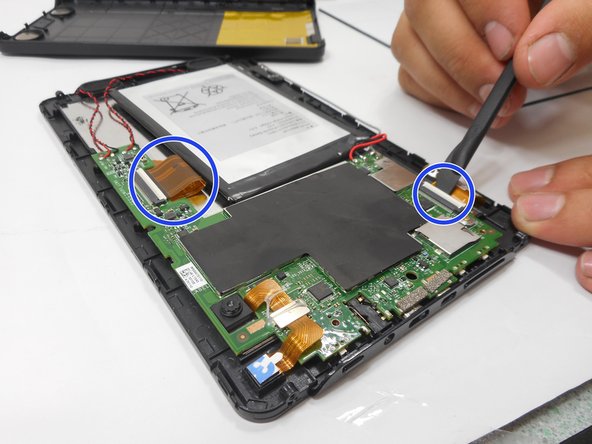
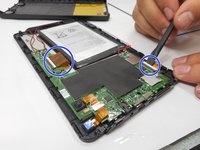
Remove the connectors by lifting the tabs and pulling gently.
-
-
-
-
Desolder the connections holding the audio jack. To do so, refer to this guide.
-
-


To reassemble your device, follow these instructions in reverse order.

crwdns2935287:0crwdne2935287:0

University of New Orleans, Team 3-7, McDonald Fall 2023 crwdns2935289:0University of New Orleans, Team 3-7, McDonald Fall 2023crwdne2935289:0
UNO-MCDONALD-F23S3G7
crwdns2931471:03crwdne2931471:0
crwdns2935297:048crwdne2935297:0
