crwdns2933423:0crwdne2933423:0
crwdns2947577:0crwdnd2947577:0crwdne2947577:0

Kodak Easyshare Z981 Flash Button Replacement

crwdns2942213:0crwdne2942213:0

    1. Kodak Easyshare Z981 Flash Button Replacement, Flash Button: crwdns2935265:01crwdnd2935265:01crwdnd2935265:02crwdne2935265:0 Kodak Easyshare Z981 Flash Button Replacement, Flash Button: crwdns2935265:01crwdnd2935265:02crwdnd2935265:02crwdne2935265:0
      • Open the battery cover and remove the AA batteries from the camera if any are inserted.

      crwdns2952109:0crwdne2952109:0

      crwdns2917038:0crwdne2917038:0

    2. Kodak Easyshare Z981 Flash Button Replacement: crwdns2935265:02crwdnd2935265:01crwdnd2935265:03crwdne2935265:0 Kodak Easyshare Z981 Flash Button Replacement: crwdns2935265:02crwdnd2935265:02crwdnd2935265:03crwdne2935265:0 Kodak Easyshare Z981 Flash Button Replacement: crwdns2935265:02crwdnd2935265:03crwdnd2935265:03crwdne2935265:0
      crwdns2935267:0crwdne2935267:0
      Phillips #00 Screwdriver
      $5.49
      • Remove screws using a 00 Phillips-Head screwdriver:

      • Eight (8) 3mm screws on the lower portion of the camera

      • Four (4) on the bottom of the camera

      • Four (4) on the inside of the battery cover

      • Four (4) 6mm screws on the sides of the camera (two on each side)

      crwdns2952109:0crwdne2952109:0

      crwdns2917038:0crwdne2917038:0

    3. Kodak Easyshare Z981 Flash Button Replacement: crwdns2935265:03crwdnd2935265:01crwdnd2935265:01crwdne2935265:0
      • Start from a corner and gently remove the bottom of the camera.

      • The cover will easily lift off, so not much pressure is required.

      crwdns2952109:0crwdne2952109:0

      crwdns2917038:0crwdne2917038:0

    4. Kodak Easyshare Z981 Flash Button Replacement: crwdns2935265:04crwdnd2935265:01crwdnd2935265:02crwdne2935265:0 Kodak Easyshare Z981 Flash Button Replacement: crwdns2935265:04crwdnd2935265:02crwdnd2935265:02crwdne2935265:0
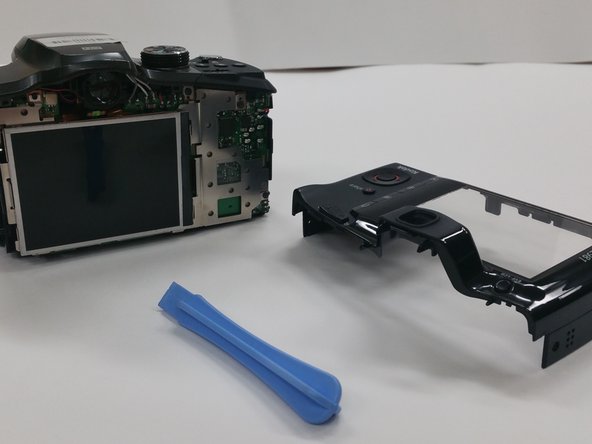
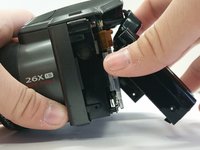
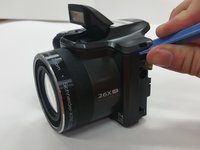
      • Use a Plastic Opening Tool to remove the back of the camera

      crwdns2952109:0crwdne2952109:0

      crwdns2917038:0crwdne2917038:0

    5. Kodak Easyshare Z981 Flash Button Replacement: crwdns2935265:05crwdnd2935265:01crwdnd2935265:03crwdne2935265:0 Kodak Easyshare Z981 Flash Button Replacement: crwdns2935265:05crwdnd2935265:02crwdnd2935265:03crwdne2935265:0 Kodak Easyshare Z981 Flash Button Replacement: crwdns2935265:05crwdnd2935265:03crwdnd2935265:03crwdne2935265:0
      crwdns2935267:0crwdne2935267:0
      Tweezers
      $4.99
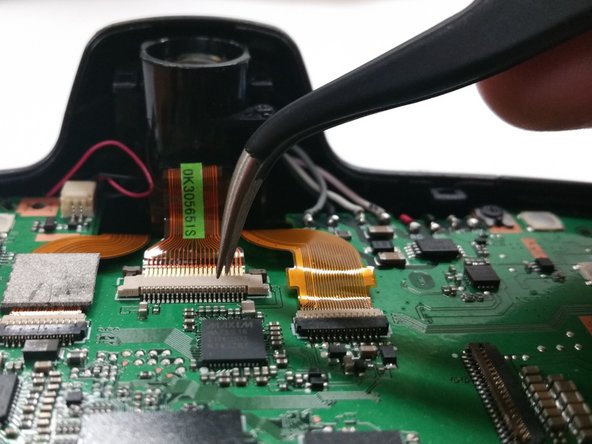
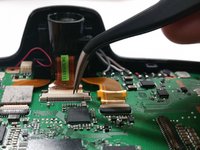
      • Remove the four (4) 3mm screws attaching the LCD screen to the circuit board.

      • Use Tweezers to carefully detach the ribbon cable

      • Use extreme caution on this step, as the ribbon cable is very fragile and can rip very easily.

      crwdns2952109:0crwdne2952109:0

      crwdns2917038:0crwdne2917038:0

    6. Kodak Easyshare Z981 Flash Button Replacement: crwdns2935265:06crwdnd2935265:01crwdnd2935265:03crwdne2935265:0 Kodak Easyshare Z981 Flash Button Replacement: crwdns2935265:06crwdnd2935265:02crwdnd2935265:03crwdne2935265:0 Kodak Easyshare Z981 Flash Button Replacement: crwdns2935265:06crwdnd2935265:03crwdnd2935265:03crwdne2935265:0
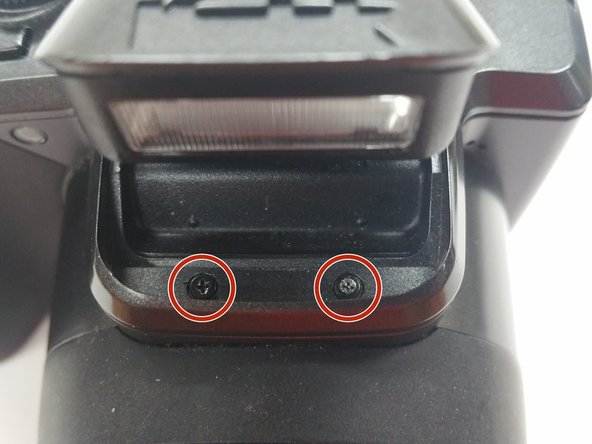
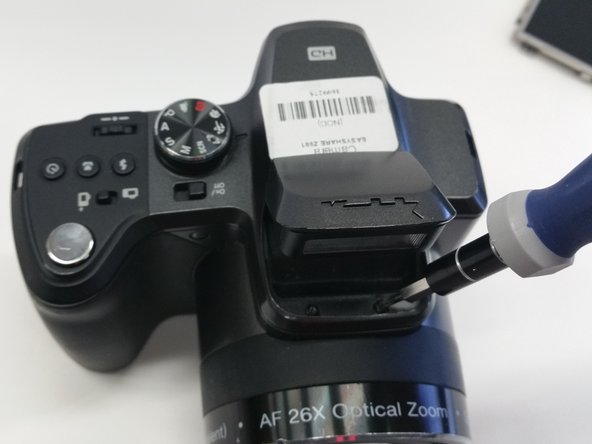
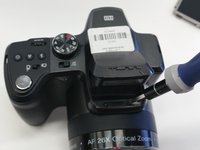
      • Open the flash compartment and remove two (2) 3mm screws.

      crwdns2952109:0crwdne2952109:0

      crwdns2917038:0crwdne2917038:0

    7. Kodak Easyshare Z981 Flash Button Replacement: crwdns2935265:07crwdnd2935265:01crwdnd2935265:02crwdne2935265:0 Kodak Easyshare Z981 Flash Button Replacement: crwdns2935265:07crwdnd2935265:02crwdnd2935265:02crwdne2935265:0
      • Use a Plastic Opening Tool to carefully remove the top of the camera.

      • Use caution when removing the top of the camera

      crwdns2952109:0crwdne2952109:0

      crwdns2917038:0crwdne2917038:0

    8. Kodak Easyshare Z981 Flash Button Replacement: crwdns2935265:08crwdnd2935265:01crwdnd2935265:03crwdne2935265:0 Kodak Easyshare Z981 Flash Button Replacement: crwdns2935265:08crwdnd2935265:02crwdnd2935265:03crwdne2935265:0 Kodak Easyshare Z981 Flash Button Replacement: crwdns2935265:08crwdnd2935265:03crwdnd2935265:03crwdne2935265:0
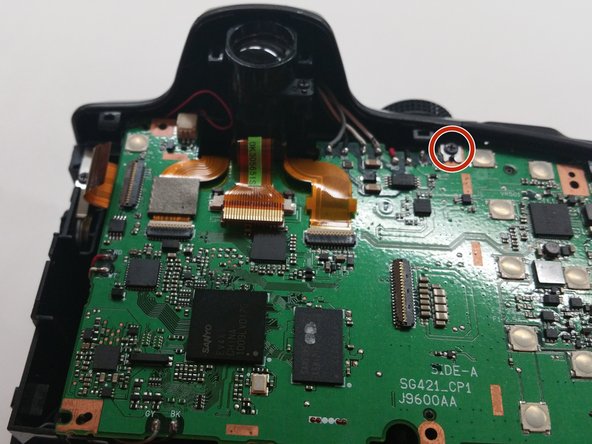
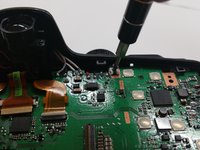
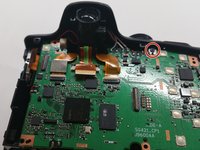
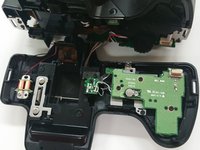
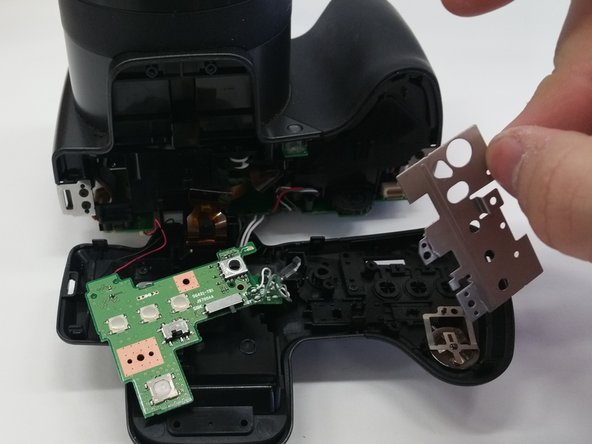
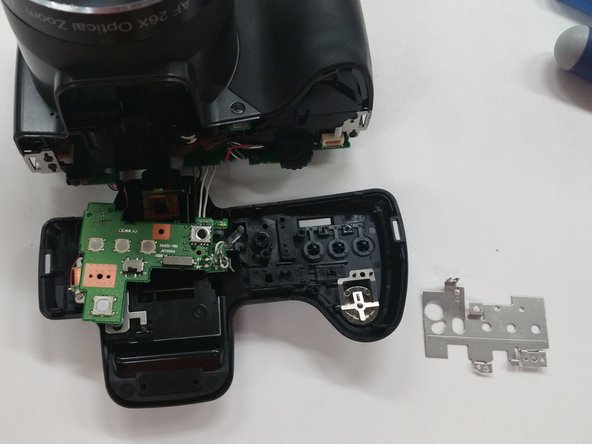
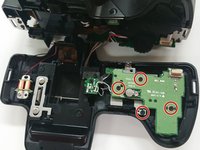
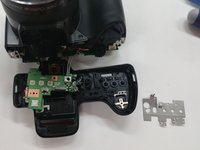
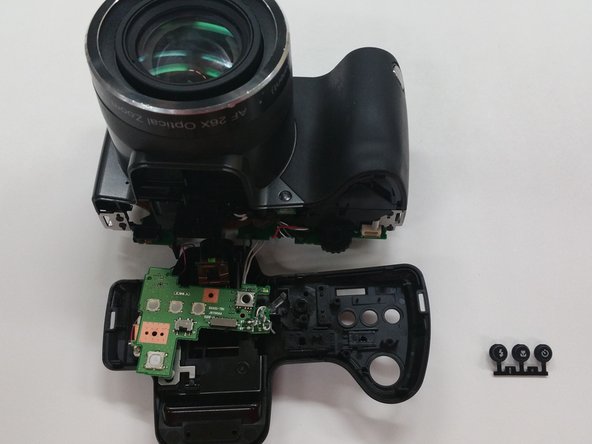
      • Remove four (4) 3mm screws from the circuit board underneath the button set.

      • Gently move the circuit board aside.

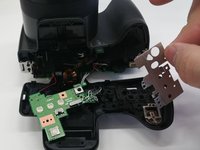
      • Gently move aside the metal sheet.

      crwdns2952109:0crwdne2952109:0

      crwdns2917038:0crwdne2917038:0

    9. Kodak Easyshare Z981 Flash Button Replacement: crwdns2935265:09crwdnd2935265:01crwdnd2935265:02crwdne2935265:0 Kodak Easyshare Z981 Flash Button Replacement: crwdns2935265:09crwdnd2935265:02crwdnd2935265:02crwdne2935265:0
      crwdns2935267:0crwdne2935267:0
      Tweezers
      $4.99
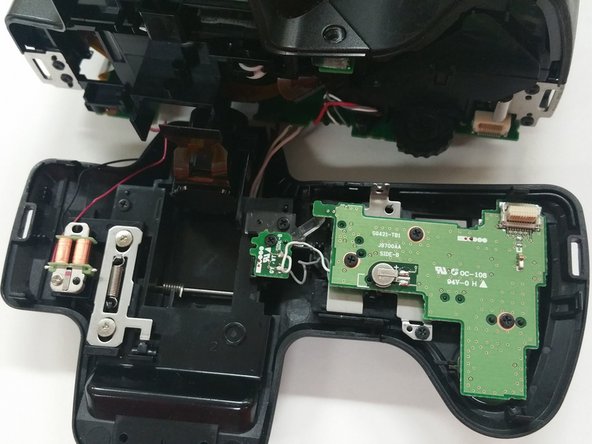
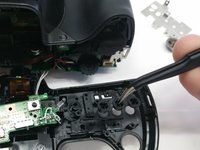
      • Use Tweezers to carefully remove the flash button.

      • The button should simply pop out when light pressure is applied.

      crwdns2952109:0crwdne2952109:0

      crwdns2917038:0crwdne2917038:0

crwdns2915888:0crwdne2915888:0

To reassemble your device, follow these instructions in reverse order.

crwdns2935221:0crwdne2935221:0

Olivia Boyna

crwdns2935283:003/03/15crwdne2935283:0

509 crwdns2915208:0crwdne2915208:0

crwdns2935297:03crwdne2935297:0

crwdns2935287:0crwdne2935287:0

Sam Houston State, Team 13-6, Blackburne Winter 2015 crwdns2935289:0Sam Houston State, Team 13-6, Blackburne Winter 2015crwdne2935289:0

SHSU-BLACKBURNE-W15S13G6

crwdns2931471:03crwdne2931471:0

crwdns2935297:060crwdne2935297:0

crwdns2947412:00crwdne2947412:0

crwdns2917038:0crwdne2917038:0

crwdns2936625:0crwdne2936625:0:

crwdns2936751:024crwdne2936751:0 3

crwdns2936753:07crwdne2936753:0 29

crwdns2936753:030crwdne2936753:0 86

crwdns2942667:0crwdne2942667:0 1,182