crwdns2933423:0crwdne2933423:0
crwdns2947577:0crwdnd2947577:0crwdne2947577:0

Justin Bieber Concert Microphone Button Replacement

crwdns2942213:0crwdne2942213:0

    1. Justin Bieber Concert Microphone Button Replacement, Removing back panel: crwdns2935265:01crwdnd2935265:01crwdnd2935265:02crwdne2935265:0 Justin Bieber Concert Microphone Button Replacement, Removing back panel: crwdns2935265:01crwdnd2935265:02crwdnd2935265:02crwdne2935265:0
      crwdns2935267:0crwdne2935267:0
      Flathead 1.5 mm Screwdriver
      $1.99
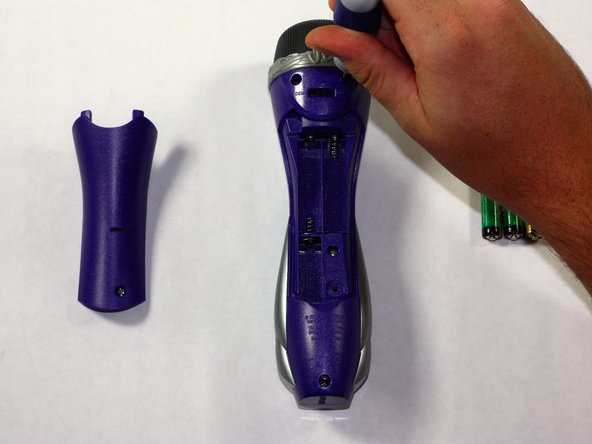
      • Remove the back panel of the device by unscrewing the single #8 11.6 mm Flathead screw on the back of the device.

      crwdns2952109:0crwdne2952109:0

      crwdns2917038:0crwdne2917038:0

    2. Justin Bieber Concert Microphone Button Replacement, Removing batteries: crwdns2935265:02crwdnd2935265:01crwdnd2935265:01crwdne2935265:0
      • Remove the 3 AAA batteries from the device.

      crwdns2952109:0crwdne2952109:0

      crwdns2917038:0crwdne2917038:0

    3. Justin Bieber Concert Microphone Button Replacement, Removing back half of device: crwdns2935265:03crwdnd2935265:01crwdnd2935265:02crwdne2935265:0 Justin Bieber Concert Microphone Button Replacement, Removing back half of device: crwdns2935265:03crwdnd2935265:02crwdnd2935265:02crwdne2935265:0
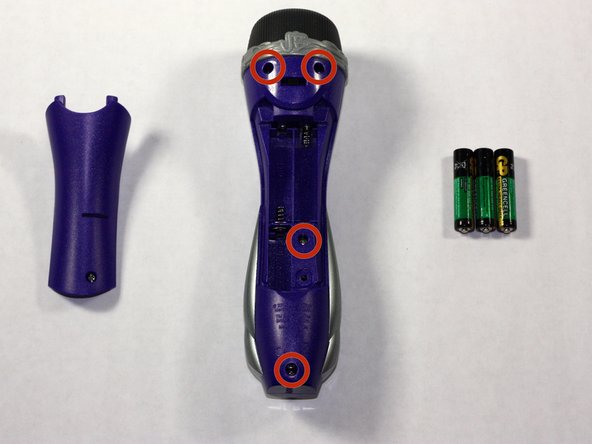
      • Unscrew the other 4, #8 11.6 mm Phillips Head screws to remove the entire back half of the device.

      • Pull apart the device once screws are loose, splitting the device in half.

      crwdns2952109:0crwdne2952109:0

      crwdns2917038:0crwdne2917038:0

    4. Justin Bieber Concert Microphone Button Replacement, Positioning device: crwdns2935265:04crwdnd2935265:01crwdnd2935265:01crwdne2935265:0
      • Keeping all wires connected to their attachments, place the front half of the device face down.

      crwdns2952109:0crwdne2952109:0

      crwdns2917038:0crwdne2917038:0

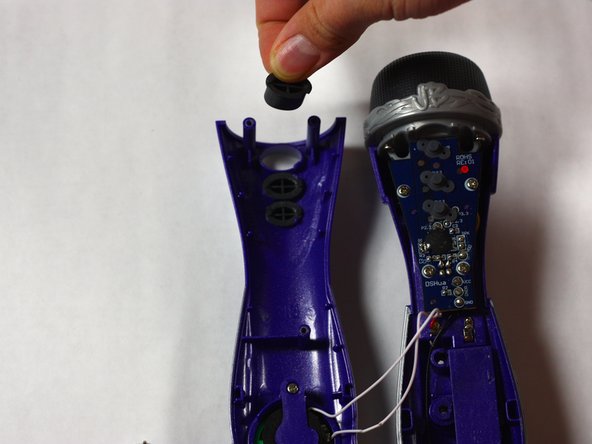
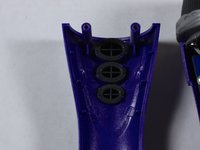
    5. Justin Bieber Concert Microphone Button Replacement, Removing buttons: crwdns2935265:05crwdnd2935265:01crwdnd2935265:02crwdne2935265:0 Justin Bieber Concert Microphone Button Replacement, Removing buttons: crwdns2935265:05crwdnd2935265:02crwdnd2935265:02crwdne2935265:0
      • Remove the buttons by pushing them out from the front of the device. Clean or replace them as needed and place them back into the appropriate slots.

      crwdns2952109:0crwdne2952109:0

      crwdns2917038:0crwdne2917038:0

crwdns2915888:0crwdne2915888:0

To reassemble your device, follow these instructions in reverse order.

crwdns2935221:0crwdne2935221:0

Mike Seyman

crwdns2935283:010/19/14crwdne2935283:0

437 crwdns2915208:0crwdne2915208:0

crwdns2935297:04crwdne2935297:0

crwdns2935287:0crwdne2935287:0

Baylor, Team 4-1, Williams Fall 2014 crwdns2935289:0Baylor, Team 4-1, Williams Fall 2014crwdne2935289:0

BU-WILLIAMS-F14S4G1

crwdns2931471:03crwdne2931471:0

crwdns2935297:048crwdne2935297:0

crwdns2947412:00crwdne2947412:0

crwdns2917038:0crwdne2917038:0

crwdns2936625:0crwdne2936625:0:

crwdns2936751:024crwdne2936751:0 2

crwdns2936753:07crwdne2936753:0 29

crwdns2936753:030crwdne2936753:0 45

crwdns2942667:0crwdne2942667:0 487