crwdns2933423:0crwdne2933423:0
crwdns2947577:0crwdnd2947577:0crwdne2947577:0

JBL Pulse Motherboard Replacement

crwdns2942213:0crwdne2942213:0

    1. JBL Pulse Motherboard Replacement, Button Board: crwdns2935265:01crwdnd2935265:01crwdnd2935265:01crwdne2935265:0
      • Use a plastic opening tool to pry around the edges of the circular rubber panel.

      crwdns2952109:0crwdne2952109:0

      crwdns2917038:0crwdne2917038:0

    2. JBL Pulse Motherboard Replacement: crwdns2935265:02crwdnd2935265:01crwdnd2935265:01crwdne2935265:0
      • Once the edges are loose, pull off the rubber button panel completely.

      • New adhesive will have to be applied when reassembling.

      crwdns2952109:0crwdne2952109:0

      crwdns2917038:0crwdne2917038:0

    3. JBL Pulse Motherboard Replacement: crwdns2935265:03crwdnd2935265:01crwdnd2935265:01crwdne2935265:0
      • Use your plastic opening tool to pry the button board loose by lifting the edges.

      crwdns2952109:0crwdne2952109:0

      crwdns2917038:0crwdne2917038:0

    4. JBL Pulse Motherboard Replacement: crwdns2935265:04crwdnd2935265:01crwdnd2935265:01crwdne2935265:0
      • Lift the button board, exposing the attached cable.

      • New adhesive will have to be applied when reassembling.

      crwdns2952109:0crwdne2952109:0

      crwdns2917038:0crwdne2917038:0

    5. JBL Pulse Motherboard Replacement: crwdns2935265:05crwdnd2935265:01crwdnd2935265:01crwdne2935265:0
      • Pull black piece on top of socket away from board to loosen, then detach the cable.

      crwdns2952109:0crwdne2952109:0

      crwdns2917038:0crwdne2917038:0

    1. JBL Pulse Motherboard Replacement, Outer Casing: crwdns2935265:06crwdnd2935265:01crwdnd2935265:03crwdne2935265:0 JBL Pulse Motherboard Replacement, Outer Casing: crwdns2935265:06crwdnd2935265:02crwdnd2935265:03crwdne2935265:0 JBL Pulse Motherboard Replacement, Outer Casing: crwdns2935265:06crwdnd2935265:03crwdnd2935265:03crwdne2935265:0
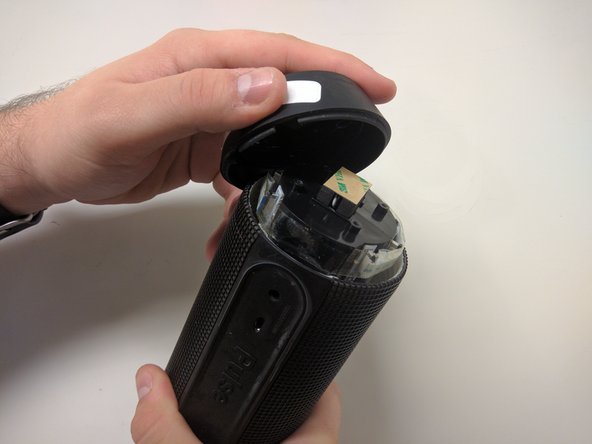
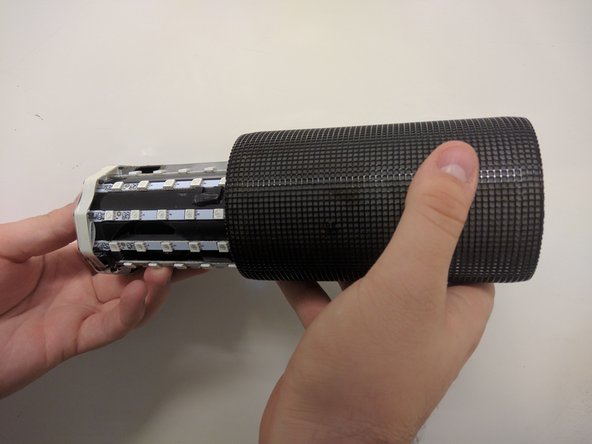
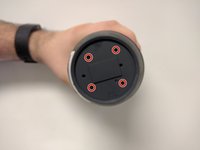
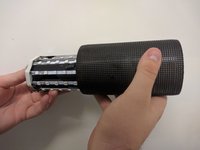
      • Take out the four 9mm black PH0 screws from the top and bottom of the device.

      • Pull off cap by hand.

      • The outer casing can now be removed.

      crwdns2952109:0crwdne2952109:0

      crwdns2917038:0crwdne2917038:0

    1. JBL Pulse Motherboard Replacement, JBL Pulse LED Lights Disassembly: crwdns2935265:07crwdnd2935265:01crwdnd2935265:02crwdne2935265:0 JBL Pulse Motherboard Replacement, JBL Pulse LED Lights Disassembly: crwdns2935265:07crwdnd2935265:02crwdnd2935265:02crwdne2935265:0
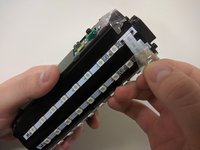
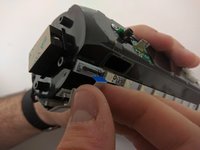
      • Remove the tape around the cables on the top of the device.

      • Remove the cables by lifting up on the black bracket and then pulling the cable out.

      crwdns2952109:0crwdne2952109:0

      crwdns2917038:0crwdne2917038:0

    1. JBL Pulse Motherboard Replacement, JBL Pulse Disassembly: crwdns2935265:08crwdnd2935265:01crwdnd2935265:01crwdne2935265:0
      • Remove two black 9mm PH0 screws from outside of inner casing on each side.

      crwdns2952109:0crwdne2952109:0

      crwdns2917038:0crwdne2917038:0

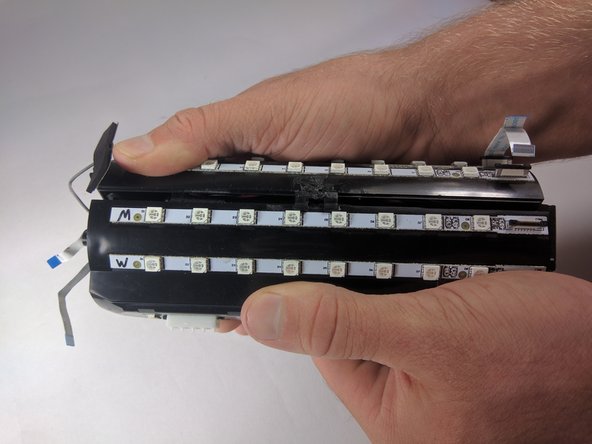
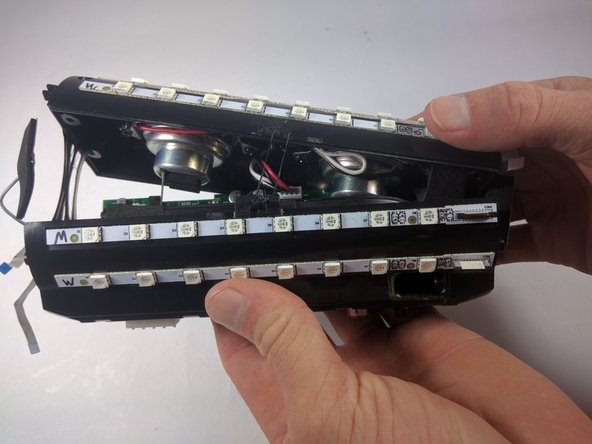
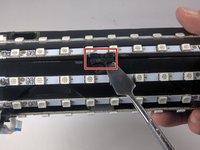
    2. JBL Pulse Motherboard Replacement: crwdns2935265:09crwdnd2935265:01crwdnd2935265:03crwdne2935265:0 JBL Pulse Motherboard Replacement: crwdns2935265:09crwdnd2935265:02crwdnd2935265:03crwdne2935265:0 JBL Pulse Motherboard Replacement: crwdns2935265:09crwdnd2935265:03crwdnd2935265:03crwdne2935265:0
      • Use your metal spudger to unhook the bracket holding the case together.

      • Pull apart the casing with your hands.

      crwdns2952109:0crwdne2952109:0

      crwdns2917038:0crwdne2917038:0

    3. JBL Pulse Motherboard Replacement: crwdns2935265:010crwdnd2935265:01crwdnd2935265:02crwdne2935265:0 JBL Pulse Motherboard Replacement: crwdns2935265:010crwdnd2935265:02crwdnd2935265:02crwdne2935265:0
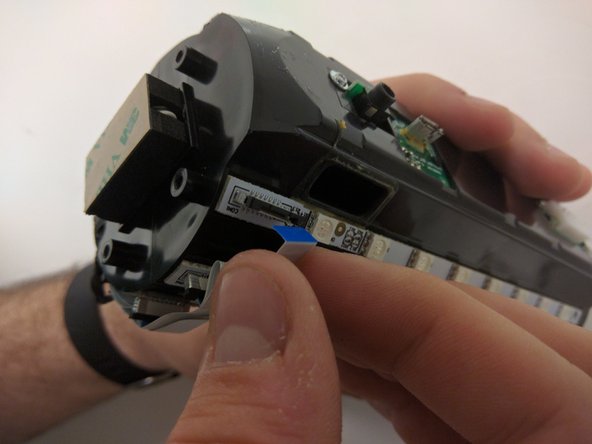
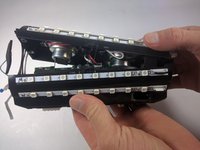
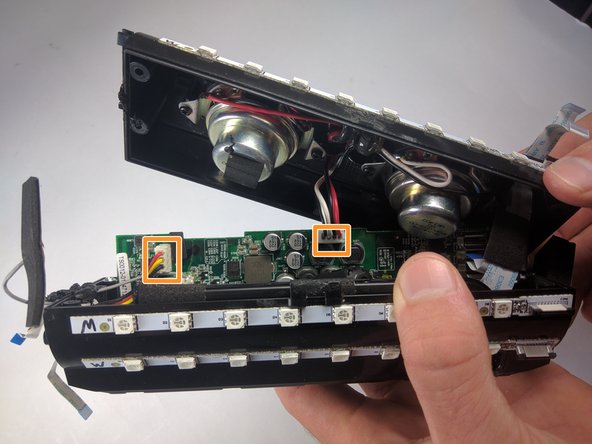
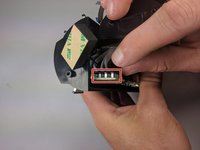
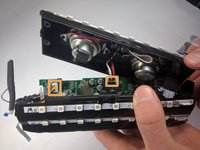
      • Remove the cables by lifting up on the black bracket and then pulling the cable out.

      • Remove cables by pulling firmly.

      crwdns2952109:0crwdne2952109:0

      crwdns2917038:0crwdne2917038:0

    1. JBL Pulse Motherboard Replacement, Motherboard: crwdns2935265:011crwdnd2935265:01crwdnd2935265:01crwdne2935265:0
      • Once all of the cables are removed, grip the motherboard and slide it out.

      crwdns2952109:0crwdne2952109:0

      crwdns2917038:0crwdne2917038:0

crwdns2915888:0crwdne2915888:0

To reassemble your device, follow these instructions in reverse order.

crwdns2935221:0crwdne2935221:0

crwdns2935229:03crwdne2935229:0

Maxwell Busenbarrick

crwdns2935283:009/15/16crwdne2935283:0

1 401 crwdns2915208:0crwdne2915208:0

crwdns2935297:07crwdne2935297:0

crwdns2935287:0crwdne2935287:0

USF Tampa, Team 18-6, Blackwell Fall 2016 crwdns2935289:0USF Tampa, Team 18-6, Blackwell Fall 2016crwdne2935289:0

USFT-BLACKWELL-F16S18G6

crwdns2931471:03crwdne2931471:0

crwdns2935297:084crwdne2935297:0

crwdns2947412:03crwdne2947412:0

Excelente, funcionó perfectamente la guia. Compré la bateria y el armado funcionó perfecto. Muchas gracias.

Angel Pérez - crwdns2934203:0crwdne2934203:0 crwdns2950251:0crwdne2950251:0

my usb port is damaged. Do I have to replace the whole motherboarD?

dinosdabi - crwdns2934203:0crwdne2934203:0 crwdns2950251:0crwdne2950251:0

Hey I need JBL pulse motherboard Where can I buy. Please help

kashyapvikas228vk1070301 - crwdns2934203:0crwdne2934203:0 crwdns2950251:0crwdne2950251:0

crwdns2917038:0crwdne2917038:0

crwdns2936625:0crwdne2936625:0:

crwdns2936751:024crwdne2936751:0 2

crwdns2936753:07crwdne2936753:0 32

crwdns2936753:030crwdne2936753:0 65

crwdns2942667:0crwdne2942667:0 10,309