crwdns2933423:0crwdne2933423:0
crwdns2947577:0crwdnd2947577:0crwdne2947577:0

JBL Go Woofer Replacement

crwdns2942213:0crwdne2942213:0

    1. JBL Go Woofer Replacement, Front Cover: crwdns2935265:01crwdnd2935265:01crwdnd2935265:01crwdne2935265:0
      • Use an opening tool to scrape around the outside of the front cover to remove the glue attaching it to the surrounding rubber layer.

      crwdns2952109:0crwdne2952109:0

      crwdns2917038:0crwdne2917038:0

    2. JBL Go Woofer Replacement: crwdns2935265:02crwdnd2935265:01crwdnd2935265:01crwdne2935265:0
      • Once you have scraped off all of the glue, use the opening tool to pry up the front cover.

      crwdns2952109:0crwdne2952109:0

      crwdns2917038:0crwdne2917038:0

    3. JBL Go Woofer Replacement: crwdns2935265:03crwdnd2935265:01crwdnd2935265:01crwdne2935265:0
      • Carefully remove the loose plastic cover from the speaker.

      crwdns2952109:0crwdne2952109:0

      crwdns2917038:0crwdne2917038:0

    1. JBL Go Woofer Replacement, Woofer: crwdns2935265:04crwdnd2935265:01crwdnd2935265:02crwdne2935265:0 JBL Go Woofer Replacement, Woofer: crwdns2935265:04crwdnd2935265:02crwdnd2935265:02crwdne2935265:0
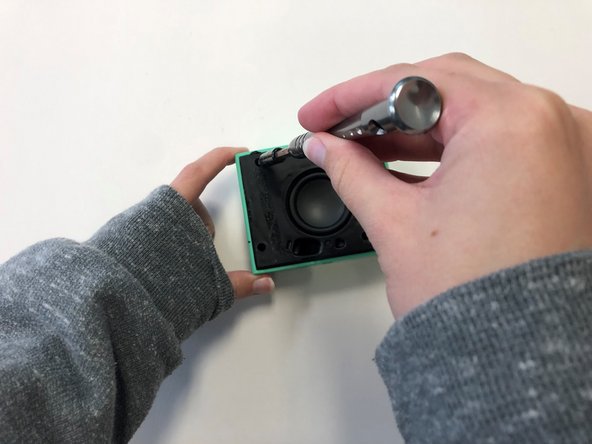
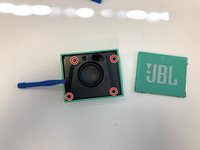
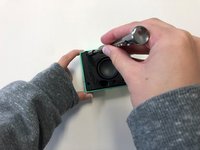
      • Once the front cover is removed, use a T6 screwdriver head to remove the four 9 mm screws on the black cover.

      crwdns2952109:0crwdne2952109:0

      crwdns2917038:0crwdne2917038:0

    2. JBL Go Woofer Replacement: crwdns2935265:05crwdnd2935265:01crwdnd2935265:01crwdne2935265:0
      • After removing the screws, use the plastic opening tool to carefully pry around the edges of the black cover to loosen and lift the cover off of the device.

      crwdns2952109:0crwdne2952109:0

      crwdns2917038:0crwdne2917038:0

    3. JBL Go Woofer Replacement: crwdns2935265:06crwdnd2935265:01crwdnd2935265:01crwdne2935265:0
      • Carefully unplug the woofer wires from the motherboard

      crwdns2952109:0crwdne2952109:0

      crwdns2917038:0crwdne2917038:0

    4. JBL Go Woofer Replacement: crwdns2935265:07crwdnd2935265:01crwdnd2935265:01crwdne2935265:0
      • Once the black cover is fully detached from the speaker, unscrew the woofer from the back of the black cover using a T6 screwdriver head.

      crwdns2952109:0crwdne2952109:0

      crwdns2917038:0crwdne2917038:0

crwdns2915888:0crwdne2915888:0

To reassemble your device, follow these instructions in reverse order.

crwdns2935221:0crwdne2935221:0

crwdns2935229:04crwdne2935229:0

Sydney Jason

crwdns2935283:003/21/22crwdne2935283:0

854 crwdns2915208:0crwdne2915208:0

crwdns2935297:04crwdne2935297:0

crwdns2935287:0crwdne2935287:0

University of Alabama, Team 2-4, Bedsole Spring 2022 crwdns2935289:0University of Alabama, Team 2-4, Bedsole Spring 2022crwdne2935289:0

UA-BEDSOLE-S22S2G4

crwdns2931471:03crwdne2931471:0

crwdns2935297:048crwdne2935297:0

crwdns2947412:00crwdne2947412:0

crwdns2917038:0crwdne2917038:0

crwdns2936625:0crwdne2936625:0:

crwdns2936751:024crwdne2936751:0 5

crwdns2936753:07crwdne2936753:0 25

crwdns2936753:030crwdne2936753:0 109

crwdns2942667:0crwdne2942667:0 4,320