crwdns2933423:0crwdne2933423:0
crwdns2947577:0crwdnd2947577:0crwdne2947577:0

JBL Charge Speaker Replacement

crwdns2942213:0crwdne2942213:0

    1. JBL Charge Speaker Replacement, Case: crwdns2935265:01crwdnd2935265:01crwdnd2935265:03crwdne2935265:0 JBL Charge Speaker Replacement, Case: crwdns2935265:01crwdnd2935265:02crwdnd2935265:03crwdne2935265:0 JBL Charge Speaker Replacement, Case: crwdns2935265:01crwdnd2935265:03crwdnd2935265:03crwdne2935265:0
      • Make sure the device is powered off before you begin to disassemble the speaker.

      • Remove the trim from the speaker using a jimmy or metal spudger.

      crwdns2952109:0crwdne2952109:0

      crwdns2917038:0crwdne2917038:0

    2. JBL Charge Speaker Replacement: crwdns2935265:02crwdnd2935265:01crwdnd2935265:02crwdne2935265:0 JBL Charge Speaker Replacement: crwdns2935265:02crwdnd2935265:02crwdnd2935265:02crwdne2935265:0
      • Use the PH1 screwdriver to remove all five of the 6 mm screws from the battery cover.

      • Remove the battery cover and set the cover aside.

      crwdns2952109:0crwdne2952109:0

      crwdns2917038:0crwdne2917038:0

    3. JBL Charge Speaker Replacement: crwdns2935265:03crwdnd2935265:01crwdnd2935265:02crwdne2935265:0 JBL Charge Speaker Replacement: crwdns2935265:03crwdnd2935265:02crwdnd2935265:02crwdne2935265:0
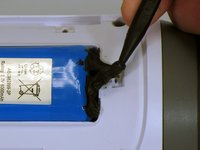
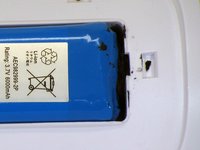
      • Use a spudger to carefully remove the liquid electrical tape that holds the battery inside the battery compartment.

      • Be careful not to puncture the battery, or damage the battery wire underneath the liquid electrical tape.

      crwdns2952109:0crwdne2952109:0

      crwdns2917038:0crwdne2917038:0

    4. JBL Charge Speaker Replacement: crwdns2935265:04crwdnd2935265:01crwdnd2935265:02crwdne2935265:0 JBL Charge Speaker Replacement: crwdns2935265:04crwdnd2935265:02crwdnd2935265:02crwdne2935265:0
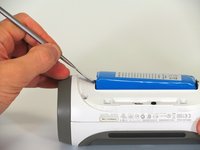
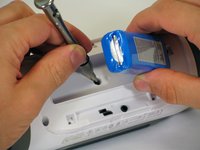
      • Use a spudger to lift the battery out of the device.

      • Lift the end of the battery that does not have the wire connection and remove the 16 mm PH2 screw underneath the battery.

      • Notice the wire that is connecting the battery to the device. Attempting to remove the battery completely could cause damage to the wire. Do not use a metal spudger to remove the battery, this could cause damage.

      crwdns2952109:0crwdne2952109:0

      crwdns2917038:0crwdne2917038:0

    5. JBL Charge Speaker Replacement: crwdns2935265:05crwdnd2935265:01crwdnd2935265:02crwdne2935265:0 JBL Charge Speaker Replacement: crwdns2935265:05crwdnd2935265:02crwdnd2935265:02crwdne2935265:0
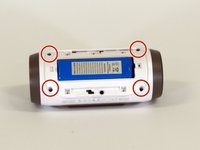
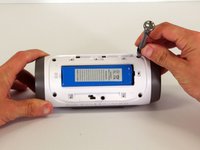
      • Remove the four 16 mm screws from the white plastic casing using the PH2 screwdriver.

      crwdns2952109:0crwdne2952109:0

      crwdns2917038:0crwdne2917038:0

    6. JBL Charge Speaker Replacement: crwdns2935265:06crwdnd2935265:01crwdnd2935265:02crwdne2935265:0 JBL Charge Speaker Replacement: crwdns2935265:06crwdnd2935265:02crwdnd2935265:02crwdne2935265:0
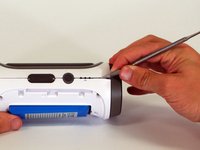
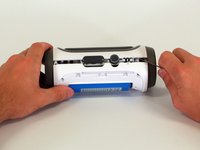
      • Starting in a corner of the device where the casing and the side meet, use a pointed metal spudger to pry the back casing off the speaker and the glue holding the seam together.

      • Slide the metal spudger along the seam to separate the back casing from the rest of the speaker.

      crwdns2952109:0crwdne2952109:0

      crwdns2917038:0crwdne2917038:0

    7. JBL Charge Speaker Replacement: crwdns2935265:07crwdnd2935265:01crwdnd2935265:02crwdne2935265:0 JBL Charge Speaker Replacement: crwdns2935265:07crwdnd2935265:02crwdnd2935265:02crwdne2935265:0
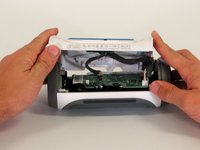
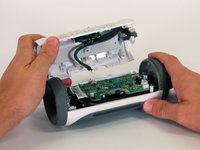
      • Once the back casing is open, disconnect the three white connectors from the motherboard.

      • Remove the upper casing.

      crwdns2952109:0crwdne2952109:0

      crwdns2917038:0crwdne2917038:0

    1. JBL Charge Speaker Replacement, Motherboard: crwdns2935265:08crwdnd2935265:01crwdnd2935265:01crwdne2935265:0
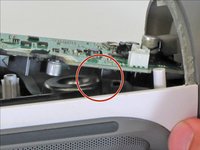
      • Remove the 9 mm Phillips screw in the corner of the motherboard.

      crwdns2952109:0crwdne2952109:0

      crwdns2917038:0crwdne2917038:0

    2. JBL Charge Speaker Replacement: crwdns2935265:09crwdnd2935265:01crwdnd2935265:02crwdne2935265:0 JBL Charge Speaker Replacement: crwdns2935265:09crwdnd2935265:02crwdnd2935265:02crwdne2935265:0
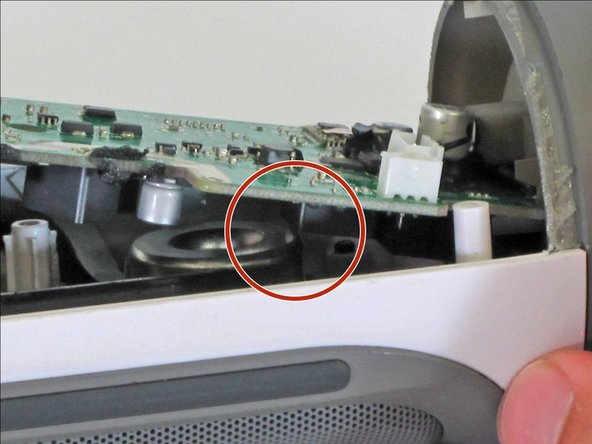
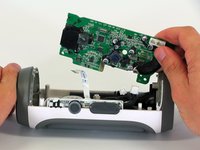
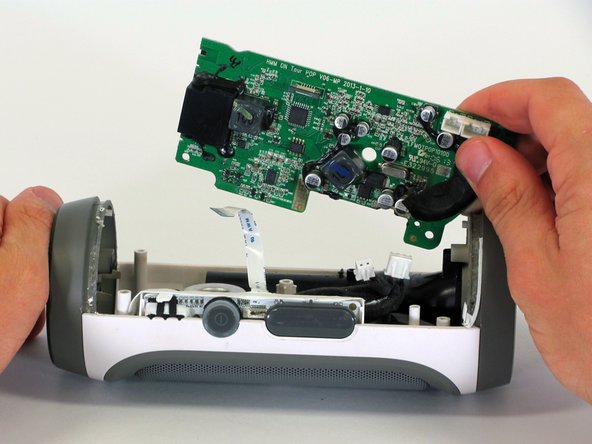
      • Remove the motherboard from the casing by lifting the corner of the board out of the device.

      • If the motherboard won't budge, be sure that the square component on the bottom of the motherboard clears the edge of the speaker.

      • During reassembly, make sure the motherboard is fully installed and not sticking up past its original position, as this could damage the motherboard.

      crwdns2952109:0crwdne2952109:0

      crwdns2917038:0crwdne2917038:0

    3. JBL Charge Speaker Replacement: crwdns2935265:010crwdnd2935265:01crwdnd2935265:01crwdne2935265:0
      • Disconnect the two white connectors from the bottom of the motherboard.

      crwdns2952109:0crwdne2952109:0

      crwdns2917038:0crwdne2917038:0

    4. JBL Charge Speaker Replacement: crwdns2935265:011crwdnd2935265:01crwdnd2935265:02crwdne2935265:0 JBL Charge Speaker Replacement: crwdns2935265:011crwdnd2935265:02crwdnd2935265:02crwdne2935265:0
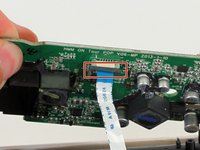
      • Pull down on the black clip holding the ribbon cable in place.

      • Pull the ribbon cable from the connector using the blue tab.

      • Remove the motherboard from the device.

      crwdns2952109:0crwdne2952109:0

      crwdns2917038:0crwdne2917038:0

    1. JBL Charge Speaker Replacement, Speaker: crwdns2935265:012crwdnd2935265:01crwdnd2935265:01crwdne2935265:0
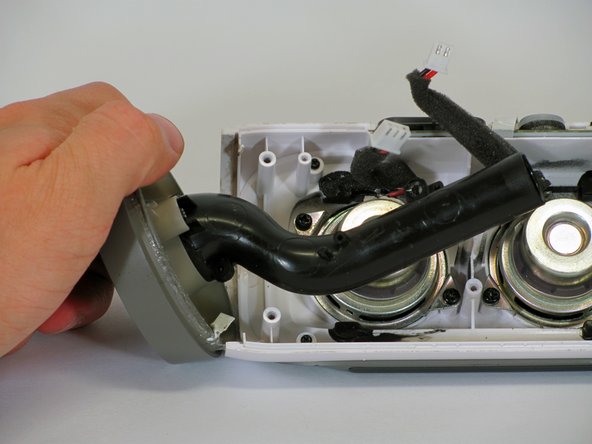
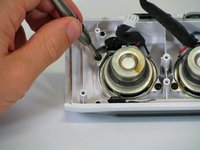
      • Using the PH1 screwdriver, remove the 9mm Phillips screw that connects the black tube to the device's interior.

      crwdns2952109:0crwdne2952109:0

      crwdns2917038:0crwdne2917038:0

    2. JBL Charge Speaker Replacement: crwdns2935265:013crwdnd2935265:01crwdnd2935265:02crwdne2935265:0 JBL Charge Speaker Replacement: crwdns2935265:013crwdnd2935265:02crwdnd2935265:02crwdne2935265:0
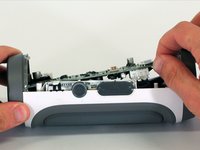
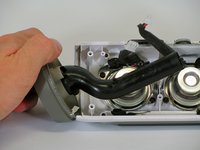
      • Slowly but firmly pull the grey cap off the device. This will provide complete access to the speakers.

      crwdns2952109:0crwdne2952109:0

      crwdns2917038:0crwdne2917038:0

    3. JBL Charge Speaker Replacement: crwdns2935265:014crwdnd2935265:01crwdnd2935265:02crwdne2935265:0 JBL Charge Speaker Replacement: crwdns2935265:014crwdnd2935265:02crwdnd2935265:02crwdne2935265:0
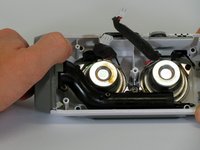
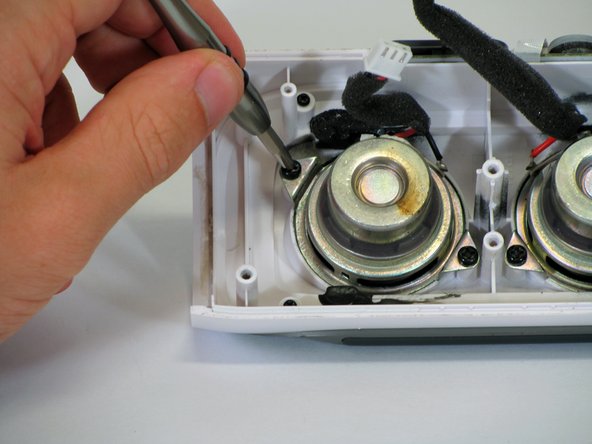
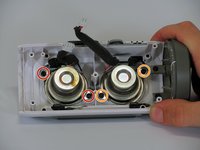
      • Each speaker is held in place with two 9mm Phillips screws. Remove the screws using the PH1 screwdriver head.

      • If you are replacing the left speaker, remove the screws and speaker on your right.

      • If you are replacing the right speaker, remove the screws and speaker on your left.

      crwdns2952109:0crwdne2952109:0

      crwdns2917038:0crwdne2917038:0

    4. JBL Charge Speaker Replacement: crwdns2935265:015crwdnd2935265:01crwdnd2935265:01crwdne2935265:0
      • Pull the speaker out of the casing.

      crwdns2952109:0crwdne2952109:0

      crwdns2917038:0crwdne2917038:0

crwdns2915888:0crwdne2915888:0

To reassemble your device, follow these instructions in reverse order.

crwdns2935221:0crwdne2935221:0

crwdns2935229:014crwdne2935229:0

Alexander Castanares

crwdns2935283:004/01/15crwdne2935283:0

891 crwdns2915208:0crwdne2915208:0

crwdns2935297:02crwdne2935297:0

crwdns2935287:0crwdne2935287:0

Cal Poly, Team 12-4, Lancaster Spring 2015 crwdns2935289:0Cal Poly, Team 12-4, Lancaster Spring 2015crwdne2935289:0

CPSU-LANCASTER-S15S12G4

crwdns2931471:02crwdne2931471:0

crwdns2935297:048crwdne2935297:0

crwdns2947412:012crwdne2947412:0

Donde encuentro las bocinas no sirven la que tiene

feliper233 - crwdns2934203:0crwdne2934203:0 crwdns2950251:0crwdne2950251:0
Donde puedo conseguir las bocinas?

feliper233 - crwdns2934203:0crwdne2934203:0 crwdns2950251:0crwdne2950251:0
Where can I get gthe replacement speaker?

rohit jayendra - crwdns2934203:0crwdne2934203:0 crwdns2950251:0crwdne2950251:0

where can i get replaicment speaker?

tamaerocksxd - crwdns2934203:0crwdne2934203:0 crwdns2950251:0crwdne2950251:0

Where do I get the replacement speakers

Robert - crwdns2934203:0crwdne2934203:0 crwdns2950251:0crwdne2950251:0

crwdns2917038:0crwdne2917038:0

crwdns2936625:0crwdne2936625:0:

crwdns2936751:024crwdne2936751:0 6

crwdns2936753:07crwdne2936753:0 45

crwdns2936753:030crwdne2936753:0 126

crwdns2942667:0crwdne2942667:0 85,326