crwdns2933423:0crwdne2933423:0
crwdns2947577:0crwdnd2947577:0crwdne2947577:0

InFocus IN35W Fan Replacement

crwdns2942213:0crwdne2942213:0

    1. InFocus IN35W Fan Replacement, Top Plate: crwdns2935265:01crwdnd2935265:01crwdnd2935265:03crwdne2935265:0 InFocus IN35W Fan Replacement, Top Plate: crwdns2935265:01crwdnd2935265:02crwdnd2935265:03crwdne2935265:0 InFocus IN35W Fan Replacement, Top Plate: crwdns2935265:01crwdnd2935265:03crwdnd2935265:03crwdne2935265:0
      • Use the plastic opening tool to remove the front plastic casing surrounding the lens.

      • Pry apart the clips securing the top and bottom of the device using the plastic opening tool.

      crwdns2952109:0crwdne2952109:0

      crwdns2917038:0crwdne2917038:0

    2. InFocus IN35W Fan Replacement: crwdns2935265:02crwdnd2935265:01crwdnd2935265:02crwdne2935265:0 InFocus IN35W Fan Replacement: crwdns2935265:02crwdnd2935265:02crwdnd2935265:02crwdne2935265:0
      • Pull the top piece up.

      • The two gray ventilation grates will slip off the device.

      crwdns2952109:0crwdne2952109:0

      crwdns2917038:0crwdne2917038:0

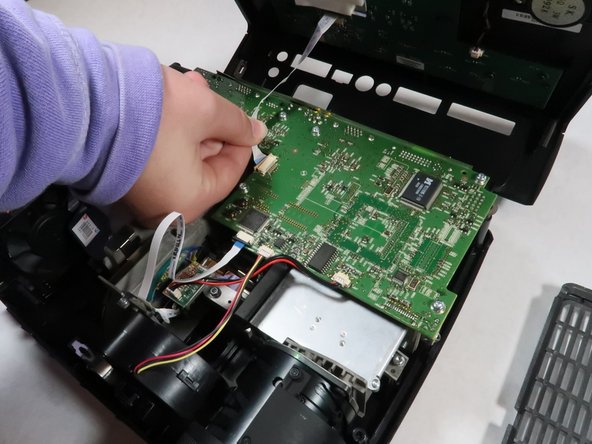
    3. InFocus IN35W Fan Replacement: crwdns2935265:03crwdnd2935265:01crwdnd2935265:02crwdne2935265:0 InFocus IN35W Fan Replacement: crwdns2935265:03crwdnd2935265:02crwdnd2935265:02crwdne2935265:0
      • Detach the white speaker wire that connects the motherboard to the top piece.

      • Remove the top cover from the device.

      crwdns2952109:0crwdne2952109:0

      crwdns2917038:0crwdne2917038:0

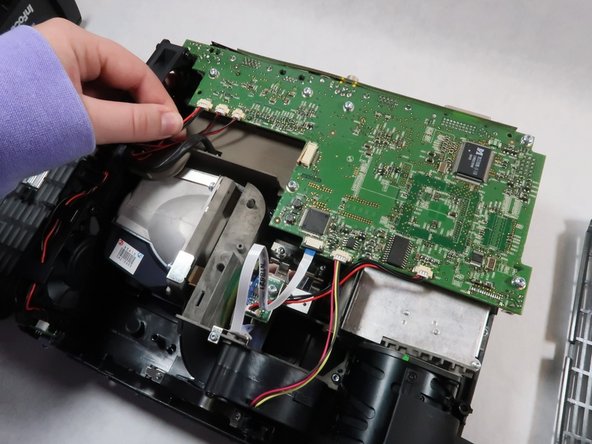
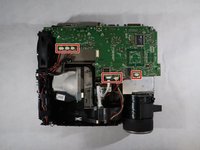
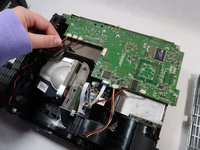
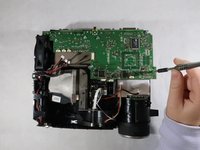
    1. InFocus IN35W Fan Replacement, Motherboard: crwdns2935265:04crwdnd2935265:01crwdnd2935265:02crwdne2935265:0 InFocus IN35W Fan Replacement, Motherboard: crwdns2935265:04crwdnd2935265:02crwdnd2935265:02crwdne2935265:0
      • Detach all six of the cables and speaker wires from the white connectors on the motherboard.

      crwdns2952109:0crwdne2952109:0

      crwdns2917038:0crwdne2917038:0

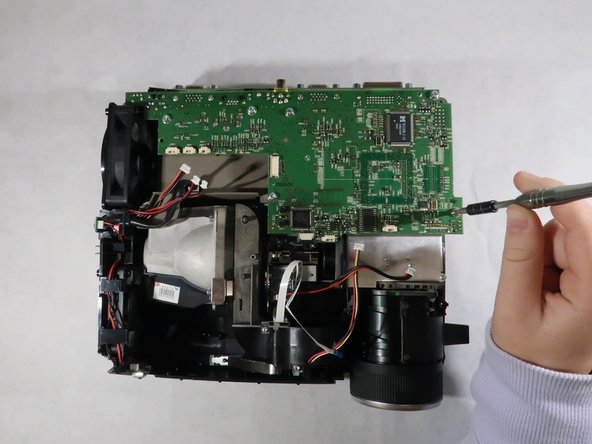
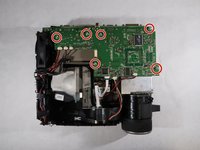
    2. InFocus IN35W Fan Replacement: crwdns2935265:05crwdnd2935265:01crwdnd2935265:02crwdne2935265:0 InFocus IN35W Fan Replacement: crwdns2935265:05crwdnd2935265:02crwdnd2935265:02crwdne2935265:0
      • Remove the six 4 mm Torx TR10 screws from the motherboard.

      crwdns2952109:0crwdne2952109:0

      crwdns2917038:0crwdne2917038:0

    3. InFocus IN35W Fan Replacement: crwdns2935265:06crwdnd2935265:01crwdnd2935265:01crwdne2935265:0
      • Carefully grasp the outsides of the motherboard and pull it up to remove it from the device.

      crwdns2952109:0crwdne2952109:0

      crwdns2917038:0crwdne2917038:0

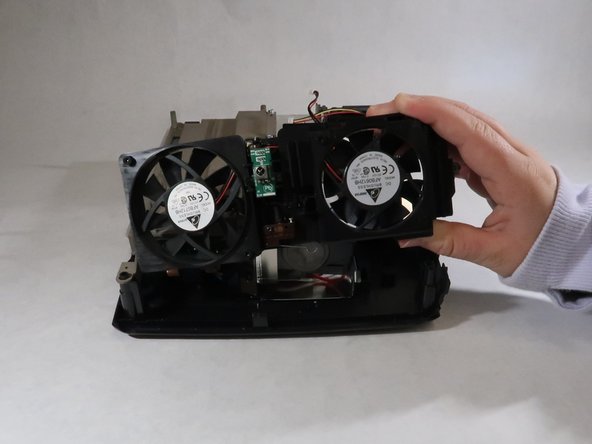
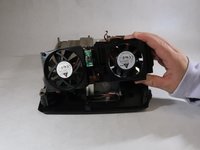
    1. InFocus IN35W Fan Replacement, Fan: crwdns2935265:07crwdnd2935265:01crwdnd2935265:02crwdne2935265:0 InFocus IN35W Fan Replacement, Fan: crwdns2935265:07crwdnd2935265:02crwdnd2935265:02crwdne2935265:0
      • The fan is located on the side of the device.

      • Lift the fan up and out of the projector body.

      crwdns2952109:0crwdne2952109:0

      crwdns2917038:0crwdne2917038:0

crwdns2915888:0crwdne2915888:0

To reassemble your device, follow these instructions in reverse order.

crwdns2935221:0crwdne2935221:0

Grace Hubert

crwdns2935283:010/18/21crwdne2935283:0

608 crwdns2915208:0crwdne2915208:0

crwdns2935297:05crwdne2935297:0

crwdns2935287:0crwdne2935287:0

UMass Dartmouth, Team 1-2, Simcock Fall 2021 crwdns2935289:0UMass Dartmouth, Team 1-2, Simcock Fall 2021crwdne2935289:0

UMASSD-SIMCOCK-F21S1G2

crwdns2931471:04crwdne2931471:0

crwdns2935297:060crwdne2935297:0

crwdns2947412:00crwdne2947412:0

crwdns2917038:0crwdne2917038:0

crwdns2936625:0crwdne2936625:0:

crwdns2936751:024crwdne2936751:0 1

crwdns2936753:07crwdne2936753:0 2

crwdns2936753:030crwdne2936753:0 26

crwdns2942667:0crwdne2942667:0 348