crwdns2933423:0crwdne2933423:0
crwdns2947577:0crwdnd2947577:0crwdne2947577:0

IBM ThinkPad X41 LCD Screen Replacement

crwdns2942213:0crwdne2942213:0

    1. IBM ThinkPad X41 LCD Screen Replacement, LCD Screen: crwdns2935265:01crwdnd2935265:01crwdnd2935265:03crwdne2935265:0 IBM ThinkPad X41 LCD Screen Replacement, LCD Screen: crwdns2935265:01crwdnd2935265:02crwdnd2935265:03crwdne2935265:0 IBM ThinkPad X41 LCD Screen Replacement, LCD Screen: crwdns2935265:01crwdnd2935265:03crwdnd2935265:03crwdne2935265:0
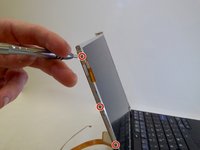
      • Open the laptop and turn to the side.

      • Using the spudger, remove the 6 black rectangular-shaped screw coverings (3 on each side)

      crwdns2952109:0crwdne2952109:0

      crwdns2917038:0crwdne2917038:0

    2. IBM ThinkPad X41 LCD Screen Replacement: crwdns2935265:02crwdnd2935265:01crwdnd2935265:01crwdne2935265:0
      • Using a Phillips Screw Driver, remove the (6) Phillips Head (Size PH001) 3.0 mm length screws (3 on each side) from the side of the LCD Screen Cover

      crwdns2952109:0crwdne2952109:0

      crwdns2917038:0crwdne2917038:0

    3. IBM ThinkPad X41 LCD Screen Replacement: crwdns2935265:03crwdnd2935265:01crwdnd2935265:02crwdne2935265:0 IBM ThinkPad X41 LCD Screen Replacement: crwdns2935265:03crwdnd2935265:02crwdnd2935265:02crwdne2935265:0
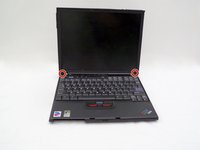
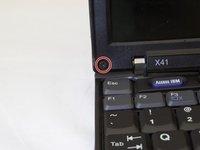
      • Using the spudger, remove the two round, black screw coverings on the lower, left, and right corners of the LCD screen bezel.

      crwdns2952109:0crwdne2952109:0

      crwdns2917038:0crwdne2917038:0

    4. IBM ThinkPad X41 LCD Screen Replacement: crwdns2935265:04crwdnd2935265:01crwdnd2935265:02crwdne2935265:0 IBM ThinkPad X41 LCD Screen Replacement: crwdns2935265:04crwdnd2935265:02crwdnd2935265:02crwdne2935265:0
      • Using a Phillips Screwdriver (Size PH001), remove the 3.0 mm screws from the lower, left and right corners of the LCD screen Bezel

      crwdns2952109:0crwdne2952109:0

      crwdns2917038:0crwdne2917038:0

    5. IBM ThinkPad X41 LCD Screen Replacement: crwdns2935265:05crwdnd2935265:01crwdnd2935265:02crwdne2935265:0 IBM ThinkPad X41 LCD Screen Replacement: crwdns2935265:05crwdnd2935265:02crwdnd2935265:02crwdne2935265:0
      • Using 2 Fingers, pull the bottom of the screen bezel towards you.

      • Pull the bottom of the screen bezel approximately 1 inch away from the LCD screen.

      • Next, pull screen bezel downward and away from the LCD screen.

      crwdns2952109:0crwdne2952109:0

      crwdns2917038:0crwdne2917038:0

    6. IBM ThinkPad X41 LCD Screen Replacement: crwdns2935265:06crwdnd2935265:01crwdnd2935265:01crwdne2935265:0
      • Using your index finger and thumb, gently lift and pull away laptop closure latch of the side of the screen assembly.

      crwdns2952109:0crwdne2952109:0

      crwdns2917038:0crwdne2917038:0

    7. IBM ThinkPad X41 LCD Screen Replacement: crwdns2935265:07crwdnd2935265:01crwdnd2935265:02crwdne2935265:0 IBM ThinkPad X41 LCD Screen Replacement: crwdns2935265:07crwdnd2935265:02crwdnd2935265:02crwdne2935265:0
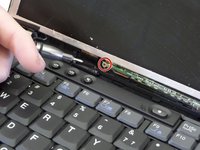
      • Use a Phillips head screwdriver to remove the internal LCD screen support assembly above the F6 key.

      crwdns2952109:0crwdne2952109:0

      crwdns2917038:0crwdne2917038:0

    8. IBM ThinkPad X41 LCD Screen Replacement: crwdns2935265:08crwdnd2935265:01crwdnd2935265:03crwdne2935265:0 IBM ThinkPad X41 LCD Screen Replacement: crwdns2935265:08crwdnd2935265:02crwdnd2935265:03crwdne2935265:0 IBM ThinkPad X41 LCD Screen Replacement: crwdns2935265:08crwdnd2935265:03crwdnd2935265:03crwdne2935265:0
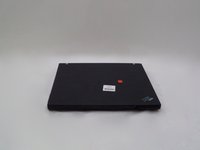
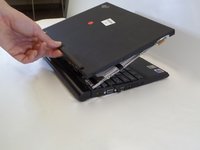
      • Close the laptop and turn so that the laptop's backside is facing you.

      • Using a thumb and index finger, gently lift the LCD screen back cover away from laptop.

      crwdns2952109:0crwdne2952109:0

      crwdns2917038:0crwdne2917038:0

    9. IBM ThinkPad X41 LCD Screen Replacement: crwdns2935265:09crwdnd2935265:01crwdnd2935265:03crwdne2935265:0 IBM ThinkPad X41 LCD Screen Replacement: crwdns2935265:09crwdnd2935265:02crwdnd2935265:03crwdne2935265:0 IBM ThinkPad X41 LCD Screen Replacement: crwdns2935265:09crwdnd2935265:03crwdnd2935265:03crwdne2935265:0
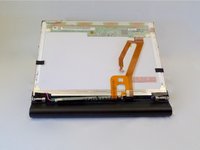
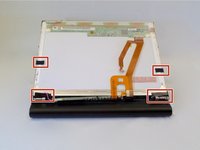
      • Using a spudger, remove the black, rectangular support tape.

      crwdns2952109:0crwdne2952109:0

      crwdns2917038:0crwdne2917038:0

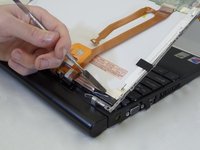
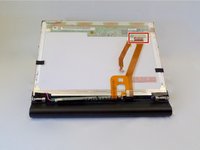
    10. IBM ThinkPad X41 LCD Screen Replacement: crwdns2935265:010crwdnd2935265:01crwdnd2935265:02crwdne2935265:0 IBM ThinkPad X41 LCD Screen Replacement: crwdns2935265:010crwdnd2935265:02crwdnd2935265:02crwdne2935265:0
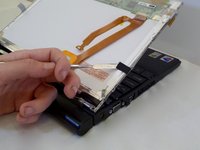
      • Carefully disconnect the orange cable from back of LCD screen.

      crwdns2952109:0crwdne2952109:0

      crwdns2917038:0crwdne2917038:0

    11. IBM ThinkPad X41 LCD Screen Replacement: crwdns2935265:011crwdnd2935265:01crwdnd2935265:02crwdne2935265:0 IBM ThinkPad X41 LCD Screen Replacement: crwdns2935265:011crwdnd2935265:02crwdnd2935265:02crwdne2935265:0
      • Using a Phillips Screwdriver (Size PH001), remove the screws from the LCD screen support arms.

      crwdns2952109:0crwdne2952109:0

      crwdns2917038:0crwdne2917038:0

    12. IBM ThinkPad X41 LCD Screen Replacement: crwdns2935265:012crwdnd2935265:01crwdnd2935265:02crwdne2935265:0 IBM ThinkPad X41 LCD Screen Replacement: crwdns2935265:012crwdnd2935265:02crwdnd2935265:02crwdne2935265:0
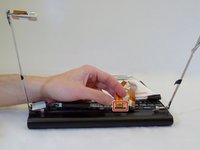
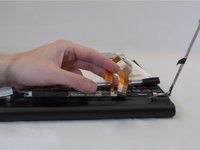
      • Unplug the orange LCD screen cable from the small circuit board near the laptop keyboard.

      crwdns2952109:0crwdne2952109:0

      crwdns2917038:0crwdne2917038:0

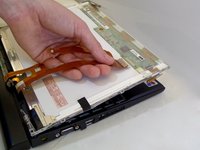
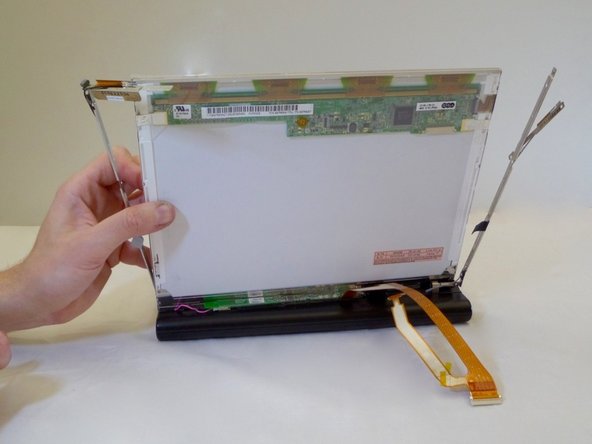
    13. IBM ThinkPad X41 LCD Screen Replacement: crwdns2935265:013crwdnd2935265:01crwdnd2935265:02crwdne2935265:0 IBM ThinkPad X41 LCD Screen Replacement: crwdns2935265:013crwdnd2935265:02crwdnd2935265:02crwdne2935265:0
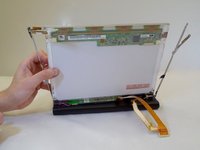
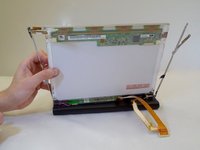
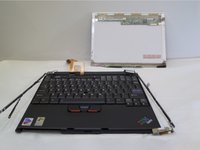
      • Using one hand, gently lift the LCD screen out of support arms.

      crwdns2952109:0crwdne2952109:0

      crwdns2917038:0crwdne2917038:0

crwdns2915888:0crwdne2915888:0

To reassemble your device, follow these instructions in reverse order.

crwdns2935221:0crwdne2935221:0

crwdns2935227:0crwdne2935227:0

Justin Macik

crwdns2935283:009/12/16crwdne2935283:0

228 crwdns2915208:0crwdne2915208:0

crwdns2935295:0crwdne2935295:0

crwdns2935287:0crwdne2935287:0

CSU Fullerton, Team 2-4, Bruce Fall 2016 crwdns2935289:0CSU Fullerton, Team 2-4, Bruce Fall 2016crwdne2935289:0

CSUF-BRUCE-F16S2G4

crwdns2931471:04crwdne2931471:0

crwdns2935297:08crwdne2935297:0

crwdns2947410:01crwdne2947410:0

nice little guide, short and too the point,

Vaughan Prendergast - crwdns2934203:0crwdne2934203:0 crwdns2950251:0crwdne2950251:0

crwdns2917038:0crwdne2917038:0

crwdns2936625:0crwdne2936625:0:

crwdns2936751:024crwdne2936751:0 0

crwdns2936753:07crwdne2936753:0 8

crwdns2936753:030crwdne2936753:0 38

crwdns2942667:0crwdne2942667:0 1,963