crwdns2933423:0crwdne2933423:0
crwdns2947577:0crwdnd2947577:0crwdne2947577:0

IBM ThinkPad A31 CPU Replacement

crwdns2942213:0crwdne2942213:0

    1. IBM ThinkPad A31 CPU Replacement, Hard Drive: crwdns2935265:01crwdnd2935265:01crwdnd2935265:03crwdne2935265:0 IBM ThinkPad A31 CPU Replacement, Hard Drive: crwdns2935265:01crwdnd2935265:02crwdnd2935265:03crwdne2935265:0 IBM ThinkPad A31 CPU Replacement, Hard Drive: crwdns2935265:01crwdnd2935265:03crwdnd2935265:03crwdne2935265:0
      • Remove the 6mm screw

      • Pull out the hard drive

      • The hard drive might be a little tough to pull out

      crwdns2952109:0crwdne2952109:0

      crwdns2917038:0crwdne2917038:0

    1. IBM ThinkPad A31 CPU Replacement, Keyboard: crwdns2935265:02crwdnd2935265:01crwdnd2935265:03crwdne2935265:0 IBM ThinkPad A31 CPU Replacement, Keyboard: crwdns2935265:02crwdnd2935265:02crwdnd2935265:03crwdne2935265:0 IBM ThinkPad A31 CPU Replacement, Keyboard: crwdns2935265:02crwdnd2935265:03crwdnd2935265:03crwdne2935265:0
      • The sticker is to keep the warranty on the laptop so once removed the warranty is void

      • Peel the sticker and remove the 15mm screw

      • Remove all 6 of the 16mm screws

      crwdns2952109:0crwdne2952109:0

      crwdns2917038:0crwdne2917038:0

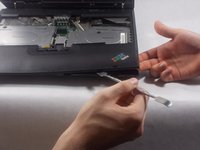
    2. IBM ThinkPad A31 CPU Replacement: crwdns2935265:03crwdnd2935265:01crwdnd2935265:02crwdne2935265:0 IBM ThinkPad A31 CPU Replacement: crwdns2935265:03crwdnd2935265:02crwdnd2935265:02crwdne2935265:0
      • use a prying tool and insert it on the cracks on the sides of the keyboard and lift gently until you here a click

      • repeat this step on all sides of the keyboard until the keyboard is completely detached from the laptop

      crwdns2952109:0crwdne2952109:0

      crwdns2917038:0crwdne2917038:0

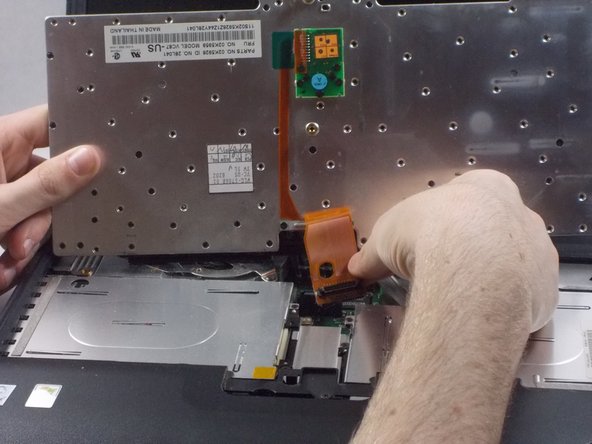
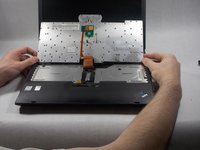
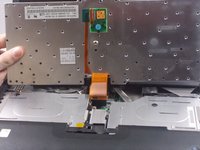
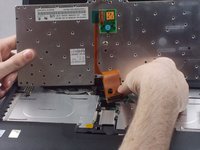
    3. IBM ThinkPad A31 CPU Replacement: crwdns2935265:04crwdnd2935265:01crwdnd2935265:03crwdne2935265:0 IBM ThinkPad A31 CPU Replacement: crwdns2935265:04crwdnd2935265:02crwdnd2935265:03crwdne2935265:0 IBM ThinkPad A31 CPU Replacement: crwdns2935265:04crwdnd2935265:03crwdnd2935265:03crwdne2935265:0
      • Lift the keyboard and remove the keyboard ribbon cable from the laptop

      crwdns2952109:0crwdne2952109:0

      crwdns2917038:0crwdne2917038:0

    1. IBM ThinkPad A31 CPU Replacement, Display: crwdns2935265:05crwdnd2935265:01crwdnd2935265:02crwdne2935265:0 IBM ThinkPad A31 CPU Replacement, Display: crwdns2935265:05crwdnd2935265:02crwdnd2935265:02crwdne2935265:0
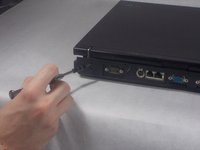
      • Remove the one 21mm screw

      • Remove the 6mm screw

      crwdns2952109:0crwdne2952109:0

      crwdns2917038:0crwdne2917038:0

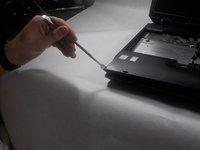
    2. IBM ThinkPad A31 CPU Replacement: crwdns2935265:06crwdnd2935265:01crwdnd2935265:02crwdne2935265:0 IBM ThinkPad A31 CPU Replacement: crwdns2935265:06crwdnd2935265:02crwdnd2935265:02crwdne2935265:0
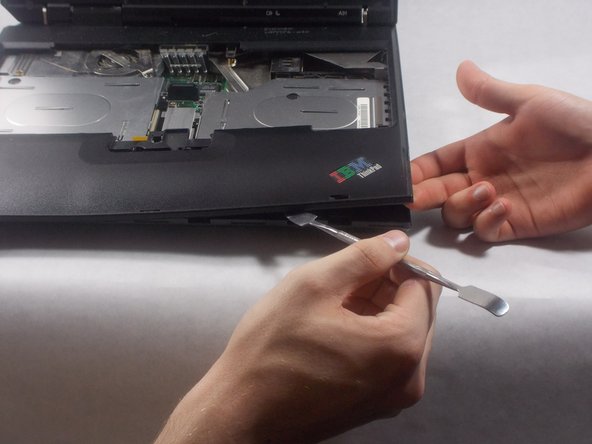
      • Take the tool and run it under the black case.

      crwdns2952109:0crwdne2952109:0

      crwdns2917038:0crwdne2917038:0

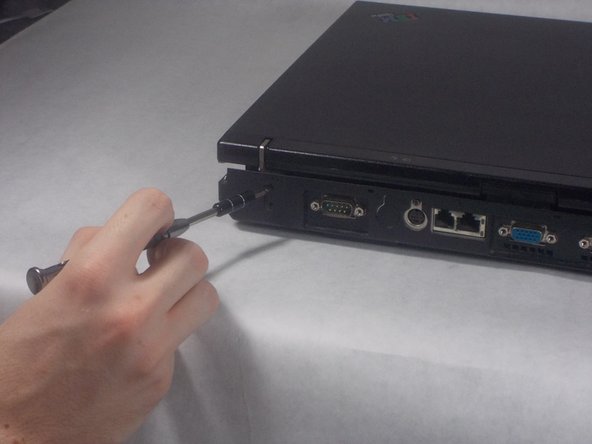
    3. IBM ThinkPad A31 CPU Replacement: crwdns2935265:07crwdnd2935265:01crwdnd2935265:03crwdne2935265:0 IBM ThinkPad A31 CPU Replacement: crwdns2935265:07crwdnd2935265:02crwdnd2935265:03crwdne2935265:0 IBM ThinkPad A31 CPU Replacement: crwdns2935265:07crwdnd2935265:03crwdnd2935265:03crwdne2935265:0
      • Unscrew the 2 (17mm) screws

      • Unscrew the 6mm screw

      crwdns2952109:0crwdne2952109:0

      crwdns2917038:0crwdne2917038:0

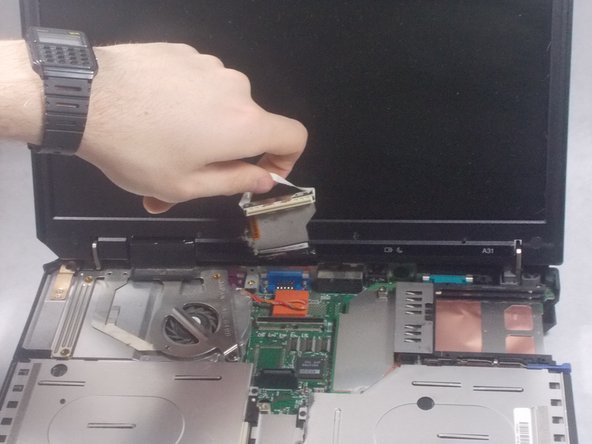
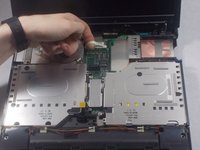
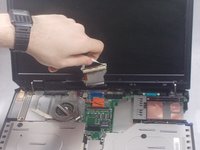
    4. IBM ThinkPad A31 CPU Replacement: crwdns2935265:08crwdnd2935265:01crwdnd2935265:02crwdne2935265:0 IBM ThinkPad A31 CPU Replacement: crwdns2935265:08crwdnd2935265:02crwdnd2935265:02crwdne2935265:0
      • Gently disconnect the white display ribbon cable

      • Pulling on the ribbon cable too hard could result in worse or faulty connection.

      crwdns2952109:0crwdne2952109:0

      crwdns2917038:0crwdne2917038:0

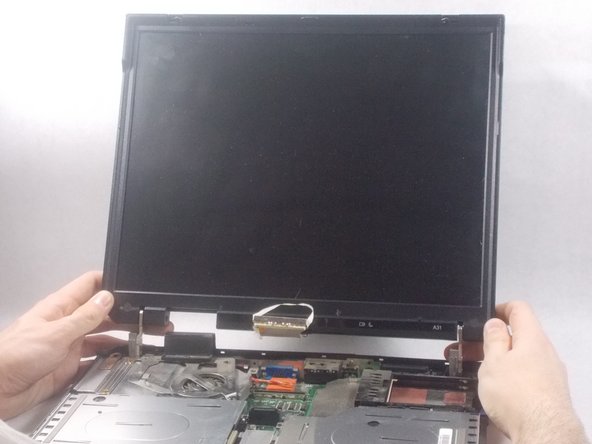
    5. IBM ThinkPad A31 CPU Replacement: crwdns2935265:09crwdnd2935265:01crwdnd2935265:03crwdne2935265:0 IBM ThinkPad A31 CPU Replacement: crwdns2935265:09crwdnd2935265:02crwdnd2935265:03crwdne2935265:0 IBM ThinkPad A31 CPU Replacement: crwdns2935265:09crwdnd2935265:03crwdnd2935265:03crwdne2935265:0
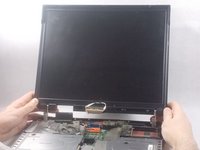
      • Unscrew 4 (6mm) screws

      • Lift screen straight up

      • If not lifted straight up the screen could get damaged

      crwdns2952109:0crwdne2952109:0

      crwdns2917038:0crwdne2917038:0

    1. IBM ThinkPad A31 CPU Replacement, Battery: crwdns2935265:010crwdnd2935265:01crwdnd2935265:02crwdne2935265:0 IBM ThinkPad A31 CPU Replacement, Battery: crwdns2935265:010crwdnd2935265:02crwdnd2935265:02crwdne2935265:0
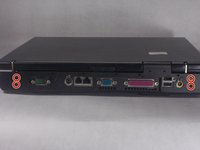
      • Flip the ThinkPad over so that it is upside down.

      • Push latch switch to the left.

      • Gently lift the battery out and away from the ThinkPad

      • You have to hold the latch to the left while you remove the battery. Simply pushing once will not unlock the battery

      crwdns2952109:0crwdne2952109:0

      crwdns2917038:0crwdne2917038:0

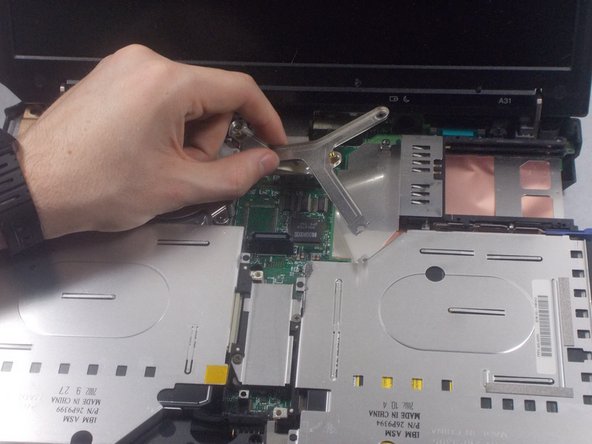
    1. IBM ThinkPad A31 CPU Replacement, CPU: crwdns2935265:011crwdnd2935265:01crwdnd2935265:03crwdne2935265:0 IBM ThinkPad A31 CPU Replacement, CPU: crwdns2935265:011crwdnd2935265:02crwdnd2935265:03crwdne2935265:0 IBM ThinkPad A31 CPU Replacement, CPU: crwdns2935265:011crwdnd2935265:03crwdnd2935265:03crwdne2935265:0
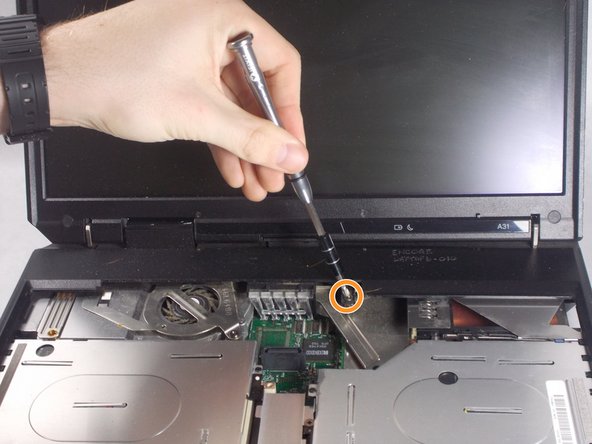
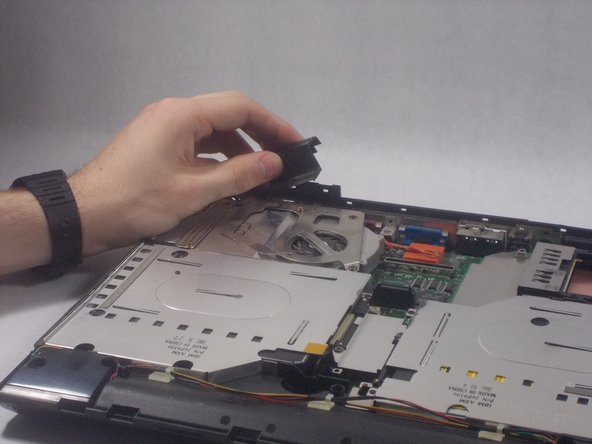
      • Remove the 6mm screw

      • LIft the bracket out

      crwdns2952109:0crwdne2952109:0

      crwdns2917038:0crwdne2917038:0

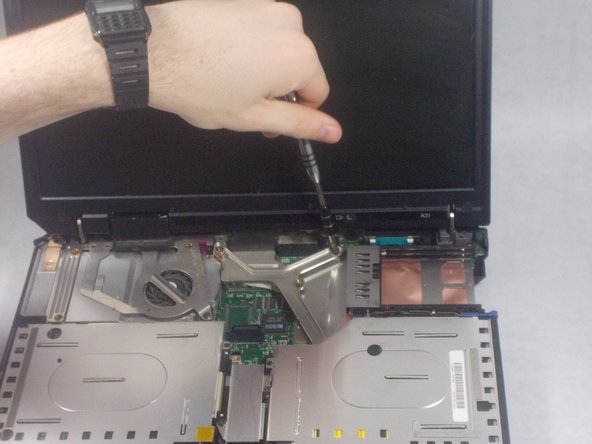
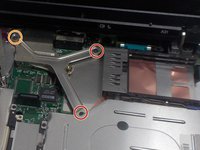
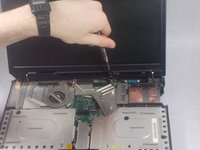
    2. IBM ThinkPad A31 CPU Replacement: crwdns2935265:012crwdnd2935265:01crwdnd2935265:03crwdne2935265:0 IBM ThinkPad A31 CPU Replacement: crwdns2935265:012crwdnd2935265:02crwdnd2935265:03crwdne2935265:0 IBM ThinkPad A31 CPU Replacement: crwdns2935265:012crwdnd2935265:03crwdnd2935265:03crwdne2935265:0
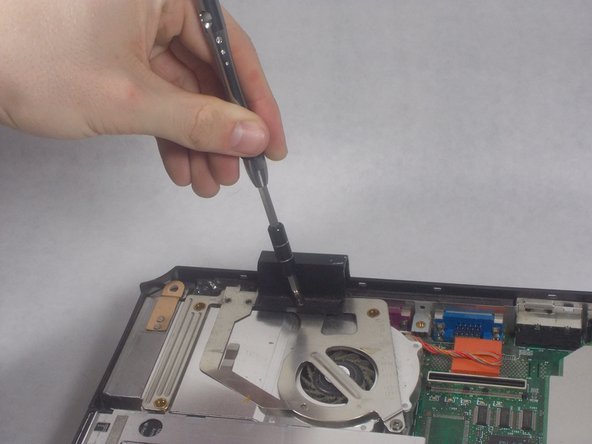
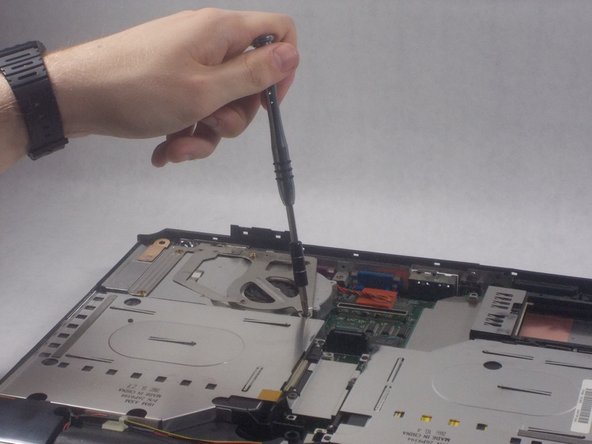
      • Remove one 6mm screw

      • Remove 3 18mm screws

      • Take off the bracket on the CPU fan

      crwdns2952109:0crwdne2952109:0

      crwdns2917038:0crwdne2917038:0

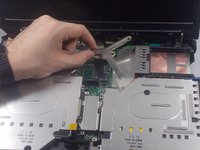
    3. IBM ThinkPad A31 CPU Replacement: crwdns2935265:013crwdnd2935265:01crwdnd2935265:03crwdne2935265:0 IBM ThinkPad A31 CPU Replacement: crwdns2935265:013crwdnd2935265:02crwdnd2935265:03crwdne2935265:0 IBM ThinkPad A31 CPU Replacement: crwdns2935265:013crwdnd2935265:03crwdnd2935265:03crwdne2935265:0
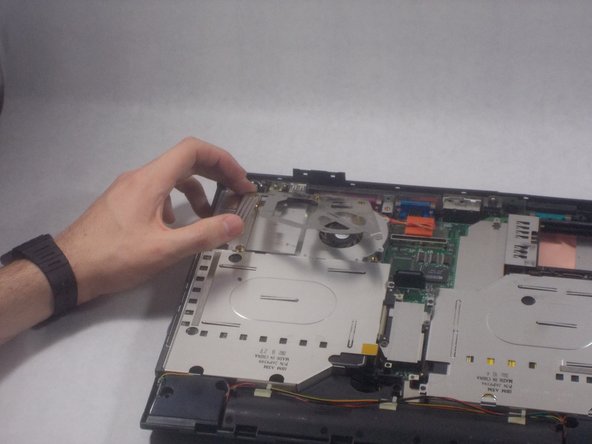
      • Lift the CPU fan

      • Pull out the cable attached to the motherboard

      crwdns2952109:0crwdne2952109:0

      crwdns2917038:0crwdne2917038:0

    4. IBM ThinkPad A31 CPU Replacement: crwdns2935265:014crwdnd2935265:01crwdnd2935265:02crwdne2935265:0 IBM ThinkPad A31 CPU Replacement: crwdns2935265:014crwdnd2935265:02crwdnd2935265:02crwdne2935265:0
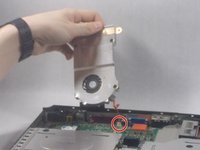
      • Turn the locking screw to unlock with the flat head screwdriver

      • LIft the CPU out

      crwdns2952109:0crwdne2952109:0

      crwdns2917038:0crwdne2917038:0

crwdns2915888:0crwdne2915888:0

To reassemble your device, follow these instructions in reverse order.

crwdns2935221:0crwdne2935221:0

crwdns2935227:0crwdne2935227:0

Thomas Stone

crwdns2935283:003/19/18crwdne2935283:0

235 crwdns2915208:0crwdne2915208:0

crwdns2935297:02crwdne2935297:0

crwdns2935287:0crwdne2935287:0

UMass Dartmouth, Team S2-G2, Bernier Spring 2018 crwdns2935289:0UMass Dartmouth, Team S2-G2, Bernier Spring 2018crwdne2935289:0

UMASSD-BERNIER-S18S2G2

crwdns2931471:03crwdne2931471:0

crwdns2935297:060crwdne2935297:0

crwdns2947412:00crwdne2947412:0

crwdns2917038:0crwdne2917038:0

crwdns2936625:0crwdne2936625:0:

crwdns2936751:024crwdne2936751:0 3

crwdns2936753:07crwdne2936753:0 18

crwdns2936753:030crwdne2936753:0 33

crwdns2942667:0crwdne2942667:0 1,587