crwdns2933423:0crwdne2933423:0
crwdns2947577:0crwdnd2947577:0crwdne2947577:0

IBM ThinkPad 600E RAM Replacement

crwdns2942213:0crwdne2942213:0

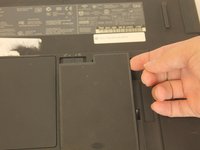
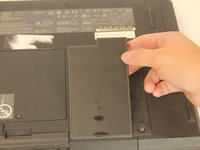
    1. IBM ThinkPad 600E RAM Replacement, Battery: crwdns2935265:01crwdnd2935265:01crwdnd2935265:03crwdne2935265:0 IBM ThinkPad 600E RAM Replacement, Battery: crwdns2935265:01crwdnd2935265:02crwdnd2935265:03crwdne2935265:0 IBM ThinkPad 600E RAM Replacement, Battery: crwdns2935265:01crwdnd2935265:03crwdnd2935265:03crwdne2935265:0
      • Flip the laptop over and find the battery latch.

      crwdns2952109:0crwdne2952109:0

      crwdns2917038:0crwdne2917038:0

    2. IBM ThinkPad 600E RAM Replacement: crwdns2935265:02crwdnd2935265:01crwdnd2935265:01crwdne2935265:0
      • Move the latch to the side with the unlocked symbol.

      crwdns2952109:0crwdne2952109:0

      crwdns2917038:0crwdne2917038:0

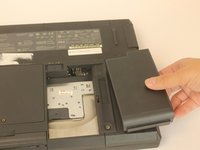
    3. IBM ThinkPad 600E RAM Replacement: crwdns2935265:03crwdnd2935265:01crwdnd2935265:03crwdne2935265:0 IBM ThinkPad 600E RAM Replacement: crwdns2935265:03crwdnd2935265:02crwdnd2935265:03crwdne2935265:0 IBM ThinkPad 600E RAM Replacement: crwdns2935265:03crwdnd2935265:03crwdnd2935265:03crwdne2935265:0
      • Pry the battery out using your fingers.

      crwdns2952109:0crwdne2952109:0

      crwdns2917038:0crwdne2917038:0

    1. IBM ThinkPad 600E RAM Replacement, RAM: crwdns2935265:04crwdnd2935265:01crwdnd2935265:01crwdne2935265:0
      • Put on the anti-static wrist trap and clip it to a large metal object.

      • If you do not have an anti-static wristband, make sure to touch a large metal object to ground yourself before beginning to work on your replacement. Occasionally touch the metal object.

      crwdns2952109:0crwdne2952109:0

      crwdns2917038:0crwdne2917038:0

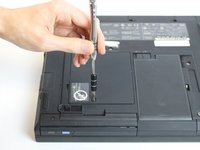
    2. IBM ThinkPad 600E RAM Replacement: crwdns2935265:05crwdnd2935265:01crwdnd2935265:03crwdne2935265:0 IBM ThinkPad 600E RAM Replacement: crwdns2935265:05crwdnd2935265:02crwdnd2935265:03crwdne2935265:0 IBM ThinkPad 600E RAM Replacement: crwdns2935265:05crwdnd2935265:03crwdnd2935265:03crwdne2935265:0
      • Using a screwdriver, loosen but do not remove the captive screw by turning counterclockwise.

      • One 3mm PH0 screw

      crwdns2952109:0crwdne2952109:0

      crwdns2917038:0crwdne2917038:0

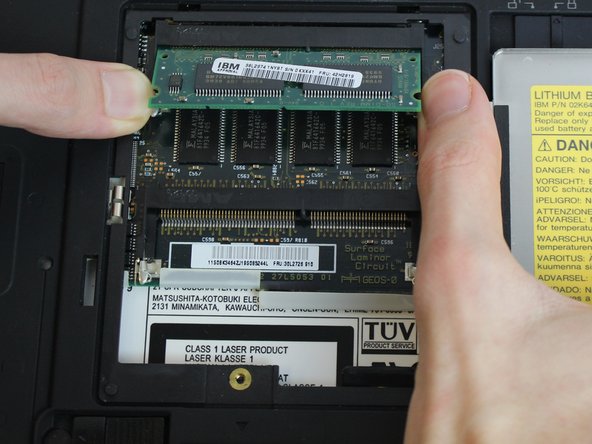
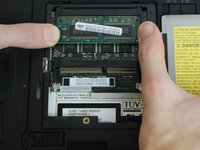
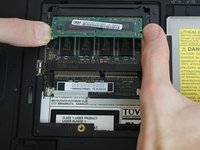
    3. IBM ThinkPad 600E RAM Replacement: crwdns2935265:06crwdnd2935265:01crwdnd2935265:03crwdne2935265:0 IBM ThinkPad 600E RAM Replacement: crwdns2935265:06crwdnd2935265:02crwdnd2935265:03crwdne2935265:0 IBM ThinkPad 600E RAM Replacement: crwdns2935265:06crwdnd2935265:03crwdnd2935265:03crwdne2935265:0
      • Using your fingers, pry the small retention clips apart until the ram pops up.

      crwdns2952109:0crwdne2952109:0

      crwdns2917038:0crwdne2917038:0

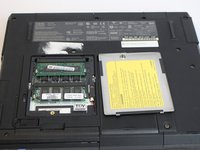
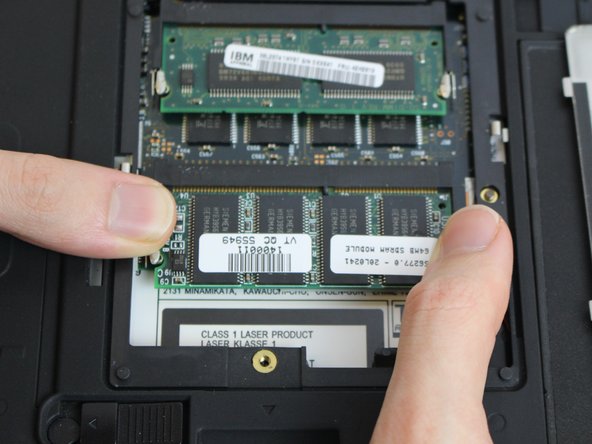
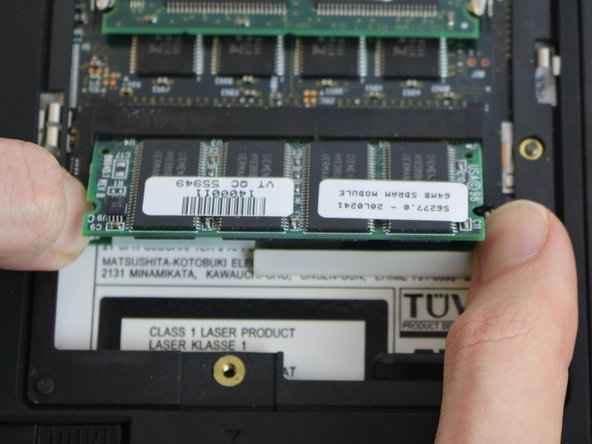
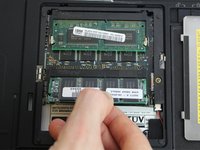
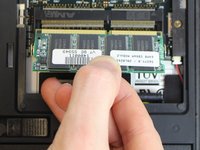
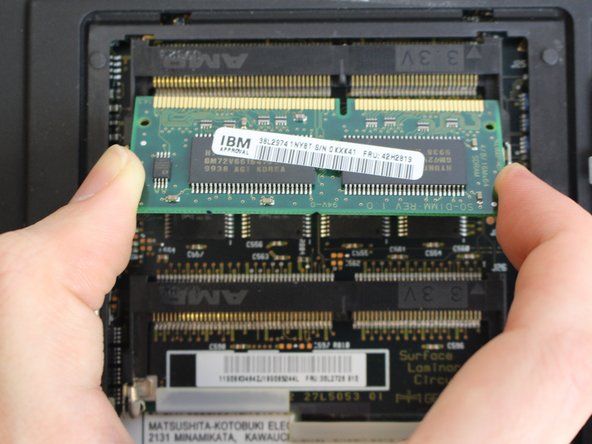
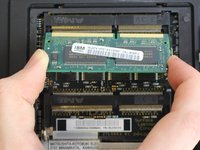
    4. IBM ThinkPad 600E RAM Replacement: crwdns2935265:07crwdnd2935265:01crwdnd2935265:02crwdne2935265:0 IBM ThinkPad 600E RAM Replacement: crwdns2935265:07crwdnd2935265:02crwdnd2935265:02crwdne2935265:0
      • Using your fingers, pull straight in line with the ram to remove it.

      crwdns2952109:0crwdne2952109:0

      crwdns2917038:0crwdne2917038:0

    5. IBM ThinkPad 600E RAM Replacement: crwdns2935265:08crwdnd2935265:01crwdnd2935265:03crwdne2935265:0 IBM ThinkPad 600E RAM Replacement: crwdns2935265:08crwdnd2935265:02crwdnd2935265:03crwdne2935265:0 IBM ThinkPad 600E RAM Replacement: crwdns2935265:08crwdnd2935265:03crwdnd2935265:03crwdne2935265:0
      • Repeat steps 3 and 4 if you want to remove the second ram stick.

      crwdns2952109:0crwdne2952109:0

      crwdns2917038:0crwdne2917038:0

crwdns2915888:0crwdne2915888:0

To reassemble your device, follow these instructions in reverse order.

crwdns2935221:0crwdne2935221:0

crwdns2935229:02crwdne2935229:0

Harold Rocha

crwdns2935283:010/04/16crwdne2935283:0

173 crwdns2915208:0crwdne2915208:0

crwdns2935295:0crwdne2935295:0

crwdns2935287:0crwdne2935287:0

USF Tampa, Team 1-4, Nance Fall 2016 crwdns2935289:0USF Tampa, Team 1-4, Nance Fall 2016crwdne2935289:0

USFT-NANCE-F16S1G4

crwdns2931471:04crwdne2931471:0

crwdns2935297:045crwdne2935297:0

crwdns2947412:00crwdne2947412:0

crwdns2917038:0crwdne2917038:0

crwdns2936625:0crwdne2936625:0:

crwdns2936751:024crwdne2936751:0 1

crwdns2936753:07crwdne2936753:0 12

crwdns2936753:030crwdne2936753:0 46

crwdns2942667:0crwdne2942667:0 1,514