crwdns2933423:0crwdne2933423:0
crwdns2947577:0crwdnd2947577:0crwdne2947577:0

How to Test Your Samsung Device After a Repair

    1. How to Test Your Samsung Device After a Repair, Download the app: crwdns2935265:01crwdnd2935265:01crwdnd2935265:02crwdne2935265:0 How to Test Your Samsung Device After a Repair, Download the app: crwdns2935265:01crwdnd2935265:02crwdnd2935265:02crwdne2935265:0
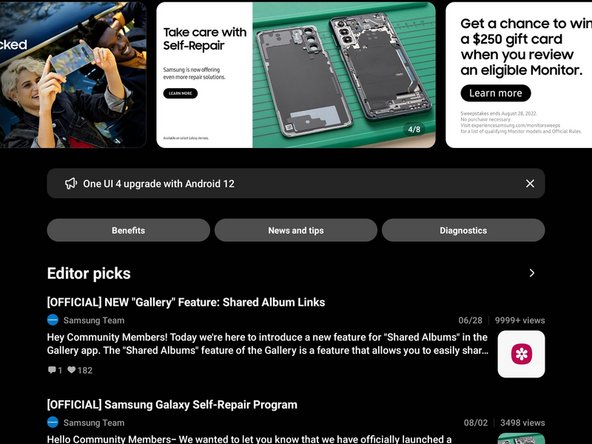
      • Download the Samsung Members app on the Play Store or the Galaxy Store

      • Select the Samsung Members app.

      crwdns2952109:0crwdne2952109:0

      crwdns2917038:0crwdne2917038:0

    2. How to Test Your Samsung Device After a Repair, Agree to the terms and conditions: crwdns2935265:02crwdnd2935265:01crwdnd2935265:02crwdne2935265:0 How to Test Your Samsung Device After a Repair, Agree to the terms and conditions: crwdns2935265:02crwdnd2935265:02crwdnd2935265:02crwdne2935265:0
      • Select "Agree to all" to fill in the agreement checkmarks.

      • Select "Continue"

      crwdns2952109:0crwdne2952109:0

      crwdns2917038:0crwdne2917038:0

    3. How to Test Your Samsung Device After a Repair, Navigate to the test screen: crwdns2935265:03crwdnd2935265:01crwdnd2935265:02crwdne2935265:0 How to Test Your Samsung Device After a Repair, Navigate to the test screen: crwdns2935265:03crwdnd2935265:02crwdnd2935265:02crwdne2935265:0
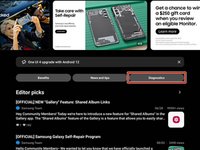
      • Select the "Diagnostics" tab near the top right of the screen.

      crwdns2952109:0crwdne2952109:0

      crwdns2917038:0crwdne2917038:0

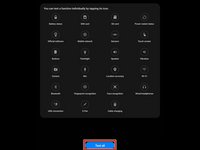
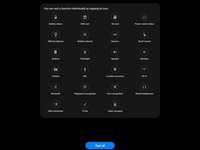
    4. How to Test Your Samsung Device After a Repair, Select the test: crwdns2935265:04crwdnd2935265:01crwdnd2935265:02crwdne2935265:0 How to Test Your Samsung Device After a Repair, Select the test: crwdns2935265:04crwdnd2935265:02crwdnd2935265:02crwdne2935265:0
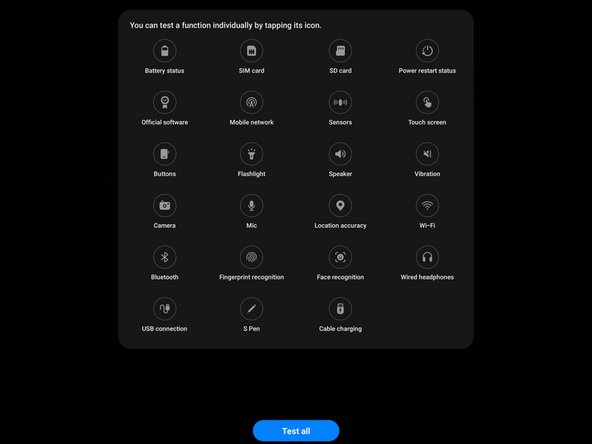
      • Depending on your device, you may have different tests available.

      • Select the test you would like to perform.

      • If you want to perform all of the tests, select "Test all"

      crwdns2952109:0crwdne2952109:0

      crwdns2917038:0crwdne2917038:0

crwdns2935217:0crwdne2935217:0

crwdns2935221:0crwdne2935221:0

crwdns2935229:024crwdne2935229:0

Alex Diaz-Kokaisl

crwdns2935283:001/16/22crwdne2935283:0

249 976 crwdns2915208:0crwdne2915208:0

crwdns2935297:01 203crwdne2935297:0

crwdns2935287:0crwdne2935287:0

Guide Team crwdns2935289:0Guide Teamcrwdne2935289:0

Staff

crwdns2931471:010crwdne2931471:0

crwdns2935297:061 630crwdne2935297:0

crwdns2947412:02crwdne2947412:0

Alternatively if the app is not supported or you don't want to sign in with a Samsung account, you can dial *#0*#

JoshAtticus - crwdns2934203:0crwdne2934203:0 crwdns2950251:0crwdne2950251:0

crwdns2917038:0crwdne2917038:0

crwdns2936625:0crwdne2936625:0:

crwdns2936751:024crwdne2936751:0 4

crwdns2936753:07crwdne2936753:0 41

crwdns2936753:030crwdne2936753:0 178

crwdns2942667:0crwdne2942667:0 11,045