crwdns2933423:0crwdne2933423:0
crwdns2947577:0crwdnd2947577:0crwdne2947577:0

How to Open and Clean a PlayStation 4

crwdns2942213:0crwdne2942213:0

  1. How to Open and Clean a PlayStation 4, Flip over the PS4: crwdns2935265:01crwdnd2935265:01crwdnd2935265:01crwdne2935265:0
    • Flip your PS4 upside-down with the back side facing towards you.

    crwdns2952109:0crwdne2952109:0
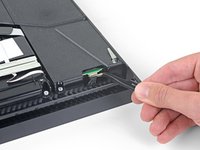
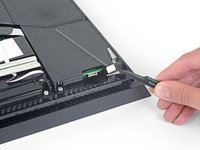
  2. How to Open and Clean a PlayStation 4, Remove the rear stickers: crwdns2935265:02crwdnd2935265:01crwdnd2935265:03crwdne2935265:0 How to Open and Clean a PlayStation 4, Remove the rear stickers: crwdns2935265:02crwdnd2935265:02crwdnd2935265:03crwdne2935265:0 How to Open and Clean a PlayStation 4, Remove the rear stickers: crwdns2935265:02crwdnd2935265:03crwdnd2935265:03crwdne2935265:0
    • Stickers cover the screws securing the PS4's outer case.

    • Use a pair of tweezers to remove the sticker in the center of the back of the PS4, exposing the first screw.

    • Remove the two stickers at the outer edges, exposing two more screws.

    crwdns2952109:0crwdne2952109:0
  3. How to Open and Clean a PlayStation 4, Remove the rear case screws: crwdns2935265:03crwdnd2935265:01crwdnd2935265:01crwdne2935265:0
    • Remove the three 7.2 mm-long TR8 Torx security screws on the back of the PS4.

    crwdns2952109:0crwdne2952109:0
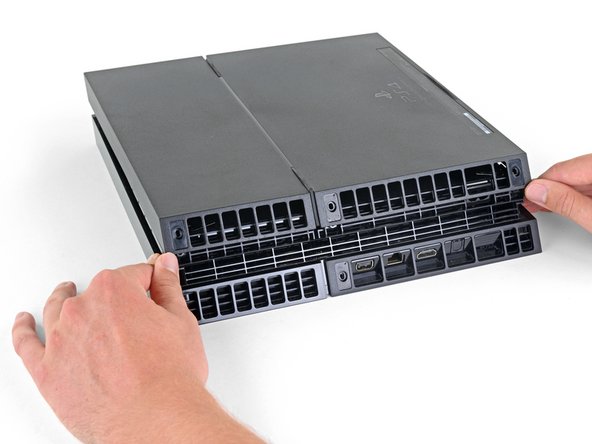
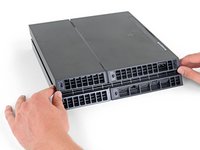
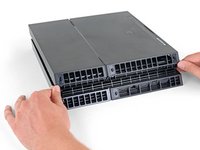
  4. How to Open and Clean a PlayStation 4, Remove the lower case: crwdns2935265:04crwdnd2935265:01crwdnd2935265:02crwdne2935265:0 How to Open and Clean a PlayStation 4, Remove the lower case: crwdns2935265:04crwdnd2935265:02crwdnd2935265:02crwdne2935265:0
    • Use your thumbs to lift the lower case up and off the PS4.

    • In addition to the three rear screws, the lower case is held in place by plastic clips. You may need to use significant force to release the lower case.

    crwdns2952109:0crwdne2952109:0
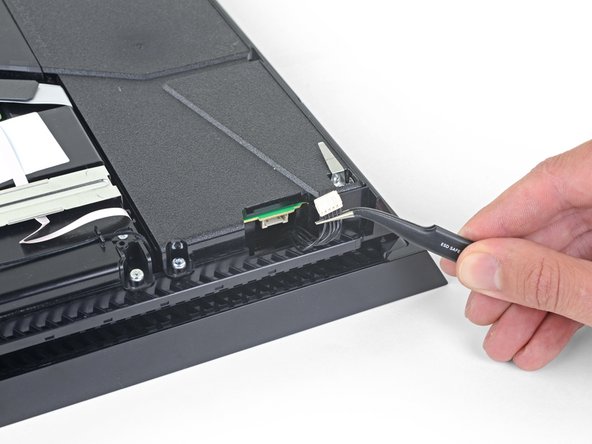
  5. How to Open and Clean a PlayStation 4, Disconnect the power supply: crwdns2935265:05crwdnd2935265:01crwdnd2935265:02crwdne2935265:0 How to Open and Clean a PlayStation 4, Disconnect the power supply: crwdns2935265:05crwdnd2935265:02crwdnd2935265:02crwdne2935265:0
    crwdns2935267:0crwdne2935267:0
    Small Needle Nose Pliers
    $6.99
    • Use a pair of tweezers to pull the power supply cable straight out to disconnect the power supply unit from the motherboard.

    • Depending on the age of your console, this cable might be very firmly connected. If it feels stuck, don't pull on the cables themselves with much force.

    • Use your fingers to grab the white connector head, and wiggle or "walk" the connector out of its socket to disconnect it.

    • In extreme cases, you might need to use needle nose pliers to get a good grip on the connector.

    • Go slow: pulling on the cables themselves might rip them out of the connector.

    crwdns2952109:0crwdne2952109:0
  6. How to Open and Clean a PlayStation 4, Remove the power supply unit: crwdns2935265:06crwdnd2935265:01crwdnd2935265:02crwdne2935265:0 How to Open and Clean a PlayStation 4, Remove the power supply unit: crwdns2935265:06crwdnd2935265:02crwdnd2935265:02crwdne2935265:0
    • Remove three 9.7 mm-long TR8 Torx security screws.

    • Remove two 41 mm-long Phillips screws and brackets.

    crwdns2952109:0crwdne2952109:0
  7. How to Open and Clean a PlayStation 4: crwdns2935265:07crwdnd2935265:01crwdnd2935265:03crwdne2935265:0 How to Open and Clean a PlayStation 4: crwdns2935265:07crwdnd2935265:02crwdnd2935265:03crwdne2935265:0 How to Open and Clean a PlayStation 4: crwdns2935265:07crwdnd2935265:03crwdnd2935265:03crwdne2935265:0
    • Lift the power supply straight up and out of the PS4.

    • The power supply is held firmly in place by prongs on the left side. It may take multiple attempts to remove it.

    • During reassembly, ensure the prongs are aligned, then press the power supply into place.

    crwdns2952109:0crwdne2952109:0
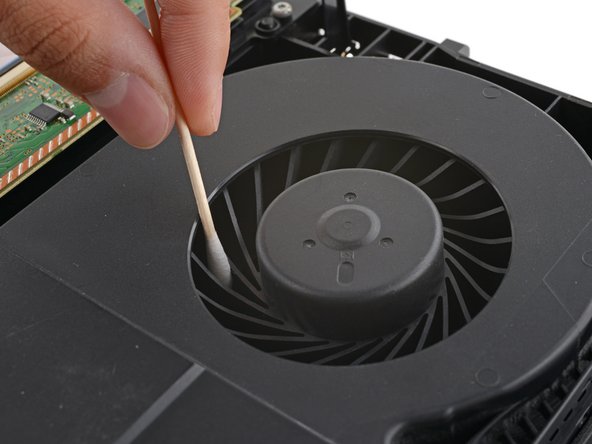
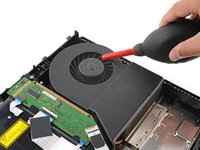
  8. How to Open and Clean a PlayStation 4, Clean the fan: crwdns2935265:08crwdnd2935265:01crwdnd2935265:02crwdne2935265:0 How to Open and Clean a PlayStation 4, Clean the fan: crwdns2935265:08crwdnd2935265:02crwdnd2935265:02crwdne2935265:0
    crwdns2935267:0crwdne2935267:0
    Dust Blower
    $19.99
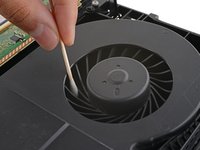
    • Over time, dust will build up inside the fan and on the fan blades.

    • Use a pair of tweezers to grab loose hairs and dust clumps off the fan.

    • Use a small dust blower or light compressed air to blow remaining dust off the fan.

    • Use a finger to keep the fan blades steady—it makes them easier to clean.

    • If there's a layer of grime on the fan blades, use soapy water or isopropyl alcohol on a cotton swab to wipe them off.

    crwdns2952109:0crwdne2952109:0
  9. How to Open and Clean a PlayStation 4, Clean the case: crwdns2935265:09crwdnd2935265:01crwdnd2935265:01crwdne2935265:0
    crwdns2935267:0crwdne2935267:0
    Microfiber Cleaning Cloths
    $3.99
    crwdns2952109:0crwdne2952109:0
  10. How to Open and Clean a PlayStation 4, Clean vents and hard-to-reach areas: crwdns2935265:010crwdnd2935265:01crwdnd2935265:01crwdne2935265:0
    crwdns2935267:0crwdne2935267:0
    Anti-Static Brush
    $2.99
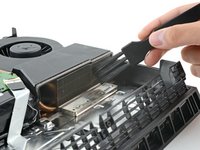
    • Depending on how dirty your console is, you might need to use a soft-bristle brush to dislodge more dust and grime.

    • Using an anti-static brush or a new toothbrush, clean any dust out of hard-to-reach areas and off the rear vents.

    • Use a dust blower to blow any loose dust out of the console and a cloth to wipe the vents clean.

    crwdns2952109:0crwdne2952109:0
  11. How to Open and Clean a PlayStation 4, Clean the heatsink: crwdns2935265:011crwdnd2935265:01crwdnd2935265:02crwdne2935265:0 How to Open and Clean a PlayStation 4, Clean the heatsink: crwdns2935265:011crwdnd2935265:02crwdnd2935265:02crwdne2935265:0
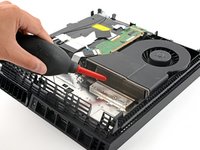
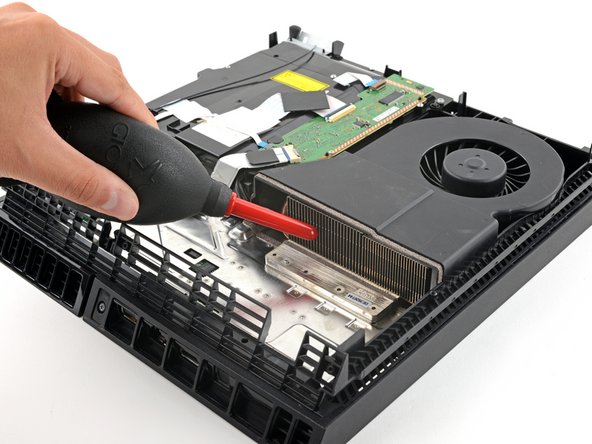
    • The PS4 draws air through the heatsink fins, and they may clog with dust and debris over time.

    • If you can see dust buildup in the heatsink, dislodge debris with a brush and use a dust blower to blow it clean.

    • Remember: use this time to clean any other dirty internal surfaces before you reseal your console. Happy gaming!

    crwdns2952109:0crwdne2952109:0
crwdns2915888:0crwdne2915888:0

To reassemble your device, follow these instructions in reverse order.

Disassembly or cleaning didn’t go as planned? Try some basic troubleshooting, or ask our PlayStation 4 Answers community for help.

crwdns2935229:049crwdne2935229:0

Carsten Frauenheim

crwdns2935283:003/10/20crwdne2935283:0

164,717 crwdns2915208:0crwdne2915208:0

crwdns2935297:0439crwdne2935297:0

crwdns2935287:0crwdne2935287:0

iFixit crwdns2935289:0iFixitcrwdne2935289:0

Staff

crwdns2931471:0123crwdne2931471:0

crwdns2935297:025,718crwdne2935297:0

crwdns2947412:03crwdne2947412:0

Thanks for the help now my ps4 runs quetly you Are a plessing.🙂

Martin1234 - crwdns2934203:0crwdne2934203:0 crwdns2950251:0crwdne2950251:0
eu limpei a minha e nao voltou a ligar, o que que eu faço

David Almeida - crwdns2934203:0crwdne2934203:0 crwdns2950251:0crwdne2950251:0
crwdns2917038:0crwdne2917038:0

crwdns2936625:0crwdne2936625:0:

crwdns2936751:024crwdne2936751:0 103

crwdns2936753:07crwdne2936753:0 768

crwdns2936753:030crwdne2936753:0 3,625

crwdns2942667:0crwdne2942667:0 87,231