crwdns2915892:0crwdne2915892:0
This guide shows you how to maintain the compression headset on an Envy Prodigy series scooter. The headset enables smooth steering and stability while riding.
Over time, moisture, dirt, and heavy impacts can cause the bearings to wear down or the compression system to loosen. If left unchecked, this can lead to rattling, stiffness, or even steering problems.
Before you begin, ensure you have the correct tools and space to work. Routine maintenance helps keep your scooter safe and operating smoothly.
crwdns2942213:0crwdne2942213:0
-
-
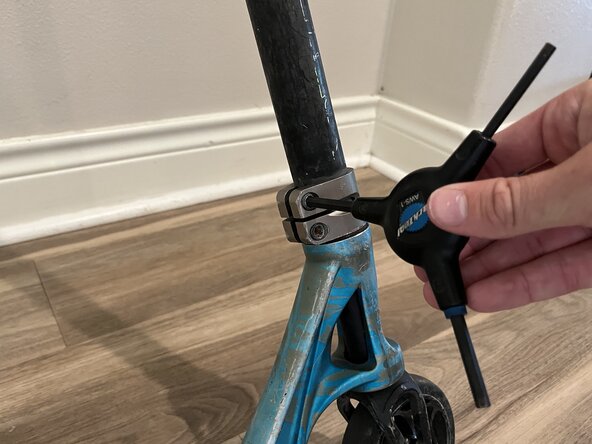
Use a 6 mm Allen wrench to loosen the clamp screws
-
Lift the handlebars straight up and off the fork.
-
If the bars are stuck, gently wiggle or tap them until they release.
-
-
-
Hold the fork steady to prevent it from spinning.
-
Use the 5 mm Allen wrench to remove the top compression bolt on the top of the fork.
-
Carefully slide the fork down and out of the deck.
-
-
-
-
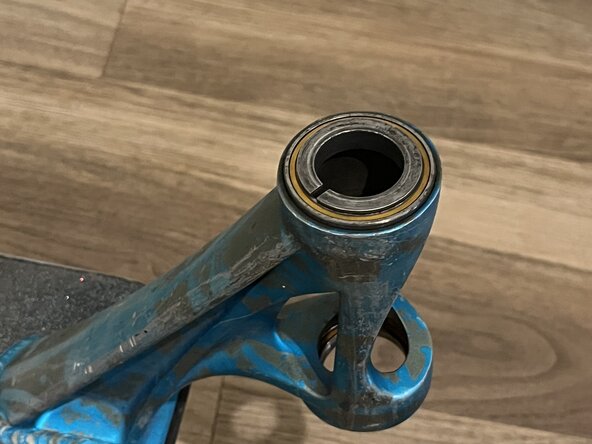
Remove the bearings from the deck tube.
-
Inspect each bearing for signs of rust or damage.
-
Wipe down both the deck tube and the bearings to remove dirt or moisture.
-
Reinsert the bearings into the deck tube.
-
-
-
Slide the fork back into the deck tube.
-
Insert the top compression bolt and hand-tighten it as far as possible.
-
Once it can no longer be turned by hand, use a 5 mm Allen wrench to tighten the bolt until it is snug.
-
-
-
Slide the handlebars back onto the fork.
-
Align the clamp and begin tightening the bolts gradually.
-
Alternate between the bolts as you tighten to ensure even pressure and prevent damaging the clamp.
-
Once all bolts are snug, check that the handlebars are secure and properly aligned before riding.
-




If everything is tightened correctly, your handlebars should spin freely but also feel solid.
crwdns2935221:0crwdne2935221:0
crwdns2935227:0crwdne2935227:0


crwdns2935287:0crwdne2935287:0

Austin Community College, Team 73-12, Kapoor Fall 2025 crwdns2935289:0Austin Community College, Team 73-12, Kapoor Fall 2025crwdne2935289:0
AUSTINCC-KAPOOR-F25S73G12
crwdns2934841:01crwdne2934841:0
crwdns2935303:01crwdne2935303:0
