How To Use Screen Vise Clamps

crwdns2959936:0Kho 1, 2023crwdne2959936:0
crwdns2869540:0crwdne2869540:0: 28 тыс.
crwdns2959988:0crwdne2959988:0
- crwdns2959990:0crwdne2959990:0
- 17
- crwdns2959992:0crwdne2959992:0
- 125
- crwdns2959994:0crwdne2959994:0
- 545
- crwdns2959996:0crwdne2959996:0
- 28 192
crwdns2955950:0crwdne2955950:0: 1
crwdns2960002:01crwdne2960002:0.
crwdns2959984:0crwdne2959984:0: 31 32
crwdns2959974:031crwdne2959974:0
crwdns2959970:032crwdne2959970:0
crwdns2959986:0crwdne2959986:0: 7 8
crwdns2959982:07crwdne2959982:0
crwdns2959978:08crwdne2959978:0
crwdns2862627:0crwdne2862627:0
crwdns2862628:0crwdne2862628:0
crwdns2915892:0crwdne2915892:0
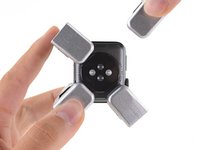
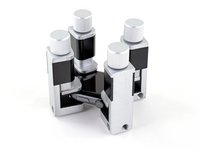
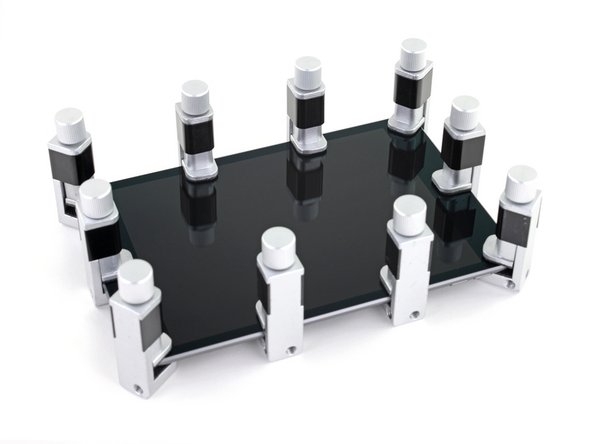
crwdns2959928:0crwdne2959928:0 ↓Screen Vise Clamps are adjustable clamps used around the perimeter of phone, tablet, and smartwatch screens or back panels to set replacement adhesive after a repair.
Follow these basic instructions to properly use your clamps without damaging your device.
Caution: Don't use vise clamps to forcibly close a bulging device! Your battery might be swollen—if it is, take appropriate precautions.
For detailed instructions specific to your device and repair, see our repair guides.
crwdns2959930:0crwdne2959930:0
crwdns2943215:0crwdne2943215:0

-
-
crwdns2935267:0crwdne2935267:0Screen Vise Clamps 6-Pack$25.95
-
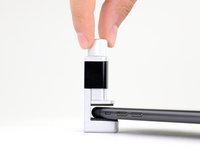
Open a screen vise clamp and slide it over the edge of your device, as far as it will go.
 crwdns2952109:0crwdne2952109:0
-
-
-
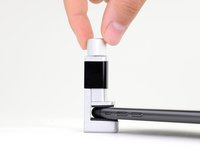
Spin the vise clamp knob clockwise to lower the upper jaw onto the screen.
-
Spin the knob until the jaw makes light contact with the screen, and then tighten down one half turn.
-
-
-
-
Repeat the previous steps for the five remaining vise clamps: one at each of the four corners, and one in the middle of each long edge.
-
Using a hair dryer or heat gun, evenly heat the edges all the way around the device until they are slightly too hot to touch. The heat will help the adhesive form a more complete bond.
-
While the device is still hot, tighten all six vise clamps down one full turn.
-
Leave the vise clamps in place for about thirty minutes.
-
-






crwdns2935221:0crwdne2935221:0
crwdns2935229:031crwdne2935229:0