crwdns2933423:0crwdne2933423:0
crwdns2947577:0crwdnd2947577:0crwdne2947577:0

Hamilton Beach 25460Z LED Replacement

crwdns2942213:0crwdne2942213:0

  1. Hamilton Beach 25460Z LED Replacement, Handle: crwdns2935265:01crwdnd2935265:01crwdnd2935265:02crwdne2935265:0 Hamilton Beach 25460Z LED Replacement, Handle: crwdns2935265:01crwdnd2935265:02crwdnd2935265:02crwdne2935265:0
    • Unplug your device before proceeding with disassembly.

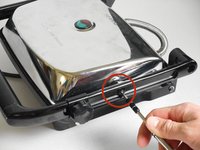
    • On the back of the press, remove the locking washer by prying upwards with the nylon or metal spudger tool.

    • Repeat for the other washer across from the first one.

    crwdns2952109:0crwdne2952109:0

    crwdns2917038:0crwdne2917038:0

  2. Hamilton Beach 25460Z LED Replacement: crwdns2935265:02crwdnd2935265:01crwdnd2935265:02crwdne2935265:0 Hamilton Beach 25460Z LED Replacement: crwdns2935265:02crwdnd2935265:02crwdnd2935265:02crwdne2935265:0
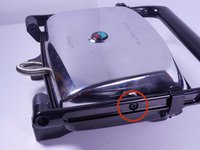
    • Using any long, thin object, push the 43mm bolt from the inside towards the outside to expose the end of the bolt.

    • Pull the end of the bolt out to completely remove it.

    • Repeat for the second bolt.

    crwdns2952109:0crwdne2952109:0

    crwdns2917038:0crwdne2917038:0

  3. Hamilton Beach 25460Z LED Replacement: crwdns2935265:03crwdnd2935265:01crwdnd2935265:02crwdne2935265:0 Hamilton Beach 25460Z LED Replacement: crwdns2935265:03crwdnd2935265:02crwdnd2935265:02crwdne2935265:0
    • Using the 4.0mm Allen Wrench, unscrew the two 26mm bolts connecting the handle to the upper heating element housing on both sides.

    crwdns2952109:0crwdne2952109:0

    crwdns2917038:0crwdne2917038:0

  4. Hamilton Beach 25460Z LED Replacement: crwdns2935265:04crwdnd2935265:01crwdnd2935265:01crwdne2935265:0
    • Unscrew the locking knob all the way to remove it.

    crwdns2952109:0crwdne2952109:0

    crwdns2917038:0crwdne2917038:0

  5. Hamilton Beach 25460Z LED Replacement: crwdns2935265:05crwdnd2935265:01crwdnd2935265:03crwdne2935265:0 Hamilton Beach 25460Z LED Replacement: crwdns2935265:05crwdnd2935265:02crwdnd2935265:03crwdne2935265:0 Hamilton Beach 25460Z LED Replacement: crwdns2935265:05crwdnd2935265:03crwdnd2935265:03crwdne2935265:0
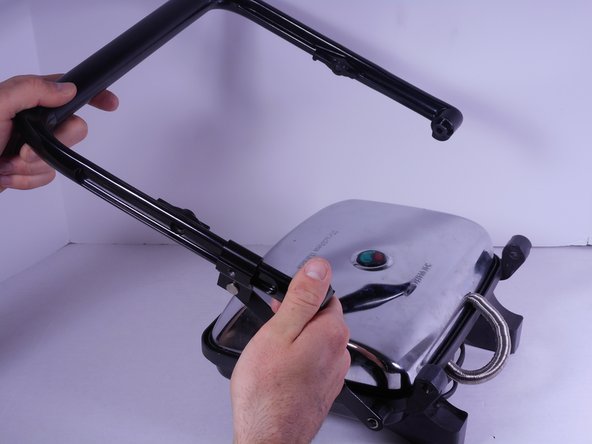
    • Slide the locking knob couple down to the base of the handle, then pull up on the free end of the handle. It will easily pop off.

    crwdns2952109:0crwdne2952109:0

    crwdns2917038:0crwdne2917038:0

  6. Hamilton Beach 25460Z LED Replacement, LED: crwdns2935265:06crwdnd2935265:01crwdnd2935265:01crwdne2935265:0
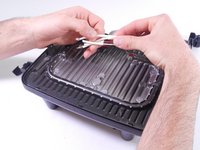
    • Gently separate the heating element housing from the cooking surface by pulling up on the housing and pushing down on the surface.

    • Pulling too far or too hard can break the delicate internal wiring.

    crwdns2952109:0crwdne2952109:0

    crwdns2917038:0crwdne2917038:0

  7. Hamilton Beach 25460Z LED Replacement: crwdns2935265:07crwdnd2935265:01crwdnd2935265:01crwdne2935265:0
    • On the underside of the housing, use the PH2 Screwdriver to remove the single 12mm screw to disconnect the LED tray.

    • The housing can now be completely removed.

    • Place on the side for reassembly.

    crwdns2952109:0crwdne2952109:0

    crwdns2917038:0crwdne2917038:0

  8. Hamilton Beach 25460Z LED Replacement: crwdns2935265:08crwdnd2935265:01crwdnd2935265:03crwdne2935265:0 Hamilton Beach 25460Z LED Replacement: crwdns2935265:08crwdnd2935265:02crwdnd2935265:03crwdne2935265:0 Hamilton Beach 25460Z LED Replacement: crwdns2935265:08crwdnd2935265:03crwdnd2935265:03crwdne2935265:0
    • Using the PH2 screwdriver, remove the single 10mm screw on the circular plastic LED tray.

    • Now remove the small plastic T-shaped piece and the plastic tray completely

    crwdns2952109:0crwdne2952109:0

    crwdns2917038:0crwdne2917038:0

  9. Hamilton Beach 25460Z LED Replacement: crwdns2935265:09crwdnd2935265:01crwdnd2935265:01crwdne2935265:0
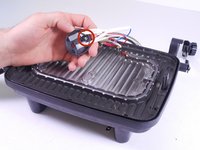
    • Gently pull off the translucent bulb covers

    crwdns2952109:0crwdne2952109:0

    crwdns2917038:0crwdne2917038:0

  10. Hamilton Beach 25460Z LED Replacement: crwdns2935265:010crwdnd2935265:01crwdnd2935265:03crwdne2935265:0 Hamilton Beach 25460Z LED Replacement: crwdns2935265:010crwdnd2935265:02crwdnd2935265:03crwdne2935265:0 Hamilton Beach 25460Z LED Replacement: crwdns2935265:010crwdnd2935265:03crwdnd2935265:03crwdne2935265:0
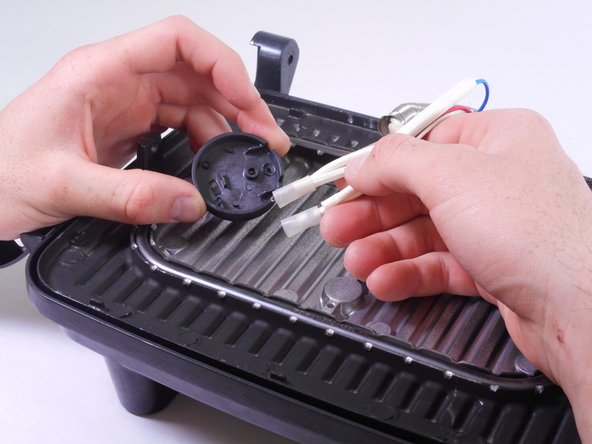
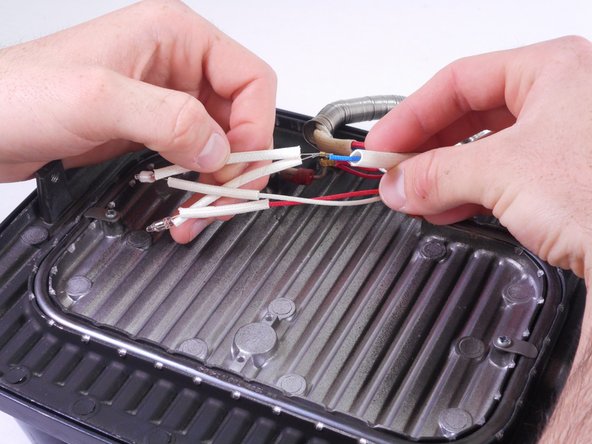
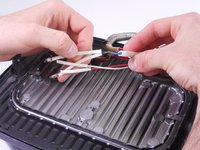
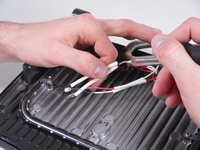
    • Very gently, slide the white wiring covers down to expose the wiring connectors

    crwdns2952109:0crwdne2952109:0

    crwdns2917038:0crwdne2917038:0

  11. Hamilton Beach 25460Z LED Replacement: crwdns2935265:011crwdnd2935265:01crwdnd2935265:01crwdne2935265:0
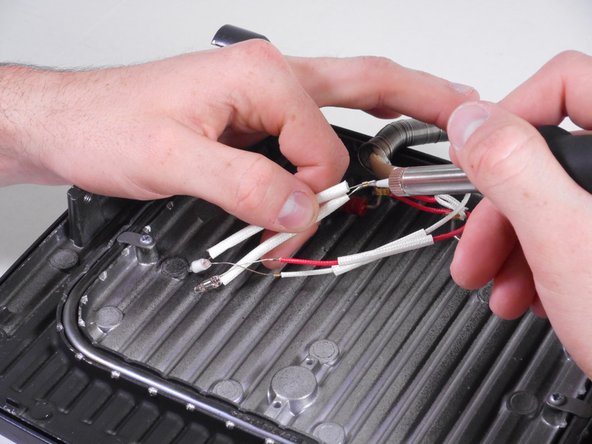
    • Refer to this page to brush up on your soldering skills.

    • The LED can now be removed by desoldering the connector at each wiring junction.

    • The red LED connects to the red wire (positive) and the blue wire (negative, marked in yellow.)

    • The green LED connects to the white wire (Positive) and the blue wire (negative, marked in yellow.)

    crwdns2952109:0crwdne2952109:0

    crwdns2917038:0crwdne2917038:0

crwdns2915888:0crwdne2915888:0

To reassemble your device, follow these instructions in reverse order.

crwdns2935221:0crwdne2935221:0

Katie Howes

crwdns2935283:002/01/15crwdne2935283:0

288 crwdns2915208:0crwdne2915208:0

crwdns2935297:02crwdne2935297:0

crwdns2935287:0crwdne2935287:0

Cal Poly, Team 6-27, Amido Winter 2015 crwdns2935289:0Cal Poly, Team 6-27, Amido Winter 2015crwdne2935289:0

CPSU-AMIDO-W15S6G27

crwdns2931471:04crwdne2931471:0

crwdns2935297:06crwdne2935297:0

crwdns2947412:00crwdne2947412:0

crwdns2917038:0crwdne2917038:0

crwdns2936625:0crwdne2936625:0:

crwdns2936751:024crwdne2936751:0 1

crwdns2936753:07crwdne2936753:0 7

crwdns2936753:030crwdne2936753:0 47

crwdns2942667:0crwdne2942667:0 1,228