crwdns2933423:0crwdne2933423:0
crwdns2947577:0crwdnd2947577:0crwdne2947577:0

HTC Wizard 200 Front Buttons Replacement

crwdns2942213:0crwdne2942213:0

    1. HTC Wizard 200 Front Buttons Replacement, Battery: crwdns2935265:01crwdnd2935265:01crwdnd2935265:02crwdne2935265:0 HTC Wizard 200 Front Buttons Replacement, Battery: crwdns2935265:01crwdnd2935265:02crwdnd2935265:02crwdne2935265:0
      • To expose the battery, remove the outer case with your fingernail.

      • Remove the battery by pulling the black tab.

      crwdns2952109:0crwdne2952109:0

      crwdns2917038:0crwdne2917038:0

    1. HTC Wizard 200 Front Buttons Replacement, Back Panel: crwdns2935265:02crwdnd2935265:01crwdnd2935265:01crwdne2935265:0
      crwdns2935267:0crwdne2935267:0
      Spudger
      $3.99
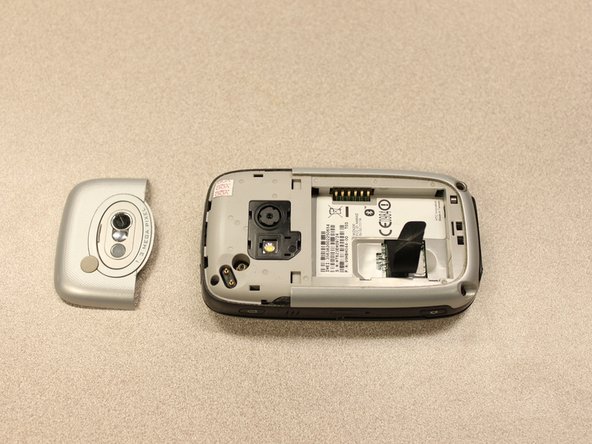
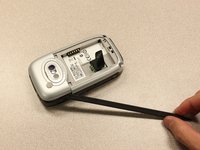
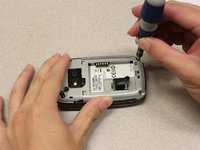
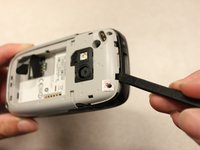
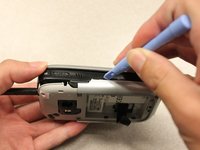
      • Insert the flat end of the spudger into the two notches on the back of the camera cover and pry them up.

      crwdns2952109:0crwdne2952109:0

      crwdns2917038:0crwdne2917038:0

    2. HTC Wizard 200 Front Buttons Replacement: crwdns2935265:03crwdnd2935265:01crwdnd2935265:02crwdne2935265:0 HTC Wizard 200 Front Buttons Replacement: crwdns2935265:03crwdnd2935265:02crwdnd2935265:02crwdne2935265:0
      crwdns2935267:0crwdne2935267:0
      Spudger
      $3.99
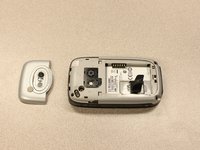
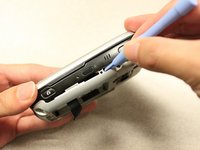
      • Work the spudger around the edges of the camera cover until it comes off.

      crwdns2952109:0crwdne2952109:0

      crwdns2917038:0crwdne2917038:0

    3. HTC Wizard 200 Front Buttons Replacement: crwdns2935265:04crwdnd2935265:01crwdnd2935265:02crwdne2935265:0 HTC Wizard 200 Front Buttons Replacement: crwdns2935265:04crwdnd2935265:02crwdnd2935265:02crwdne2935265:0
      crwdns2935267:0crwdne2935267:0
      T5 Torx Screwdriver
      $5.49
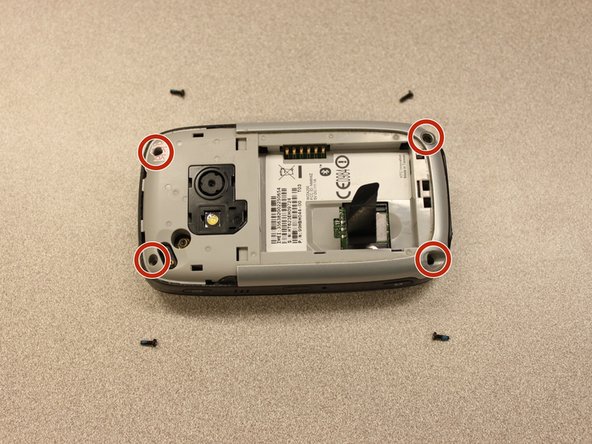
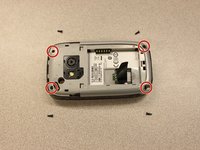
      • Remove the four 6 mm screws with the T5 Torx screwdriver.

      • One of the screws is under the "void" sticker.

      crwdns2952109:0crwdne2952109:0

      crwdns2917038:0crwdne2917038:0

    4. HTC Wizard 200 Front Buttons Replacement: crwdns2935265:05crwdnd2935265:01crwdnd2935265:03crwdne2935265:0 HTC Wizard 200 Front Buttons Replacement: crwdns2935265:05crwdnd2935265:02crwdnd2935265:03crwdne2935265:0 HTC Wizard 200 Front Buttons Replacement: crwdns2935265:05crwdnd2935265:03crwdnd2935265:03crwdne2935265:0
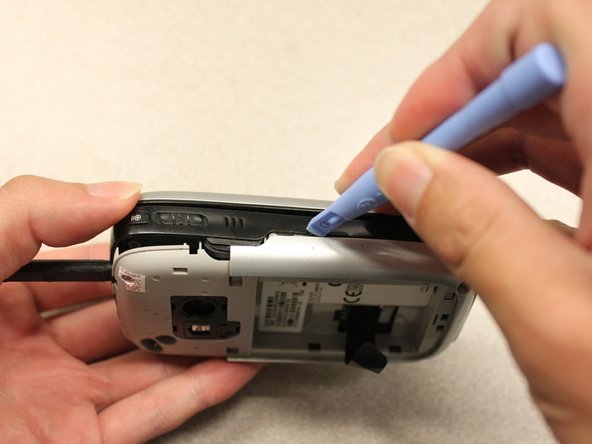
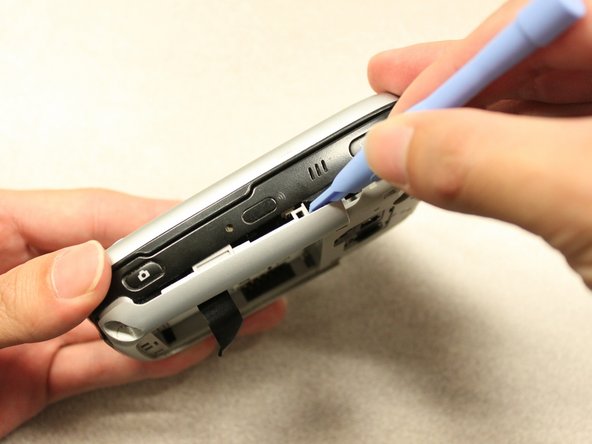
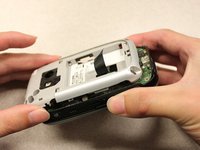
      • Insert the flat end of an iFixit opening tool between the side and inner covers to create a gap.

      • Work the tool around the edges until all the clips release.

      crwdns2952109:0crwdne2952109:0

      crwdns2917038:0crwdne2917038:0

    5. HTC Wizard 200 Front Buttons Replacement: crwdns2935265:06crwdnd2935265:01crwdnd2935265:02crwdne2935265:0 HTC Wizard 200 Front Buttons Replacement: crwdns2935265:06crwdnd2935265:02crwdnd2935265:02crwdne2935265:0
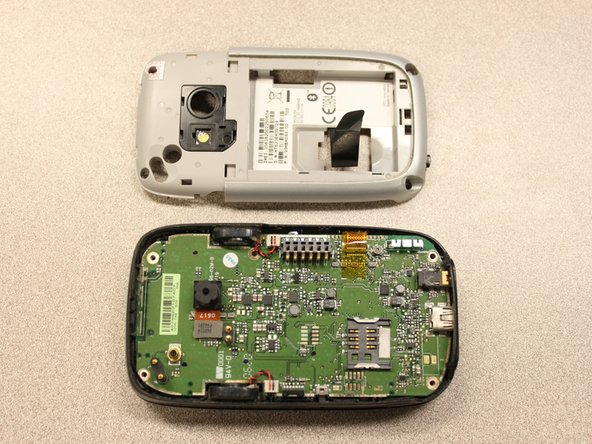
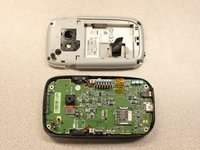
      • Once all the clips are open, remove the inner panel from the phone.

      crwdns2952109:0crwdne2952109:0

      crwdns2917038:0crwdne2917038:0

    1. HTC Wizard 200 Front Buttons Replacement, Motherboard: crwdns2935265:07crwdnd2935265:01crwdnd2935265:01crwdne2935265:0
      crwdns2935267:0crwdne2935267:0
      Spudger
      $3.99
      • Use the spudger to pry the camera off.

      crwdns2952109:0crwdne2952109:0

      crwdns2917038:0crwdne2917038:0

    2. HTC Wizard 200 Front Buttons Replacement: crwdns2935265:08crwdnd2935265:01crwdnd2935265:02crwdne2935265:0 HTC Wizard 200 Front Buttons Replacement: crwdns2935265:08crwdnd2935265:02crwdnd2935265:02crwdne2935265:0
      crwdns2935267:0crwdne2935267:0
      Tweezers
      $4.99
      • Using tweezers, flip the connector latch away from the motherboard.

      • Detach the flexible connection from under the connector latch.

      crwdns2952109:0crwdne2952109:0

      crwdns2917038:0crwdne2917038:0

    3. HTC Wizard 200 Front Buttons Replacement: crwdns2935265:09crwdnd2935265:01crwdnd2935265:01crwdne2935265:0
      • Slide the keyboard into the open position.

      crwdns2952109:0crwdne2952109:0

      crwdns2917038:0crwdne2917038:0

    4. HTC Wizard 200 Front Buttons Replacement: crwdns2935265:010crwdnd2935265:01crwdnd2935265:02crwdne2935265:0 HTC Wizard 200 Front Buttons Replacement: crwdns2935265:010crwdnd2935265:02crwdnd2935265:02crwdne2935265:0
      crwdns2935267:0crwdne2935267:0
      Spudger
      $3.99
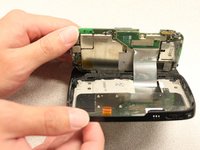
      • Lift the motherboard out of the case using the spudger.

      • Expose the underside of the motherboard using your hands.

      crwdns2952109:0crwdne2952109:0

      crwdns2917038:0crwdne2917038:0

    5. HTC Wizard 200 Front Buttons Replacement: crwdns2935265:011crwdnd2935265:01crwdnd2935265:02crwdne2935265:0 HTC Wizard 200 Front Buttons Replacement: crwdns2935265:011crwdnd2935265:02crwdnd2935265:02crwdne2935265:0
      • Remove the flexible connection from the motherboard.

      • Caution: Removing the connection too fast may cause damage to the connection and cables.

      crwdns2952109:0crwdne2952109:0

      crwdns2917038:0crwdne2917038:0

    1. HTC Wizard 200 Front Buttons Replacement, Keyboard Slider: crwdns2935265:012crwdnd2935265:01crwdnd2935265:03crwdne2935265:0 HTC Wizard 200 Front Buttons Replacement, Keyboard Slider: crwdns2935265:012crwdnd2935265:02crwdnd2935265:03crwdne2935265:0 HTC Wizard 200 Front Buttons Replacement, Keyboard Slider: crwdns2935265:012crwdnd2935265:03crwdnd2935265:03crwdne2935265:0
      crwdns2935267:0crwdne2935267:0
      T5 Torx Screwdriver
      $5.49
      • Remove the four 5mm screws with the T5 Torx screwdriver.

      • Remove the keyboard slider from the main body.

      crwdns2952109:0crwdne2952109:0

      crwdns2917038:0crwdne2917038:0

    1. HTC Wizard 200 Front Buttons Replacement, Screen Cover: crwdns2935265:013crwdnd2935265:01crwdnd2935265:02crwdne2935265:0 HTC Wizard 200 Front Buttons Replacement, Screen Cover: crwdns2935265:013crwdnd2935265:02crwdnd2935265:02crwdne2935265:0
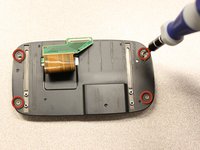
      • Use the T5 Torx screwdriver to remove four 5mm screws that secure the back of the screen casing.

      crwdns2952109:0crwdne2952109:0

      crwdns2917038:0crwdne2917038:0

    2. HTC Wizard 200 Front Buttons Replacement: crwdns2935265:014crwdnd2935265:01crwdnd2935265:02crwdne2935265:0 HTC Wizard 200 Front Buttons Replacement: crwdns2935265:014crwdnd2935265:02crwdnd2935265:02crwdne2935265:0
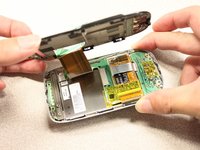
      • Insert the plastic opening tool between the front panel and the rear panel and pry open to reach the screen.

      crwdns2952109:0crwdne2952109:0

      crwdns2917038:0crwdne2917038:0

    3. HTC Wizard 200 Front Buttons Replacement: crwdns2935265:015crwdnd2935265:01crwdnd2935265:02crwdne2935265:0 HTC Wizard 200 Front Buttons Replacement: crwdns2935265:015crwdnd2935265:02crwdnd2935265:02crwdne2935265:0
      • Once the rear panel is loose, lift it off of the front panel.

      • The flexible connection will pop loose.

      crwdns2952109:0crwdne2952109:0

      crwdns2917038:0crwdne2917038:0

    4. HTC Wizard 200 Front Buttons Replacement: crwdns2935265:016crwdnd2935265:01crwdnd2935265:01crwdne2935265:0
      • Device rotated 90 degrees CCW.

      • Remove the yellow anti-static tape.

      crwdns2952109:0crwdne2952109:0

      crwdns2917038:0crwdne2917038:0

    5. HTC Wizard 200 Front Buttons Replacement: crwdns2935265:017crwdnd2935265:01crwdnd2935265:02crwdne2935265:0 HTC Wizard 200 Front Buttons Replacement: crwdns2935265:017crwdnd2935265:02crwdnd2935265:02crwdne2935265:0
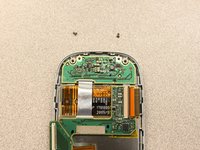
      • Unscrew the two 3mm phillips #0 screws from the bottom of the device that secure the rigid flex board to the screen panel.

      crwdns2952109:0crwdne2952109:0

      crwdns2917038:0crwdne2917038:0

    6. HTC Wizard 200 Front Buttons Replacement: crwdns2935265:018crwdnd2935265:01crwdnd2935265:01crwdne2935265:0
      • Device rotated 180 degrees CW.

      • Unscrew the two 3mm Phillips #0 screws from the top of the device that secure the rigid flex board to the screen panel.

      crwdns2952109:0crwdne2952109:0

      crwdns2917038:0crwdne2917038:0

    7. HTC Wizard 200 Front Buttons Replacement: crwdns2935265:019crwdnd2935265:01crwdnd2935265:01crwdne2935265:0
      • Device rotated 90 degrees CCW.

      • Unhinge the flexible connection and use the tweezers to disconnect.

      crwdns2952109:0crwdne2952109:0

      crwdns2917038:0crwdne2917038:0

    8. HTC Wizard 200 Front Buttons Replacement: crwdns2935265:020crwdnd2935265:01crwdnd2935265:01crwdne2935265:0
      • Now that the rigid flex board is loose, remove it from the screen.

      crwdns2952109:0crwdne2952109:0

      crwdns2917038:0crwdne2917038:0

    1. HTC Wizard 200 Front Buttons Replacement, LCD Screen: crwdns2935265:021crwdnd2935265:01crwdnd2935265:02crwdne2935265:0 HTC Wizard 200 Front Buttons Replacement, LCD Screen: crwdns2935265:021crwdnd2935265:02crwdnd2935265:02crwdne2935265:0
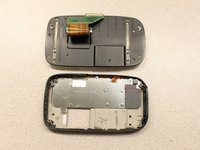
      • Simply pull out the loose screen.

      crwdns2952109:0crwdne2952109:0

      crwdns2917038:0crwdne2917038:0

    1. HTC Wizard 200 Front Buttons Replacement, Front Buttons: crwdns2935265:022crwdnd2935265:01crwdnd2935265:02crwdne2935265:0 HTC Wizard 200 Front Buttons Replacement, Front Buttons: crwdns2935265:022crwdnd2935265:02crwdnd2935265:02crwdne2935265:0
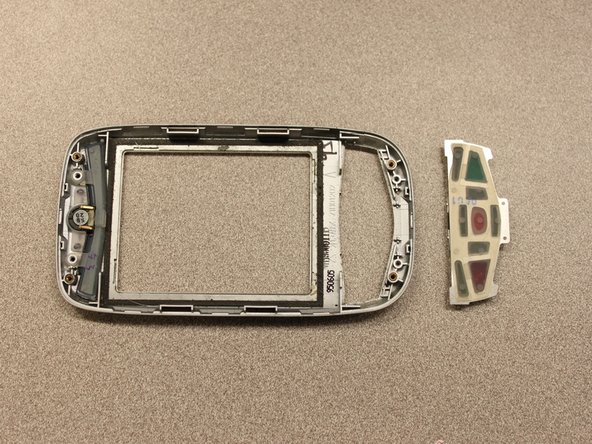
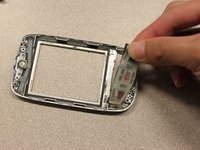
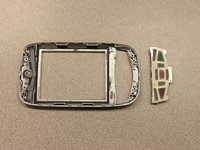
      • Pull out the front button panel.

      crwdns2952109:0crwdne2952109:0

      crwdns2917038:0crwdne2917038:0

crwdns2915888:0crwdne2915888:0

To reassemble your device, follow these instructions in reverse order.

crwdns2935221:0crwdne2935221:0

Kyle Champ

crwdns2935283:010/03/11crwdne2935283:0

225 crwdns2915208:0crwdne2915208:0

crwdns2935297:012crwdne2935297:0

crwdns2935287:0crwdne2935287:0

Cal Poly, Team 20-27, Maness Fall 2011 crwdns2935289:0Cal Poly, Team 20-27, Maness Fall 2011crwdne2935289:0

CPSU-MANESS-F11S20G27

crwdns2931471:04crwdne2931471:0

crwdns2935297:0144crwdne2935297:0

crwdns2947412:00crwdne2947412:0

crwdns2917038:0crwdne2917038:0

crwdns2936625:0crwdne2936625:0:

crwdns2936751:024crwdne2936751:0 1

crwdns2936753:07crwdne2936753:0 3

crwdns2936753:030crwdne2936753:0 17

crwdns2942667:0crwdne2942667:0 905