crwdns2933423:0crwdne2933423:0
crwdns2947577:0crwdnd2947577:0crwdne2947577:0

HTC Wizard 100 Camera Replacement

crwdns2869540:0crwdne2869540:0: 1234

crwdns2959988:0crwdne2959988:0

crwdns2959990:0crwdne2959990:0
3
crwdns2959992:0crwdne2959992:0
22
crwdns2959994:0crwdne2959994:0
100
crwdns2959996:0crwdne2959996:0
1,234
crwdns2955950:0crwdne2955950:0: 0

crwdns2959998:0crwdne2959998:0

crwdns2960000:0crwdne2960000:0
crwdns2959984:0crwdne2959984:0: 0

crwdns2959956:0crwdne2959956:0

crwdns2959986:0crwdne2959986:0: 0

crwdns2959958:0crwdne2959958:0

crwdns2955944:0crwdne2955944:0: 10 - 15 crwdns2931279:0crwdne2931279:0
crwdns2955970:0crwdne2955970:0: crwdns2937801:0crwdne2937801:0
HTC Wizard 100 Camera Replacement

crwdns2915892:0crwdne2915892:0

crwdns2959928:0crwdne2959928:0 ↓

By removing the back plate and disconnecting the bus for the camera, replacing it isn't difficult.

crwdns2959930:0crwdne2959930:0

crwdns2943215:0crwdne2943215:0

    1. HTC Wizard 100 Camera Replacement, Battery: crwdns2935265:01crwdnd2935265:01crwdnd2935265:02crwdne2935265:0 HTC Wizard 100 Camera Replacement, Battery: crwdns2935265:01crwdnd2935265:02crwdnd2935265:02crwdne2935265:0
      • Power the phone off.

      • Use your thumb to gently press downward and away from the camera to remove the battery cover.

      crwdns2952109:0crwdne2952109:0

      crwdns2917038:0crwdne2917038:0

    2. HTC Wizard 100 Camera Replacement: crwdns2935265:02crwdnd2935265:01crwdnd2935265:02crwdne2935265:0 HTC Wizard 100 Camera Replacement: crwdns2935265:02crwdnd2935265:02crwdnd2935265:02crwdne2935265:0
      • Pull on the plastic tab to release the battery.

      crwdns2952109:0crwdne2952109:0

      crwdns2917038:0crwdne2917038:0

    1. HTC Wizard 100 Camera Replacement, Back Case: crwdns2935265:03crwdnd2935265:01crwdnd2935265:02crwdne2935265:0 HTC Wizard 100 Camera Replacement, Back Case: crwdns2935265:03crwdnd2935265:02crwdnd2935265:02crwdne2935265:0
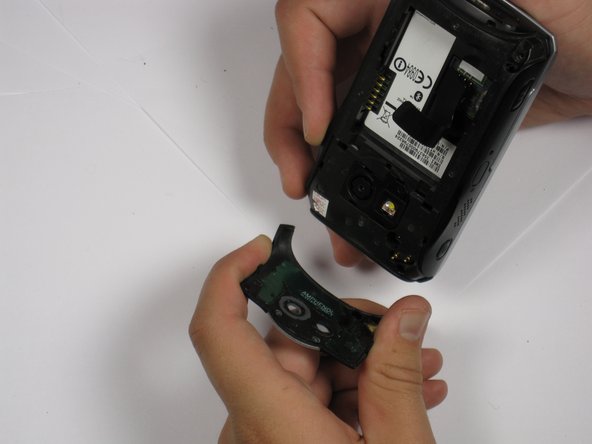
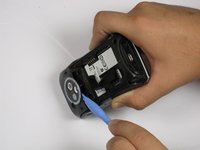
      • Use a plastic opening tool to remove the camera cover.

      • Work around the corners to avoid breaking the plastic clips that hold the camera cover on.

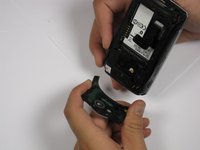
      • Lift the camera cover off of the phone.

      crwdns2952109:0crwdne2952109:0

      crwdns2917038:0crwdne2917038:0

    2. HTC Wizard 100 Camera Replacement: crwdns2935265:04crwdnd2935265:01crwdnd2935265:01crwdne2935265:0
      • Remove the stylus from the phone.

      • Remove the four 5.5 mm screws with the T6 Torx Screwdriver.

      • One of the screws might be under a sticker, which will void your warranty.

      crwdns2952109:0crwdne2952109:0

      crwdns2917038:0crwdne2917038:0

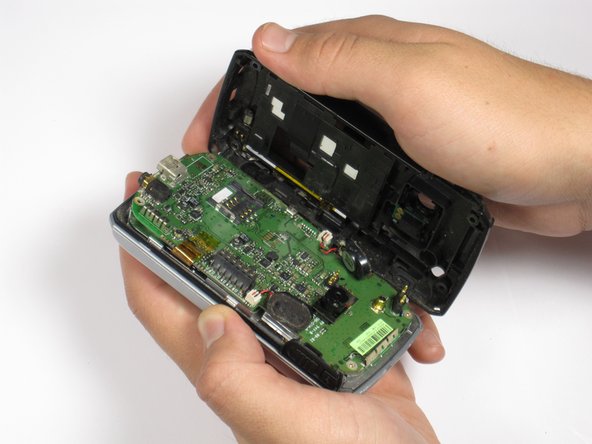
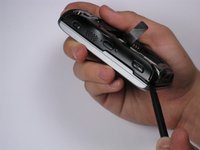
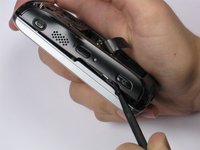
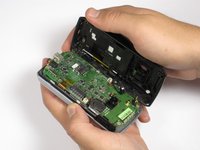
    3. HTC Wizard 100 Camera Replacement: crwdns2935265:05crwdnd2935265:01crwdnd2935265:03crwdne2935265:0 HTC Wizard 100 Camera Replacement: crwdns2935265:05crwdnd2935265:02crwdnd2935265:03crwdne2935265:0 HTC Wizard 100 Camera Replacement: crwdns2935265:05crwdnd2935265:03crwdnd2935265:03crwdne2935265:0
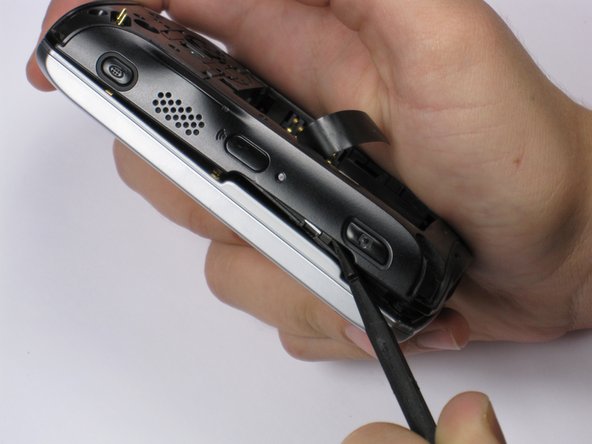
      • Be Careful! Do not insert the spudger in between the keyboard and screen. This could break the keyboard off the phone.

      • If your phone contains a memory card, you may want to remove it before proceeding with this step.

      • Insert spudger in the bottom corner as seen in the picture. Carefully slide the spudger from the bottom towards the top as seen in the second picture.

      • Lift the back case off completely.

      • The speakers might be dangling and unsecured.

      crwdns2952109:0crwdne2952109:0

      crwdns2917038:0crwdne2917038:0

    1. HTC Wizard 100 Camera Replacement, Camera: crwdns2935265:06crwdnd2935265:01crwdnd2935265:01crwdne2935265:0
      • Locate the camera and pry off with the plastic opening tool or spudger.

      crwdns2952109:0crwdne2952109:0

      crwdns2917038:0crwdne2917038:0

crwdns2915888:0crwdne2915888:0

To reassemble your device, follow these instructions in reverse order.

crwdns2935221:0crwdne2935221:0

Kevin Gingrich

crwdns2935283:010/06/11crwdne2935283:0

180 crwdns2915208:0crwdne2915208:0

crwdns2935297:02crwdne2935297:0

crwdns2935287:0crwdne2935287:0

Cal Poly, Team 20-28, Maness Fall 2011 crwdns2935289:0Cal Poly, Team 20-28, Maness Fall 2011crwdne2935289:0

CPSU-MANESS-F11S20G28

crwdns2931471:04crwdne2931471:0

crwdns2935297:084crwdne2935297:0

crwdns2947412:00crwdne2947412:0

crwdns2917038:0crwdne2917038:0

crwdns2936625:0crwdne2936625:0:

crwdns2936751:024crwdne2936751:0 3

crwdns2936753:07crwdne2936753:0 22

crwdns2936753:030crwdne2936753:0 100

crwdns2959996:0crwdne2959996:0 1,234