crwdns2915892:0crwdne2915892:0
Use this guide to replace the All-In-One Cable in your HTC Vive Pro 2 headset.
Some photos in this guide are from a different model and may contain slight visual discrepancies, but they won't affect the procedure.
crwdns2942213:0crwdne2942213:0
-
-
-
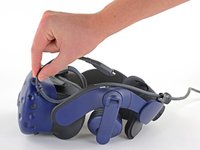
Rotate the head strap forward as far as it will go.
 crwdns2952109:0crwdne2952109:0
-
-
-
-
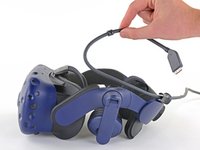
Unplug the All-In-One Cable from your headset.
-
-
-
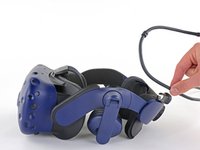
Remove the All-In-One Cable from the cable guides along the left side of the head strap.
-
-


To reassemble your device, follow the above steps in reverse order.
Repair didn’t go as planned? Try some basic troubleshooting, or ask our Answers community for help.

crwdns2935287:0crwdne2935287:0

Guide Team crwdns2935289:0Guide Teamcrwdne2935289:0
Staff
crwdns2931471:010crwdne2931471:0
crwdns2935297:061.630crwdne2935297:0
