crwdns2933423:0crwdne2933423:0
crwdns2947577:0crwdnd2947577:0crwdne2947577:0

HTC One V Loudspeaker Replacement

crwdns2869540:0crwdne2869540:0: 1K

crwdns2959988:0crwdne2959988:0

crwdns2959990:0crwdne2959990:0
2
crwdns2959992:0crwdne2959992:0
20
crwdns2959994:0crwdne2959994:0
83
crwdns2959996:0crwdne2959996:0
1,001
crwdns2955950:0crwdne2955950:0: 0

crwdns2959998:0crwdne2959998:0

crwdns2960000:0crwdne2960000:0
crwdns2959984:0crwdne2959984:0: 0

crwdns2959956:0crwdne2959956:0

crwdns2959986:0crwdne2959986:0: 0

crwdns2959958:0crwdne2959958:0

crwdns2955944:0crwdne2955944:0: crwdns2931287:015crwdne2931287:0
crwdns2955970:0crwdne2955970:0: crwdns2937799:0crwdne2937799:0
HTC One V Loudspeaker Replacement

crwdns2915892:0crwdne2915892:0

crwdns2959928:0crwdne2959928:0 ↓

If your speaker sounds distorted or muffled, or completely does not work, a broken loudspeaker might be the problem. A new one can be installed using this guide.

crwdns2959930:0crwdne2959930:0

crwdns2943213:0crwdne2943213:0

crwdns2943215:0crwdne2943215:0

    1. HTC One V Loudspeaker Replacement, Disassembling HTC ONE V Bottom Assembly: crwdns2935265:01crwdnd2935265:01crwdnd2935265:03crwdne2935265:0 HTC One V Loudspeaker Replacement, Disassembling HTC ONE V Bottom Assembly: crwdns2935265:01crwdnd2935265:02crwdnd2935265:03crwdne2935265:0 HTC One V Loudspeaker Replacement, Disassembling HTC ONE V Bottom Assembly: crwdns2935265:01crwdnd2935265:03crwdnd2935265:03crwdne2935265:0
      • Power off your device.

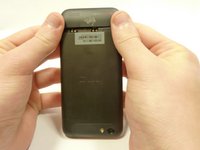
      • Remove the bottom cover by sliding it off.

      crwdns2952109:0crwdne2952109:0

      crwdns2917038:0crwdne2917038:0

    2. HTC One V Loudspeaker Replacement: crwdns2935265:02crwdnd2935265:01crwdnd2935265:01crwdne2935265:0
      • Remove the SIM card.

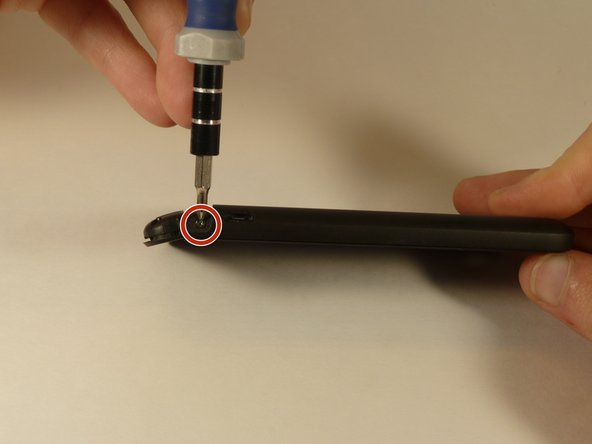
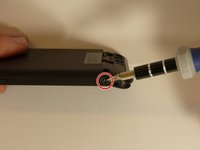
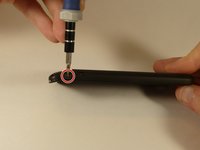
      • Remove the four screws securing the bottom casing.

      • Two 3.0 mm Phillips #0 screws in the top left and right corners.

      • Two 2.0 mm Phillips #0 screws in the bottom left and right corners.

      crwdns2952109:0crwdne2952109:0

      crwdns2917038:0crwdne2917038:0

    3. HTC One V Loudspeaker Replacement: crwdns2935265:03crwdnd2935265:01crwdnd2935265:02crwdne2935265:0 HTC One V Loudspeaker Replacement: crwdns2935265:03crwdnd2935265:02crwdnd2935265:02crwdne2935265:0
      • Remove the 2.0 mm Phillips #0 screws on either side of the phone.

      crwdns2952109:0crwdne2952109:0

      crwdns2917038:0crwdne2917038:0

    4. HTC One V Loudspeaker Replacement: crwdns2935265:04crwdnd2935265:01crwdnd2935265:03crwdne2935265:0 HTC One V Loudspeaker Replacement: crwdns2935265:04crwdnd2935265:02crwdnd2935265:03crwdne2935265:0 HTC One V Loudspeaker Replacement: crwdns2935265:04crwdnd2935265:03crwdnd2935265:03crwdne2935265:0
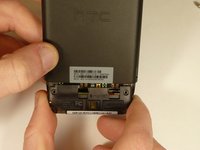
      • Use a plastic opening tool to pry open the bottom casing.

      • Remove the bottom casing by pulling it towards you.

      crwdns2952109:0crwdne2952109:0

      crwdns2917038:0crwdne2917038:0

    1. HTC One V Loudspeaker Replacement, Loudspeaker: crwdns2935265:05crwdnd2935265:01crwdnd2935265:02crwdne2935265:0 HTC One V Loudspeaker Replacement, Loudspeaker: crwdns2935265:05crwdnd2935265:02crwdnd2935265:02crwdne2935265:0
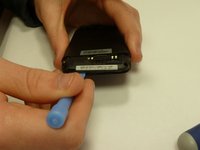
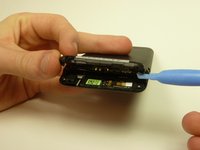
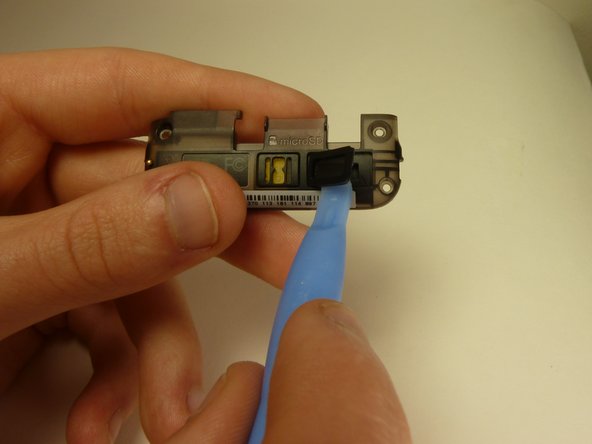
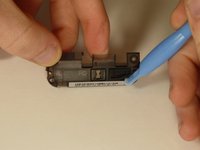
      • Using a plastic opening tool, peel off the speaker cover.

      crwdns2952109:0crwdne2952109:0

      crwdns2917038:0crwdne2917038:0

    2. HTC One V Loudspeaker Replacement: crwdns2935265:06crwdnd2935265:01crwdnd2935265:01crwdne2935265:0
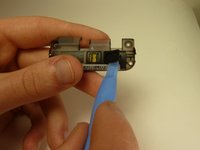
      • Use the spudger to push the speaker out of its casing.

      crwdns2952109:0crwdne2952109:0

      crwdns2917038:0crwdne2917038:0

crwdns2915888:0crwdne2915888:0

To reassemble your device, follow these instructions in reverse order.

crwdns2935221:0crwdne2935221:0

crwdns2862417:0crwdne2862417:0

crwdns2935293:0crwdne2935293:0

abebe alemu

crwdns2935283:001/20/15crwdne2935283:0

101 crwdns2915208:0crwdne2915208:0

crwdns2935295:0crwdne2935295:0

crwdns2935287:0crwdne2935287:0

USF Tampa, Team 1-3, Blackwell Winter 2015 crwdns2935289:0USF Tampa, Team 1-3, Blackwell Winter 2015crwdne2935289:0

USFT-BLACKWELL-W15S1G3

crwdns2931471:04crwdne2931471:0

crwdns2935297:096crwdne2935297:0

crwdns2947412:00crwdne2947412:0

crwdns2917038:0crwdne2917038:0

crwdns2936625:0crwdne2936625:0:

crwdns2936751:024crwdne2936751:0 2

crwdns2936753:07crwdne2936753:0 20

crwdns2936753:030crwdne2936753:0 83

crwdns2959996:0crwdne2959996:0 1,001