crwdns2933423:0crwdne2933423:0
crwdns2947577:0crwdnd2947577:0crwdne2947577:0

HTC One V Camera Replacement

crwdns2942213:0crwdne2942213:0

  1. HTC One V Camera Replacement, Disassembling HTC ONE V Bottom Assembly: crwdns2935265:01crwdnd2935265:01crwdnd2935265:03crwdne2935265:0 HTC One V Camera Replacement, Disassembling HTC ONE V Bottom Assembly: crwdns2935265:01crwdnd2935265:02crwdnd2935265:03crwdne2935265:0 HTC One V Camera Replacement, Disassembling HTC ONE V Bottom Assembly: crwdns2935265:01crwdnd2935265:03crwdnd2935265:03crwdne2935265:0
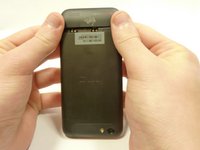
    • Power off your device.

    • Remove the bottom cover by sliding it off.

    crwdns2952109:0crwdne2952109:0
  2. HTC One V Camera Replacement: crwdns2935265:02crwdnd2935265:01crwdnd2935265:01crwdne2935265:0
    • Remove the SIM card.

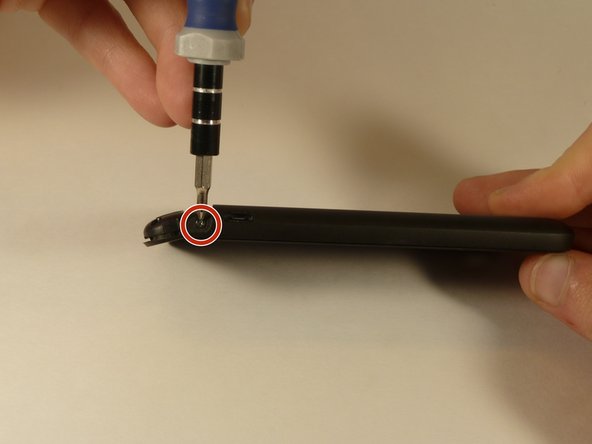
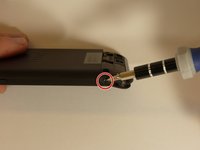
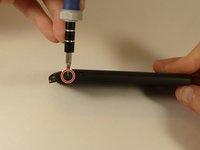
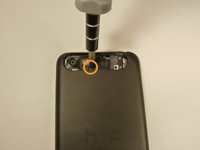
    • Remove the four screws securing the bottom casing.

    • Two 3.0 mm Phillips #0 screws in the top left and right corners.

    • Two 2.0 mm Phillips #0 screws in the bottom left and right corners.

    crwdns2952109:0crwdne2952109:0
  3. HTC One V Camera Replacement: crwdns2935265:03crwdnd2935265:01crwdnd2935265:02crwdne2935265:0 HTC One V Camera Replacement: crwdns2935265:03crwdnd2935265:02crwdnd2935265:02crwdne2935265:0
    • Remove the 2.0 mm Phillips #0 screws on either side of the phone.

    crwdns2952109:0crwdne2952109:0
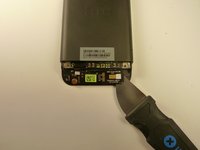
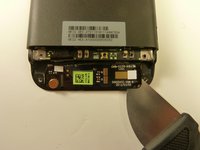
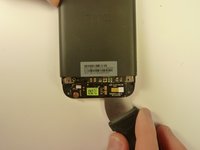
  4. HTC One V Camera Replacement: crwdns2935265:04crwdnd2935265:01crwdnd2935265:03crwdne2935265:0 HTC One V Camera Replacement: crwdns2935265:04crwdnd2935265:02crwdnd2935265:03crwdne2935265:0 HTC One V Camera Replacement: crwdns2935265:04crwdnd2935265:03crwdnd2935265:03crwdne2935265:0
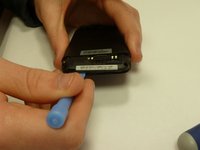
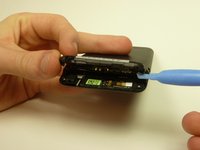
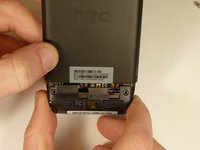
    • Use a plastic opening tool to pry open the bottom casing.

    • Remove the bottom casing by pulling it towards you.

    crwdns2952109:0crwdne2952109:0
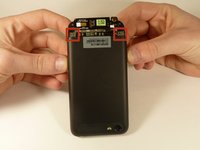
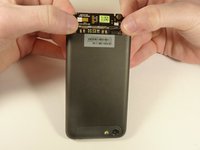
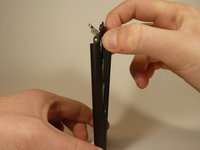
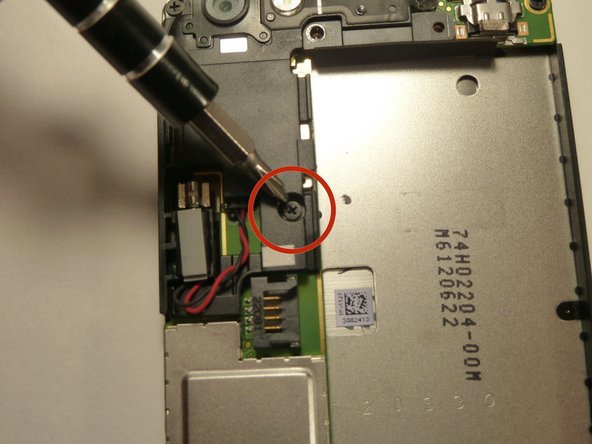
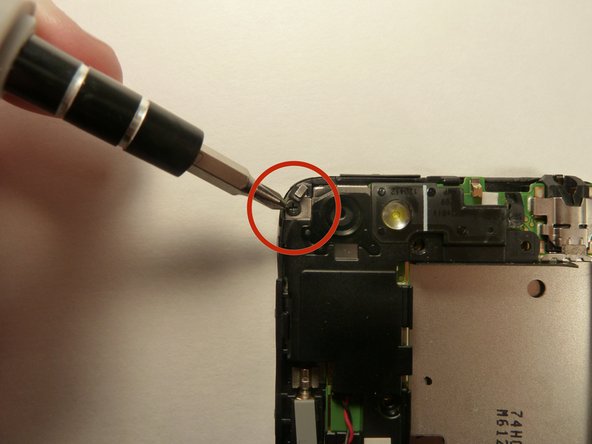
  5. HTC One V Camera Replacement, Disassembling HTC One V Back Case: crwdns2935265:05crwdnd2935265:01crwdnd2935265:03crwdne2935265:0 HTC One V Camera Replacement, Disassembling HTC One V Back Case: crwdns2935265:05crwdnd2935265:02crwdnd2935265:03crwdne2935265:0 HTC One V Camera Replacement, Disassembling HTC One V Back Case: crwdns2935265:05crwdnd2935265:03crwdnd2935265:03crwdne2935265:0
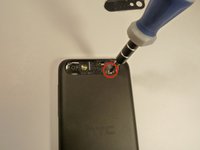
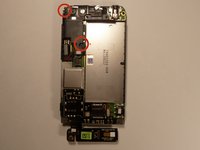
    • Use the plastic opening tool to pry open the rear camera panel.

    • Remove both screws that are securing the back case.

    • One 4.0 mm Phillips #0 screw.

    • One 3.0 mm Phillips #0 screw.

    crwdns2952109:0crwdne2952109:0
  6. HTC One V Camera Replacement: crwdns2935265:06crwdnd2935265:01crwdnd2935265:03crwdne2935265:0 HTC One V Camera Replacement: crwdns2935265:06crwdnd2935265:02crwdnd2935265:03crwdne2935265:0 HTC One V Camera Replacement: crwdns2935265:06crwdnd2935265:03crwdnd2935265:03crwdne2935265:0
    • Use a Jimmy to pry up the OEM SIM and SD card reader contact.

    • Pry from right to left to avoid potential damages to the ribbon.

    crwdns2952109:0crwdne2952109:0
  7. HTC One V Camera Replacement: crwdns2935265:07crwdnd2935265:01crwdnd2935265:03crwdne2935265:0 HTC One V Camera Replacement: crwdns2935265:07crwdnd2935265:02crwdnd2935265:03crwdne2935265:0 HTC One V Camera Replacement: crwdns2935265:07crwdnd2935265:03crwdnd2935265:03crwdne2935265:0
    • Using both thumbs, gently push on the two bottom rear corners of the motherboard.

    • Gently and slowly pull the screen out from the front of the phone, while feeding the OEM reader contact through the opening.

    crwdns2952109:0crwdne2952109:0
  8. HTC One V Camera Replacement, Battery: crwdns2935265:08crwdnd2935265:01crwdnd2935265:01crwdne2935265:0
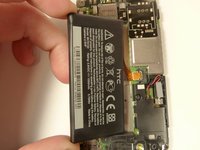
    • Pry up the battery with the flat end of the spudger.

    crwdns2952109:0crwdne2952109:0
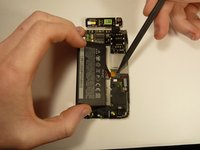
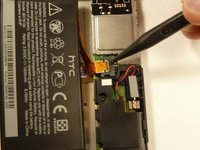
  9. HTC One V Camera Replacement: crwdns2935265:09crwdnd2935265:01crwdnd2935265:03crwdne2935265:0 HTC One V Camera Replacement: crwdns2935265:09crwdnd2935265:02crwdnd2935265:03crwdne2935265:0 HTC One V Camera Replacement: crwdns2935265:09crwdnd2935265:03crwdnd2935265:03crwdne2935265:0
    • Gently lift up the battery away from the edge of its housing.

    • Use the point end of the spudger to push the connection out of its housing.

    crwdns2952109:0crwdne2952109:0
  10. HTC One V Camera Replacement, Camera Lens: crwdns2935265:010crwdnd2935265:01crwdnd2935265:03crwdne2935265:0 HTC One V Camera Replacement, Camera Lens: crwdns2935265:010crwdnd2935265:02crwdnd2935265:03crwdne2935265:0 HTC One V Camera Replacement, Camera Lens: crwdns2935265:010crwdnd2935265:03crwdnd2935265:03crwdne2935265:0
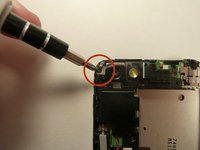
    • Remove the two 3.0 mm Phillips #0 screws, that are securing the camera lens.

    crwdns2952109:0crwdne2952109:0
  11. HTC One V Camera Replacement: crwdns2935265:011crwdnd2935265:01crwdnd2935265:01crwdne2935265:0
    • Pry off the camera lens using a plastic opening tool.

    crwdns2952109:0crwdne2952109:0
  12. HTC One V Camera Replacement, Vibrator: crwdns2935265:012crwdnd2935265:01crwdnd2935265:02crwdne2935265:0 HTC One V Camera Replacement, Vibrator: crwdns2935265:012crwdnd2935265:02crwdnd2935265:02crwdne2935265:0
    crwdns2935267:0crwdne2935267:0
    Tweezers
    $4.99
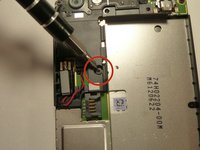
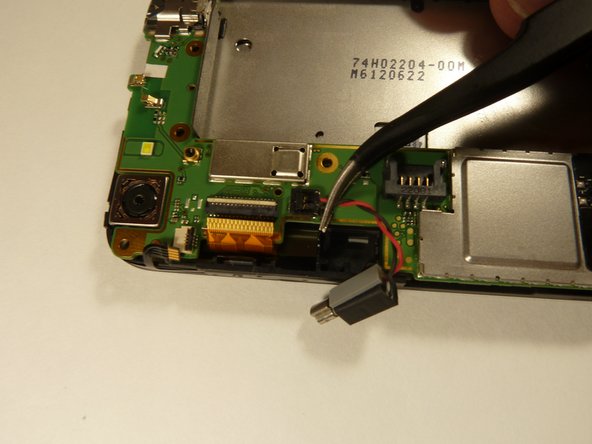
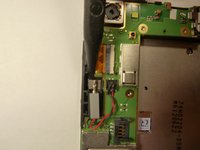
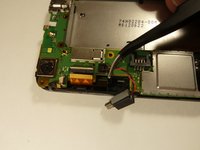
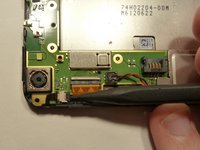
    • Pry the vibrator out of the housing with a spudger.

    • Using the tweezers, pull up on the connecting wires detaching the vibrator from the motherboard.

    crwdns2952109:0crwdne2952109:0
  13. HTC One V Camera Replacement, Motherboard: crwdns2935265:013crwdnd2935265:01crwdnd2935265:03crwdne2935265:0 HTC One V Camera Replacement, Motherboard: crwdns2935265:013crwdnd2935265:02crwdnd2935265:03crwdne2935265:0 HTC One V Camera Replacement, Motherboard: crwdns2935265:013crwdnd2935265:03crwdnd2935265:03crwdne2935265:0
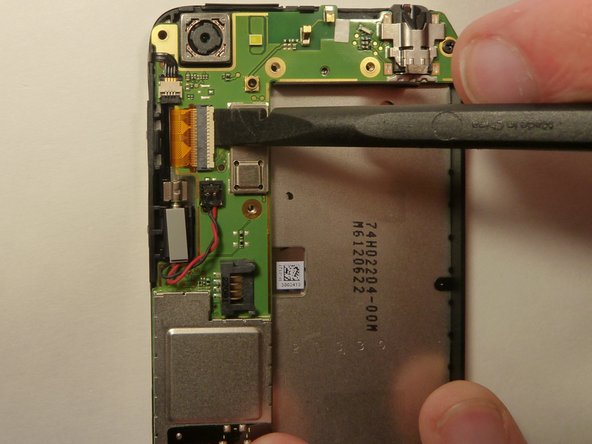
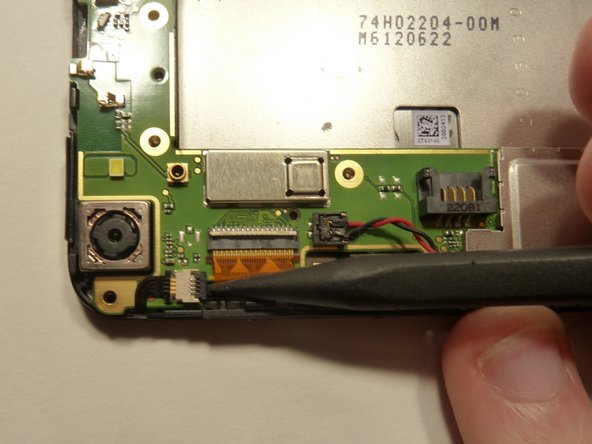
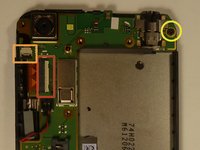
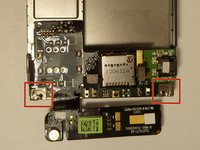
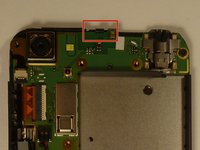
    • Using the spudger lift the tabs on the highlighted, red and orange, ribbon connectors. Gently pull out the ribbons from their connectors.

    • Remove the 3.0 mm Phillips #0 screw.

    crwdns2952109:0crwdne2952109:0
  14. HTC One V Camera Replacement: crwdns2935265:014crwdnd2935265:01crwdnd2935265:03crwdne2935265:0 HTC One V Camera Replacement: crwdns2935265:014crwdnd2935265:02crwdnd2935265:03crwdne2935265:0 HTC One V Camera Replacement: crwdns2935265:014crwdnd2935265:03crwdnd2935265:03crwdne2935265:0
    crwdns2935267:0crwdne2935267:0
    Tweezers
    $4.99
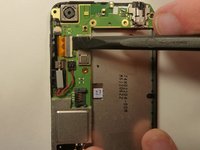
    • Using tweezers, pull back on the tape located on the bottom corners of the motherboard.

    crwdns2952109:0crwdne2952109:0
  15. HTC One V Camera Replacement: crwdns2935265:015crwdnd2935265:01crwdnd2935265:02crwdne2935265:0 HTC One V Camera Replacement: crwdns2935265:015crwdnd2935265:02crwdnd2935265:02crwdne2935265:0
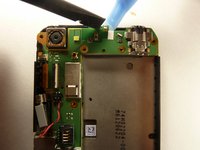
    • Use the spudger to push back the latch holding on the motherboard. While the latch is pushed back use the plastic opening tool to pry up the motherboard.

    crwdns2952109:0crwdne2952109:0
  16. HTC One V Camera Replacement: crwdns2935265:016crwdnd2935265:01crwdnd2935265:01crwdne2935265:0
    • Place your phone on its side so that you can gently pull up on the motherboard to expose its last connector.

    • Using the flat end of the spudger, pop of the connector.

    crwdns2952109:0crwdne2952109:0
  17. HTC One V Camera Replacement, Camera: crwdns2935265:017crwdnd2935265:01crwdnd2935265:02crwdne2935265:0 HTC One V Camera Replacement, Camera: crwdns2935265:017crwdnd2935265:02crwdnd2935265:02crwdne2935265:0
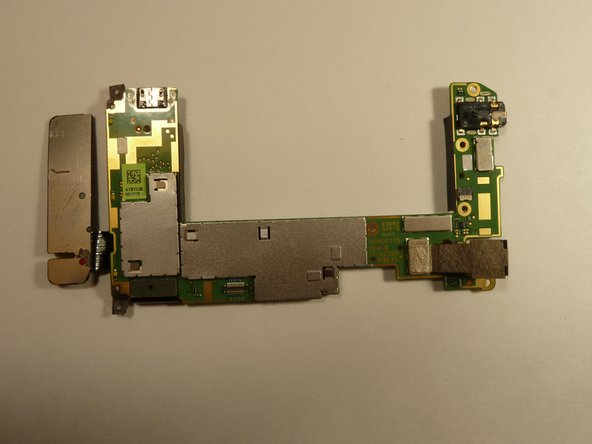
    • Flip motherboard over so the backside is up.

    crwdns2952109:0crwdne2952109:0
  18. HTC One V Camera Replacement: crwdns2935265:018crwdnd2935265:01crwdnd2935265:02crwdne2935265:0 HTC One V Camera Replacement: crwdns2935265:018crwdnd2935265:02crwdnd2935265:02crwdne2935265:0
    crwdns2935267:0crwdne2935267:0
    Tweezers
    $4.99
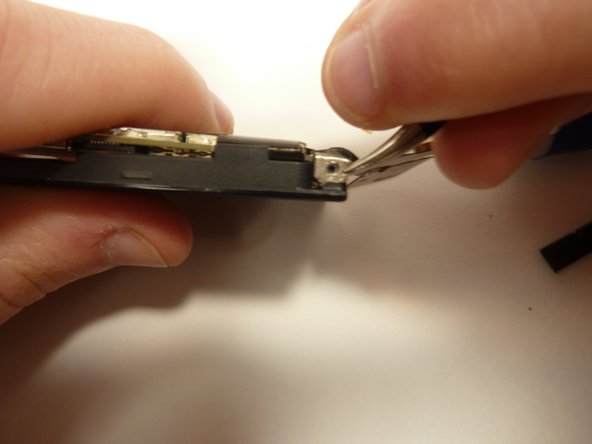
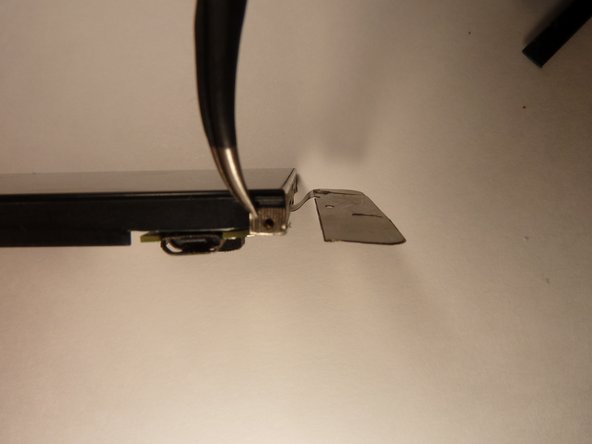
    • Pull the camera back using the tweezers, and hold it.

    • Use the spudger to unlock the camera's ribbon from its connector.

    • Using the tweezers, pull up on the ribbon and release the camera form the motherboard.

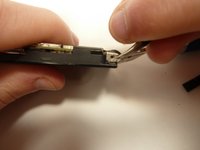
    • The ribbon is connected to the back of the LCD display by tape. Slowly pull the ribbon back and the tape will follow.

    crwdns2952109:0crwdne2952109:0
crwdns2915888:0crwdne2915888:0

To reassemble your device, follow these instructions in reverse order.

crwdns2935229:02crwdne2935229:0

Michael Lucido

crwdns2935283:001/20/15crwdne2935283:0

852 crwdns2915208:0crwdne2915208:0

crwdns2935297:06crwdne2935297:0

crwdns2935287:0crwdne2935287:0

USF Tampa, Team 1-3, Blackwell Winter 2015 crwdns2935289:0USF Tampa, Team 1-3, Blackwell Winter 2015crwdne2935289:0

USFT-BLACKWELL-W15S1G3

crwdns2931471:04crwdne2931471:0

crwdns2935297:016crwdne2935297:0

crwdns2947412:00crwdne2947412:0

crwdns2917038:0crwdne2917038:0

crwdns2936625:0crwdne2936625:0:

crwdns2936751:024crwdne2936751:0 0

crwdns2936753:07crwdne2936753:0 7

crwdns2936753:030crwdne2936753:0 41

crwdns2942667:0crwdne2942667:0 1,210