crwdns2933423:0crwdne2933423:0
crwdns2947577:0crwdnd2947577:0crwdne2947577:0

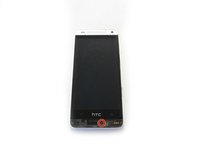
HTC One Mini Rear Case Replacement

crwdns2942213:0crwdne2942213:0

  1. HTC One Mini Rear Case Replacement, iOpener Heating: crwdns2935265:01crwdnd2935265:01crwdnd2935265:01crwdne2935265:0
    • Use an iOpener or hair dryer to apply heat to the lower speaker grille, in order to soften the adhesive underneath.

    crwdns2952109:0crwdne2952109:0
  2. HTC One Mini Rear Case Replacement, Remove Speaker Grills: crwdns2935265:02crwdnd2935265:01crwdnd2935265:01crwdne2935265:0
    • Slide a thin pry tool underneath the lower speaker cover and slide it across to separate the adhesive underneath.

    • Remove the lower speaker cover.

    crwdns2952109:0crwdne2952109:0
  3. HTC One Mini Rear Case Replacement, Remove Screw: crwdns2935265:03crwdnd2935265:01crwdnd2935265:03crwdne2935265:0 HTC One Mini Rear Case Replacement, Remove Screw: crwdns2935265:03crwdnd2935265:02crwdnd2935265:03crwdne2935265:0 HTC One Mini Rear Case Replacement, Remove Screw: crwdns2935265:03crwdnd2935265:03crwdnd2935265:03crwdne2935265:0
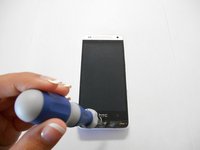
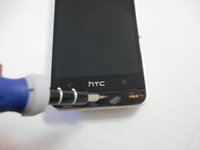
    • Remove the screw under the speaker cover using a T6 Torx screwdriver.

    crwdns2952109:0crwdne2952109:0
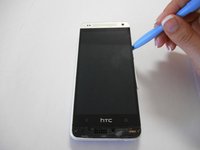
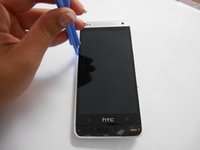
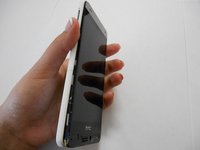
  4. HTC One Mini Rear Case Replacement: crwdns2935265:04crwdnd2935265:01crwdnd2935265:03crwdne2935265:0 HTC One Mini Rear Case Replacement: crwdns2935265:04crwdnd2935265:02crwdnd2935265:03crwdne2935265:0 HTC One Mini Rear Case Replacement: crwdns2935265:04crwdnd2935265:03crwdnd2935265:03crwdne2935265:0
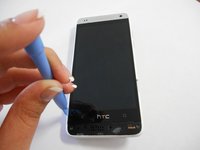
    • Slide a thin guitar pick or pry tool between the edge of the display and the rear case, near the bottom of the phone.

    • Carefully work your way up each side of the display and separate the rear case. There are three clips on each side.

    crwdns2952109:0crwdne2952109:0
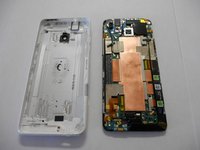
  5. HTC One Mini Rear Case Replacement, Separate Rear Case: crwdns2935265:05crwdnd2935265:01crwdnd2935265:02crwdne2935265:0 HTC One Mini Rear Case Replacement, Separate Rear Case: crwdns2935265:05crwdnd2935265:02crwdnd2935265:02crwdne2935265:0
    • Remove the rear case from the phone.

    crwdns2952109:0crwdne2952109:0
crwdns2915888:0crwdne2915888:0

To reassemble your device, follow these instructions in reverse order.

crwdns2935229:03crwdne2935229:0

Chris Jose

crwdns2935283:009/22/14crwdne2935283:0

735 crwdns2915208:0crwdne2915208:0

crwdns2935297:02crwdne2935297:0

crwdns2935287:0crwdne2935287:0

USF Tampa, Team 3-4, Brown Fall 2014 crwdns2935289:0USF Tampa, Team 3-4, Brown Fall 2014crwdne2935289:0

USFT-BROWN-F14S3G4

crwdns2931471:03crwdne2931471:0

crwdns2935297:010crwdne2935297:0

crwdns2947412:00crwdne2947412:0

crwdns2917038:0crwdne2917038:0

crwdns2936625:0crwdne2936625:0:

crwdns2936751:024crwdne2936751:0 2

crwdns2936753:07crwdne2936753:0 5

crwdns2936753:030crwdne2936753:0 58

crwdns2942667:0crwdne2942667:0 7,149