crwdns2933423:0crwdne2933423:0
crwdns2947577:0crwdnd2947577:0crwdne2947577:0

HP iPAQ HW6515 Flash LED Bulb Replacement

crwdns2942213:0crwdne2942213:0

    1. HP iPAQ HW6515 Flash LED Bulb Replacement, Battery: crwdns2935265:01crwdnd2935265:01crwdnd2935265:03crwdne2935265:0 HP iPAQ HW6515 Flash LED Bulb Replacement, Battery: crwdns2935265:01crwdnd2935265:02crwdnd2935265:03crwdne2935265:0 HP iPAQ HW6515 Flash LED Bulb Replacement, Battery: crwdns2935265:01crwdnd2935265:03crwdnd2935265:03crwdne2935265:0
      • Flip the HP iPAQ HW6515 over with the screen facing down.

      • Take the back cover off by pressing on the small silver button while pulling back then up on the case.

      • Place the back of the case aside for now.

      crwdns2952109:0crwdne2952109:0

      crwdns2917038:0crwdne2917038:0

    2. HP iPAQ HW6515 Flash LED Bulb Replacement: crwdns2935265:02crwdnd2935265:01crwdnd2935265:01crwdne2935265:0
      • Remove the battery by pulling up on the black tab.

      crwdns2952109:0crwdne2952109:0

      crwdns2917038:0crwdne2917038:0

    1. HP iPAQ HW6515 Flash LED Bulb Replacement, Flash LED Bulb: crwdns2935265:03crwdnd2935265:01crwdnd2935265:03crwdne2935265:0 HP iPAQ HW6515 Flash LED Bulb Replacement, Flash LED Bulb: crwdns2935265:03crwdnd2935265:02crwdnd2935265:03crwdne2935265:0 HP iPAQ HW6515 Flash LED Bulb Replacement, Flash LED Bulb: crwdns2935265:03crwdnd2935265:03crwdnd2935265:03crwdne2935265:0
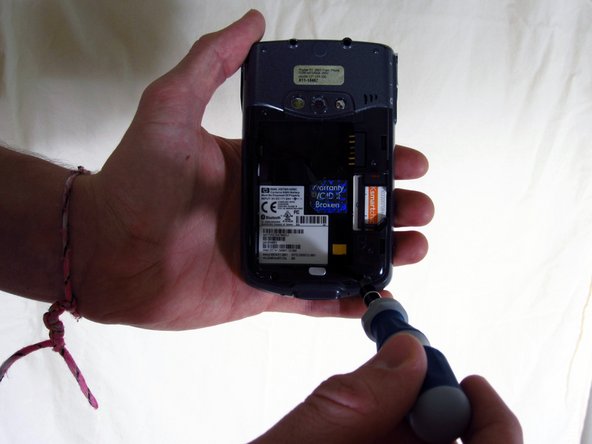
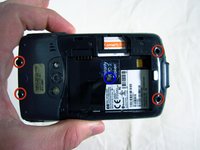
      • Unscrew the four screws using the T6 hexagonal star screwdriver.

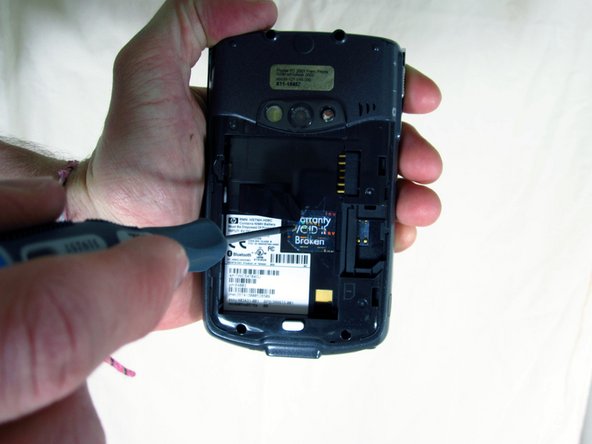
      • Unscrew the middle screw using the Phillips 00 screwdriver.

      • "Warranty VOID if broken" sticker might be covering the middle screw, if this is the case, peel it off to reveal the screw.

      crwdns2952109:0crwdne2952109:0

      crwdns2917038:0crwdne2917038:0

    2. HP iPAQ HW6515 Flash LED Bulb Replacement: crwdns2935265:04crwdnd2935265:01crwdnd2935265:03crwdne2935265:0 HP iPAQ HW6515 Flash LED Bulb Replacement: crwdns2935265:04crwdnd2935265:02crwdnd2935265:03crwdne2935265:0 HP iPAQ HW6515 Flash LED Bulb Replacement: crwdns2935265:04crwdnd2935265:03crwdnd2935265:03crwdne2935265:0
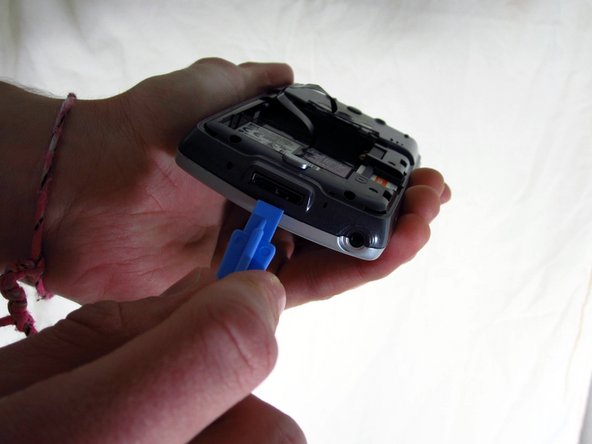
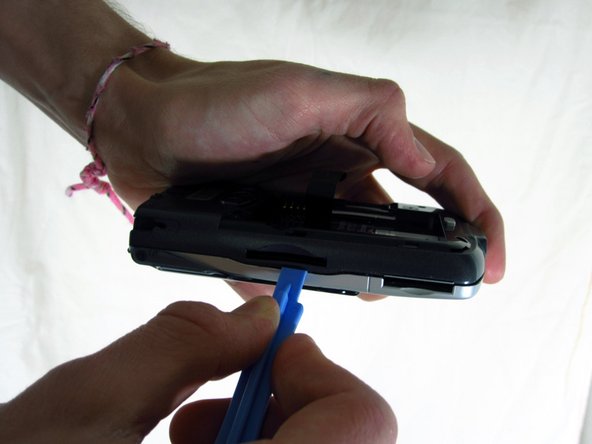
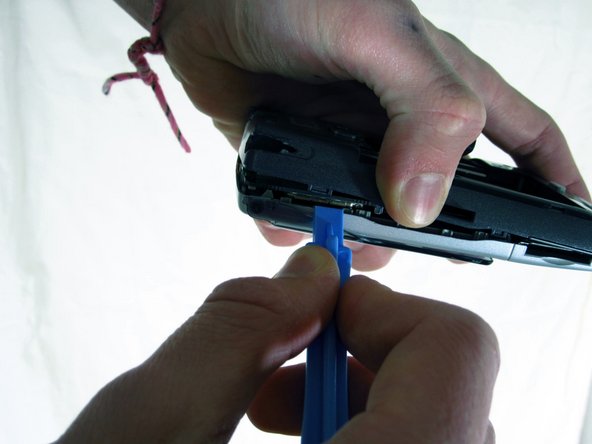
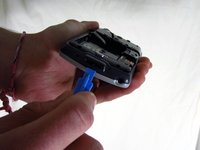
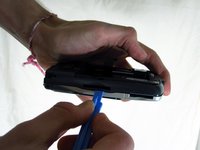
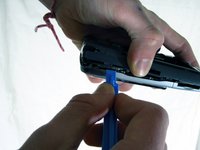
      • Use the plastic opening tool to pry apart the covers along the bottom of the phone.

      • Slide the plastic opening tool along the seam until the two halves of the case separate.

      crwdns2952109:0crwdne2952109:0

      crwdns2917038:0crwdne2917038:0

    3. HP iPAQ HW6515 Flash LED Bulb Replacement: crwdns2935265:05crwdnd2935265:01crwdnd2935265:02crwdne2935265:0 HP iPAQ HW6515 Flash LED Bulb Replacement: crwdns2935265:05crwdnd2935265:02crwdnd2935265:02crwdne2935265:0
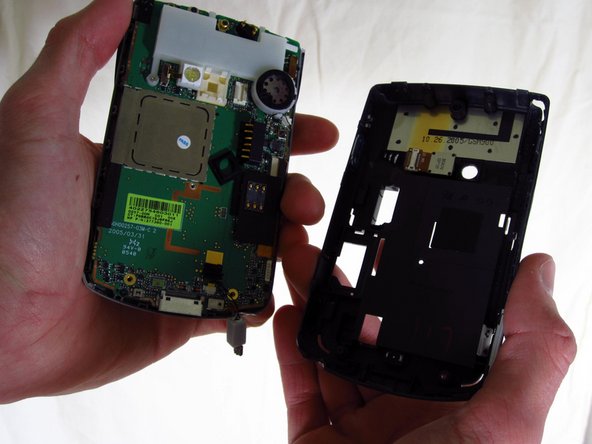
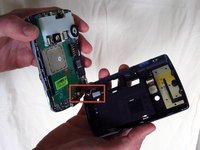
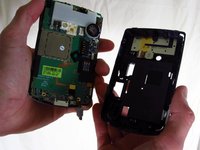
      • Unplug the sensor wire that connects the two halves of the case before pulling the two halves apart. Not doing so will damage the sensor wire.

      crwdns2952109:0crwdne2952109:0

      crwdns2917038:0crwdne2917038:0

    4. HP iPAQ HW6515 Flash LED Bulb Replacement: crwdns2935265:06crwdnd2935265:01crwdnd2935265:03crwdne2935265:0 HP iPAQ HW6515 Flash LED Bulb Replacement: crwdns2935265:06crwdnd2935265:02crwdnd2935265:03crwdne2935265:0 HP iPAQ HW6515 Flash LED Bulb Replacement: crwdns2935265:06crwdnd2935265:03crwdnd2935265:03crwdne2935265:0
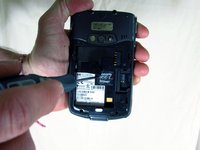
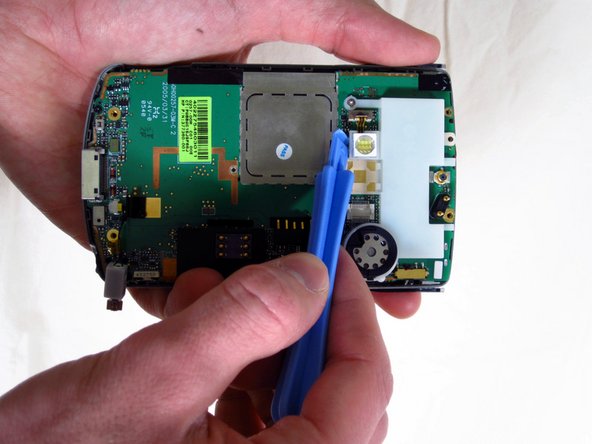
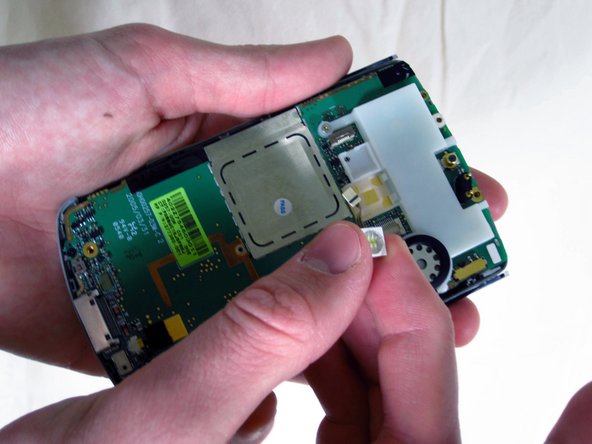
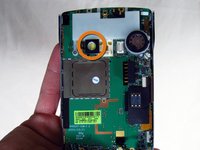
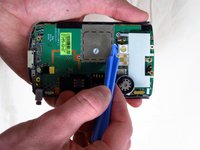
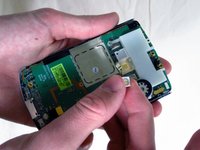
      • Gently pull off the black rubber square covering the LED light.

      • The LED is now exposed.

      • Wedge the plastic opening tool under the LED to pop it out and expose its wire.

      • Using your index finger and thumb, unplug the wire from the phone and remove the LED.

      crwdns2952109:0crwdne2952109:0

      crwdns2917038:0crwdne2917038:0

crwdns2915888:0crwdne2915888:0

To reassemble your device, follow these instructions in reverse order.

crwdns2935221:0crwdne2935221:0

crwdns2935227:0crwdne2935227:0

Steven Vo

crwdns2935283:004/02/12crwdne2935283:0

33 crwdns2915208:0crwdne2915208:0

crwdns2935295:0crwdne2935295:0

crwdns2935287:0crwdne2935287:0

Cal Poly, Team 15-17, Forte Spring 2012 crwdns2935289:0Cal Poly, Team 15-17, Forte Spring 2012crwdne2935289:0

CPSU-FORTE-S12S15G17

crwdns2931471:04crwdne2931471:0

crwdns2935297:060crwdne2935297:0

crwdns2947412:00crwdne2947412:0

crwdns2917038:0crwdne2917038:0

crwdns2936625:0crwdne2936625:0:

crwdns2936751:024crwdne2936751:0 1

crwdns2936753:07crwdne2936753:0 4

crwdns2936753:030crwdne2936753:0 22

crwdns2942667:0crwdne2942667:0 1,660