crwdns2933423:0crwdne2933423:0
crwdns2947577:0crwdnd2947577:0crwdne2947577:0

HP Slate 7 4601 Front Screen Replacement

crwdns2942213:0crwdne2942213:0

  1. HP Slate 7 4601 Front Screen Replacement, Battery: crwdns2935265:01crwdnd2935265:01crwdnd2935265:02crwdne2935265:0 HP Slate 7 4601 Front Screen Replacement, Battery: crwdns2935265:01crwdnd2935265:02crwdnd2935265:02crwdne2935265:0
    • Begin your replacement by using a T3 or T4 Torx screwdriver.

    • Remove the two 1.4mm x 3mm Torx Head screws at the top of the device.

    crwdns2952109:0crwdne2952109:0

    crwdns2917038:0crwdne2917038:0

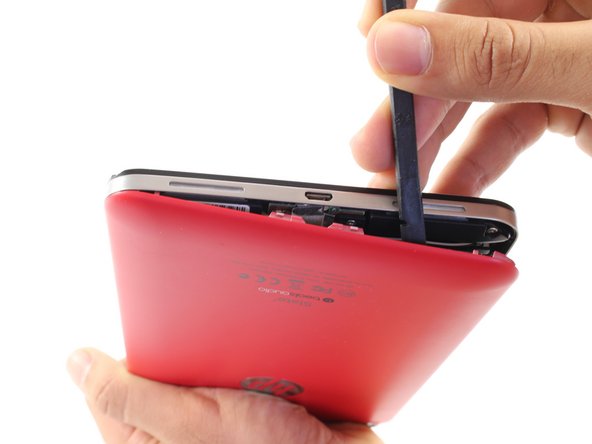
  2. HP Slate 7 4601 Front Screen Replacement: crwdns2935265:02crwdnd2935265:01crwdnd2935265:02crwdne2935265:0 HP Slate 7 4601 Front Screen Replacement: crwdns2935265:02crwdnd2935265:02crwdnd2935265:02crwdne2935265:0
    • With the pointed end of the spudger, remove the thin metal band.

    • It is easiest to remove the metal band through the headphone opening.

    crwdns2952109:0crwdne2952109:0

    crwdns2917038:0crwdne2917038:0

  3. HP Slate 7 4601 Front Screen Replacement: crwdns2935265:03crwdnd2935265:01crwdnd2935265:02crwdne2935265:0 HP Slate 7 4601 Front Screen Replacement: crwdns2935265:03crwdnd2935265:02crwdnd2935265:02crwdne2935265:0
    • Using the flat end of the spudger, pry back the rear plastic cover.

    • As you work your way around the edge, several "pop" noises will be made. These noises are caused by the plastic clips coming undone.

    crwdns2952109:0crwdne2952109:0

    crwdns2917038:0crwdne2917038:0

  4. HP Slate 7 4601 Front Screen Replacement: crwdns2935265:04crwdnd2935265:01crwdnd2935265:01crwdne2935265:0
    • Remove the rear cover.

    crwdns2952109:0crwdne2952109:0

    crwdns2917038:0crwdne2917038:0

  5. HP Slate 7 4601 Front Screen Replacement: crwdns2935265:05crwdnd2935265:01crwdnd2935265:01crwdne2935265:0
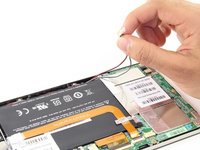
    • Locate and remove the yellow tape covering the red and white speaker wires.

    crwdns2952109:0crwdne2952109:0

    crwdns2917038:0crwdne2917038:0

  6. HP Slate 7 4601 Front Screen Replacement: crwdns2935265:06crwdnd2935265:01crwdnd2935265:02crwdne2935265:0 HP Slate 7 4601 Front Screen Replacement: crwdns2935265:06crwdnd2935265:02crwdnd2935265:02crwdne2935265:0
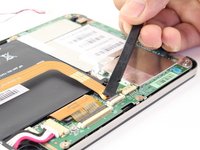
    • Using the pointed end of the spudger, push both sides of the speaker wire connector out of its base.

    • Push the same amount on both sides of the connector to avoid jamming or twisting its metal pins.

    • Do not yank or pull on the speaker wires, since they are fragile. Only push on the white connector.

    crwdns2952109:0crwdne2952109:0

    crwdns2917038:0crwdne2917038:0

  7. HP Slate 7 4601 Front Screen Replacement: crwdns2935265:07crwdnd2935265:01crwdnd2935265:01crwdne2935265:0
    • Gently pull back the foil covering the gold charging port ribbon.

    crwdns2952109:0crwdne2952109:0

    crwdns2917038:0crwdne2917038:0

  8. HP Slate 7 4601 Front Screen Replacement: crwdns2935265:08crwdnd2935265:01crwdnd2935265:02crwdne2935265:0 HP Slate 7 4601 Front Screen Replacement: crwdns2935265:08crwdnd2935265:02crwdnd2935265:02crwdne2935265:0
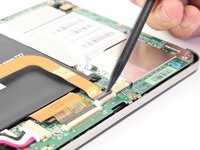
    • Using the flat end of the spudger, lift up the black panel covering the charging port connector.

    • Gently slide the charging port ribbon out from its housing.

    • It may be easier to use the pointed end of the spudger than your fingers.

    crwdns2952109:0crwdne2952109:0

    crwdns2917038:0crwdne2917038:0

  9. HP Slate 7 4601 Front Screen Replacement: crwdns2935265:09crwdnd2935265:01crwdnd2935265:01crwdne2935265:0
    • Lift gold charging strip away from the battery.

    crwdns2952109:0crwdne2952109:0

    crwdns2917038:0crwdne2917038:0

  10. HP Slate 7 4601 Front Screen Replacement: crwdns2935265:010crwdnd2935265:01crwdnd2935265:02crwdne2935265:0 HP Slate 7 4601 Front Screen Replacement: crwdns2935265:010crwdnd2935265:02crwdnd2935265:02crwdne2935265:0
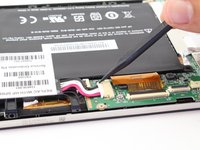
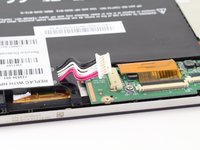
    • Push the white battery connector out of its housing using the pointed end of the spudger.

    crwdns2952109:0crwdne2952109:0

    crwdns2917038:0crwdne2917038:0

  11. HP Slate 7 4601 Front Screen Replacement: crwdns2935265:011crwdnd2935265:01crwdnd2935265:01crwdne2935265:0
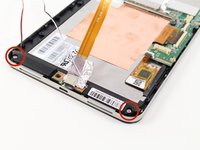
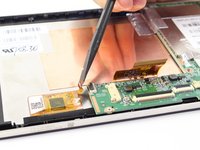
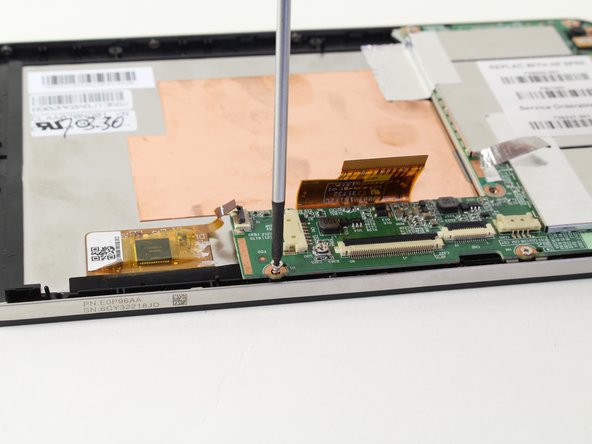
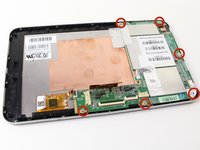
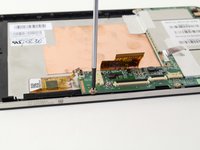
    • Using the #00 Phillips Head screwdriver, remove the 5 screws holding the battery in place.

    • The four 1.75mm x 3mm silver Phillips Head screws circled in red are interchangeable.

    • The black 1.75mm x 4mm Phillips Head screw must go back to the same spot during reassembly.

    crwdns2952109:0crwdne2952109:0

    crwdns2917038:0crwdne2917038:0

  12. HP Slate 7 4601 Front Screen Replacement: crwdns2935265:012crwdnd2935265:01crwdnd2935265:01crwdne2935265:0
    • Lift battery out of its place and set aside.

    crwdns2952109:0crwdne2952109:0

    crwdns2917038:0crwdne2917038:0

  13. HP Slate 7 4601 Front Screen Replacement, Charging Port: crwdns2935265:013crwdnd2935265:01crwdnd2935265:02crwdne2935265:0 HP Slate 7 4601 Front Screen Replacement, Charging Port: crwdns2935265:013crwdnd2935265:02crwdnd2935265:02crwdne2935265:0
    • To free the speaker assembly, you will need a #00 Phillips Head screwdriver.

    • Remove the two 1.75mm x 3mm Phillips Head screws from the speaker assembly.

    crwdns2952109:0crwdne2952109:0

    crwdns2917038:0crwdne2917038:0

  14. HP Slate 7 4601 Front Screen Replacement: crwdns2935265:014crwdnd2935265:01crwdnd2935265:02crwdne2935265:0 HP Slate 7 4601 Front Screen Replacement: crwdns2935265:014crwdnd2935265:02crwdnd2935265:02crwdne2935265:0
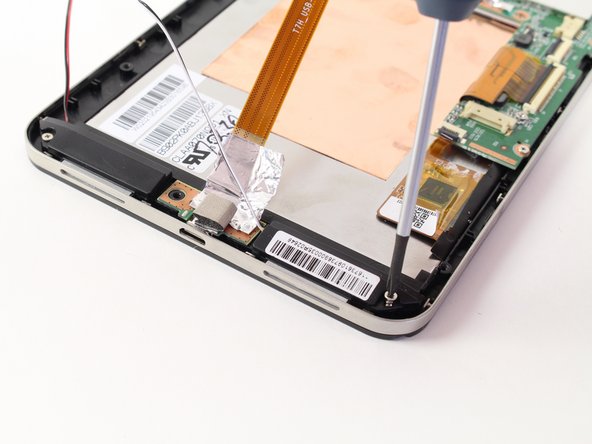
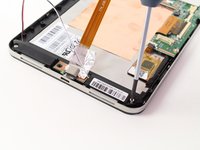
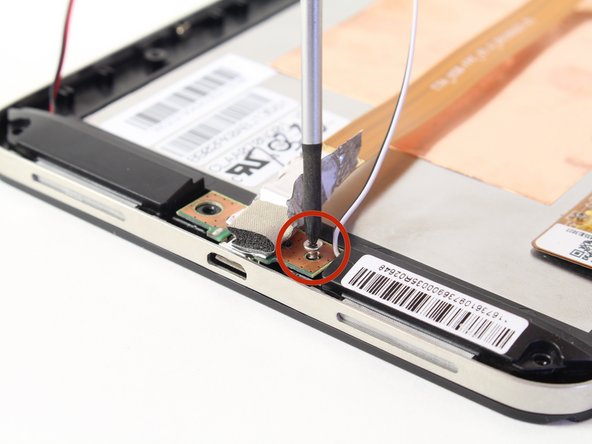
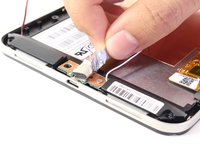
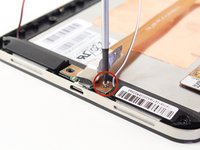
    • Pull back the foil overlapping the charging port to reveal another 1.75mm x 3mm Phillips Head screw.

    • Remove the screw with a #00 Phillips Head screwdriver.

    crwdns2952109:0crwdne2952109:0

    crwdns2917038:0crwdne2917038:0

  15. HP Slate 7 4601 Front Screen Replacement: crwdns2935265:015crwdnd2935265:01crwdnd2935265:01crwdne2935265:0
    • Lift the charging port and set it aside.

    crwdns2952109:0crwdne2952109:0

    crwdns2917038:0crwdne2917038:0

  16. HP Slate 7 4601 Front Screen Replacement, Speaker: crwdns2935265:016crwdnd2935265:01crwdnd2935265:01crwdne2935265:0
    • Lift the two speakers out of the device and set them aside.

    crwdns2952109:0crwdne2952109:0

    crwdns2917038:0crwdne2917038:0

  17. HP Slate 7 4601 Front Screen Replacement, Motherboard: crwdns2935265:017crwdnd2935265:01crwdnd2935265:02crwdne2935265:0 HP Slate 7 4601 Front Screen Replacement, Motherboard: crwdns2935265:017crwdnd2935265:02crwdnd2935265:02crwdne2935265:0
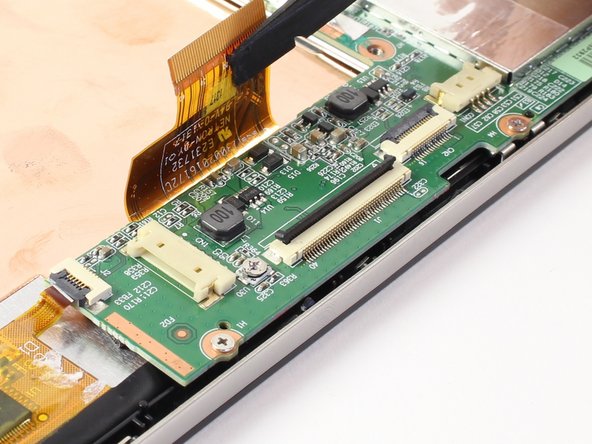
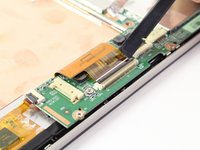
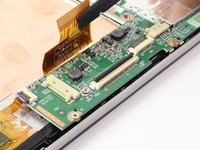
    • Disconnect the LCD screen ribbon by lifting up the black panel with the flat end of a spudger and sliding the gold strip out.

    • When reconnecting the LCD connector ribbon, make sure that it's pushed in all the way. If it isn't, there will be horizontal lines when you power the tablet on.

    crwdns2952109:0crwdne2952109:0

    crwdns2917038:0crwdne2917038:0

  18. HP Slate 7 4601 Front Screen Replacement: crwdns2935265:018crwdnd2935265:01crwdnd2935265:02crwdne2935265:0 HP Slate 7 4601 Front Screen Replacement: crwdns2935265:018crwdnd2935265:02crwdnd2935265:02crwdne2935265:0
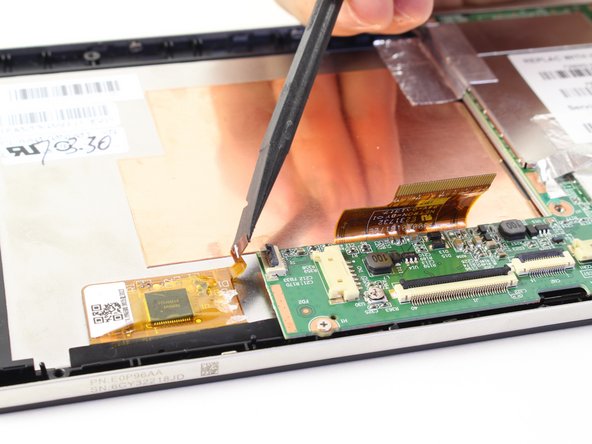
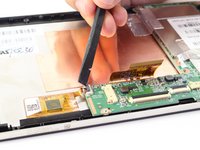
    • Likewise, disconnect the square radio chip ribbon by lifting up the black panel with a spudger and sliding the gold strip out.

    crwdns2952109:0crwdne2952109:0

    crwdns2917038:0crwdne2917038:0

  19. HP Slate 7 4601 Front Screen Replacement: crwdns2935265:019crwdnd2935265:01crwdnd2935265:02crwdne2935265:0 HP Slate 7 4601 Front Screen Replacement: crwdns2935265:019crwdnd2935265:02crwdnd2935265:02crwdne2935265:0
    • You will be using a #00 Phillips Head screwdriver to free the motherboard.

    • Remove the six 1.75mm x 3mm Phillips Head screws holding the motherboard to the screen.

    crwdns2952109:0crwdne2952109:0

    crwdns2917038:0crwdne2917038:0

  20. HP Slate 7 4601 Front Screen Replacement: crwdns2935265:020crwdnd2935265:01crwdnd2935265:02crwdne2935265:0 HP Slate 7 4601 Front Screen Replacement: crwdns2935265:020crwdnd2935265:02crwdnd2935265:02crwdne2935265:0
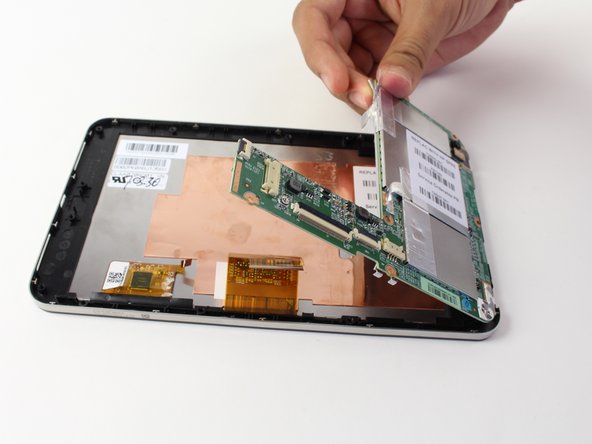
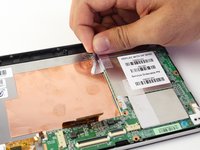
    • Using your hand, lift up the silver tape from the copper plate.

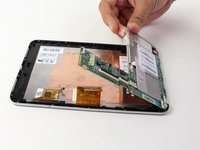
    • Lift the motherboard out of the device.

    • You may need to wiggle and work the motherboard to get it released from the device

    crwdns2952109:0crwdne2952109:0

    crwdns2917038:0crwdne2917038:0

  21. HP Slate 7 4601 Front Screen Replacement, Front Screen / Volume Buttons: crwdns2935265:021crwdnd2935265:01crwdnd2935265:01crwdne2935265:0
    • Remove the metal band surrounding the device by lifting it up out of the placement pins. Begin at one end and work your way around.

    crwdns2952109:0crwdne2952109:0

    crwdns2917038:0crwdne2917038:0

  22. HP Slate 7 4601 Front Screen Replacement: crwdns2935265:022crwdnd2935265:01crwdnd2935265:01crwdne2935265:0
    • You now have access to the LCD screen.

    • You can replace the volume rocker by lifting it up and out of the device.

    • The volume rocker should be reinserted so the "up" button is toward the top of the tablet during reassembly.

    crwdns2952109:0crwdne2952109:0

    crwdns2917038:0crwdne2917038:0

crwdns2915888:0crwdne2915888:0

To reassemble your device, follow these instructions in reverse order.

crwdns2935221:0crwdne2935221:0

crwdns2935229:014crwdne2935229:0

Ryan ONeill

crwdns2935283:004/11/14crwdne2935283:0

2.127 crwdns2915208:0crwdne2915208:0

crwdns2935295:0crwdne2935295:0

crwdns2935287:0crwdne2935287:0

Cal Poly, Team 13-30, Maness Spring 2014 crwdns2935289:0Cal Poly, Team 13-30, Maness Spring 2014crwdne2935289:0

CPSU-MANESS-S14S13G30

crwdns2931471:03crwdne2931471:0

crwdns2935297:08crwdne2935297:0

crwdns2947412:00crwdne2947412:0

crwdns2917038:0crwdne2917038:0

crwdns2936625:0crwdne2936625:0:

crwdns2936751:024crwdne2936751:0 0

crwdns2936753:07crwdne2936753:0 5

crwdns2936753:030crwdne2936753:0 56

crwdns2942667:0crwdne2942667:0 23,797