crwdns2933423:0crwdne2933423:0
crwdns2947577:0crwdnd2947577:0crwdne2947577:0

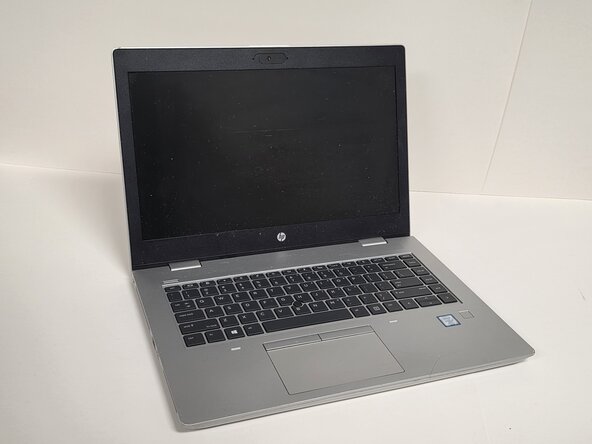
HP ProBook 640 G5 WLAN Module Replacement

crwdns2942213:0crwdne2942213:0

  1. HP ProBook 640 G5 WLAN Module Replacement, Back Cover: crwdns2935265:01crwdnd2935265:01crwdnd2935265:01crwdne2935265:0
    • Always make sure the HP ProBook 640 G5 is completely powered off and unplugged before beginning this repair. Attempting to open the laptop while it has power may cause electrical damage or personal injury.

    • Shut down the HP ProBook 640 G5 completely.

    • Disconnect the power adapter and all connected peripherals.

    • Press and hold the power button for 5 seconds to discharge remaining electricity.

    crwdns2952109:0crwdne2952109:0

    crwdns2917038:0crwdne2917038:0

  2. HP ProBook 640 G5 WLAN Module Replacement: crwdns2935265:02crwdnd2935265:01crwdnd2935265:01crwdne2935265:0
    • Flip the laptop over so the bottom is facing up.

    • Loosen eight silver 6mm screws using a Phillips #0 screwdriver.

    • These screws are captive, so they will loosen but remain attached to the cover.

    • Remove two black 6mm screws using a TR7 Torx screwdriver.

    • Insert a plastic opening tool into the seam and gently pry around the edges.

    • Lift the bottom cover away from the laptop.

    crwdns2952109:0crwdne2952109:0

    crwdns2917038:0crwdne2917038:0

  3. HP ProBook 640 G5 WLAN Module Replacement, WLAN Module: crwdns2935265:03crwdnd2935265:01crwdnd2935265:02crwdne2935265:0 HP ProBook 640 G5 WLAN Module Replacement, WLAN Module: crwdns2935265:03crwdnd2935265:02crwdnd2935265:02crwdne2935265:0
    • When replacing the WLAN module, avoid touching the gold contacts and black chips. Handle the stick only by its outer edges or plastic/metal shielding. Touching the chips or gold contacts can introduce static electricity or oil from your fingers, potentially causing damage or poor connectivity.

    • Locate the WLAN module.

    • You can identify it by its small size (usually M.2 2230) or labels such as WLAN, Wi-Fi, or M.2 nearby.

    • Remove the single screw holding the WLAN card down.

    crwdns2952109:0crwdne2952109:0

    crwdns2917038:0crwdne2917038:0

  4. HP ProBook 640 G5 WLAN Module Replacement: crwdns2935265:04crwdnd2935265:01crwdnd2935265:01crwdne2935265:0
    • The card will pop up at an angle (about 25–30 degrees).

    • Slide it straight out of the socket.

    crwdns2952109:0crwdne2952109:0

    crwdns2917038:0crwdne2917038:0

crwdns2915888:0crwdne2915888:0

To reassemble your device, follow these instructions in reverse order.

crwdns2935221:0crwdne2935221:0

Eric Olivarez

crwdns2935283:002/23/26crwdne2935283:0

449 crwdns2915208:0crwdne2915208:0

crwdns2935297:04crwdne2935297:0

crwdns2935287:0crwdne2935287:0

Austin Community College, Team 1-2, Anderson Spring 2026 crwdns2935289:0Austin Community College, Team 1-2, Anderson Spring 2026crwdne2935289:0

AUSTINCC-ANDERSON-S26S1G2

crwdns2931471:03crwdne2931471:0

crwdns2935297:06crwdne2935297:0

crwdns2947412:00crwdne2947412:0

crwdns2917038:0crwdne2917038:0

crwdns2936625:0crwdne2936625:0:

crwdns2936751:024crwdne2936751:0 0

crwdns2936753:07crwdne2936753:0 3

crwdns2936753:030crwdne2936753:0 25

crwdns2942667:0crwdne2942667:0 43