crwdns2933423:0crwdne2933423:0
crwdns2947577:0crwdnd2947577:0crwdne2947577:0

HP Pavilion zd8000 USB Module Replacement

crwdns2942213:0crwdne2942213:0

    1. HP Pavilion zd8000 USB Module Replacement, Battery: crwdns2935265:01crwdnd2935265:01crwdnd2935265:01crwdne2935265:0
      • Slide the battery release latch towards you.

      crwdns2952109:0crwdne2952109:0

      crwdns2917038:0crwdne2917038:0

    2. HP Pavilion zd8000 USB Module Replacement: crwdns2935265:02crwdnd2935265:01crwdnd2935265:02crwdne2935265:0 HP Pavilion zd8000 USB Module Replacement: crwdns2935265:02crwdnd2935265:02crwdnd2935265:02crwdne2935265:0
      • Pull up on the battery to remove it.

      crwdns2952109:0crwdne2952109:0

      crwdns2917038:0crwdne2917038:0

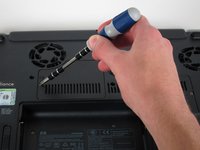
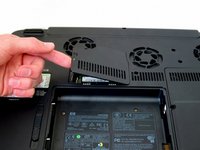
    1. HP Pavilion zd8000 USB Module Replacement, RAM: crwdns2935265:03crwdnd2935265:01crwdnd2935265:02crwdne2935265:0 HP Pavilion zd8000 USB Module Replacement, RAM: crwdns2935265:03crwdnd2935265:02crwdnd2935265:02crwdne2935265:0
      • Loosen the Phillips screw labeled ‘ram’ and lift the cover.

      crwdns2952109:0crwdne2952109:0

      crwdns2917038:0crwdne2917038:0

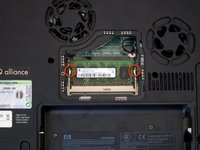
    2. HP Pavilion zd8000 USB Module Replacement: crwdns2935265:04crwdnd2935265:01crwdnd2935265:02crwdne2935265:0 HP Pavilion zd8000 USB Module Replacement: crwdns2935265:04crwdnd2935265:02crwdnd2935265:02crwdne2935265:0
      • Locate the green RAM card and find the metal tabs securing the card.

      • Push outwards on the two tabs to release the card.

      crwdns2952109:0crwdne2952109:0

      crwdns2917038:0crwdne2917038:0

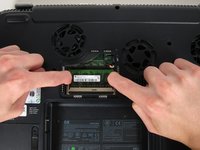
    3. HP Pavilion zd8000 USB Module Replacement: crwdns2935265:05crwdnd2935265:01crwdnd2935265:01crwdne2935265:0
      • Carefully slide the card out at an upward angle away from the slot.

      crwdns2952109:0crwdne2952109:0

      crwdns2917038:0crwdne2917038:0

    1. HP Pavilion zd8000 USB Module Replacement, WiFi Card Cables: crwdns2935265:06crwdnd2935265:01crwdnd2935265:02crwdne2935265:0 HP Pavilion zd8000 USB Module Replacement, WiFi Card Cables: crwdns2935265:06crwdnd2935265:02crwdnd2935265:02crwdne2935265:0
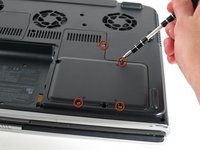
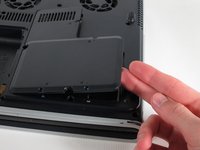
      • Unscrew the four 8mm Philips screws marked with an icon resembling a stacks of discs.

      • Lift the cover from the right to remove it.

      crwdns2952109:0crwdne2952109:0

      crwdns2917038:0crwdne2917038:0

    2. HP Pavilion zd8000 USB Module Replacement: crwdns2935265:07crwdnd2935265:01crwdnd2935265:02crwdne2935265:0 HP Pavilion zd8000 USB Module Replacement: crwdns2935265:07crwdnd2935265:02crwdnd2935265:02crwdne2935265:0
      crwdns2935267:0crwdne2935267:0
      Tweezers
      $4.99
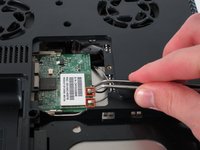
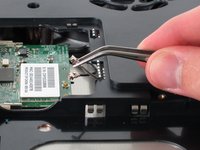
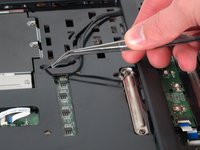
      • Use tweezers to detach the grey and black cables connected to the green WiFi card.

      crwdns2952109:0crwdne2952109:0

      crwdns2917038:0crwdne2917038:0

    1. HP Pavilion zd8000 USB Module Replacement, CD/Optical Drive: crwdns2935265:08crwdnd2935265:01crwdnd2935265:01crwdne2935265:0
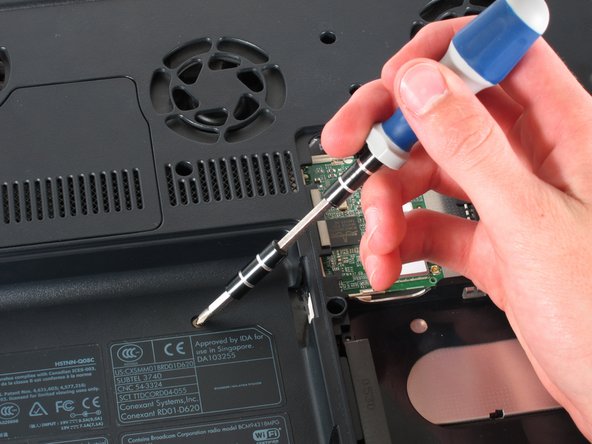
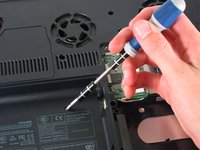
      • Remove the 8mm Philips screw located between the hard drive and the WiFi card.

      crwdns2952109:0crwdne2952109:0

      crwdns2917038:0crwdne2917038:0

    2. HP Pavilion zd8000 USB Module Replacement: crwdns2935265:09crwdnd2935265:01crwdnd2935265:02crwdne2935265:0 HP Pavilion zd8000 USB Module Replacement: crwdns2935265:09crwdnd2935265:02crwdnd2935265:02crwdne2935265:0
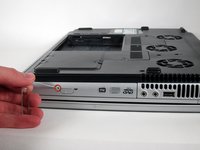
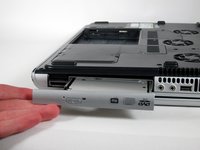
      • Turn the laptop 90 degrees clockwise so you are facing the CD drive.

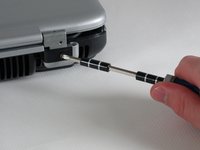
      • Unbend a paperclip and insert the end into the small hole by the eject button to cause the tray to pop out towards you.

      crwdns2952109:0crwdne2952109:0

      crwdns2917038:0crwdne2917038:0

    3. HP Pavilion zd8000 USB Module Replacement: crwdns2935265:010crwdnd2935265:01crwdnd2935265:02crwdne2935265:0 HP Pavilion zd8000 USB Module Replacement: crwdns2935265:010crwdnd2935265:02crwdnd2935265:02crwdne2935265:0
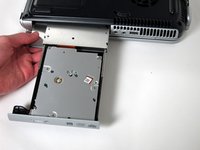
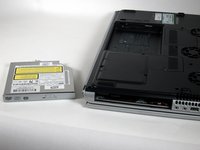
      • Gently pull the tray away from the laptop and the rest of the optical drive will follow.

      crwdns2952109:0crwdne2952109:0

      crwdns2917038:0crwdne2917038:0

    1. HP Pavilion zd8000 USB Module Replacement, Keyboard: crwdns2935265:011crwdnd2935265:01crwdnd2935265:01crwdne2935265:0
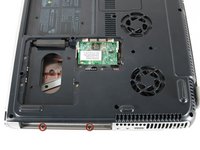
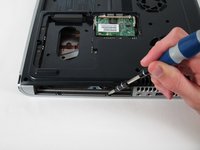
      • Remove the two 8mm Philips screws marked “K” on the bottom of the laptop.

      crwdns2952109:0crwdne2952109:0

      crwdns2917038:0crwdne2917038:0

    2. HP Pavilion zd8000 USB Module Replacement: crwdns2935265:012crwdnd2935265:01crwdnd2935265:02crwdne2935265:0 HP Pavilion zd8000 USB Module Replacement: crwdns2935265:012crwdnd2935265:02crwdnd2935265:02crwdne2935265:0
      • Flip the laptop over and open the screen.

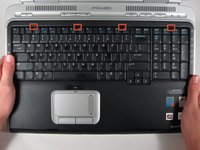
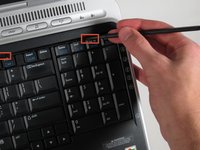
      • Push up on the four latches located at the top of the keyboard with the spudger to release them.

      crwdns2952109:0crwdne2952109:0

      crwdns2917038:0crwdne2917038:0

    3. HP Pavilion zd8000 USB Module Replacement: crwdns2935265:013crwdnd2935265:01crwdnd2935265:02crwdne2935265:0 HP Pavilion zd8000 USB Module Replacement: crwdns2935265:013crwdnd2935265:02crwdnd2935265:02crwdne2935265:0
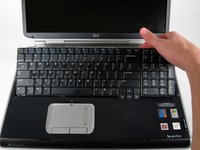
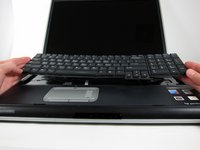
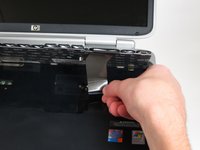
      • Lift the keyboard carefully because it is attached to the motherboard by a ribbon cable.

      • Lift the top of the keyboard towards you. Then, while keeping the keyboard at an angle, lift it towards the display.

      crwdns2952109:0crwdne2952109:0

      crwdns2917038:0crwdne2917038:0

    4. HP Pavilion zd8000 USB Module Replacement: crwdns2935265:014crwdnd2935265:01crwdnd2935265:02crwdne2935265:0 HP Pavilion zd8000 USB Module Replacement: crwdns2935265:014crwdnd2935265:02crwdnd2935265:02crwdne2935265:0
      • Rotate the keyboard so that the bottom is visible.

      • With the keyboard lifted, locate the blue-striped tab on the underside of the black ribbon cable.

      • Pull the tab towards you to release the keyboard from the laptop.

      crwdns2952109:0crwdne2952109:0

      crwdns2917038:0crwdne2917038:0

    1. HP Pavilion zd8000 USB Module Replacement, Switch Cover: crwdns2935265:015crwdnd2935265:01crwdnd2935265:02crwdne2935265:0 HP Pavilion zd8000 USB Module Replacement, Switch Cover: crwdns2935265:015crwdnd2935265:02crwdnd2935265:02crwdne2935265:0
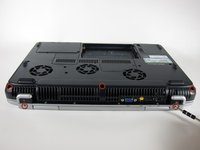
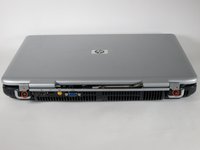
      • Place the laptop face-down and rotate it 180 degrees so the vents are facing you.

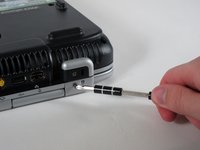
      • Remove the five 8mm Philips screws. Three are on the black base and two are near the hinges.

      crwdns2952109:0crwdne2952109:0

      crwdns2917038:0crwdne2917038:0

    2. HP Pavilion zd8000 USB Module Replacement: crwdns2935265:016crwdnd2935265:01crwdnd2935265:01crwdne2935265:0
      • Flip the laptop over.

      • Fully open the laptop.

      crwdns2952109:0crwdne2952109:0

      crwdns2917038:0crwdne2917038:0

    3. HP Pavilion zd8000 USB Module Replacement: crwdns2935265:017crwdnd2935265:01crwdnd2935265:03crwdne2935265:0 HP Pavilion zd8000 USB Module Replacement: crwdns2935265:017crwdnd2935265:02crwdnd2935265:03crwdne2935265:0 HP Pavilion zd8000 USB Module Replacement: crwdns2935265:017crwdnd2935265:03crwdnd2935265:03crwdne2935265:0
      • Rotate it so the display is on your right and the keyboard is on your left.

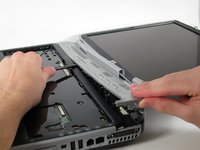
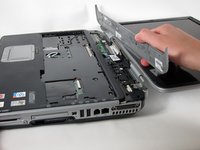
      • Lift the switch cover firmly but slowly so you do not snap it.

      • Lift the switch cover carefully from one end while sliding the spudger between the switch cover and the laptop to separate them.

      • The switch cover should easily separate from the laptop as you run the spudger through.

      crwdns2952109:0crwdne2952109:0

      crwdns2917038:0crwdne2917038:0

    1. HP Pavilion zd8000 USB Module Replacement, Screen: crwdns2935265:018crwdnd2935265:01crwdnd2935265:02crwdne2935265:0 HP Pavilion zd8000 USB Module Replacement, Screen: crwdns2935265:018crwdnd2935265:02crwdnd2935265:02crwdne2935265:0
      • Close the lid and rotate the laptop so that the vents are facing you.

      • Unscrew the two 8mm Philips screws below the hinges.

      crwdns2952109:0crwdne2952109:0

      crwdns2917038:0crwdne2917038:0

    2. HP Pavilion zd8000 USB Module Replacement: crwdns2935265:019crwdnd2935265:01crwdnd2935265:02crwdne2935265:0 HP Pavilion zd8000 USB Module Replacement: crwdns2935265:019crwdnd2935265:02crwdnd2935265:02crwdne2935265:0
      • Carefully rotate the laptop 90 degrees counter-clockwise and open the screen.

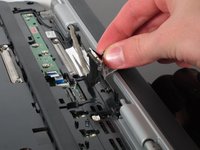
      • Pull on the black tab with the HP service sticker to unplug the display from the motherboard.

      crwdns2952109:0crwdne2952109:0

      crwdns2917038:0crwdne2917038:0

    3. HP Pavilion zd8000 USB Module Replacement: crwdns2935265:020crwdnd2935265:01crwdnd2935265:02crwdne2935265:0 HP Pavilion zd8000 USB Module Replacement: crwdns2935265:020crwdnd2935265:02crwdnd2935265:02crwdne2935265:0
      crwdns2935267:0crwdne2935267:0
      Tweezers
      $4.99
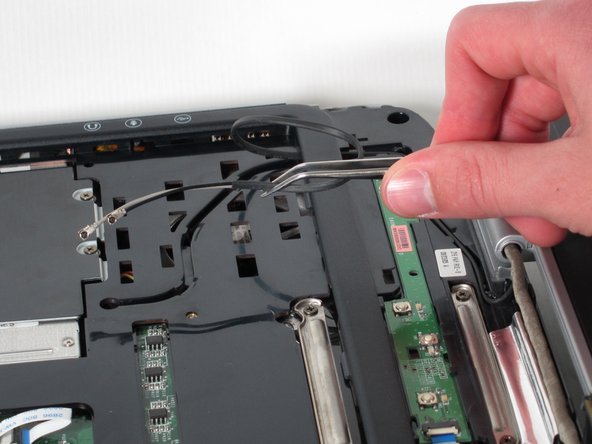
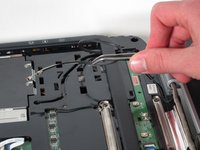
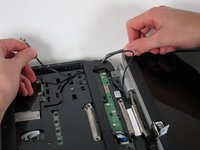
      • Using tweezers, remove the black cable from the hole leading to the WiFi enclosure.

      • Pull gently to remove the black and grey cables from the case.

      • Check the surface beneath the laptop to ensure the cables do not catch on anything when you flip the laptop over.

      crwdns2952109:0crwdne2952109:0

      crwdns2917038:0crwdne2917038:0

    4. HP Pavilion zd8000 USB Module Replacement: crwdns2935265:021crwdnd2935265:01crwdnd2935265:02crwdne2935265:0 HP Pavilion zd8000 USB Module Replacement: crwdns2935265:021crwdnd2935265:02crwdnd2935265:02crwdne2935265:0
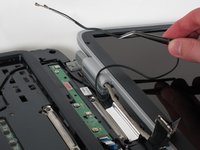
      • Using tweezers, pull the black cable towards the display and through the hole in the casing.

      crwdns2952109:0crwdne2952109:0

      crwdns2917038:0crwdne2917038:0

    5. HP Pavilion zd8000 USB Module Replacement: crwdns2935265:022crwdnd2935265:01crwdnd2935265:03crwdne2935265:0 HP Pavilion zd8000 USB Module Replacement: crwdns2935265:022crwdnd2935265:02crwdnd2935265:03crwdne2935265:0 HP Pavilion zd8000 USB Module Replacement: crwdns2935265:022crwdnd2935265:03crwdnd2935265:03crwdne2935265:0
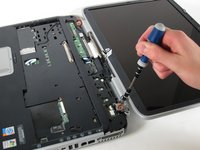
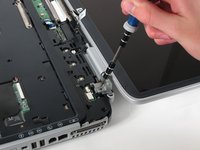
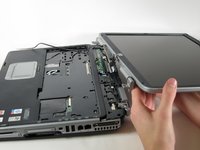
      • Unscrew the two 8mm Philips screws that attach the hinge to the laptop's display.

      • Lift the screen upwards to detach it from the laptop.

      crwdns2952109:0crwdne2952109:0

      crwdns2917038:0crwdne2917038:0

    1. HP Pavilion zd8000 USB Module Replacement, Top Cover: crwdns2935265:023crwdnd2935265:01crwdnd2935265:02crwdne2935265:0 HP Pavilion zd8000 USB Module Replacement, Top Cover: crwdns2935265:023crwdnd2935265:02crwdnd2935265:02crwdne2935265:0
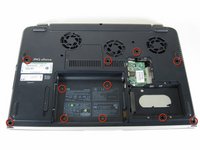
      • With the laptop face-down, remove the eleven 8mm Philips screws.

      crwdns2952109:0crwdne2952109:0

      crwdns2917038:0crwdne2917038:0

    2. HP Pavilion zd8000 USB Module Replacement: crwdns2935265:024crwdnd2935265:01crwdnd2935265:02crwdne2935265:0 HP Pavilion zd8000 USB Module Replacement: crwdns2935265:024crwdnd2935265:02crwdnd2935265:02crwdne2935265:0
      • Rotate the laptop 180 degrees so the vents are facing you.

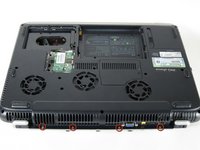
      • Unscrew the four 3mm Philips screws below the vents.

      crwdns2952109:0crwdne2952109:0

      crwdns2917038:0crwdne2917038:0

    3. HP Pavilion zd8000 USB Module Replacement: crwdns2935265:025crwdnd2935265:01crwdnd2935265:02crwdne2935265:0 HP Pavilion zd8000 USB Module Replacement: crwdns2935265:025crwdnd2935265:02crwdnd2935265:02crwdne2935265:0
      • Rotate the laptop 90 degrees counter-clockwise.

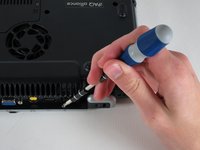
      • Unscrew the two 3mm Philips screws from the optical drive bay.

      crwdns2952109:0crwdne2952109:0

      crwdns2917038:0crwdne2917038:0

    4. HP Pavilion zd8000 USB Module Replacement: crwdns2935265:026crwdnd2935265:01crwdnd2935265:03crwdne2935265:0 HP Pavilion zd8000 USB Module Replacement: crwdns2935265:026crwdnd2935265:02crwdnd2935265:03crwdne2935265:0 HP Pavilion zd8000 USB Module Replacement: crwdns2935265:026crwdnd2935265:03crwdnd2935265:03crwdne2935265:0
      • Flip the laptop over so it is face-up with the trackpad closest to you.

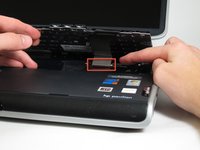
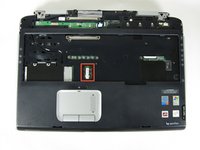
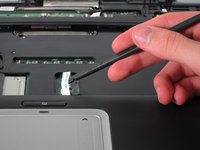
      • Locate the ribbon cable directly above the track pad.

      • Find the black latch at the end of the ribbon cable and unlatch it with a spudger to release it.

      crwdns2952109:0crwdne2952109:0

      crwdns2917038:0crwdne2917038:0

    5. HP Pavilion zd8000 USB Module Replacement: crwdns2935265:027crwdnd2935265:01crwdnd2935265:03crwdne2935265:0 HP Pavilion zd8000 USB Module Replacement: crwdns2935265:027crwdnd2935265:02crwdnd2935265:03crwdne2935265:0 HP Pavilion zd8000 USB Module Replacement: crwdns2935265:027crwdnd2935265:03crwdnd2935265:03crwdne2935265:0
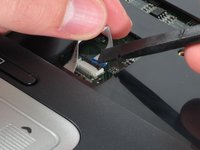
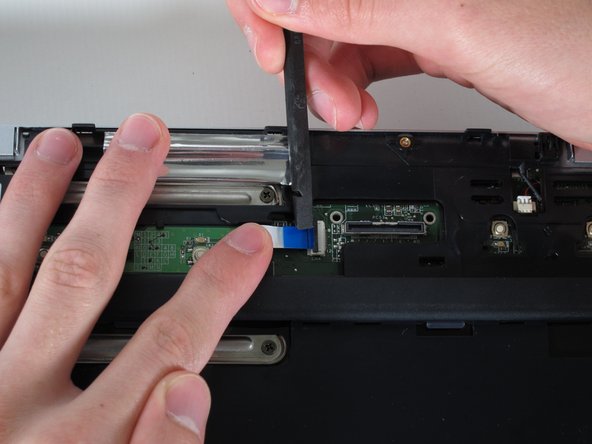
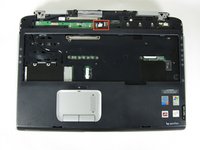
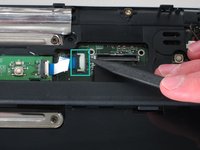
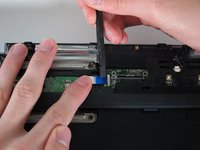
      • Find the ribbon cable on the LED board located at the top of the laptop.

      • You will notice that the ribbon cable is connected to two levels - you will be dealing with the one on the lower level.

      • Find the black latch at the end of the ribbon cable and unlatch it with a spudger to release it.

      crwdns2952109:0crwdne2952109:0

      crwdns2917038:0crwdne2917038:0

    6. HP Pavilion zd8000 USB Module Replacement: crwdns2935265:028crwdnd2935265:01crwdnd2935265:02crwdne2935265:0 HP Pavilion zd8000 USB Module Replacement: crwdns2935265:028crwdnd2935265:02crwdnd2935265:02crwdne2935265:0
      crwdns2935267:0crwdne2935267:0
      Tweezers
      $4.99
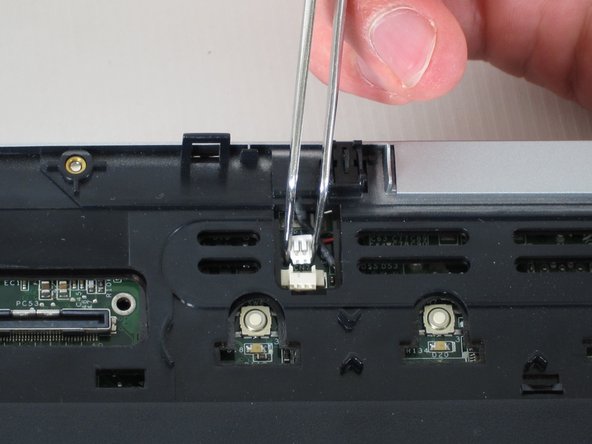
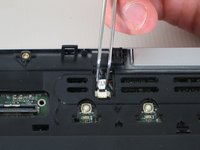
      • Locate the white connector attached to a red and black cable to the right of the LED board.

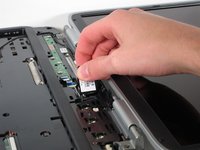
      • Using tweezers, pull the white connector away from you.

      crwdns2952109:0crwdne2952109:0

      crwdns2917038:0crwdne2917038:0

    7. HP Pavilion zd8000 USB Module Replacement: crwdns2935265:029crwdnd2935265:01crwdnd2935265:02crwdne2935265:0 HP Pavilion zd8000 USB Module Replacement: crwdns2935265:029crwdnd2935265:02crwdnd2935265:02crwdne2935265:0
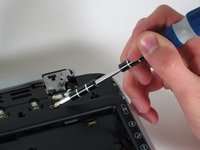
      • Unscrew the four 8mm Philips screws from the top cover.

      crwdns2952109:0crwdne2952109:0

      crwdns2917038:0crwdne2917038:0

    8. HP Pavilion zd8000 USB Module Replacement: crwdns2935265:030crwdnd2935265:01crwdnd2935265:02crwdne2935265:0 HP Pavilion zd8000 USB Module Replacement: crwdns2935265:030crwdnd2935265:02crwdnd2935265:02crwdne2935265:0
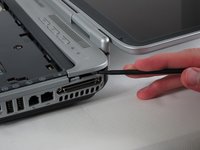
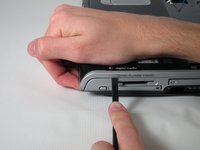
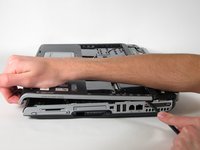
      • Rotate the computer 90 degrees clockwise and insert the spudger at the seam above the card reader.

      • While lifting the front end of the top cover, slide the spudger across the seam.

      • When you have reached the firewire port, it should click open.

      crwdns2952109:0crwdne2952109:0

      crwdns2917038:0crwdne2917038:0

    9. HP Pavilion zd8000 USB Module Replacement: crwdns2935265:031crwdnd2935265:01crwdnd2935265:01crwdne2935265:0
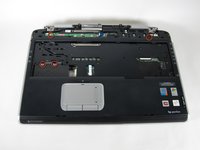
      • Lift the top cover from the left side to remove it completely.

      crwdns2952109:0crwdne2952109:0

      crwdns2917038:0crwdne2917038:0

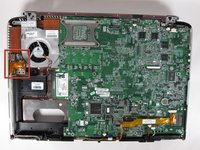
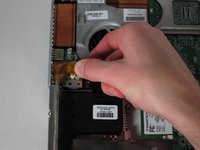
    1. HP Pavilion zd8000 USB Module Replacement, USB Module: crwdns2935265:032crwdnd2935265:01crwdnd2935265:02crwdne2935265:0 HP Pavilion zd8000 USB Module Replacement, USB Module: crwdns2935265:032crwdnd2935265:02crwdnd2935265:02crwdne2935265:0
      • Rotate the laptop 90 degrees counter-clockwise

      • Locate the USB Module

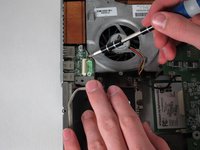
      • Grip the yellow cable cover and pull it to the right to release it.

      crwdns2952109:0crwdne2952109:0

      crwdns2917038:0crwdne2917038:0

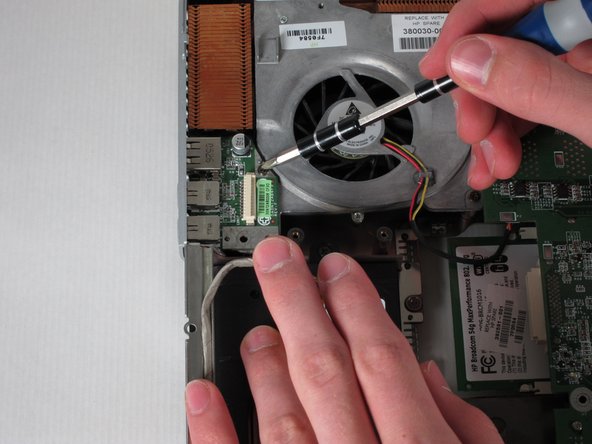
    2. HP Pavilion zd8000 USB Module Replacement: crwdns2935265:033crwdnd2935265:01crwdnd2935265:02crwdne2935265:0 HP Pavilion zd8000 USB Module Replacement: crwdns2935265:033crwdnd2935265:02crwdnd2935265:02crwdne2935265:0
      • Unscrew the 6mm Philips screw connecting the USB module to the fan.

      crwdns2952109:0crwdne2952109:0

      crwdns2917038:0crwdne2917038:0

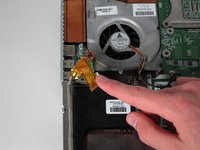
    3. HP Pavilion zd8000 USB Module Replacement: crwdns2935265:034crwdnd2935265:01crwdnd2935265:01crwdne2935265:0
      • Pull the module to the right and lift it out to release it.

      crwdns2952109:0crwdne2952109:0

      crwdns2917038:0crwdne2917038:0

crwdns2915888:0crwdne2915888:0

To reassemble your device, follow these instructions in reverse order.

crwdns2935221:0crwdne2935221:0

crwdns2935229:02crwdne2935229:0

Allie Menard

crwdns2935283:004/12/11crwdne2935283:0

820 crwdns2915208:0crwdne2915208:0

crwdns2935297:013crwdne2935297:0

crwdns2935287:0crwdne2935287:0

Cal Poly, Team 24-56, Amido Spring 2011 crwdns2935289:0Cal Poly, Team 24-56, Amido Spring 2011crwdne2935289:0

CPSU-AMIDO-S11S24G56

crwdns2931471:04crwdne2931471:0

crwdns2935297:095crwdne2935297:0

crwdns2947412:00crwdne2947412:0

crwdns2917038:0crwdne2917038:0

crwdns2936625:0crwdne2936625:0:

crwdns2936751:024crwdne2936751:0 1

crwdns2936753:07crwdne2936753:0 10

crwdns2936753:030crwdne2936753:0 43

crwdns2942667:0crwdne2942667:0 3,114