crwdns2933423:0crwdne2933423:0
crwdns2947577:0crwdnd2947577:0crwdne2947577:0

HP Pavilion N3350 Optical Drive Replacement

crwdns2942213:0crwdne2942213:0

    1. HP Pavilion N3350 Optical Drive Replacement, Keyboard: crwdns2935265:01crwdnd2935265:01crwdnd2935265:02crwdne2935265:0 HP Pavilion N3350 Optical Drive Replacement, Keyboard: crwdns2935265:01crwdnd2935265:02crwdnd2935265:02crwdne2935265:0
      • Open your laptop. Beneath the screen, here is a large plastic piece that contains slots for a speaker, the power button, and numerous indicator lights.

      • To remove this, pry it open with a spudger tool gently. It should pop out of place.

      crwdns2952109:0crwdne2952109:0

      crwdns2917038:0crwdne2917038:0

    2. HP Pavilion N3350 Optical Drive Replacement: crwdns2935265:02crwdnd2935265:01crwdnd2935265:02crwdne2935265:0 HP Pavilion N3350 Optical Drive Replacement: crwdns2935265:02crwdnd2935265:02crwdnd2935265:02crwdne2935265:0
      • Remove the three 6mm screws using a Phillips #1 screwdriver.

      • Once the screws are removed, the keyboard is free from the base of the laptop.

      crwdns2952109:0crwdne2952109:0

      crwdns2917038:0crwdne2917038:0

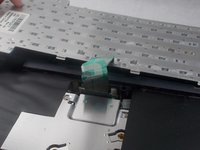
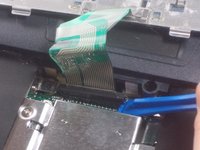
    3. HP Pavilion N3350 Optical Drive Replacement: crwdns2935265:03crwdnd2935265:01crwdnd2935265:02crwdne2935265:0 HP Pavilion N3350 Optical Drive Replacement: crwdns2935265:03crwdnd2935265:02crwdnd2935265:02crwdne2935265:0
      • Disconnect the green ribbon cable using a plastic opening tool.

      crwdns2952109:0crwdne2952109:0

      crwdns2917038:0crwdne2917038:0

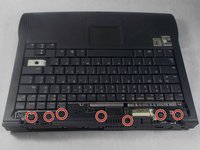
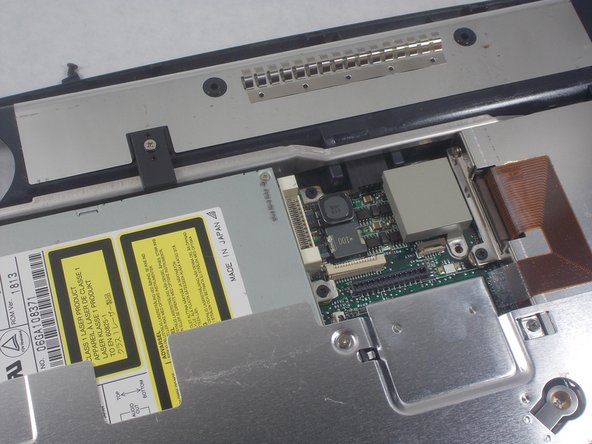
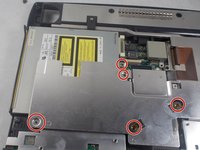
    1. HP Pavilion N3350 Optical Drive Replacement, Optical Drives: crwdns2935265:04crwdnd2935265:01crwdnd2935265:02crwdne2935265:0 HP Pavilion N3350 Optical Drive Replacement, Optical Drives: crwdns2935265:04crwdnd2935265:02crwdnd2935265:02crwdne2935265:0
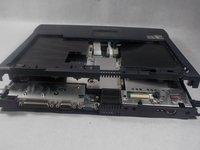
      • Remove the 6 millimeter screws indicated with a Phillips #1 screwdriver.

      • Remove the top plastic covering from the base of the device.

      crwdns2952109:0crwdne2952109:0

      crwdns2917038:0crwdne2917038:0

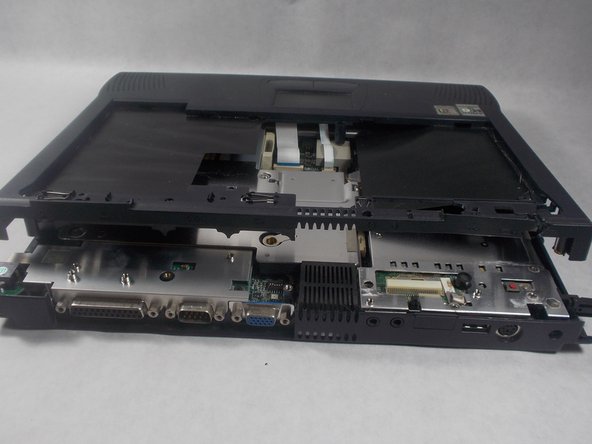
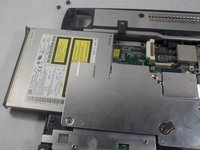
    2. HP Pavilion N3350 Optical Drive Replacement: crwdns2935265:05crwdnd2935265:01crwdnd2935265:02crwdne2935265:0 HP Pavilion N3350 Optical Drive Replacement: crwdns2935265:05crwdnd2935265:02crwdnd2935265:02crwdne2935265:0
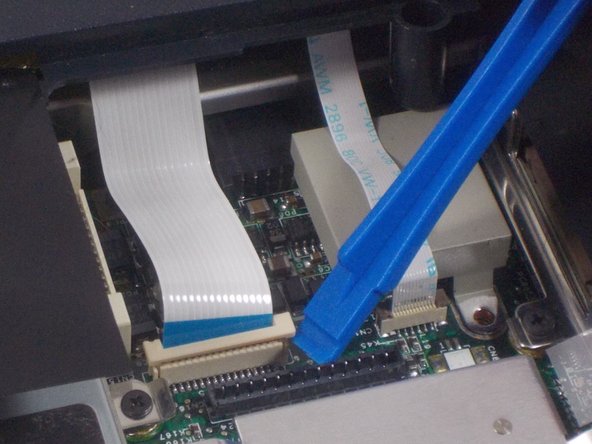
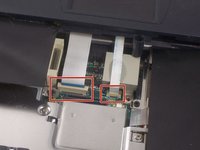
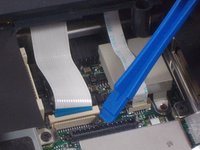
      • Use a plastic opening tool to disconnect both cable connectors gently.

      crwdns2952109:0crwdne2952109:0

      crwdns2917038:0crwdne2917038:0

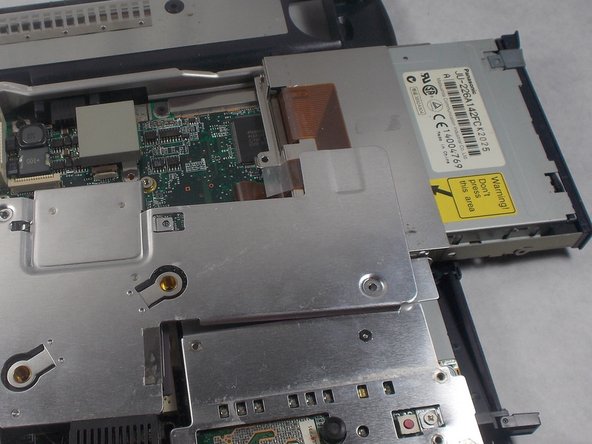
    3. HP Pavilion N3350 Optical Drive Replacement: crwdns2935265:06crwdnd2935265:01crwdnd2935265:02crwdne2935265:0 HP Pavilion N3350 Optical Drive Replacement: crwdns2935265:06crwdnd2935265:02crwdnd2935265:02crwdne2935265:0
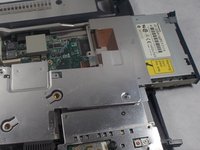
      • Once these cables are disconnected, the optical drives can be found inside.

      • This particular laptop has a CD/DVD combo drive on the left, and a floppy disc drive on the right.

      crwdns2952109:0crwdne2952109:0

      crwdns2917038:0crwdne2917038:0

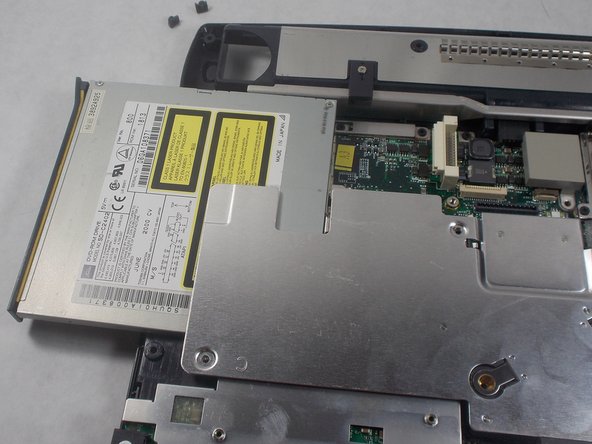
    4. HP Pavilion N3350 Optical Drive Replacement: crwdns2935265:07crwdnd2935265:01crwdnd2935265:02crwdne2935265:0 HP Pavilion N3350 Optical Drive Replacement: crwdns2935265:07crwdnd2935265:02crwdnd2935265:02crwdne2935265:0
      • The 1 centimeter screws indicated need to be removed using a Phillips #1 screwdriver to free the CD/DVD combo drive.

      • Once freed, the CD/DVD combo drive should slide out and remove easily.

      crwdns2952109:0crwdne2952109:0

      crwdns2917038:0crwdne2917038:0

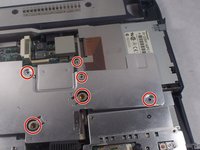
    5. HP Pavilion N3350 Optical Drive Replacement: crwdns2935265:08crwdnd2935265:01crwdnd2935265:02crwdne2935265:0 HP Pavilion N3350 Optical Drive Replacement: crwdns2935265:08crwdnd2935265:02crwdnd2935265:02crwdne2935265:0
      • The 1 centimeter screws indicated must be removed with a Phillips #1 screwdriver to free the floppy disc drive.

      • Remove the floppy disc drive from the device.

      crwdns2952109:0crwdne2952109:0

      crwdns2917038:0crwdne2917038:0

crwdns2915888:0crwdne2915888:0

To reassemble your device, follow these instructions in reverse order.

crwdns2935221:0crwdne2935221:0

crwdns2935227:0crwdne2935227:0

Lyndon Davis

crwdns2935283:003/19/18crwdne2935283:0

124 crwdns2915208:0crwdne2915208:0

crwdns2935295:0crwdne2935295:0

crwdns2935287:0crwdne2935287:0

UMass Dartmouth, Team S3-G8, Peak Spring 2018 crwdns2935289:0UMass Dartmouth, Team S3-G8, Peak Spring 2018crwdne2935289:0

UMASSD-PEAK-S18S3G8

crwdns2931471:03crwdne2931471:0

crwdns2935297:071crwdne2935297:0

crwdns2947412:00crwdne2947412:0

crwdns2917038:0crwdne2917038:0

crwdns2936625:0crwdne2936625:0:

crwdns2936751:024crwdne2936751:0 1

crwdns2936753:07crwdne2936753:0 6

crwdns2936753:030crwdne2936753:0 31

crwdns2942667:0crwdne2942667:0 592